here!
here!
I’m your shopping assistant for PC builds, upgrades, and everything tech.
Got questions? Ask away!
Start a conversation
here!
I’m your shopping assistant for PC builds, upgrades, and everything tech.
Got questions? Ask away!
Start a conversation





Any questions? Ask CelesteSM will help you find out quickly.



What should I do if the lens shows a blurry image?
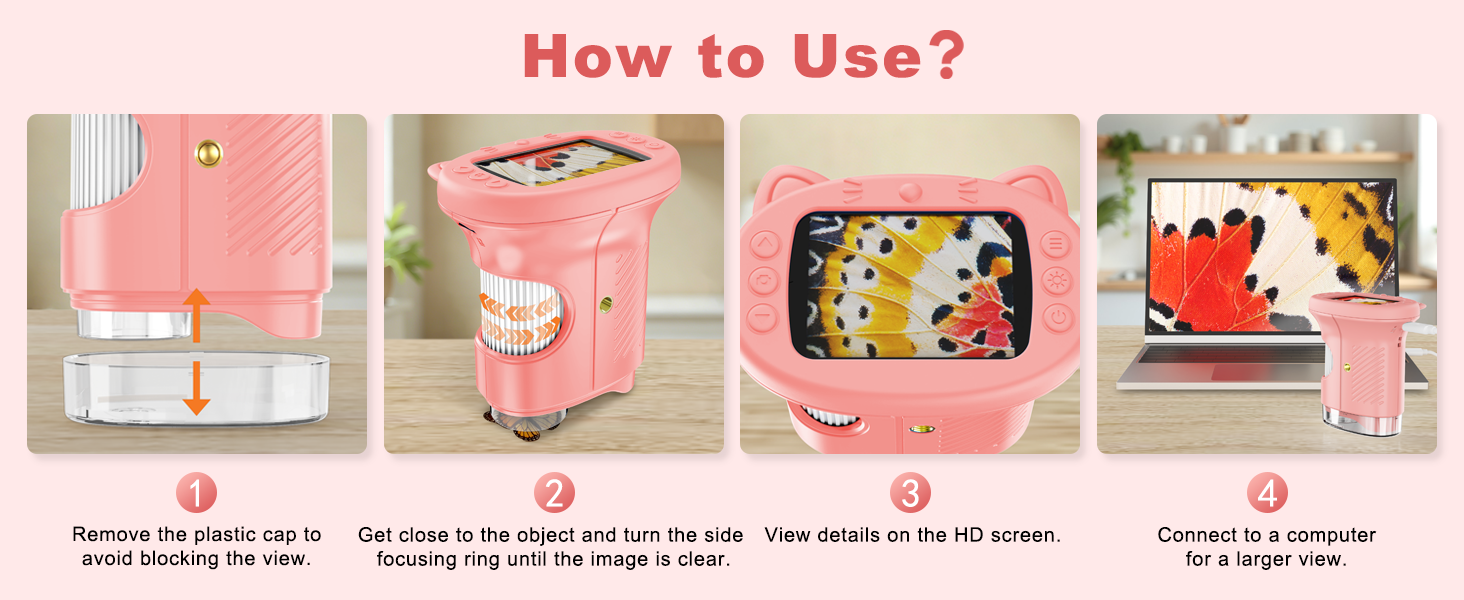
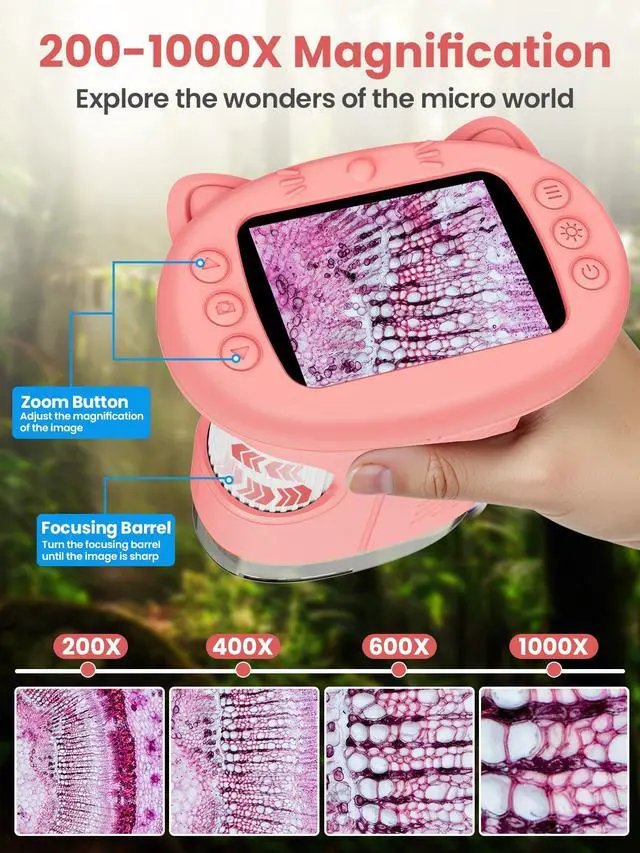
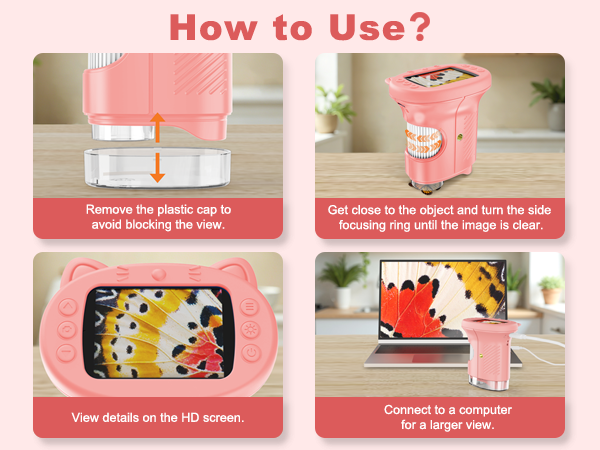
Bring the object close to the lens and rotate the focus ring on the side until the image is clear and magnified.
Note: Remove the protective plastic cover from the camera before observing to avoid blocking the lens.
What should I do if the buttons are unresponsive and the device won't turn on?
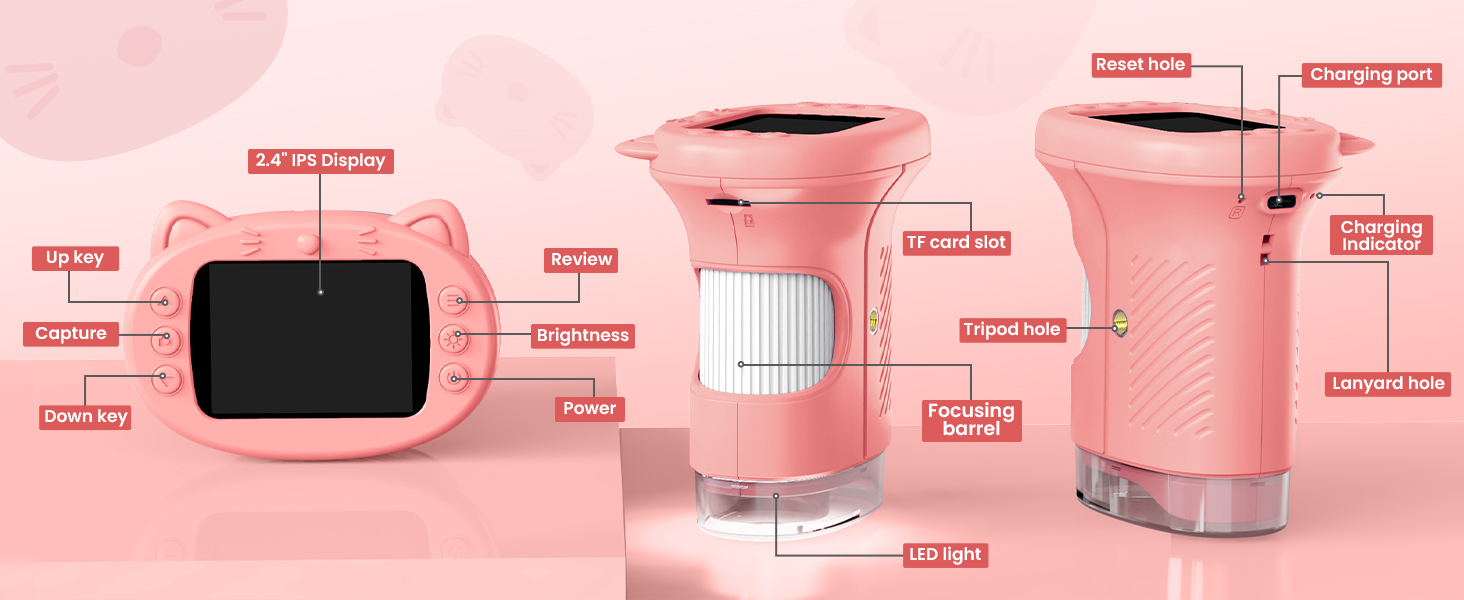
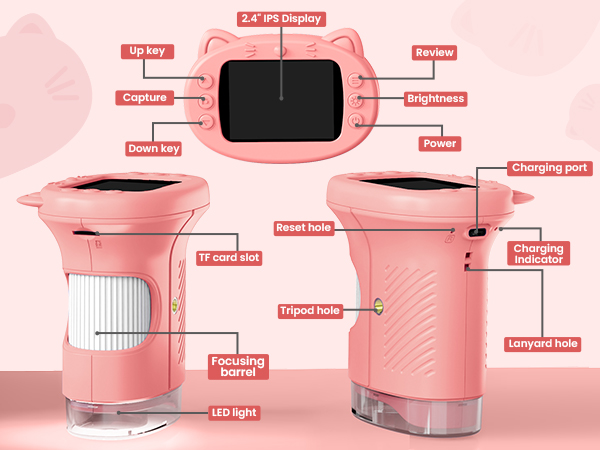
The device is not damaged. Check that the cat-shaped silicone case is installed correctly, with its buttons aligned to the device buttons. After reinstalling the case, the buttons should work normally.
How can I transfer photos taken to the computer?
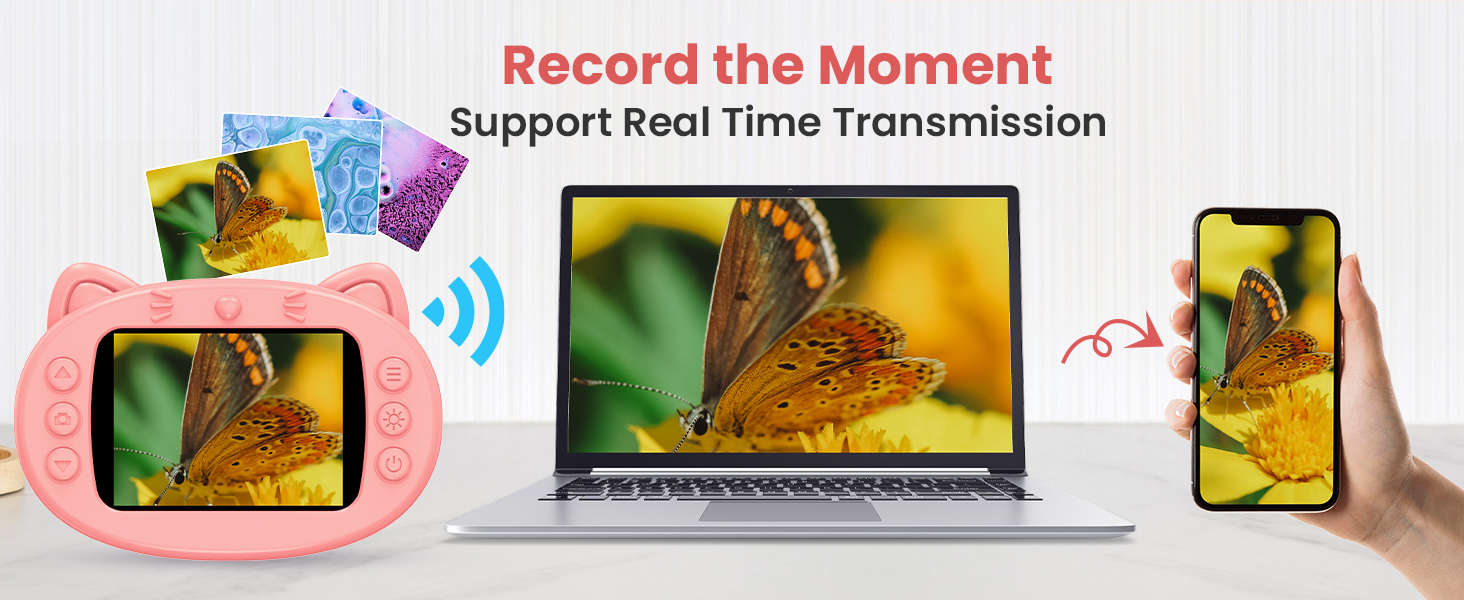
For security, built-in memory photos can't be accessed by other devices. Insert a memory card (sold separately) before taking photos. Connect via USB, select "Memory Card Reading Mode" on the device, and confirm to transfer photos.





What should I do if the lens shows a blurry image?
Bring the object close to the lens and rotate the focus ring on the side until the image is clear and magnified.
Note: Remove the protective plastic cover from the camera before observing to avoid blocking the lens.
What should I do if the buttons are unresponsive and the device won't turn on?
The device is not damaged. Check that the cat-shaped silicone case is installed correctly, with its buttons aligned to the device buttons. After reinstalling the case, the buttons should work normally.
How can I transfer photos taken to the computer?
For security, built-in memory photos can't be accessed by other devices. Insert a memory card (sold separately) before taking photos. Connect via USB, select "Memory Card Reading Mode" on the device, and confirm to transfer photos.