




 here!
here!
I’m your shopping assistant for PC builds, upgrades, and everything tech.
Got questions? Ask away!
Start a conversation
here!
I’m your shopping assistant for PC builds, upgrades, and everything tech.
Got questions? Ask away!
Start a conversation



Any questions? Ask CelesteSM will help you find out quickly.
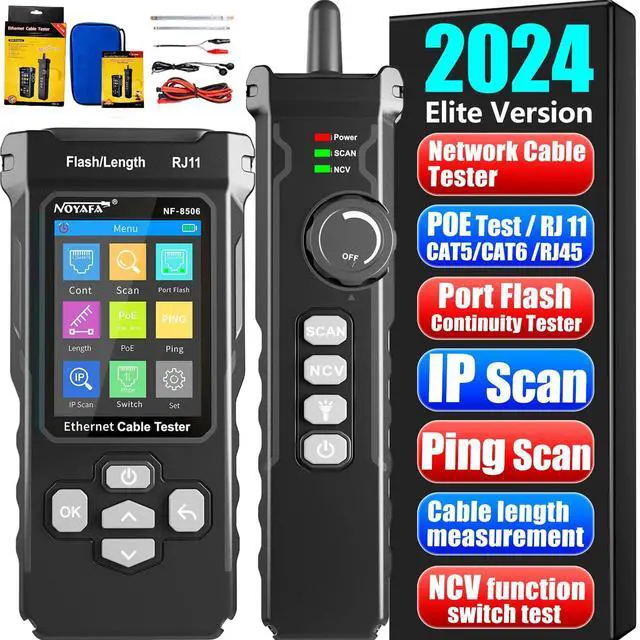
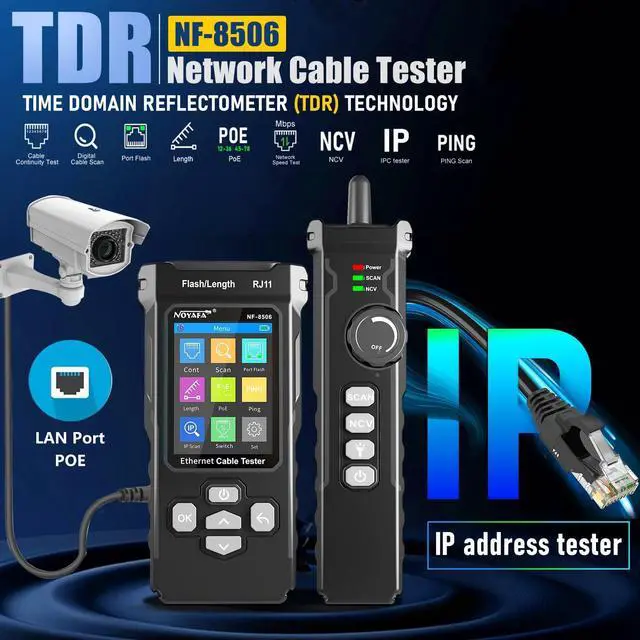
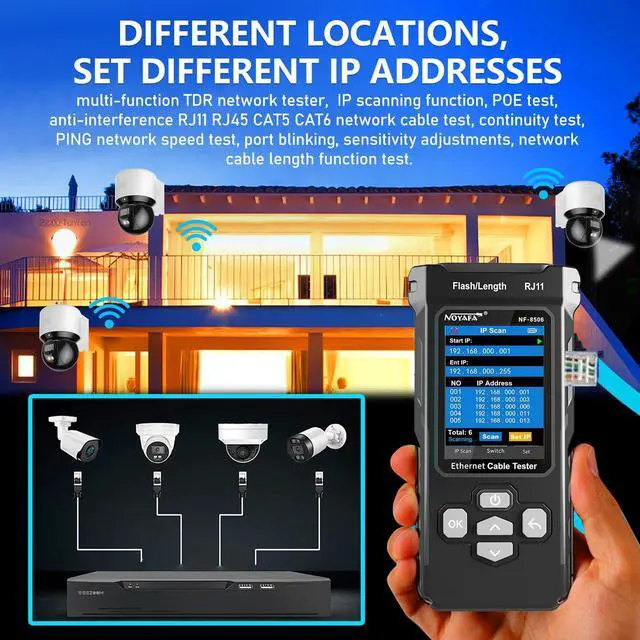
NF- 8506 Network Cable Tester with Optical Power Meter VFL, RJ11 RJ45/PoE Tester/CAT5 CAT6/Cable Length Measurement, IP Scanning Inspection Tool Phone Line Tracer, Networking Tool Multi-functional network cable tester for quick testing of phone lines, network cables, cable scanning tool for testing other network cables, Ethernet port locator, LAN, RJ45 and RJ11 cable fault tester, POE power tester for IP networks and Wi-Fi access points. Locator, LAN, RJ45 and RJ11 cable fault tester, POE power tester for IP networks and Wi-Fi access points, for professional installation of smart home networking equipment and POE test equipment, also suitable for troubleshooting network cables on construction sites, portable cable tester with long battery life and Type-C charging, is the perfect network helper for Ethernet cable repair and installation. The perfect network helper for Ethernet cable repair and installation, a professional network tester for security and communications IT technicians, commercial and residential network testing at construction sites, and home networking solutions for data centers, an affordable network cable testing tool, and a line tracer for network setups.
| Measurement Type | Ohmmeter |
| Included Components | host |
| Item Weight | 0.6 pounds |
| Specification Met / 0 | CE |
| Specification Met / 1 | RoHS |
| Item Dimensions | 9 L x 4 W x 3 H inches |
| Brand Name | NOYAFA |
| Number of Items | 1 |
| Item Package Dimensions | 5.4102 L x 16.3068 W x 26.1874 H centimeters |
| Size | NF-8506 |
| Style Name | Network cable tester |
| Color | Gray |
| Measurement Accuracy | 0.003m |
| Package Weight | 0.549 kilograms |
| Manufacturer | NOYAFA |
| Model | NF-8506 |
| Are batteries required? | false |
| Power Source | No |
| Material Type | Plastic |
| Are batteries included? | false |
The NOYAFA NF-8506 is a multifunction network cable tester for IT technicians, network installers, and maintenance teams who need to test RJ11/RJ45 CAT5/CAT6 cables, measure cable length and fault distance up to 200 m, scan IP addresses, test PoE, and diagnose LAN connectivity.
| Attribute | Value |
|---|---|
| Best For | Field testing and troubleshooting of network cabling with a battery-powered cable tester kit |
| Testing Equipment Type | Cable tester kit with a network cable tester and related testing accessories |
| Power And Electrical Rating | Battery-powered with a 66-volt direct-current rating |
| Physical Specifications | Yellow rectangular enclosure measuring 6.9 L × 3.2 W × 1.5 H inches and weighing 1.12 pounds |
| Model Identifiers | NOYAFA NF-8506 |
Q: Should I choose the NOYAFA NF-8506 or the cheaper NOYAFA NF-8209 Pro?
A: Choose the NF-8506 when you need network diagnostics in addition to cable testing. It adds IP scanning, ping testing, network-rate testing, PoE checks, and switch-port identification. Choose the NF-8209 Pro when your main tasks are cable tracing, wire mapping, continuity checks, length testing, PoE testing, and port flashing, with a lower-cost and more installation-focused feature set.
Q: Is the NOYAFA NF-8506 a better choice than the Klein Scout Pro 3 for Ethernet troubleshooting?
A: The NF-8506 is the better fit for technicians who need active-network checks such as IP scanning, ping testing, network-rate testing, and PoE detection. The Klein Scout Pro 3 is a stronger choice for structured cable identification, multiple cable-run mapping, voice/data/video testing, and longer cable-length measurements up to 2,000 feet. Choose based on whether network diagnostics or cable-installation workflow is more important.
Q: Should I buy the NOYAFA NF-8506 or Fluke Networks LinkIQ?
A: Choose the NF-8506 for portable, general-purpose troubleshooting involving RJ45 and RJ11 cables, cable tracing, continuity, length checks, PoE detection, ping, IP scanning, and port flashing. Choose LinkIQ when you need higher-end cable qualification up to 10GBASE-T, detailed switch diagnostics, Ethernet Alliance-certified PoE testing, results management, and formal reporting through LinkWare PC. LinkIQ is intended for performance validation and documentation, while the NF-8506 covers common field diagnostics in a simpler tool.
Q: Is the NOYAFA NF-8506 better than the NF-8601S for finding cable faults?
A: Choose the NF-8601S when locating the approximate distance to a cable fault is the priority, because it is positioned around TDR-based fault diagnosis. Choose the NF-8506 when you need broader network maintenance features, including IP scanning, ping testing, network-rate testing, PoE checks, port flashing, and switch-port information. The NF-8506 is more network-oriented, while the NF-8601S is more fault-location-oriented.
Q: What types of network problems can the NOYAFA NF-8506 help diagnose?
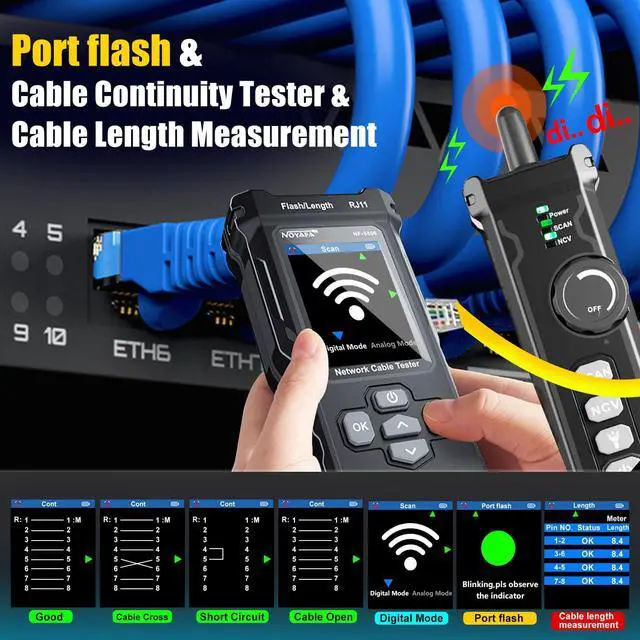
A: The NF-8506 is designed for field troubleshooting of RJ11 and RJ45 networks. It can check cable continuity, identify opens and shorts, measure cable length and fault distance, test PoE presence and polarity, perform ping and network-rate checks, scan IP addresses, and flash a connected switch port to help identify the correct cable.
Q: Can the NF-8506 test whether a cable is connected correctly and find a fault location?
A: Yes. Its continuity and TDR functions are intended to detect wiring problems such as opens, shorts, or incorrect connections and estimate cable length or the distance to a fault. It measures cable runs from approximately 2.5 m to 200 m, or about 8.2 ft to 656 ft.
Q: Can the NF-8506 test PoE equipment and network connectivity?
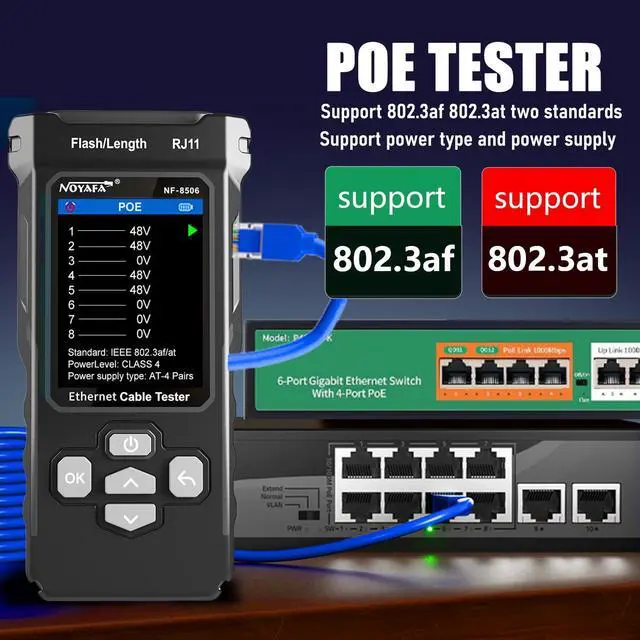
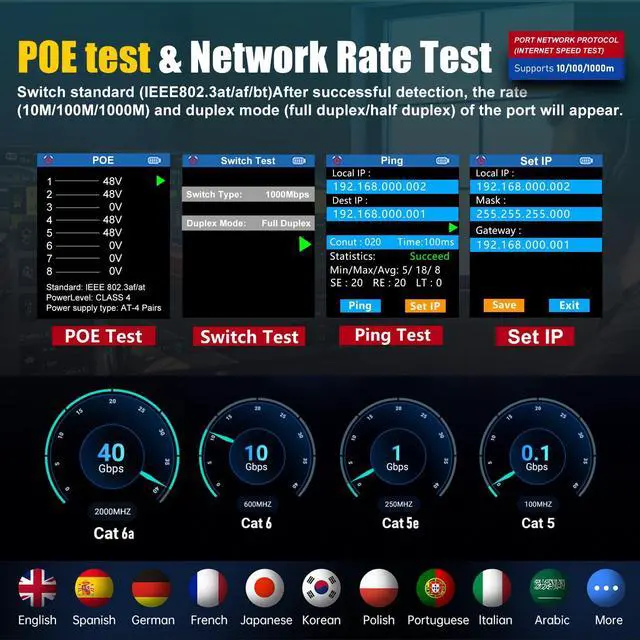
A: Yes. The NF-8506 supports PoE detection for non-standard PoE and IEEE 802.3af and 802.3at equipment, including power-supply method and polarity checks. Its ping and network-rate functions can also help verify whether a live Ethernet connection responds and whether the link is negotiating at the expected rate. These checks are for troubleshooting and verification, not formal cable certification.
Q: Who is the NOYAFA NF-8506 suitable for?
A: The NF-8506 is suitable for home-network users, installers, security-camera and PoE technicians, small-office IT staff, and field service workers who need several troubleshooting functions in one handheld tester. It is most useful when diagnosing cable faults, identifying switch ports, checking PoE, or verifying live LAN connectivity. Buyers who need standards-based certification reports or advanced signal-quality measurements should use a dedicated certification instrument instead.
Q: Is the NF-8506 better than a basic continuity-only cable tester for troubleshooting?
A: It is better suited to multi-step troubleshooting because it combines continuity testing with TDR length measurement, PoE detection, ping, network-rate testing, IP scanning, and port identification. The trade-off is that users who only need a simple pass/fail wiremap may not need all of these functions. The NF-8506 should also be viewed as a diagnostic tester rather than a formal cable-certification system.
Q: Is the NOYAFA NF-8506 worth buying over a basic Ethernet cable tester?
A: It is more suitable when you need network diagnostics in addition to wire mapping. The NF-8506 adds IP scanning, ping, network-rate testing, PoE checks, port flashing, cable-length measurement, and cable tracing; a basic tester is usually sufficient for continuity and wiring-order checks only.
Q: Who is the NOYAFA NF-8506 best suited for?
A: It is best suited for home-network troubleshooters, IT technicians, and network installers who need one handheld tool for RJ45 or RJ11 cable testing, network checks, PoE detection, cable tracing, and port identification. It may be unnecessary for users who only test newly terminated cables.
Q: Can the NF-8506 help diagnose slow Ethernet connections?
A: Yes. Its network-rate test can help identify whether a link is negotiating below the expected speed, while continuity, length, ping, and port information can help narrow down whether the problem is related to cabling, connectivity, or the network port. It does not replace full cable certification equipment.
Q: Is the NF-8506 useful for PoE and network-port troubleshooting?
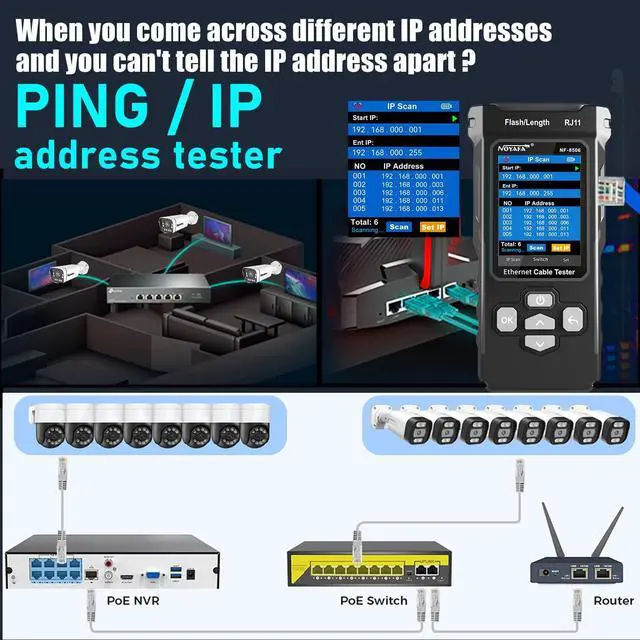
A: Yes. The NF-8506 can detect PoE characteristics, test network connectivity, scan IP addresses, display link information, and flash a connected port to help identify the correct switch port. These functions are useful for field troubleshooting of access points, cameras, and other Ethernet devices.
Q: What are the main trade-offs of choosing the NF-8506?
A: The main trade-off is broader functionality versus simplicity. The device combines cable testing and network diagnostics, but community discussion indicates that different tests may use different jacks and that the instructions can be difficult to follow. Users who want a simple continuity tester may find the extra functions unnecessary.


