Are you an E-Blast Insider?

Shop without retyping payment details. Secure shopping made faster.
Check out with PayPal.


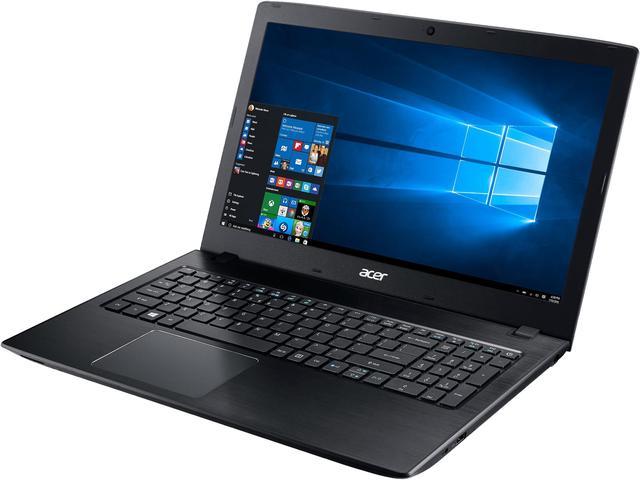
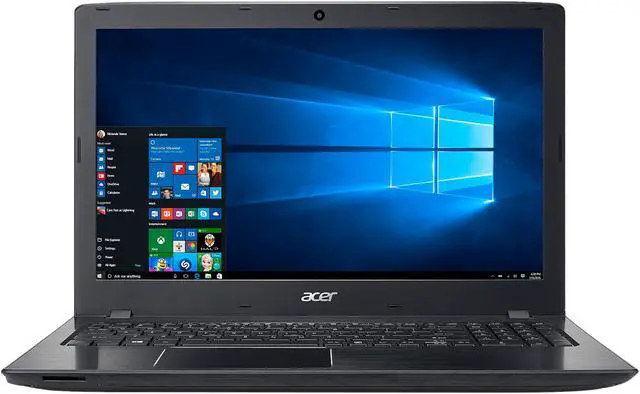
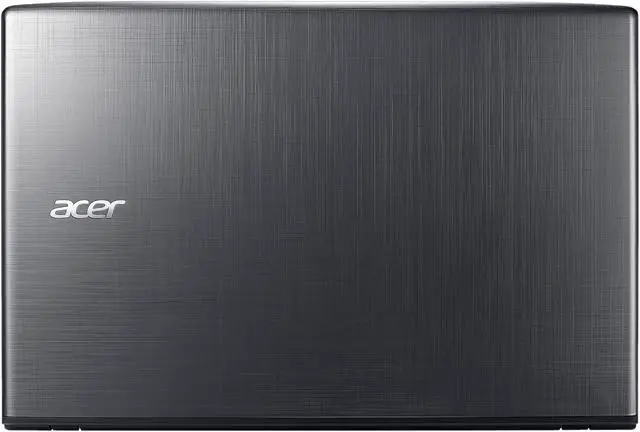
Acer Laptop Aspire E 15 E5-575G-52RJ Intel Core i5 6th Gen 6200U (2.30 GHz) 8 GB Memory 1 TB HDD NVIDIA GeForce 940MX 15.6" Windows 10 Home ONLY @ NEWEGG
- Intel Core i5 6th Gen 6200U (2.30 GHz)
- 8 GB Memory 1 TB HDD
- NVIDIA GeForce 940MX
- 1920 x 1080
- Windows 10 Home
- ONLY @ NEWEGG
Learn more about the Acer America E5-575G-52RJ
| Brand | Acer |
|---|---|
| Series | Aspire E 15 |
| Model | E5-575G-52RJ |
| Part Number | NX.GDWAA.001 |
| Color | Obsidian Black |
|---|---|
| Operating System | Windows 10 Home |
| CPU | Intel Core i5-6200U 2.3 GHz |
| Screen | 15.6" |
| Memory | 8 GB DDR4 |
| Storage | 1 TB |
| Graphics Card | NVIDIA GeForce 940MX |
| Video Memory | 2 GB GDDR5 |
| Communication | Gigabit LAN and WLAN |
| Dimensions (W x D x H) | 15.02" x 10.20" x 0.94"-1.19" |
| Weight | 4.92 lbs. |
| CPU Type | Intel Core i5 6th Gen |
|---|---|
| CPU Speed | 6200U (2.30 GHz) |
| Core Name | Skylake |
| Number of Cores | Dual-core Processor |
| CPU L3 Cache | 3 MB |
| Screen Size | 15.6" |
|---|---|
| Touchscreen | No |
| Wide Screen Support | Yes |
| Display Type | Full HD |
| Resolution | 1920 x 1080 |
| LCD Features | LED backlight & Acer ComfyView Technology |
| Operating System | Windows 10 Home |
|---|
| GPU/VPU | NVIDIA GeForce 940MX |
|---|---|
| Video Memory | 2 GB |
| Graphic Type | Dedicated Card |
| HDD | 1 TB |
|---|---|
| HDD RPM | 5400 RPM |
| HDD Interface | SATA |
| Memory | 8 GB |
|---|---|
| Memory Spec | 8 GB x 1 |
| Memory Slot (Total) | 2 |
| Memory Slot (Available) | 1 |
| Max Memory Supported | 32 GB |
| LAN | 10/100/1000Mbps |
|---|---|
| WLAN | 802.11ac WiFi featuring MU-MIMO technology |
| Bluetooth | Bluetooth 4.1 |
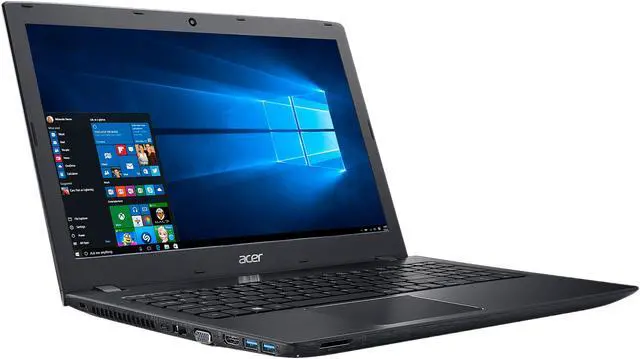
| USB | 1 x USB 3.1 Type-C 2 x USB 3.0 (One with Power-off Charging) 1 x USB 2.0 |
|---|---|
| HDMI | 1 x HDMI |
| Docking Connector | 1 |
| Audio Ports | 1 x Headphone / Speaker / Line-Out Jack |
| Audio | Acer TrueHarmony High-Performance Sound System |
|---|---|
| Speaker | 2 x Integrated Stereo Speakers |
| Touchpad | Precision Touchpad (supporting Windows Modern Touchpad gestures) |
|---|---|
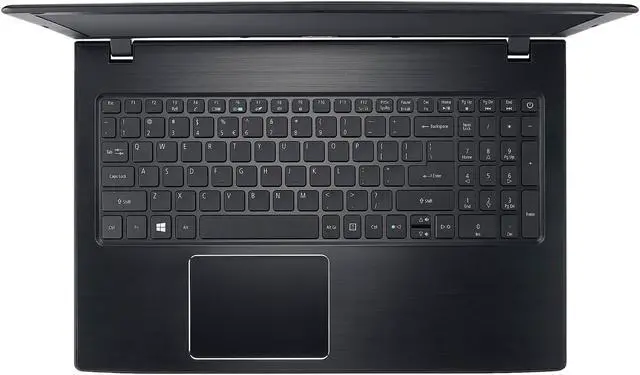
| Keyboard | Dedicated Numeric Keypad Media Control Keys |
| Webcam | HD Webcam (1280 x 720) supporting High Dynamic Range (HDR) |
| Card Reader | Secure Digital (SD) Card |
| Style | Thin and Light |
|---|---|
| Type | Mainstream |
| Usage | Consumer |
| AC Adapter | 65-watt AC Adapter |
|---|---|
| Battery | 4-cell Li-Ion (2800 mAh) Battery |
| Battery Life | Up to 8 hour(s) |
| Dimensions (W x D x H) | 15.02" x 10.20" x 0.94"-1.19" |
|---|---|
| Weight | 4.92 lbs. |
| Date First Available | June 27, 2016 |
|---|
Pros: - Dedicated graphics (I don't use this for gaming) - Good processor & RAM at the price-point - Easy to upgrade! - Number pad is welcome addition coming from my old Aspire AS1410 - Simple design w/ no gimmicks
Cons: - Advertised battery life is not stellar (wasn't a major criteria for me) - Bezel around screen is a bit flimsy, optical drive blank-off a little loose, plastic attracts fingerprints, etc. - Backlit keyboard would have been nice
Overall Review: I'm not a gamer or a power-user, but I am coming from a 7yr old Aspire that has an 11" screen, Core2 solo processor, and 3GB of RAM running 32bit Vista. That computer has served its purpose well (portability, use it primarily to calibrate/datalog my cars) but it just can't keep up with the demands of modern home/office usage. Given that I paid $250 for it back in '09 I'd say I'm continuing to get my money's worth. When I was shopping for the replacement I knew I wanted dedicated graphics to lighten the load on the system. Casting off the shackles of the 32bit OS, and given how inexpensive memory is these days, I wanted a lot of RAM or the ability to upgrade as time went on. I also knew I wanted to run the OS on an SSD and use a large HDD for data storage. That being said, I really didn't want to break the bank and fall into my old habit of buying way more than was needed to get the job done. When I stumbled across the E5-575G-55KK I was very happy to find out that it had the M.2 port, an extra memory slot, and even an optical drive bay that I could use to add another HDD if necessary (I have an external DVD-R). You can also get this laptop from Acer with the 250GB SSD & 1TB HDD combo (they bump up the processor to the 2.7GHz i7) but it's less expensive to DIY. To further confound things, I also considered the 17.3" version with the 2.5GHz i5 and a 250GB SSD, to which you could add a 1TB HDD and end up <$50 more than this one (after adding the SSD). In the end I am very happy I went with the 15.6"; it is more than big enough for comfortable viewing. The viewing angle isn't great, but that's not an issue for the way I use it. The matte screen is a nice change. I can have my back to the windows without a ton of glare on the screen. I purchased a Samsung EVO 850 M.2 2280 250GB SATAIII drive and a stick of Kingston 8GB DDR4 2133MHz. Flip the laptop over, remove 3 small screws that secure the access cover, install the drive and memory, and put the cover back on. Probably takes 3 minutes if you are taking your time. Installed Win10 Home on the SSD from a USB, formatted the HDD, and we are in business. The computer is very fast with the SSD, a drastic improvement over booting from the HDD. Eventually I may bump up the RAM to 2x16GB but for now this is more than enough for what I need. The only other comment I'll make on the RAM is it looks like my computer came with Kingston 8GB DDR4 2400MHz. I had purchased the 2133MHz based on what I'd read here, ignoring the advice to wait and see. Could have saved $2 and got the faster memory if I had had the patience! That being said there is probably zero practical difference between the two. All in all I'm very happy with the purchase!
Pros: PRICE, weight, dedicated graphics, SSD and HDD, kabby lake
Cons: a little on the delicate feeling side
Overall Review: honestly for the price you pay you can easily expect that this laptop feels like cheap plastic, but what a setup for less than $800! I dare you to find the same components in another laptop for the same price, you will not! and the performance is great! this thing can binge 6-7 hours of 7 days to die on full settings with me on a Saturday, and on Monday I can open up multiple excels and start running layers of macros at a time no sweat, I really bought this for the casual gaming but occasionally I need the workhorse side to do a little business. all in all I'm really happy, these other guys complaining, I'm not sure what they thought they were buying, I got mine on an after Xmas sale so the price was even more amazing on this bad boy, seriously if you are looking for something to run CSGO or DOWIII really well without breaking your bank and staying portable? this here's your guy.
Pros: 1080p at around 500 bucks, Dedicated GPU, 8gb of ram in 1 stick leaving a second slot open for expansion, 1 USB Type C port which is now the standard connector for almost every phone. Super slick. WD Blue 1TB hdd preinstalled, not super slow, not a speed demon. (WD10JPVX if anyone wants to know).
Cons: HDD really should be replaced with an SSD day 1 for best performance. That's why most experience any slowness. The LCD has a fairly narrow viewing angle and not super fantastic color.
Overall Review: Would I recommend this to others? Absolutely, try finding 1080p, dedicated GPU, and an i5 all in one for under $600 and you'll be hard pressed, I've installed quite a few of these and had nothing but good luck. This laptop (and any modern laptop) neeeeeedssss and SSD installed to preform it's best. Is this a gaming PC? no, maybe for some light stuff, but it's just not set up for it. Is this a general workhorse to last 5-7 years? Yes I believe with the specs included it should stand the test of time well.
Pros: -Sharp Bright screen, don't know what everyone's complaining about - Sturdy keyboard -Came with a fast processor - 6th gen too which is rare for this price -Works amazing with an SSD -Comes with a decent GPU, enough to play top gen games on medium-low -Very lightweight and great material to the backplate
Cons: -Keyboard could be backlit -No optical drive so could've atleast came with a caddy for additional hard-drive -Had to switch bootmode to legacy inorder it to recognize bootable drives -Power button is a key
Overall Review: I immediately installed my SSD into this asoon as I got it. The SSD ran like a charm, the processor didn't bottleneck the speed so it ran flawlessly with an average 10 second boot time. The 1tb that came with it is now in a caddy I bought from another site where im just gonna store my mass storage files on. All in all, great buy! Have no idea what everybody's complaining about. I also notice the E5-575G-53VG counterpart to this on another site that is slightly newer is loved by thousands of reviews even though on paper, it seems the difference is the 256 SSD and backlit keyboard, but once you buy a 500gb ssd from newegg and put it in this laptop, it becomes even better for less the price - so it threw me off a bit when the reviews were so different, but I'm glad I bought this one and upgraded it.
Pros: Are there better laptops out there? Yes, however for the price this one is hard to beat. I got mine during a Black Friday Sale so I got a really good deal. The i5 processor is very fast and the 8 GB of DDR4 RAM is great as well. I actually went ahead a purchased another 4GB of RAM and installed into the extra slot opening to give it a total of 12 GB. One thing that sold me on this was the 2GB NVIDIA video card that it comes with. I get tired of laptops coming with cheap built in video cards. This is a nice video card because you can actually play some recent games on this. I've been completely happy with this laptop after using it for about a week now.
Cons: The screen is 1080p which is nice, but it won't blow your socks off. I will call it average. Even though this laptop comes with a 1 TB HDD I chose remove an SSD that I had in my old laptop and install it into this one. This laptop really flies with an SSD. Don't get me wrong, the 1 TB hard drive is nice, but if you really want to speed this thing up purchase an Solid State Drive to go along with it.
Overall Review: This is my third ACER laptop. The last one I had started having some hardware issues after about 5 years. So far from my experience I have found that with ACER you get a lot of bang for you buck.
Pros: Long battery life. Maybe not six hours but well over 4 on my initial test. Fast. Clear crisp screen. Light weight. 802.11AC Bluetooth 4.0
Cons: The battery does not look like it is user replaceable. There seems to be an auto backlight that is glitchy. I'm looking to disable that. The light weight plastic case is a light weight plastic case. No optical drive. No easy access panel to get to RAM/HDD/wireless nic.
Overall Review: I needed to replace my old AMD Phenom II x4 N970 laptop. I was surprised to see that CPU comparisons with that old chip showed it to still be current, however, that old laptop died and I wanted one that could preform on a similar level. The discrete graphics means that it does not share any of the system RAM which is a very good thing. The system also seems to manage its power usage very well too. My last laptop would last led than two hours on a charge and this one lasted four hours plus before I plugged it back in. I am very happy with this purchase. Update: I wanted to replace the HDD with an SSD. To get to the HDD, you have to remove the entire back plate. Like 21 screws, 1 broken speaker cable, and a broken bit of plastic trying to remove it around the VGA port. I'm not happy with that but once I replace my speakers and finish the upgrades that I want to do, I will never have to mess with it again. Final update: To address the issue of people not able to wake the machine up. I found that if the machine goes to sleep, it will wake up with the use of any key *other* than the power key which is located on the keyboard just like any other key. The natural tendency is to hit the power button to wake it up but it will not.
Pros: Great Laptop for the price! I purchased a 128gb M.2 2280 SSD and a Ballistix Sport LT 8GB Single DDR4 2400 stick of RAM to complement this laptop. After a quick installation of the 100$ worth of new upgrades this laptop is remarkably fast and capable of running every game out.
Cons: The computer case feels cheap.
Overall Review: Great product! With a 100$ in upgrades I turned this laptop into a 750$ machine for under 600$!
Warranty & Returns
Warranty, Returns, And Additional Information
Warranty
- Limited Warranty period (parts): 1 year
- Limited Warranty period (labor): 1 year
- Read full details
Return Policies
- Return for refund within: 30 days
- Return for replacement within: 30 days
- This item is covered by Newegg.com's Standard Return Policy
Manufacturer Contact Info
- Manufacturer Product Page
- Manufacturer Website
- Support Phone: 1-800-816-2237
- Support Website
- View other products from Acer America


Pros: Runs PCSX2 pretty well, don't forget to enable the DX10/11 features. Runs Dolphin like a pro, haven't noticed lag nor choppy audio. Compatible with XBOX controllers out of the box Compatible with Steam controllers after a 10 mb update. Lightweight, very portable. It really does have great battery life.
Cons: Default 10 install idles at 3 gigs of used RAM. Trackpad is garbage, I have used 5 laptops in seven years and this is easily the worst trackpad. The trackpad has a high precision mode which is equally garbage. Some idiot put the home key above the backspace key instead of delete.
Overall Review: I bought this as a portable emulator station and it does that fantastically thanks to its specs, but the trackpad is terrible. If someone needed a dedicated laptop I couldn't recommend this unless they only use attached mice. Ensure you grab one of the enterprise versions of 10 off the bay with pirates to avoid the update/restart hell another user was complaining about. There are tools to remove W10 update, but they work best with enterprise. If they had any sense they would have swapped the home and delete key, like seriously who uses the home key? All laptops use 5200 RPM hard drives for the safety of the hard drive. The user complaining about that doesn't know what they are talking about. If your pockets are deep enough you can get higher spin rates but you are better off buying a SSD then.