



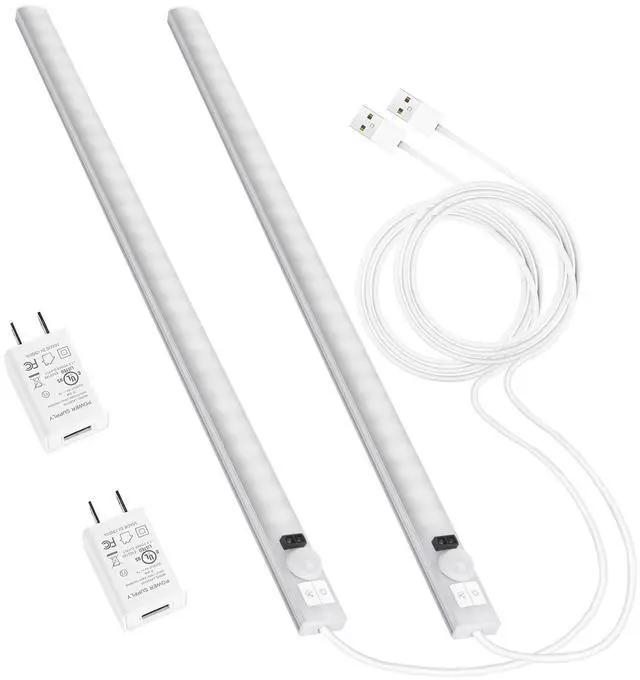
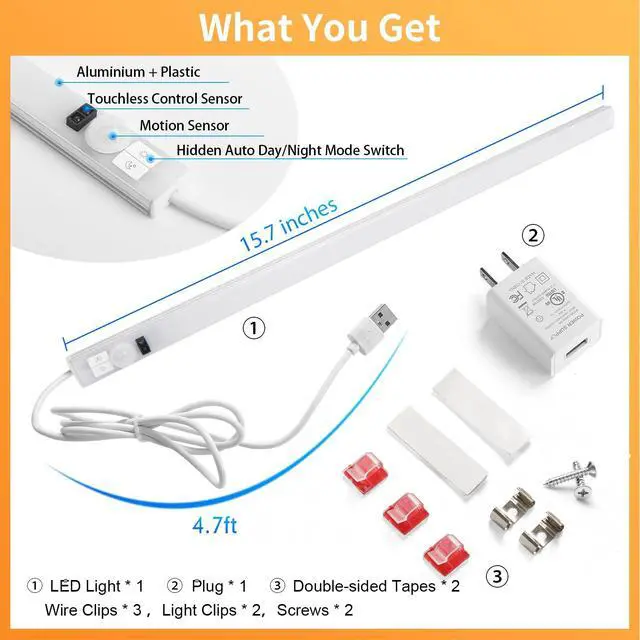



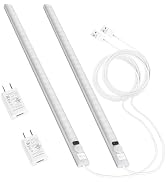
Convenient & Touchless Control & Super Bright. Improved 15.7" USB Plug-in LED Motion Sensor Under Cabinet Light Indoor
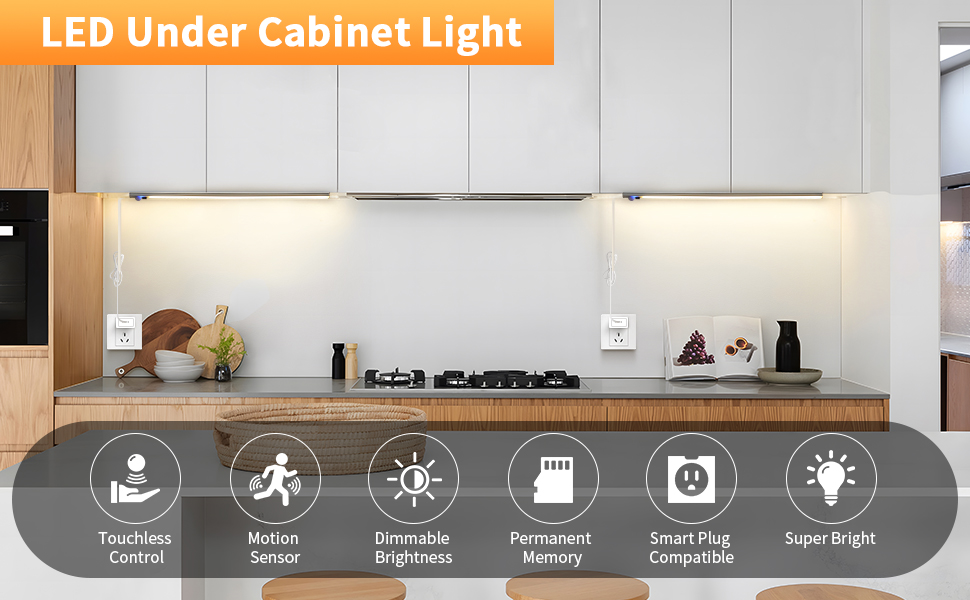
HOT Features
- Touchless to Switch between ON & Auto (Motion Sensor) Modes,no OFF-Mode
- Touchless to Adjust Brightness & Super Bright
- 2 Motion Sensor Modes: Auto-Day-Mode(works all day) / Auto-Night-Mode(works ONLY when DARK enough)
- Smart/Timer Plug Compatible with Permanent Memory
- USB Plug-in (UL Listed Plug included) & Easy to Install: No batteries needed
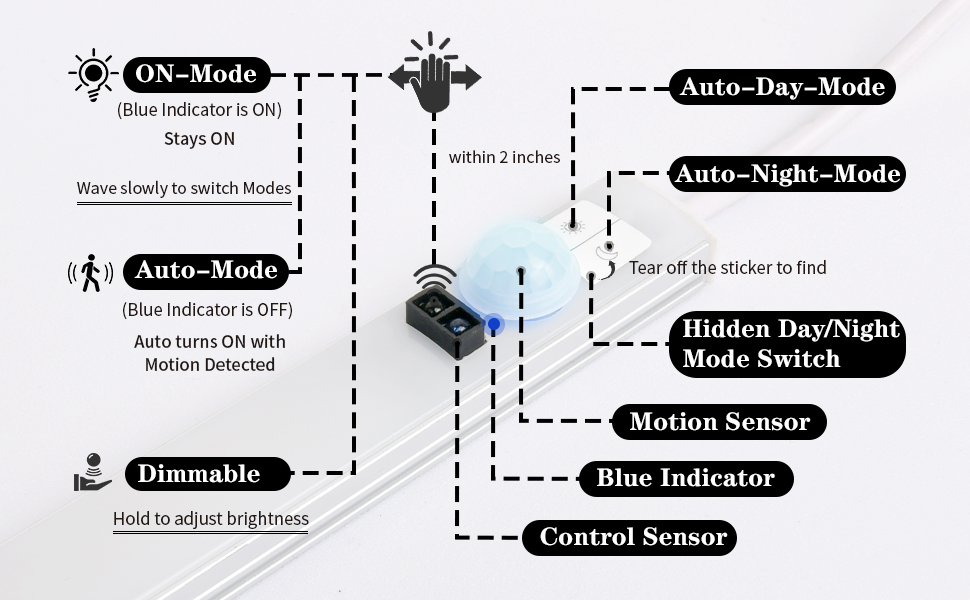
How to Use
On your first use, you might need a little time to learn how to use it, but once familiar, it becomes super convenient! Please have more patience to read the directions.
MUST KNOW FIRST:
- It's about max 2 inches, in front of the Switch Sensor, to switch between AUTO and ON modes, or to Adjust Brightness.
- There should be nothing within 4 inches in front of the Control Sensor, otherwise it might adjust the brightness or switch between modes by itself.
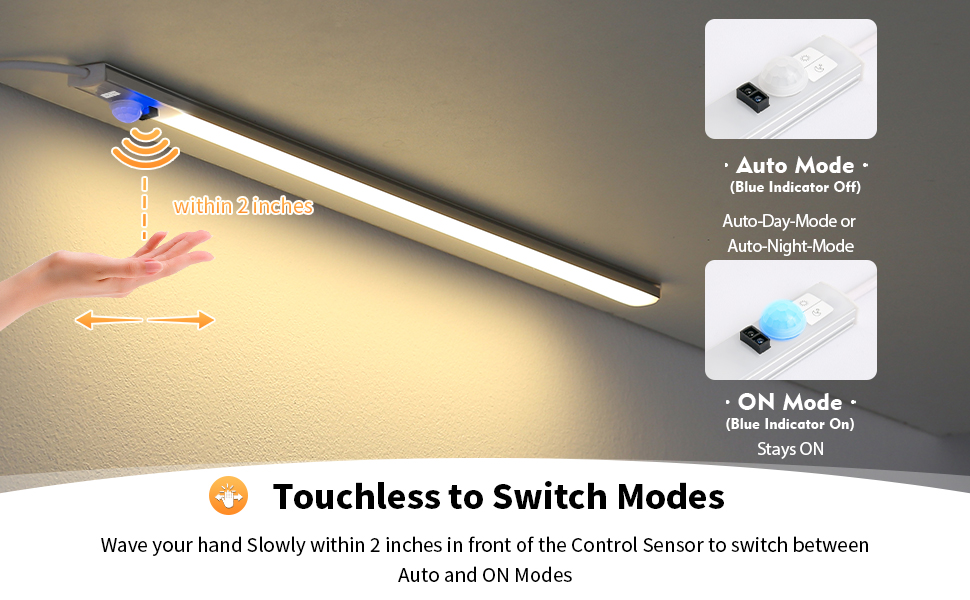
Touchless to Switch between ON and Auto Motion Sensor Modes, no OFF-Mode
- Either ON-Mode or AUTO-Mode(including day & night modes), no OFF-Mode.
- ON-Mode(Blue Indicator is ON): Stays ON.
- Auto-Mode(Blue indicator is OFF):
- Auto-Day-Mode: Auto Turns ON all day with Motion Detected, no mater day or night, then Auto Turns OFF in 30s after no motion detected.
- Auto-Night-Mode: ONLY Auto Turns ON when DARK Enough with Motion Detected, then Auto Turns OFF in 30s after no motion detected.
- NOTE: The Auto Day/Night Mode Switch is hidden, which is mostly not needed for many people. Tear off the Sticker before using it.
- How to Switch Modes:
No touch needed, just wave your hand slowly(not too fast), within 2 inches in front of the Control Sensor, to switch between ON and Auto Modes.
- Tips:
- The way to know which mode on: Blue Indicator ON means ON-Mode, Blue Indicator OFF means AUTO-Mode.
- Either ON-Mode or AUTO-Mode, No OFF-Mode! It means that you couldn't turn it OFF with the Control Sensor. BUT, in Auto-Mode, it doesn't turn ON without Motion Detected. It means that you don't need to turn it off manually in Auto-Mode. ** Some users IGNORED this **
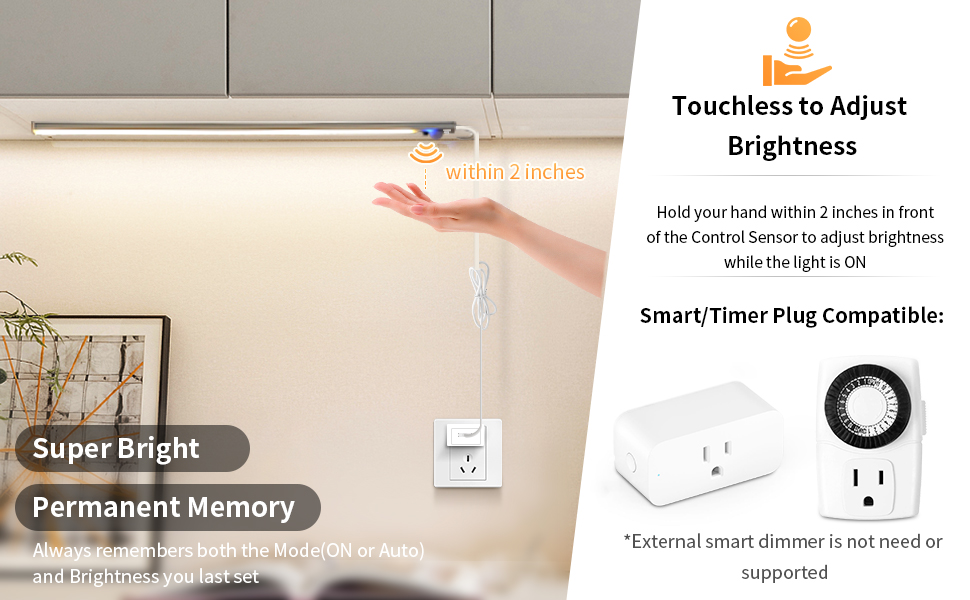
Touchless to Adjust Brightness & Super Bright & Smart/Timer Plug Compatible
- Super Bright & Dimmable:
It is MUCH Brighter than battery light and dimmable.
- How to Adjust Brightness:
No touch needed, just Just hold your hand, within 2 inches in front of the Control Sensor, to adjust the brightness while the light is ON.
- Permanent Memory & Smart/Timer Plug Compatible:
When turns OFF then ON with plug, just recover to both the mode(ON or Auto) and brightness your last set.
NOTE: There is an internal dimmer inside the light, external smart dimmer is not needed or supported.
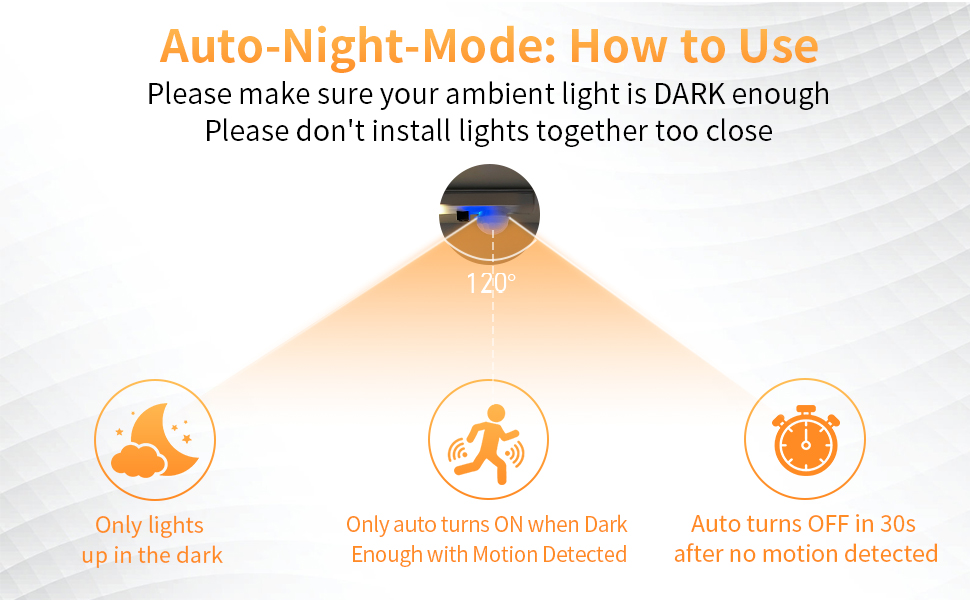
How to Use Auto-Night-Mode: ONLY works when DARK enough with Motion Detected
- Auto-Night-Mode: ONLY Auto Turns ON when DARK Enough with Motion Detected, then Auto Turns OFF in 30s after no motion detected.
- Please make sure your ambient light is DARK ENOUGH(not completely dark) in this mode.
- Please don't install lights together too close in this mode, otherwise some of them might not auto turn ON.
- Please install the light with the Motion Sensor not covered and being towards your movements.
- NOTE:
- Auto-Day-Mode: Auto Turns ON all day with Motion Detected, no mater day or night.
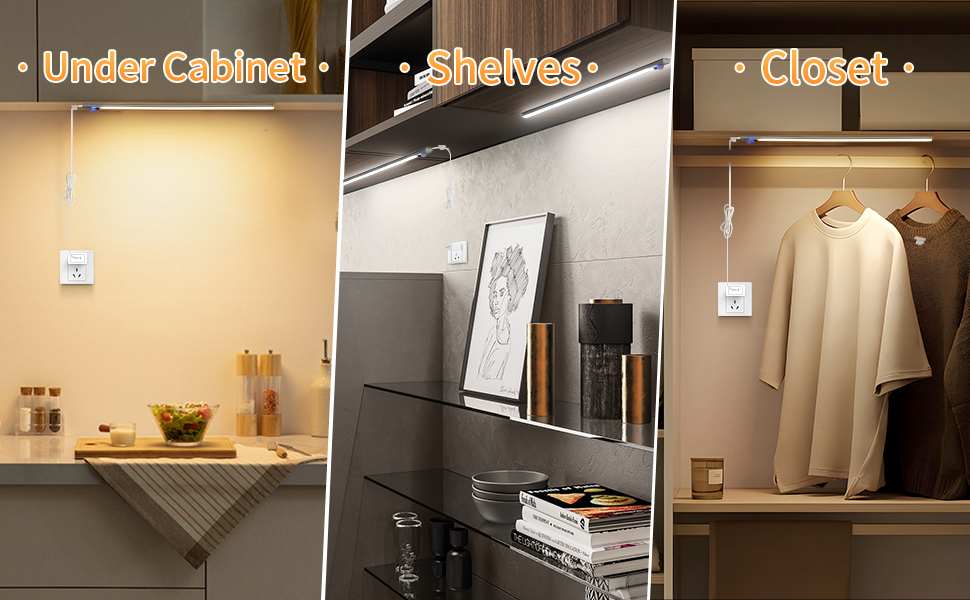
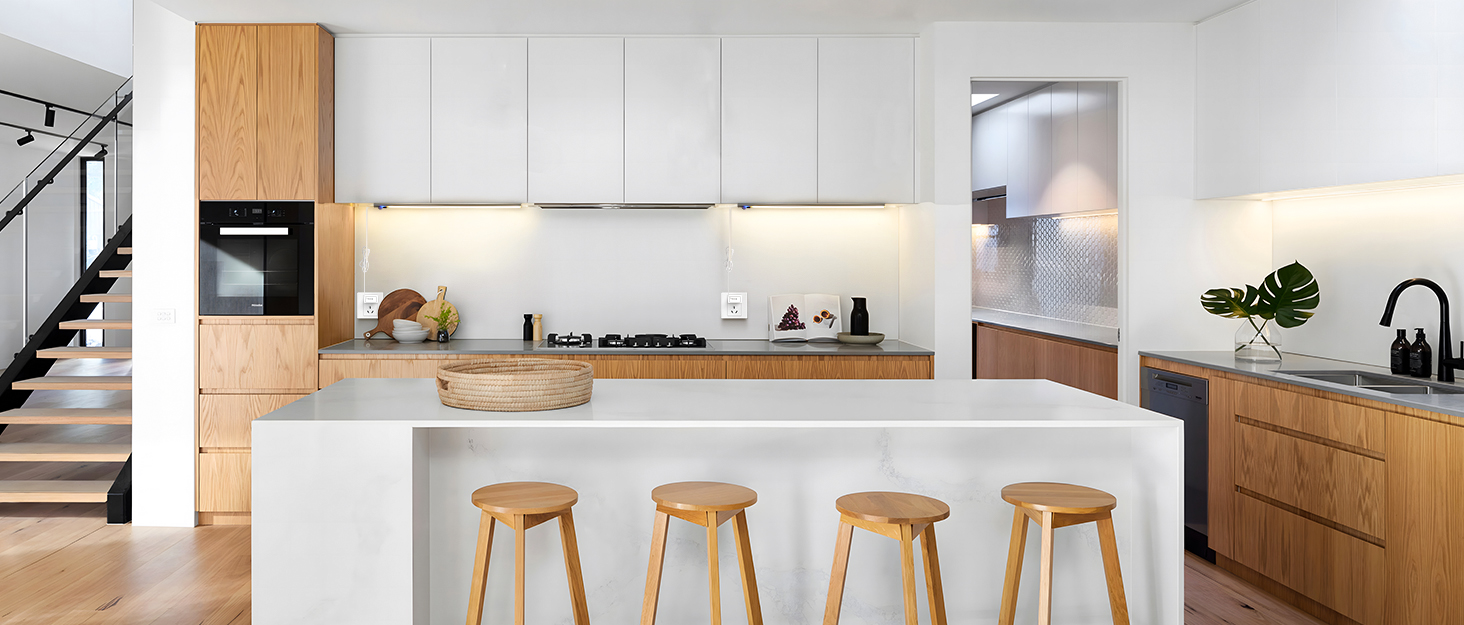
USB Plug-in Motion Sensor Light Indoor Use, Great for Kitchen, Cabinet, Closet, Pantry, Shelves, and more
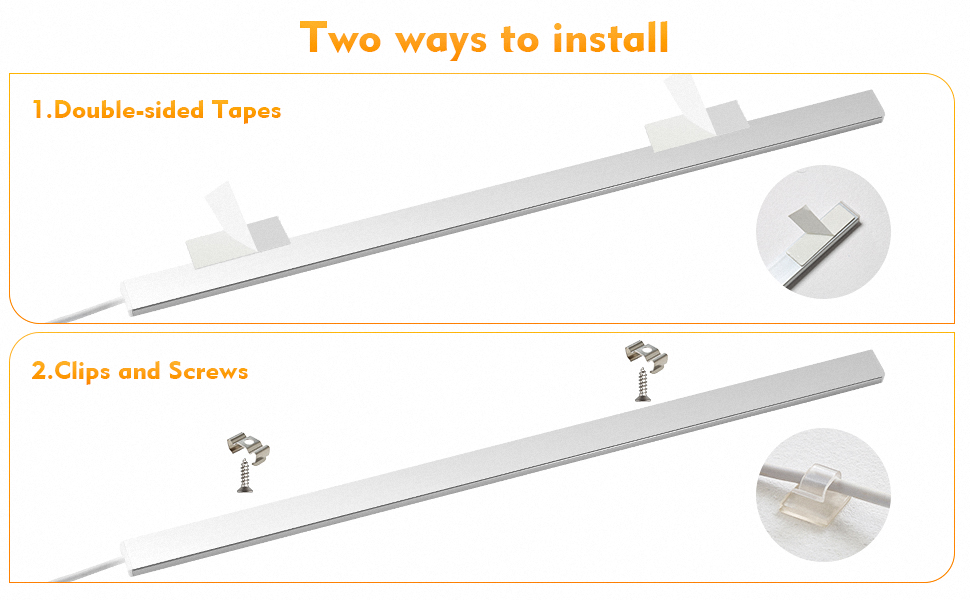
Easy to Install
NOTE:
- Please install the light with the Motion Sensor not covered and being towards your movements.
- Please don't install lights together too close in Auto-Night-Mode (Some of them might not auto turn ON).
- There should be nothing within 4 inches in front of the Control Sensor, otherwise it might adjust the brightness or switch between modes by itself.
Q & A:
Q: Could I turn the light off with the Control Sensor?
A: Either ON-Mode or AUTO-Mode, No OFF-Mode! It means that you couldn't turn it OFF with the Control Sensor. BUT, in Auto-Mode, it doesn't turn ON without Motion Detected. It means that you don't need to turn it off manually in Auto-Mode.
Convenient & Touchless Control & Super Bright. Improved 15.7" USB Plug-in LED Motion Sensor Under Cabinet Light Indoor
HOT Features
- Touchless to Switch between ON & Auto (Motion Sensor) Modes,no OFF-Mode
- Touchless to Adjust Brightness & Super Bright
- 2 Motion Sensor Modes: Auto-Day-Mode(works all day) / Auto-Night-Mode(works ONLY when DARK enough)
- Smart/Timer Plug Compatible with Permanent Memory
- USB Plug-in (UL Listed Plug included) & Easy to Install: No batteries needed
How to Use
On your first use, you might need a little time to learn how to use it, but once familiar, it becomes super convenient! Please have more patience to read the directions.
MUST KNOW FIRST:
- It's about max 2 inches, in front of the Switch Sensor, to switch between AUTO and ON modes, or to Adjust Brightness.
- There should be nothing within 4 inches in front of the Control Sensor, otherwise it might adjust the brightness or switch between modes by itself.
Touchless to Switch between ON and Auto Motion Sensor Modes, no OFF-Mode
- Either ON-Mode or AUTO-Mode(including day & night modes), no OFF-Mode.
- ON-Mode(Blue Indicator is ON): Stays ON.
- Auto-Mode(Blue indicator is OFF):
- Auto-Day-Mode: Auto Turns ON all day with Motion Detected, no mater day or night, then Auto Turns OFF in 30s after no motion detected.
- Auto-Night-Mode: ONLY Auto Turns ON when DARK Enough with Motion Detected, then Auto Turns OFF in 30s after no motion detected.
- NOTE: The Auto Day/Night Mode Switch is hidden, which is mostly not needed for many people. Tear off the Sticker before using it.
- How to Switch Modes:
No touch needed, just wave your hand slowly(not too fast), within 2 inches in front of the Control Sensor, to switch between ON and Auto Modes.
- Tips:
- The way to know which mode on: Blue Indicator ON means ON-Mode, Blue Indicator OFF means AUTO-Mode.
- Either ON-Mode or AUTO-Mode, No OFF-Mode! It means that you couldn't turn it OFF with the Control Sensor. BUT, in Auto-Mode, it doesn't turn ON without Motion Detected. It means that you don't need to turn it off manually in Auto-Mode. ** Some users IGNORED this **
Touchless to Adjust Brightness & Super Bright & Smart/Timer Plug Compatible
- Super Bright & Dimmable:
It is MUCH Brighter than battery light and dimmable.
- How to Adjust Brightness:
No touch needed, just Just hold your hand, within 2 inches in front of the Control Sensor, to adjust the brightness while the light is ON.
- Permanent Memory & Smart/Timer Plug Compatible:
When turns OFF then ON with plug, just recover to both the mode(ON or Auto) and brightness your last set.
NOTE: There is an internal dimmer inside the light, external smart dimmer is not needed or supported.
How to Use Auto-Night-Mode: ONLY works when DARK enough with Motion Detected
- Auto-Night-Mode: ONLY Auto Turns ON when DARK Enough with Motion Detected, then Auto Turns OFF in 30s after no motion detected.
- Please make sure your ambient light is DARK ENOUGH(not completely dark) in this mode.
- Please don't install lights together too close in this mode, otherwise some of them might not auto turn ON.
- Please install the light with the Motion Sensor not covered and being towards your movements.
- NOTE:
- Auto-Day-Mode: Auto Turns ON all day with Motion Detected, no mater day or night.
USB Plug-in Motion Sensor Light Indoor Use, Great for Kitchen, Cabinet, Closet, Pantry, Shelves, and more
Easy to Install
NOTE:
- Please install the light with the Motion Sensor not covered and being towards your movements.
- Please don't install lights together too close in Auto-Night-Mode (Some of them might not auto turn ON).
- There should be nothing within 4 inches in front of the Control Sensor, otherwise it might adjust the brightness or switch between modes by itself.
Q & A:
Q: Could I turn the light off with the Control Sensor?
A: Either ON-Mode or AUTO-Mode, No OFF-Mode! It means that you couldn't turn it OFF with the Control Sensor. BUT, in Auto-Mode, it doesn't turn ON without Motion Detected. It means that you don't need to turn it off manually in Auto-Mode.
Okerich Lighting
Selected & Improved
Okerich Lighting
Selected & Improved
Okerich
