


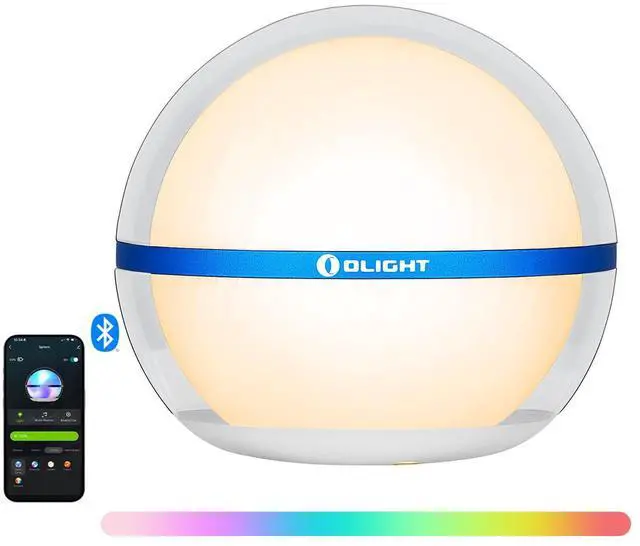
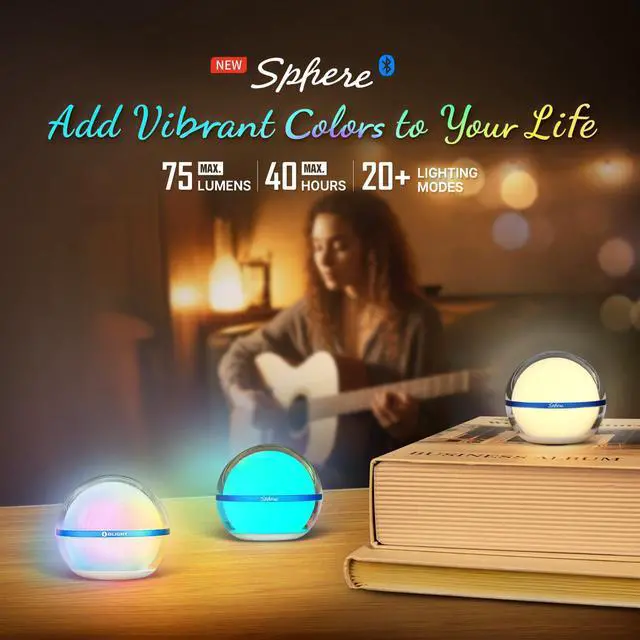


Olight Sphere Smart Night Light
Merchant Video


Specifications of Sphere
How to turn it on?
Sphere has a lockdown mode. Before the first use, please charge to unlock it or press and hold for about 1 second.
How to add it to a device?
1. Please complete the pairing of Sphere within 3 minutes (flashing green is paring).
2. Please do not add more than 5 Spheres simultaneously in one phone or more than 2 phones adding a Sphere.
For any problems, please ask for help.
What can i do if it disconnected from my phone?
1. Sphere will enter sleep mode if it has been off for more than 30 minutes. Please reconnect it again.
2. The sphere will disconnect once the distance is more than 10 m / 32 ft(up to the environment).
For any other problems, please ask for help.
How to control one or more Spheres?
1. Please make sure no large metal objects or devices are nearby.
2. Please note that each Sphere is no more than 5 in away and keep less than 32 ft from your phone.
For any other problems about this, please ask for help.
OLIGHT
 Sphere |  Sphere C |  Ostrip |  Arkfeld Pro |  Oclip Pro |  Imini 2 |  O'Pen Glow | |
|---|---|---|---|---|---|---|---|
Customer Reviews | — | — | — | — | — | — | — |
Price | — | — | — | — | — | — | — |
Max Output | 75 lumens | 75 lumens | 150 lumens | 1300 lumens | 500 lumens | 50 lumens | 120 lumens |
Max Runtime | 40 hours | 40 hours | / | 264 hours | 144 hours | 1 hour | 6 hours(Green Beam) |
Switch Mode | Bottom Button or App Control | Bottom Button or App Control | / | Central Button | Side Switch | Pop it off the magnetic cap | Top Button |
Light Source | Warm White and RGB LEDs | Warm White and RGB LEDs | RGBIC LEDs | UV, LED and Green Beam | Cool White Light and Red Light | ?White LED | White LED and Green Beam |
Water Resistance Level | IP56 | IP56 | IP24 | IPX7 | IPX6 | IPX6 | IPX4(Upper part) |
Size | 2.15 x 2.36 in | 2.15 x 2.36 in | 16.4 ft/5 m | 4.72 x 1.06 in | 2.24 x 1.10 in | 2.17 x 0.59 in | 6.1 x 0.5 in |
Weight | 3.28 oz / 93 g | 3.28 oz / 93 g | 6.7 oz/190 g (including cable) | 3.91 oz / 111 g | 1.87 oz / 53 g | 0.69 oz / 19.5 g | 1.34oz / 38g |
Rechargeable | ? | ? | ? | ? | ? | ? | ? |
Charging type | MCC Magnetic Charging | USB-C Charging | USB Charging | MCC Magnetic Charging | USB-C Charging | USB Charging | USB Charging |
Olight Sphere Smart Night Light
Merchant Video


How do I unlock it in first-time use?
- Charge to unlock the product before first use
- Hold and press more than 2s to lock it
- Hold and press for 1s to unlock it
- Auto enter sleep mode after 30 minutes of inactivity
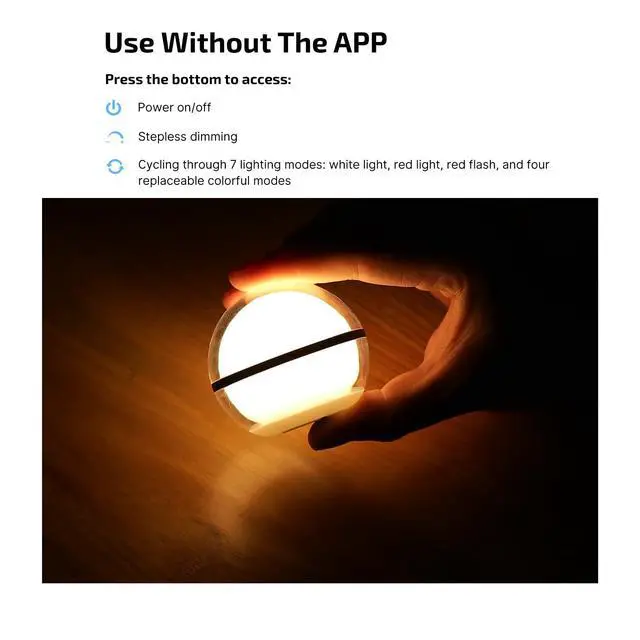
How to use Sphere without APP?
- Single or double press to turn it on
- Single press to change the light mode
- Press and hold to adjust the brightness
- Double press to turn it off
Exploring More Funtions
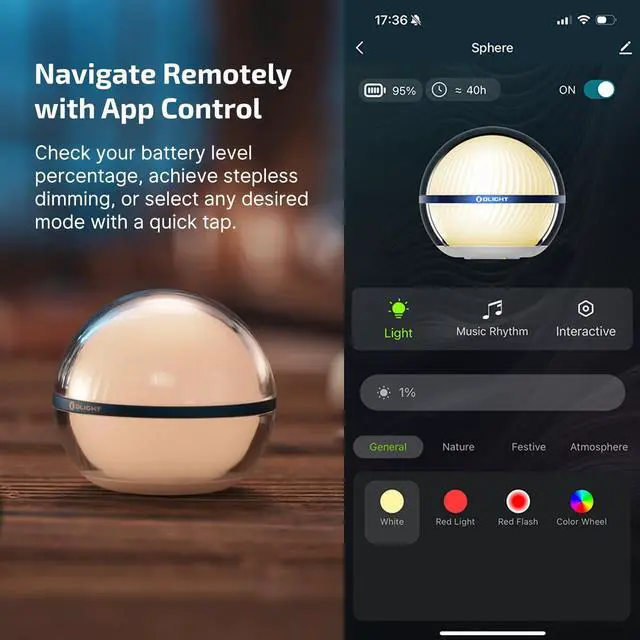
Navigate Remotely with App Control
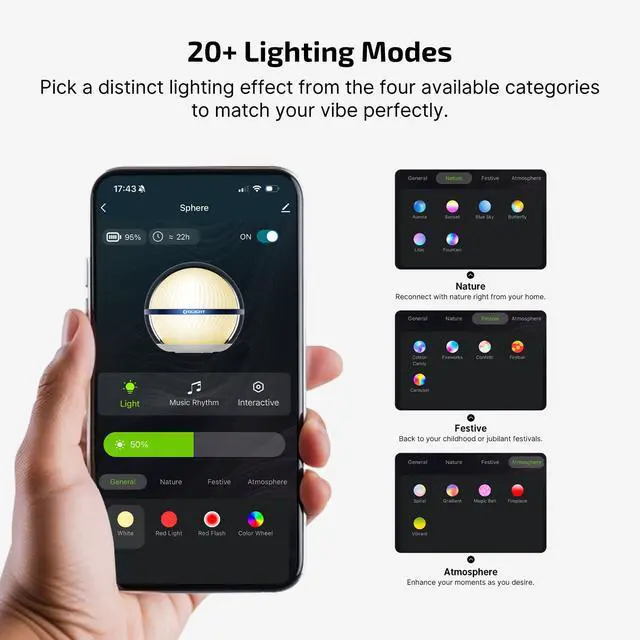
The dimmable sphere can choose the mode according to your preferences, easily click the color wheel to choose your favorite color, achieving step-less dimming.
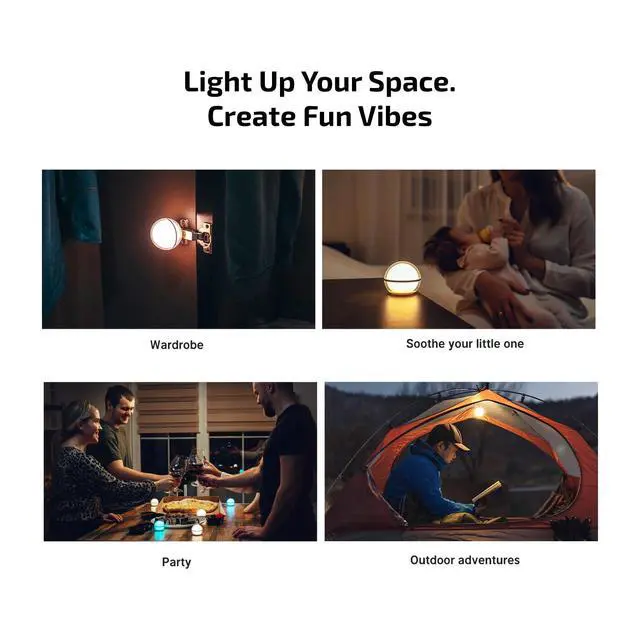
Enjoy every precious moment for a relaxing and enjoyable immersive experience.
Enjoying Visual Feast
Group Control Night Light
You can manage a group of Sphere simultaneously with a single tap.
What's more, you can control up to 100 Spheres with an Olight App, creating a rhythm and cozy ambiance.
More fantastic functions with APP
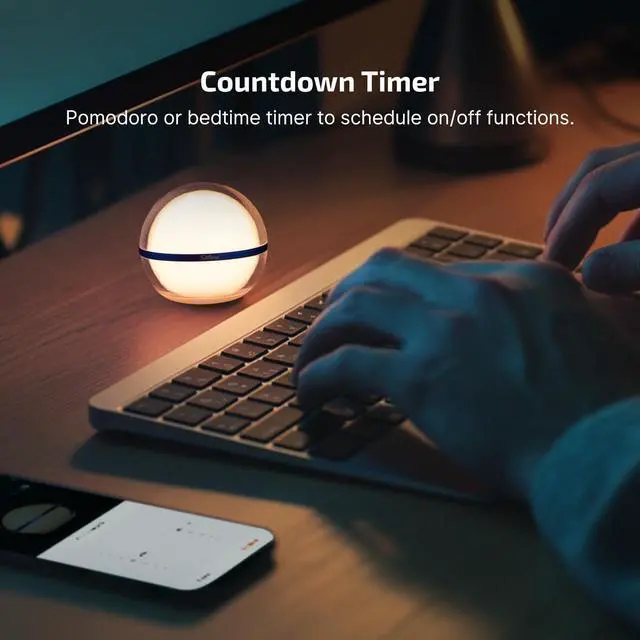
- Setting countdown to turn off
- Starting a whack-a-mole game
In The Box
Package Contents
1 * Sphere
1 * MCC 1A Magnetic Charging Cable
1 * Adhesive Metal Badge
1 * User Manual
Specifications of Sphere
| Light Sources | High Performance White and RGB LEDs |
|---|---|
| Max Output | 75 lumens |
| Max Runtime | 40 hours |
| Height | 2.15 in / 54.5 mm |
| Body Diameter | 2.36 in / 60 mm |
| Weight | 3.28 oz / 93 g (Including Battery) |
| Charging Type | MCC-1A Magnetic USB Charging Cable |
| Powered by | Rechargeable Battery |
| Waterproof | IP56 |
| Drop Test | 1.5 meters |
| How to Operate | Bottom Buttons or App Control |
| Package Content | Sphere x 1; MCC 1A x 1; Adhesive Metal Badge x 1; User Manual x 1 |
How to turn it on?
Sphere has a lockdown mode. Before the first use, please charge to unlock it or press and hold for about 1 second.
How to add it to a device?
1. Please complete the pairing of Sphere within 3 minutes (flashing green is paring).
2. Please do not add more than 5 Spheres simultaneously in one phone or more than 2 phones adding a Sphere.
For any problems, please ask for help.
What can i do if it disconnected from my phone?
1. Sphere will enter sleep mode if it has been off for more than 30 minutes. Please reconnect it again.
2. The sphere will disconnect once the distance is more than 10 m / 32 ft(up to the environment).
For any other problems, please ask for help.
How to control one or more Spheres?
1. Please make sure no large metal objects or devices are nearby.
2. Please note that each Sphere is no more than 5 in away and keep less than 32 ft from your phone.
For any other problems about this, please ask for help.
OLIGHT
Sphere | Sphere C | Ostrip | Arkfeld Pro | Oclip Pro | Imini 2 | O'Pen Glow |
|---|---|---|---|---|---|---|
| Customer Reviews | ||||||
| — | — | — | — | — | — | — |
| Price | ||||||
| — | — | — | — | — | — | — |
| Max Output | ||||||
| 75 lumens | 75 lumens | 150 lumens | 1300 lumens | 500 lumens | 50 lumens | 120 lumens |
| Max Runtime | ||||||
| 40 hours | 40 hours | / | 264 hours | 144 hours | 1 hour | 6 hours(Green Beam) |
| Switch Mode | ||||||
| Bottom Button or App Control | Bottom Button or App Control | / | Central Button | Side Switch | Pop it off the magnetic cap | Top Button |
| Light Source | ||||||
| Warm White and RGB LEDs | Warm White and RGB LEDs | RGBIC LEDs | UV, LED and Green Beam | Cool White Light and Red Light | ?White LED | White LED and Green Beam |
| Water Resistance Level | ||||||
| IP56 | IP56 | IP24 | IPX7 | IPX6 | IPX6 | IPX4(Upper part) |
| Size | ||||||
| 2.15 x 2.36 in | 2.15 x 2.36 in | 16.4 ft/5 m | 4.72 x 1.06 in | 2.24 x 1.10 in | 2.17 x 0.59 in | 6.1 x 0.5 in |
| Weight | ||||||
| 3.28 oz / 93 g | 3.28 oz / 93 g | 6.7 oz/190 g (including cable) | 3.91 oz / 111 g | 1.87 oz / 53 g | 0.69 oz / 19.5 g | 1.34oz / 38g |
| Rechargeable | ||||||
| ? | ? | ? | ? | ? | ? | ? |
| Charging type | ||||||
| MCC Magnetic Charging | USB-C Charging | USB Charging | MCC Magnetic Charging | USB-C Charging | USB Charging | USB Charging |