YEAH MAGIC Biforst MATX PC Gaming Case ARGB Full Clear-Side High-Airflow Light Strip Sturdy One-Piece Curved Glass With 3 ARGB Fans Mid-Tower Art Computer Chassis Striped Rainbow Lamp White
  •  
  • $89.00 
  • Save: 44%
  • $37.59
  • Free 30-day Returns
  • Ships from China.
    Price alert
    Sold by Dgearetmn

    Shipped by Dgearetmn

    Shop it at NeweggBusiness.

    Meet Your Seller

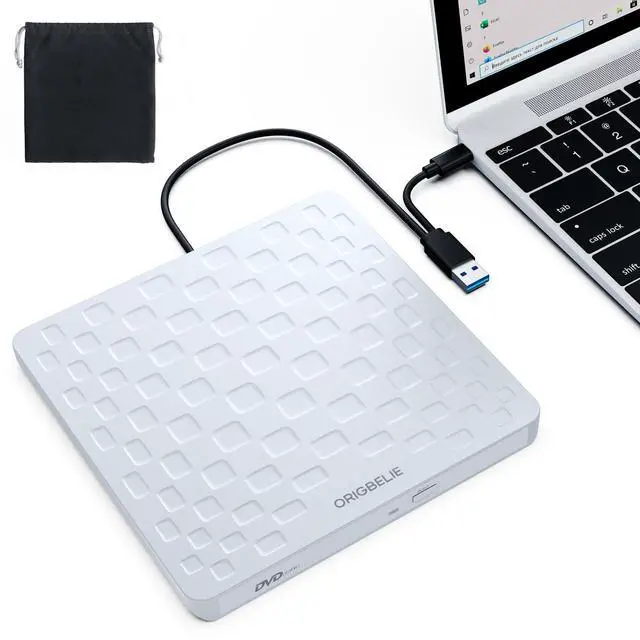
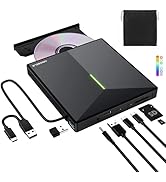
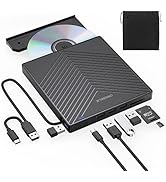
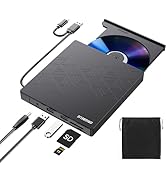
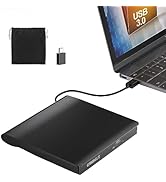
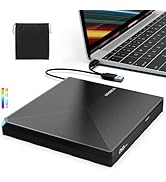
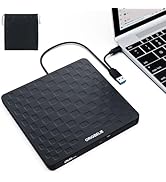
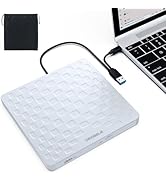
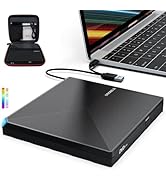
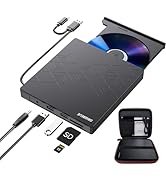
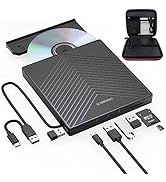
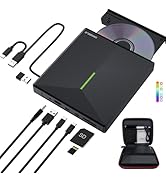
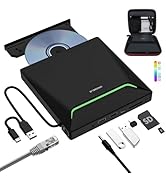
    External CD/DVD Drive for Laptop, Ultra Slim 13mm USB 3.0 Type-C Portable DVD Player CD Burner Reader Writer Recorder for Desktop PC Windows 11/10/8/7 Linux Mac OS, White

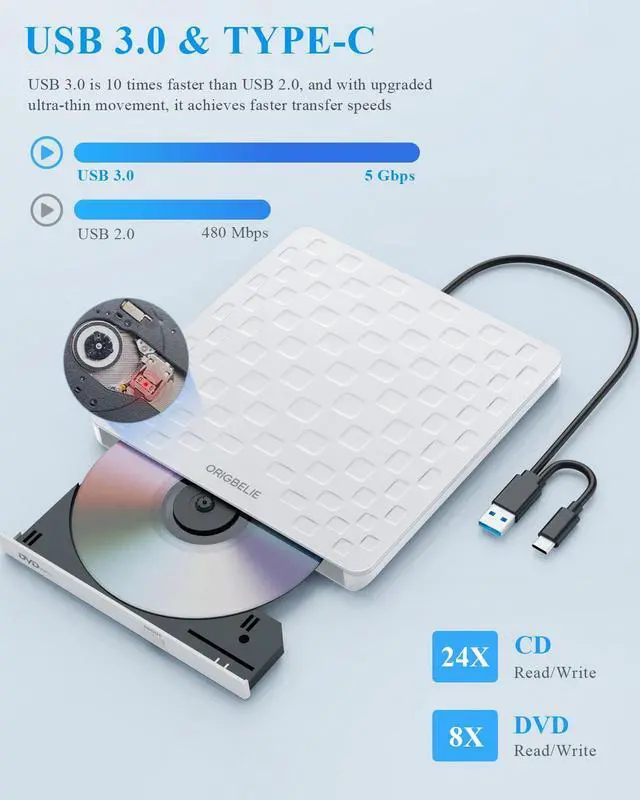
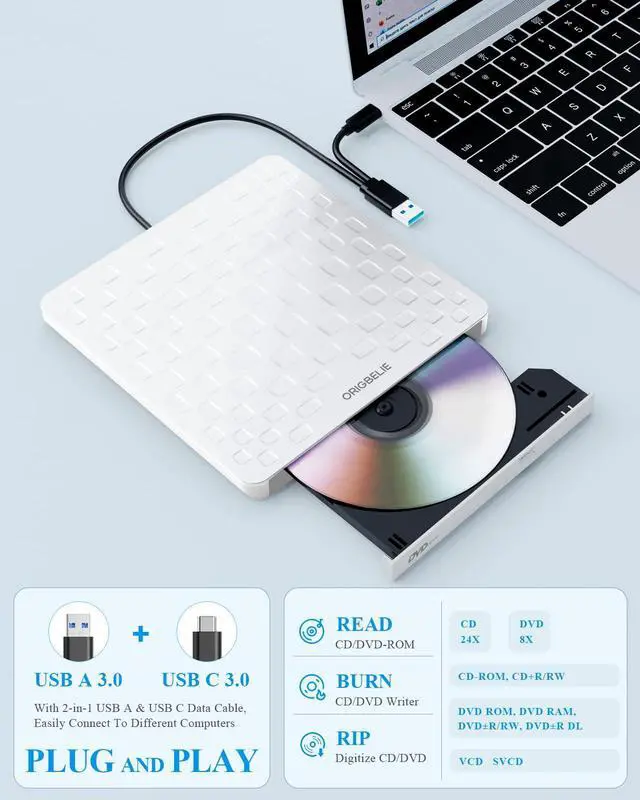
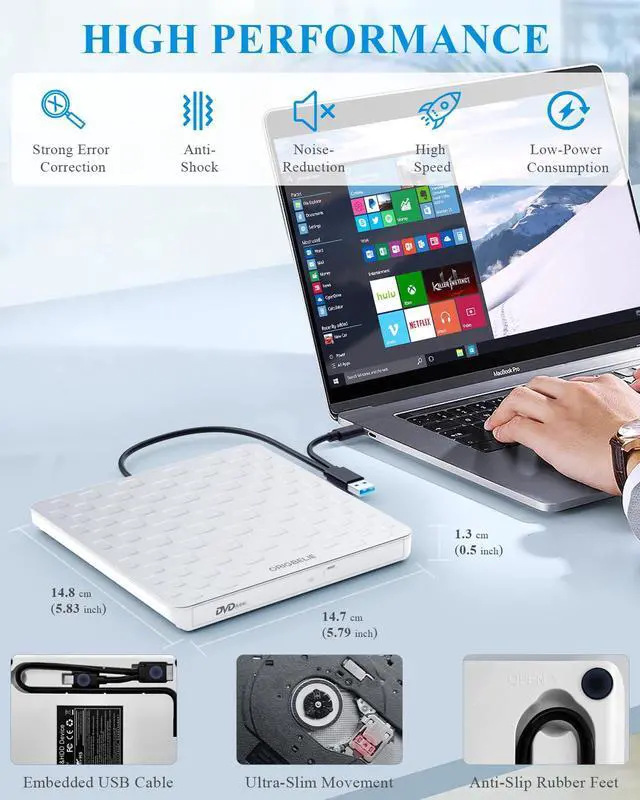
    • [High Speed]The external CD drive supports USB 3.0 high speed data transmission and backward compatible with USB 2.0 / 1.1, which also delivers max 8x DVD read/write speeds and max 24x CD read/write speeds, offers faster data transfer rates of up to 5 Gbps (625MB/S) without any lag or distortion, get more done in less time! It also boasts strong error correction capability, noise reduction, shock resistance and low power consumption.
    • [Plug & Play]This DVD player for laptop is powered by USB port, which doesn't require additional drivers and power supply! Just plug the USB TYPE-A or USB TYPE-C connector on the 2 in 1 data cable(in the back of device) to your computer and the external DVD drive will be detected by computer automatically, then you can use the corresponding software to read and write the discs with no complex settings. Note: For Mac system, the computer will not display the device icon until the disc is placed and read successfully.
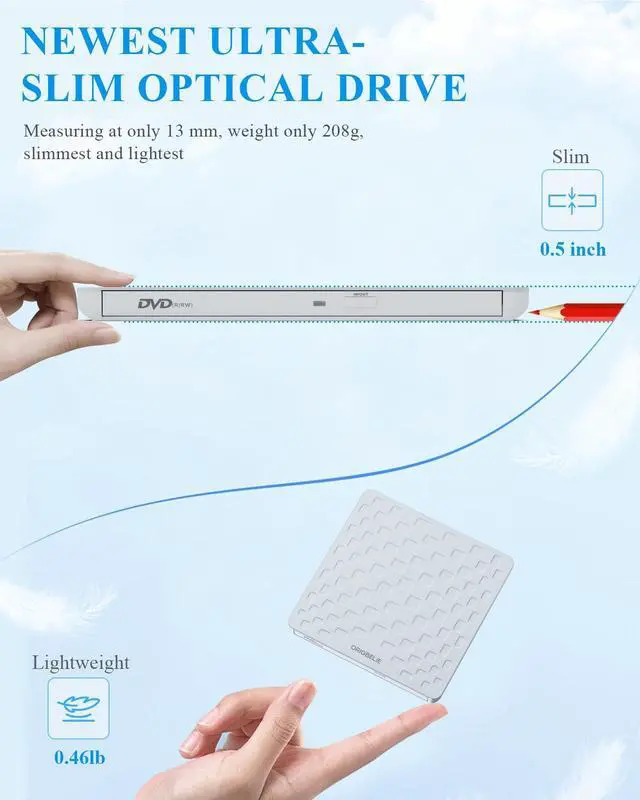
    • [Ultra Slim & Compact]Measuring just 13mm in thickness and weighing only 0.2 kg, this CD player for laptop is extremely slim and portable, taking up minimal space in travelling bag while on-the-go. Integrated data cable design, no need to worry about cable missing. What's more, its durable construction and anti-skid bottom ensure stable operation.
    +
    +
    Overview
    Specs
    Reviews
    avatar

    Any questions? Our AI beta will help you find out quickly.

    external CD drive

    ORIGBELIE External CD Drive For Laptop

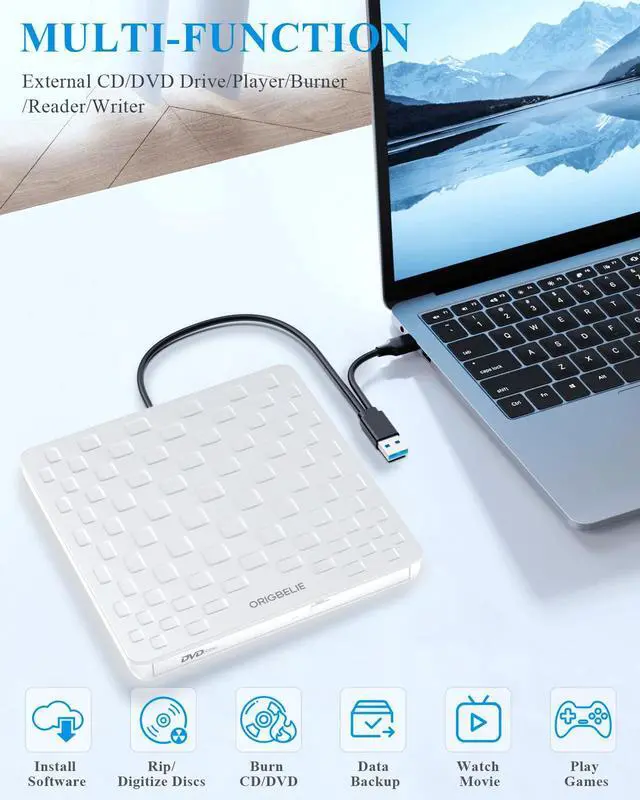
    • Enjoy Old School CDs And DVDs On Modern Laptops - Computer manufacturers are abandoning DVD players, but that doesn't mean you have to give up your CD/DVD collection. This external DVD burner designed with 2-in-1 multifunctional USB A/USB C data cable, allows you to read and burn CDs/DVDs on laptops without built-in drives.
    • Versatile - This is not only a external CD DVD drive for playing music CDs, and movie DVDs, but also served as a burner, writer, rewriter, ripper and recorder. You can use it to burn music CDs, digitize old music CDs and convert them to MP3, copy audio files to your computer, backup photos and videos to safeguard your memories, install software/games, and backup computer files to CD/DVD to avoid damage or loss. Teachers could also use this USB DVD player to play a movie, as a "class prize" or indoor recreation.

    external DVD drive

    Experience Portability With This Slim And Lightweight External Disk Drive – perfect for those always on the go. Slip it into your bag and take your files anywhere.

    DVD player for laptop

    Advanced Ultra-Slim Movement Designed - Offer faster disc reading speeds, boosted error correction, and seamless compatibility with a wide range of devices.

    external DVD drive for laptop

    USB 3.0 High Transfer Speed

    1. Enjoy high transfer speeds of up to 5Gbps with this external CD DVD drive for laptop, compatible with USB 3.0. With 8x DVD read/write speed and 24x CD read/write speed, this drive gradually increases its speed from the inner circle to the outer circle. and the startup speed is usually slower, reaching the maximum speed when reaching the outer circle.
    2. Supported Disc Types: CD-ROM, CD-R, CD±RW, DVD-ROM, DVD-RAM, DVD±R, DVD±RW, DVD±R DL, VCD and SVCD
    3. Supported Discs Read and Write Speeds: CD-ROM 24x, CD-R 24x, CD±RW 8x, DVD-ROM 8x, DVD±R 8x, DVD±RW 8x, DVD±R DL 4x
    4. The computer itself usually does not support playing DVD movies, so you need to download and install a third-party media player (such as VLC) to watch DVDs using this external CD burner. You can download and install a reader/burner software of your choice. You can also refer to the following software:

    • DVD Player Software: Any Media Player, Any DVD
    • Windows OS Burning Software: InfraRecorder, Ones, Express Disc Burner
    • Mac OS Burning Software: Burn for Mac
    • Linux OS/Unix OS Burning Software: K3b (KDE Burn Baby Burn)

    5. Since the video formats of most computers and mobile phones are not compatible with DVD, you need third-party software to convert the file format to a format that can be viewed on the disc, otherwise, even if you burn the file to a disc, it will not work.

    CD reader for laptop

    High-Performance

    External DVD player designed with upgrad ultra-thin movement, which offer faster speed, low impedance and anti-interference ability, ensures a smooth experience.

    external CD drive for laptop

    Ultra-Slim

    Conveniently play DVDs and CDs on-the-go with our ultra-thin disk drive. Perfect for the office, school, home, and travel, it's lightweight and easy to carry wherever you need it.

    DVD drive USB external

    2-in-1 USB 3.0 Connector

    Equipped with USB-C and USB-A connectors in the back of the device , which makes it easy to connect to multiple laptops and desktops. Plug and play, no extra software or adapter needed.

    USB CD/DVD external drive

    Package contains

    1 * USB DVD Drive

    1 * User Manual

    1 * USB Power Cable

    1 * Drawstring Bag

    external CD/DVD drive for laptop

    Some Details You Should Pay Attention To

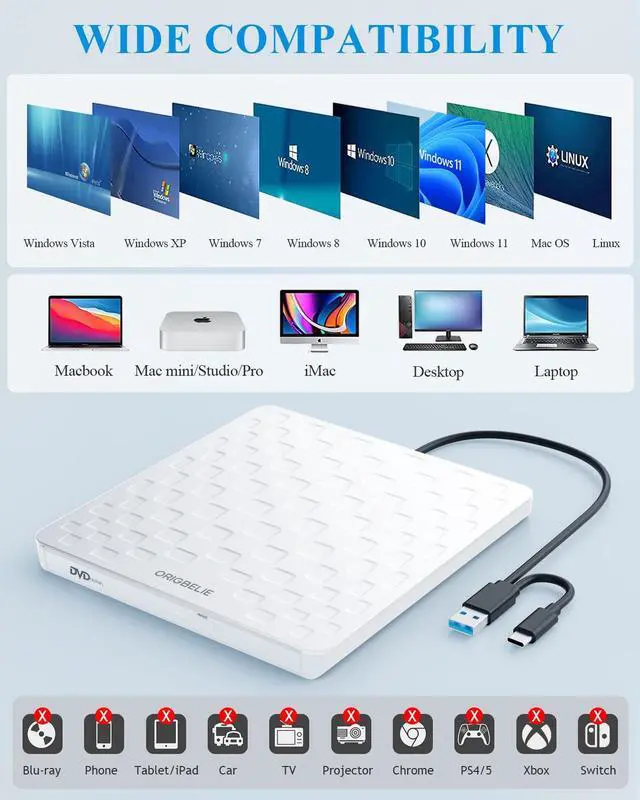
    • It is compatible with Windows 11/10/8/7/XP, Vista 7/8, Linux, Mac OS 10.6 or later such as Apple MacBook Air and MacBook Pro.
    • It does not compatible with TV / Car / Truck / Blu Ray / Projector / Tablet / iPad / Smartphone / ChromeBook / Surface Pro / Ubuntu System / 3D, 4K discs / PS4/PS5.
    • WINDOWS 11 requires a media player (such as VLC) and network connection.
    • For Mac OS, you need to eject the disc via Mac OS command. At this time, pressing the eject button of USB DVD drive will not work.
    • Don't forget to set the DVD region to Unite State on "DVD RW Drive" - ????Properties - click the Hardware tab - click the Properties button - then choose the country region (US is 1) and click OK to apply. Note: You are only allowed to change the region code 4-5 times.
    • The USB A / C data cable is built on the bottom of external CD ROM drive, which is used to connect to the computer. The cable included in the package is a charging cable, because some computers do not have enough power to support the operation of device. At that time, you can connect the charging cable to 5V charger or power bank to Supplementary power supply.

    DVD drive USB external

    Troubleshooting

    Check if USB CD player can be recognized by computer:

    • For Mac system, please note that Mac OS computer will not display the device icon until the disc is inserted into the optical drive and the disc is read successfully.
    • For Windows system, if your computer recognizes the external CD drive for PC, you can see the icon of "DVD RW Drive" in "My Computer" of your computer."

    If the external drive for CD DVD is not recognized by your computer, the following are the solution tips:

    *Method 1: Check the external connections.

    Use the Type-A and Type-C cables on the back of the machine to connect to the laptop. (The cable included in the package is only for power transmission, not for data transmission.)

    Connect the machine to other USB ports.

    *Method 2: Update or reinstall the driver.

    The drivers for CD and DVD drives are included in the operating system, so they do not require a specific driver to be installed. Uninstalling the driver and restarting the computer will reinstall the driver, which will solve most of the device driver problems.

    *Method 3: Run the Hardware and Devices troubleshooter (Windows 7, Windows 8, Windows 8.1 and Windows 10)

    You can run the Windows Hardware and Devices troubleshooter built into Microsoft Windows. The Hardware and Devices troubleshooter is only available in Microsoft Windows 7, Windows 8/8.1 and Windows 10.

    If External CD/DVD Drive can be recognized by your computer, the problem you are facing may be caused by the following two reasons:

    1. The product power supply is insufficient, please use a 5V charger/power bank to supplement it.(Note: For Apple computers, you must first connect the external CD DVD drive to your computer, and then connect the additional power to disc drive, otherwise the Apple computer will not recognized the device.
    2. WINDOWS 11 requires a media player (such as VLC) and a network connection.

    external CD drive

    ORIGBELIE External CD Drive For Laptop

    • Enjoy Old School CDs And DVDs On Modern Laptops - Computer manufacturers are abandoning DVD players, but that doesn't mean you have to give up your CD/DVD collection. This external DVD burner designed with 2-in-1 multifunctional USB A/USB C data cable, allows you to read and burn CDs/DVDs on laptops without built-in drives.
    • Versatile - This is not only a external CD DVD drive for playing music CDs, and movie DVDs, but also served as a burner, writer, rewriter, ripper and recorder. You can use it to burn music CDs, digitize old music CDs and convert them to MP3, copy audio files to your computer, backup photos and videos to safeguard your memories, install software/games, and backup computer files to CD/DVD to avoid damage or loss. Teachers could also use this USB DVD player to play a movie, as a "class prize" or indoor recreation.

    external DVD drive

    Experience Portability With This Slim And Lightweight External Disk Drive – perfect for those always on the go. Slip it into your bag and take your files anywhere.

    DVD player for laptop

    Advanced Ultra-Slim Movement Designed - Offer faster disc reading speeds, boosted error correction, and seamless compatibility with a wide range of devices.

    external DVD drive for laptop

    USB 3.0 High Transfer Speed

    1. Enjoy high transfer speeds of up to 5Gbps with this external CD DVD drive for laptop, compatible with USB 3.0. With 8x DVD read/write speed and 24x CD read/write speed, this drive gradually increases its speed from the inner circle to the outer circle. and the startup speed is usually slower, reaching the maximum speed when reaching the outer circle.
    2. Supported Disc Types: CD-ROM, CD-R, CD±RW, DVD-ROM, DVD-RAM, DVD±R, DVD±RW, DVD±R DL, VCD and SVCD
    3. Supported Discs Read and Write Speeds: CD-ROM 24x, CD-R 24x, CD±RW 8x, DVD-ROM 8x, DVD±R 8x, DVD±RW 8x, DVD±R DL 4x
    4. The computer itself usually does not support playing DVD movies, so you need to download and install a third-party media player (such as VLC) to watch DVDs using this external CD burner. You can download and install a reader/burner software of your choice. You can also refer to the following software:

    • DVD Player Software: Any Media Player, Any DVD
    • Windows OS Burning Software: InfraRecorder, Ones, Express Disc Burner
    • Mac OS Burning Software: Burn for Mac
    • Linux OS/Unix OS Burning Software: K3b (KDE Burn Baby Burn)

    5. Since the video formats of most computers and mobile phones are not compatible with DVD, you need third-party software to convert the file format to a format that can be viewed on the disc, otherwise, even if you burn the file to a disc, it will not work.

    CD reader for laptop

    High-Performance

    External DVD player designed with upgrad ultra-thin movement, which offer faster speed, low impedance and anti-interference ability, ensures a smooth experience.

    external CD drive for laptop

    Ultra-Slim

    Conveniently play DVDs and CDs on-the-go with our ultra-thin disk drive. Perfect for the office, school, home, and travel, it's lightweight and easy to carry wherever you need it.

    DVD drive USB external

    2-in-1 USB 3.0 Connector

    Equipped with USB-C and USB-A connectors in the back of the device , which makes it easy to connect to multiple laptops and desktops. Plug and play, no extra software or adapter needed.

    USB CD/DVD external drive

    Package contains

    1 * USB DVD Drive

    1 * User Manual

    1 * USB Power Cable

    1 * Drawstring Bag

    external CD/DVD drive for laptop

    Some Details You Should Pay Attention To

    • It is compatible with Windows 11/10/8/7/XP, Vista 7/8, Linux, Mac OS 10.6 or later such as Apple MacBook Air and MacBook Pro.
    • It does not compatible with TV / Car / Truck / Blu Ray / Projector / Tablet / iPad / Smartphone / ChromeBook / Surface Pro / Ubuntu System / 3D, 4K discs / PS4/PS5.
    • WINDOWS 11 requires a media player (such as VLC) and network connection.
    • For Mac OS, you need to eject the disc via Mac OS command. At this time, pressing the eject button of USB DVD drive will not work.
    • Don't forget to set the DVD region to Unite State on "DVD RW Drive" - ????Properties - click the Hardware tab - click the Properties button - then choose the country region (US is 1) and click OK to apply. Note: You are only allowed to change the region code 4-5 times.
    • The USB A / C data cable is built on the bottom of external CD ROM drive, which is used to connect to the computer. The cable included in the package is a charging cable, because some computers do not have enough power to support the operation of device. At that time, you can connect the charging cable to 5V charger or power bank to Supplementary power supply.

    DVD drive USB external

    Troubleshooting

    Check if USB CD player can be recognized by computer:

    • For Mac system, please note that Mac OS computer will not display the device icon until the disc is inserted into the optical drive and the disc is read successfully.
    • For Windows system, if your computer recognizes the external CD drive for PC, you can see the icon of "DVD RW Drive" in "My Computer" of your computer."

    If the external drive for CD DVD is not recognized by your computer, the following are the solution tips:

    *Method 1: Check the external connections.

    Use the Type-A and Type-C cables on the back of the machine to connect to the laptop. (The cable included in the package is only for power transmission, not for data transmission.)

    Connect the machine to other USB ports.

    *Method 2: Update or reinstall the driver.

    The drivers for CD and DVD drives are included in the operating system, so they do not require a specific driver to be installed. Uninstalling the driver and restarting the computer will reinstall the driver, which will solve most of the device driver problems.

    *Method 3: Run the Hardware and Devices troubleshooter (Windows 7, Windows 8, Windows 8.1 and Windows 10)

    You can run the Windows Hardware and Devices troubleshooter built into Microsoft Windows. The Hardware and Devices troubleshooter is only available in Microsoft Windows 7, Windows 8/8.1 and Windows 10.

    If External CD/DVD Drive can be recognized by your computer, the problem you are facing may be caused by the following two reasons:

    1. The product power supply is insufficient, please use a 5V charger/power bank to supplement it.(Note: For Apple computers, you must first connect the external CD DVD drive to your computer, and then connect the additional power to disc drive, otherwise the Apple computer will not recognized the device.
    2. WINDOWS 11 requires a media player (such as VLC) and a network connection.

    ORIGBELIE External DVD Player for Laptop

    This multi-function 2 in 1 USB A/USB C DVD burner that we launched is not only a CD/DVD reader, but also it has the function of CD/DVD burner.

    This USB CD/DVD external drive can only start its job after it is connected to a laptop or a desktop, so it is not compatible with TVs, cars, trucks, projectors, tablets, iPads, phones, PS4/5, Xbox, Nintendo Switch, etc. In addition, it is compatible with Windows11/10/8/7/XP/Vista, Mac OS and Linux. Not compatible with Chrome OS and Blu-ray disc.

    Product Specification

    Model: CD reader for laptop

    Color: Black

    Weight: 206.8g/0.46lb

    Size: 148*147*13mm/5.83*5.79*0.51in

    Power Supply: DC 5V/2A

    Transport Interface: Built-in 2 in 1 USB 3.0 Type-A & Type-C data cable (on the back of the CD/DVD drive)

    Supplementary Power Supply Interface: DC port * 1

    Supplementary Power Supply Cable: USB A to DC Power Supply Cable*1 (included in the package)

    Supported Disc Types: CD-ROM, CD-R, CD±RW, DVD-ROM, DVD-RAM, DVD±R, DVD±RW, DVD±R DL, VCD and SVCD

    Compatible Operating System: Windows 11/10/8/7/XP, Windows Vista7/8, Mac OS, Linux

    Compatible with MacBook, Mac, iMac, laptop, desktop, PC and notebook computers (including for Apple MacBook, MacBook Air, MacBook Pro, iMac, Mac, Mac mini, Mac Studio, Mac Pro)

    Computer Output for CD/DVD Drive: 3-5V / 1.3-2A, power below this may cause recognition failure or read failure. At this time, you need to use the supplementary power supply cable to connect a 5V charger/power bank supply to supplement the power supply to the external CD/DVD drive for pc.

    Package Included

    CD Drive External USB * 1

    User Manual * 1

    USB A to DC Power Supply Cable * 1

    Storage Bag * 1

    Some things to note about this USB CD drive

    1.The CD reader should be connected with USB port on laptop rather than connect with USB HUB. In addition, please connect the item with USB port behind of computer host if you use a desktop.

    2.Make sure the DVD drive of your computer is intact before using an external DVD player for laptop. The computer operating system comes with a CD/DVD driver. If the program is damaged or removed, the CD/DVD driver needs to be updated or reinstalled.

    3.Setting the DVD Region to United States on the "DVD RW Drive" - Properties - click Hardware Tab - click Properties button - then choose country Region (US is 1) and click OK to apply. Note: You are only allowed to change the region code 4-5 times.

    4.It's better to use the 5V charger/power bank to increase the power if your devices don't have enough power to support the USB CD drive.

    5.Insert the external disc drive for laptop into the computer. After the Windows system recognizes the optical drive, the "DVD RW Drive" icon will be displayed. The Mac OS computer will not display the device icon until the disc is placed in the optical drive and the disc is read successfully.

    7.WINDOWS 11 needs a media player (such as VLC ) and a network connection.

    8.Computers often do not natively support DVD movie playing, so a third-party media player (such as VLC) must be downloaded and installed to watch DVDs using this CD/DVD player. You can download and install a playing/burning software you like. You can also refer to the following software:

    DVD player software: Any Media Player, Any DVD

    Burnin

    Warranty & Returns

    Warranty, Returns, And Additional Information

    Warranty

    • Please contact the Seller directly for warranty information. Warranty information may also be found on the Manufacturer's website.
    • CONTACT

    Return Policies

    • Return for refund within: 30 days
    • Return for replacement within: 30 days
    • This item is covered by Dgearetmn Return Policy

    Manufacturer Contact Info

    LOADING...
    LOADING...