





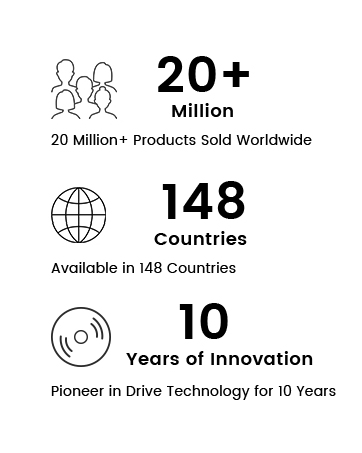
ORIGBELIE focuses on the external CD/DVD drive, you can find us all over the world.
Our external CD/DVD drives don't just read/burn CDs DVDs for your computer, they offer the tech experience you want with zero restrictions.
What problem are we solving?
ORIGBELIE is dedicated to solving the problem of customers' anxiety being unable to read/burn CDs, DVDs, USB flash and SD/TF cards, whether they're on the go or using their computers daily.
Why do we love what we do?
We felt immensely proud when a recent customer told us that they had been using our product for five years without any issues.
What makes our products unique?
Every ORIGBELIE external CD/DVD drive has passed RoHS CE FCC UKCA certification and we have received countless positive reviews from our customers regarding our support and assistance.
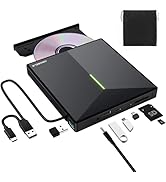
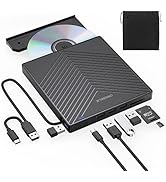
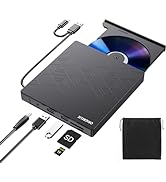
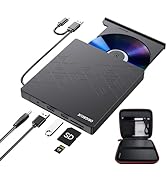
USB HUB+SD/TF Reader+DVD Drive
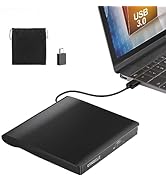
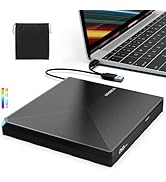
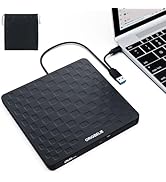
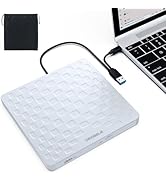
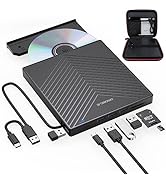
2 in 1 USB 3.0 CD/DVD Drive
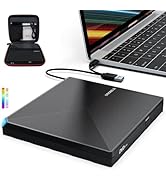
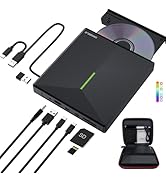
CD/DVD Drive with RGB LED
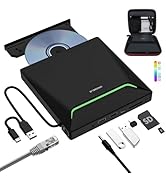
DVD Drive with Carrying Case

ORIGBELIE External CD/DVD Drive for Laptop
Enjoy Old School CDs And DVDs On Modern Laptops - Computer manufacturers are abandoning DVD players, but that doesn't mean you have to give up your CD/DVD collection. This external disc drive designed with 2-in-1 multifunctional USB A/USB C data cable, allows you to read and burn CDs/DVDs on laptops without built-in drives.
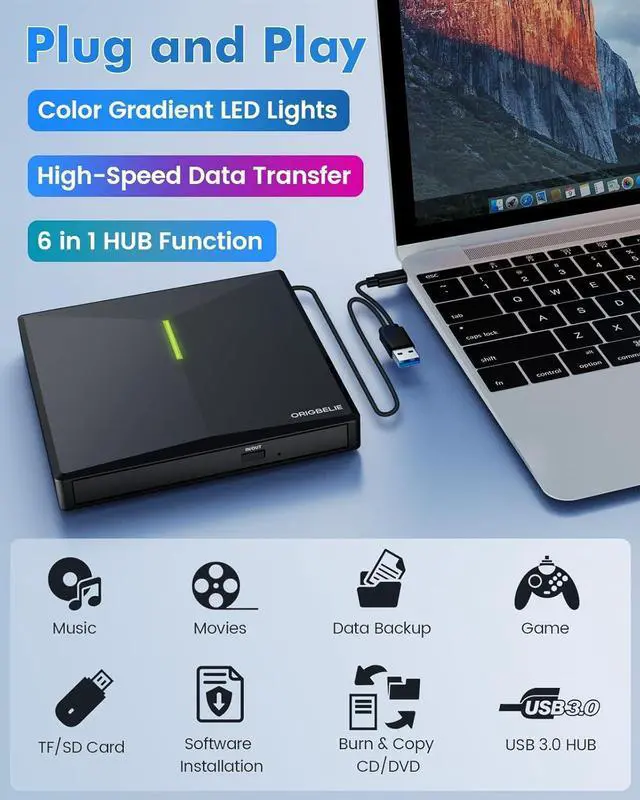
Versatile - This is not only a external CD DVD drive for playing music CDs, and movie DVDs, but also served as a burner, writer, rewriter, ripper and recorder. You can use it to burn music CDs, digitize old music CDs and convert them to MP3, copy audio files to your computer, backup photos and videos to safeguard your memories, install software/games, and backup computer files to CD/DVD to avoid damage or loss. Teachers could also use this usb CD/DVD external drive to play a movie, as a "class prize" or indoor recreation.

Important Details to Note
- This DVD burner external will only start functioning once it is connected to a laptop or desktop.
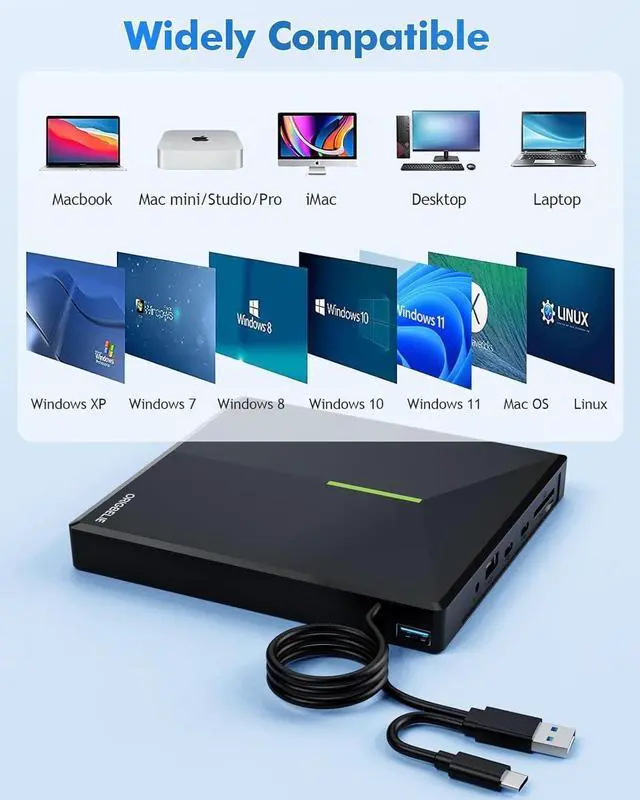
- It is compatible with Windows 11/10/8/7/XP, Vista 7/8, Linux, Mac OS 10.6 or later - ideal for devices like Apple MacBook Air and MacBook Pro. (Windows 11 requires a media player (e.g. VLC) and network connection)
- It does not compatible with TV / Car / Truck / Blu Ray / Projector / Tablet / iPad / Smartphone / ChromeBook / Surface Pro / Ubuntu System / 3D, 4K discs / Xbox / PS4 / PS5.
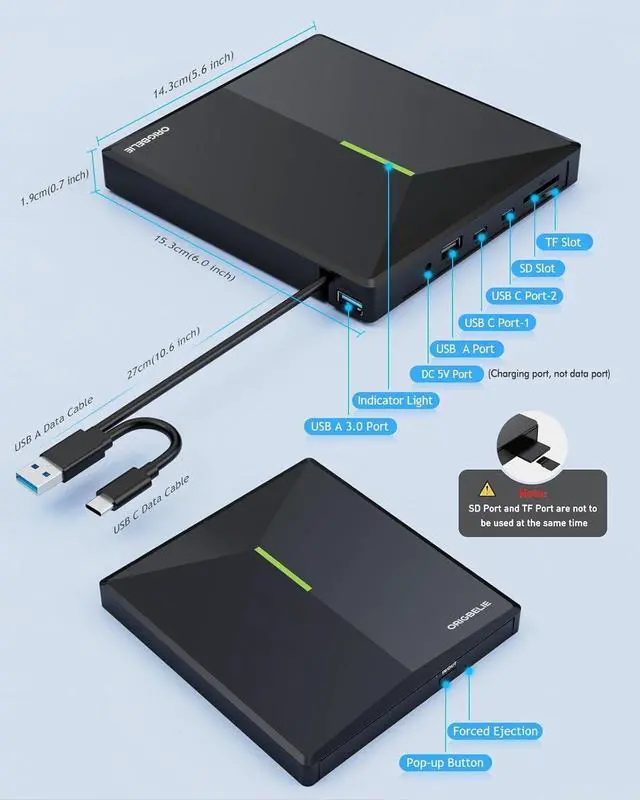
- Be sure to use the built-in 2-in-1 data cable located on the back of the device to connect to your computer.
- The included USB A to DC cable is a power supplement cable. As some computers may don't have sufficient power to support the external disk drive‘s operation-leading to issues such as failed disc reading, you can connect the power cable to 5V charger or power bank for additional power. If you use the power cable to connect to computer, the device will not work.
- The USB DVD drive should be connected with USB port on laptop rather than connect with USB HUB. In addition, please connect the item with USB port behind of computer host if you use a desktop.
- Connect the USB CD player to the computer. After the Windows system recognizes the device, the "DVD RW Drive" icon will be displayed. The Mac OS computer will only show up the device icon until the disc is placed in the external CD burner and the disc is read successfully.
- For Mac OS, you need to eject the disc via Mac OS command. At this time, pressing the eject button of USB DVD player will not work.
- Make sure your computer's CD/DVD driver is intact before using an external optical drive. The computer operating system comes with a CD/DVD driver. If the program is damaged or removed, the CD/DVD driver needs to be updated or reinstalled.
- As for Windows system, setting the DVD Region to United States on the "DVD RW Drive" - Properties - click Hardware Tab - click Properties button - then choose country Region (USA is 1) and click OK to apply.
- As for Mac OS, when you first play an encoded DVD, the optical drive will automatically sets its region code. If the region code of the DVD does not align with your drive's current region code, a dialog box will pop up, prompting you to confirm whether you would like to change the drive's region code.
- Note: You are only allowed to change the region code 4-5 times.

USB 3.0 High Transfer Speed
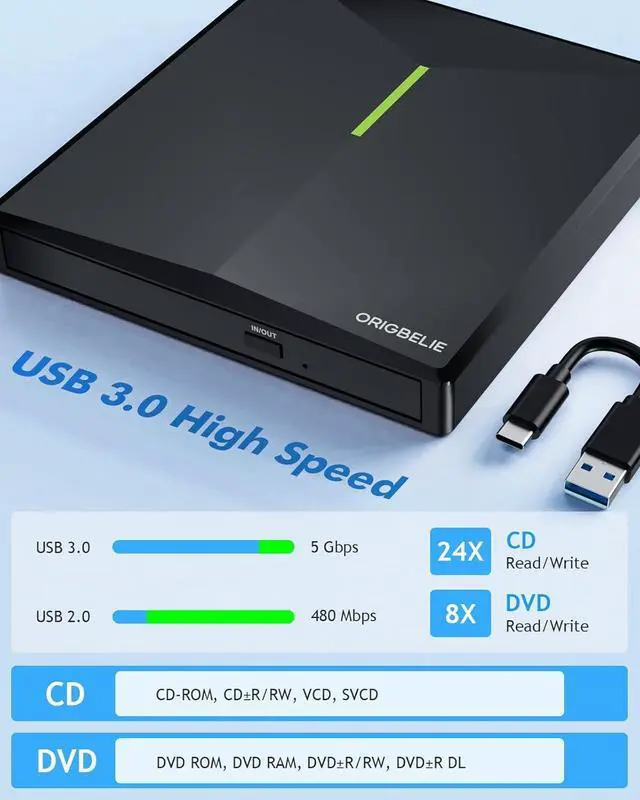
- Enjoy high transfer speeds of up to 5Gbps with this external CD DVD drive for laptop, compatible with USB 3.0. With 8x DVD read/write speed and 24x CD read/write speed, this drive gradually increases its speed from the inner circle to the outer circle. and the startup speed is usually slower, reaching the maximum speed when reaching the outer circle.
- Supported Disc Types: CD-ROM, CD-R, CD±RW, DVD-ROM, DVD-RAM, DVD±R, DVD±RW, DVD±R DL, VCD, SVCD etc.
- Supported Discs Read and Write Speeds: CD-ROM 24x, CD-R 24x, CD±RW 8x, DVD-ROM 8x, DVD±R 8x, DVD±RW 8x, DVD±R DL 4x
- Since the video formats of most computers and mobile phones are not compatible with DVD, you need third-party software to convert the file format to a format that can be viewed on the disc, otherwise, even if you burn the file to a disc, it will not work. You can download and install a reader/burner software of your choice. You can also refer to the following software:
- DVD Player Software: Any Media Player, Any DVD
- Windows OS Burning Software: InfraRecorder, Ones, Express Disc Burner
- Mac OS Burning Software: Burn for Mac
- Linux OS/Unix OS Burning Software: K3b (KDE Burn Baby Burn)
5. The Mac OS system comes with a burning function:
Connect the optical drive and put the disc into it - click "File" on the top menu bar - click on the new "Burn Folder" - drag the files to be burned into the "Burn Folder" - click "Burn to Disc" - and then You can eject the disc. But one thing to note is that Mac OS computers can only burn blank discs, and a disc can only be burned once.

RGB LED Indicator Light
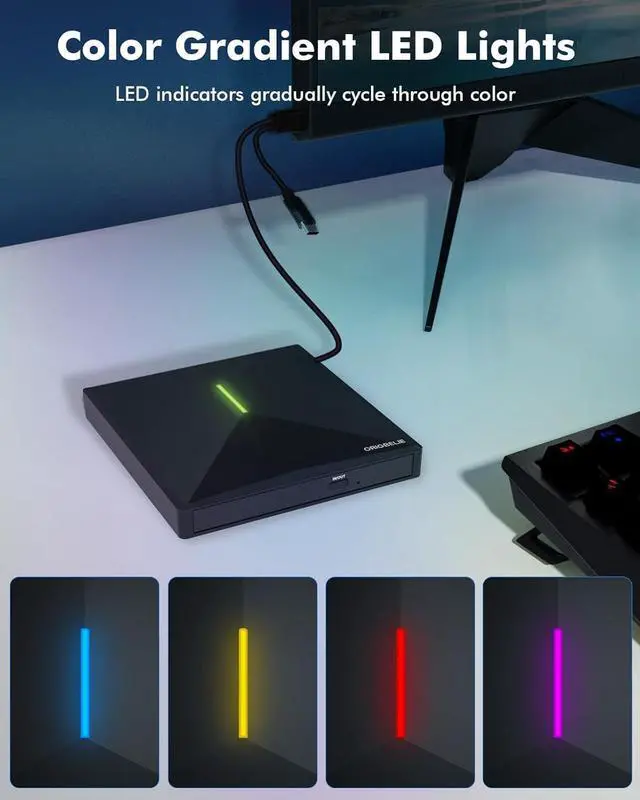
It come with the latest RGB LED color gradient indicator light, which can cycle and gradually change colors, adding dynamic tech flair to your external DVD burner.

2-in-1 USB 3.0 Connector
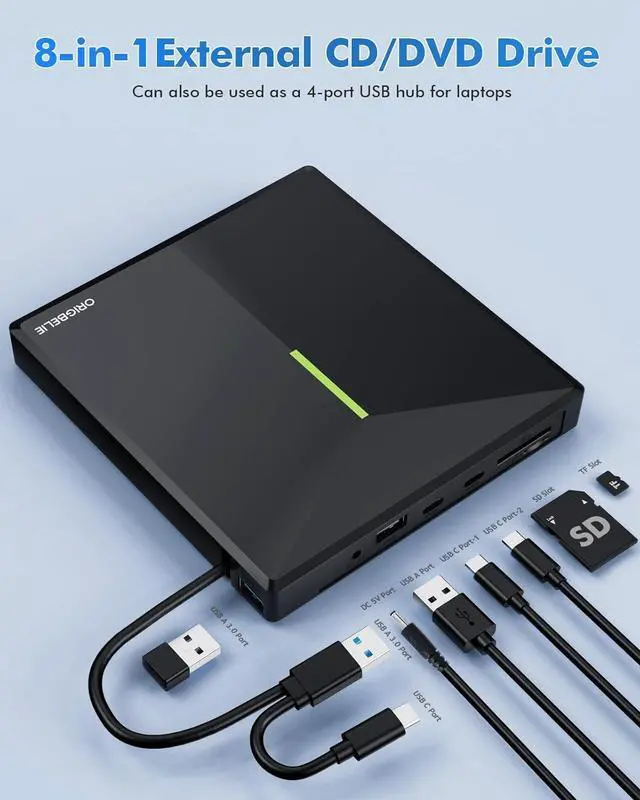
Equipped with USB-C and USB-A connectors make it easier to connect to most laptops and desktops, no USB hub/adapter required, plug and play.

6 in 1 USB 3.0 Hub
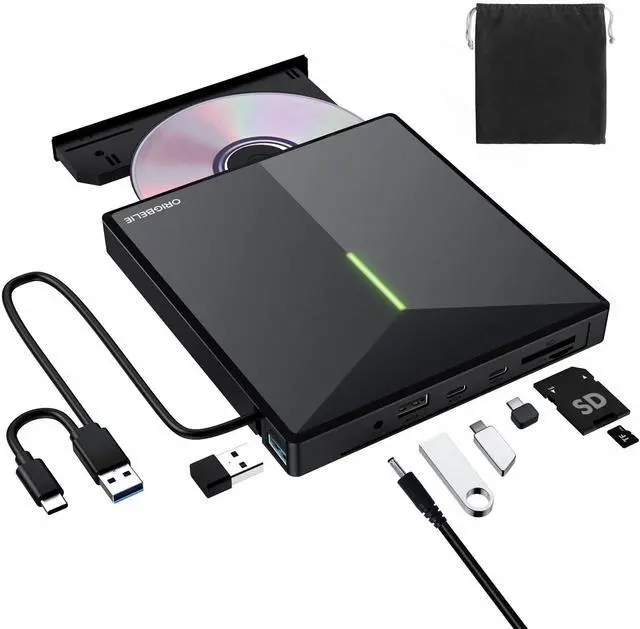
It doubles as a CD/DVD burner and USB 3.0 hub, featuring 1×USB-A 3.0 port, 1×USB-A 2.0 port, 2×USB-C ports, plus 1×TF and 1×SD card slot. Extra built-in SD/TF card reader is perfect for transferring camera photos or videos to your computers.

Package Contain
- External CD/DVD Drive for PC * 1
- USB A to DC Power Supply Cable * 1
- User Manual * 1
- Storage Bag * 1

Play a DVD movie on laptop

Play a CD on laptop

Back Up Computer Files to CD/DVD

Install Software (If PC Lacks of Optical Drive)

For troubleshooting steps
Please check if your computer is recognized by the CD rom drive external (if your computer recognizes the device, you can see the icon of "DVD RW Drive" in your computer's "My Computer". The Mac OS computer will not display the device icon until the disc is placed in the optical drive and the disc is read successfully.)
If the optical drive is not recognized by the computer, the following are suggestions for solutions.
*Method 1:Check external connections.
1. Use the Type A and Type C cables on the back of the machine to connect the laptop. (The cable comes with the package is only for current transmission, not for data transmission.)
2. Connect the machine to other USB ports.
*Method 2: Update or reinstall the driver.
Drivers for your CD, DVD drive is included within the Operating System and hence does not require you to install a specific driver. Uninstalling the driver and restarting the computer will reinstall the driver which will resolve most issues related to the device driver.
*Method 3: Run the Hardware and Devices troubleshooter.(Windows 7, Windows 8, Windows 8.1 and Windows 10)
You can run the Windows Hardware and Devices troubleshooter which is built-in to Microsoft Windows. The Hardware and Devices troubleshooter is available in Microsoft Windows 7, Windows 8/8.1 & Windows 10 only.
If the external CD drive is recognized by the computer, the product problem you encounter may be caused by the following two reasons:
1. The power supply of the product is insufficient; Some computer doesn't have enough power to support the operation of the device. - Please connect a 5V charger / power bank supply to supplement it.
(Note: For the Apple computers, you need to connect the external CD/DVD drive to the computer first, and then connect the supplementary power supply to the external CD/DVD drive, otherwise the Apple computer will not recognize the external CD/DVD drive.)
2. WINDOWS 11 needs a media player (such as VLC ) and a network connection.
 8 in 1 with RGB LED |  All in 1 with RGB LED |  8 in 1 |  6 in 1 |  2 in 1 with RGB LED |  2 in 1 | |
|---|---|---|---|---|---|---|
| Customer Reviews | — | — | — | — | — | — |
| Price | — | — | — | — | — | — |
| USB 3.0 Port | 3 | 3 | 3 | 2 | 2 | 2 |
| USB Conector | USB C and USB A | USB C and USB A | USB C and USB A | USB C and USB A | USB C and USB A | USB A and USB C |
| USB HUB Port | 4 | 3 | 4 | 2 | no data | no data |
| SD/TF Card Reader | ? | ? | ? | ? | no data | no data |
| RJ45 Ethernet LAN Network Port | no data | ? | no data | no data | no data | no data |
| CD/DVD Reader & Burner | ? | ? | ? | ? | ? | ? |
| RGB LED Light | ? | ? | no data | no data | ? | no data |
| Compatible with | Laptop, Macbook, Desktop, PC, Mac, iMac | Laptop, Macbook, Desktop, PC, Mac, iMac | Laptop, Macbook, Desktop, PC, Mac, iMac | Laptop, Macbook, Desktop, PC, Mac, iMac | Laptop, Macbook, Desktop, PC, Mac, iMac | Laptop, Macbook, Desktop, PC, Mac, iMac |
| Support Operating System | Windows 11/10/8/7/XP/Vista, Mac OS, Linux | Windows 11/10/8/7/XP/Vista, Mac OS, Linux | Windows 11/10/8/7/XP/Vista, Mac OS, Linux | Windows 11/10/8/7/XP/Vista, Mac OS, Linux | Windows 11/10/8/7/XP/Vista, Mac OS, Linux | Windows 11/10/8/7/XP/Vista, Mac OS, Linux |
| Tips | Cars, TVs, Tablets, Ipads, PS4/5, Xbox, Cellphones, Projectors, Surface, Chromebook, Blu-ray disk and Ubuntu system are not supported | Cars, TVs, Tablets, Ipads, PS4/5, Xbox, Cellphones, Projectors, Surface, Chromebook, Blu-ray disk and Ubuntu system are not supported | Cars, TVs, Tablets, Ipads, PS4/5, Xbox, Cellphones, Projectors, Surface, Chromebook, Blu-ray disk and Ubuntu system are not supported | Cars, TVs, Tablets, Ipads, PS4/5, Xbox, Cellphones, Projectors, Surface, Chromebook, Blu-ray disk and Ubuntu system are not supported | Cars, TVs, Tablets, Ipads, PS4/5, Xbox, Cellphones, Projectors, Surface, Chromebook, Blu-ray disk and Ubuntu system are not supported | Cars, TVs, Tablets, Ipads, PS4/5, Xbox, Cellphones, Projectors, Surface, Chromebook, Blu-ray disk and Ubuntu system are not supported |
ORIGBELIE External CD/DVD Drive for Laptop
Enjoy Old School CDs And DVDs On Modern Laptops - Computer manufacturers are abandoning DVD players, but that doesn't mean you have to give up your CD/DVD collection. This external disc drive designed with 2-in-1 multifunctional USB A/USB C data cable, allows you to read and burn CDs/DVDs on laptops without built-in drives.
Versatile - This is not only a external CD DVD drive for playing music CDs, and movie DVDs, but also served as a burner, writer, rewriter, ripper and recorder. You can use it to burn music CDs, digitize old music CDs and convert them to MP3, copy audio files to your computer, backup photos and videos to safeguard your memories, install software/games, and backup computer files to CD/DVD to avoid damage or loss. Teachers could also use this usb CD/DVD external drive to play a movie, as a "class prize" or indoor recreation.
Important Details to Note
- This DVD burner external will only start functioning once it is connected to a laptop or desktop.
- It is compatible with Windows 11/10/8/7/XP, Vista 7/8, Linux, Mac OS 10.6 or later - ideal for devices like Apple MacBook Air and MacBook Pro. (Windows 11 requires a media player (e.g. VLC) and network connection)
- It does not compatible with TV / Car / Truck / Blu Ray / Projector / Tablet / iPad / Smartphone / ChromeBook / Surface Pro / Ubuntu System / 3D, 4K discs / Xbox / PS4 / PS5.
- Be sure to use the built-in 2-in-1 data cable located on the back of the device to connect to your computer.
- The included USB A to DC cable is a power supplement cable. As some computers may don't have sufficient power to support the external disk drive‘s operation-leading to issues such as failed disc reading, you can connect the power cable to 5V charger or power bank for additional power. If you use the power cable to connect to computer, the device will not work.
- The USB DVD drive should be connected with USB port on laptop rather than connect with USB HUB. In addition, please connect the item with USB port behind of computer host if you use a desktop.
- Connect the USB CD player to the computer. After the Windows system recognizes the device, the "DVD RW Drive" icon will be displayed. The Mac OS computer will only show up the device icon until the disc is placed in the external CD burner and the disc is read successfully.
- For Mac OS, you need to eject the disc via Mac OS command. At this time, pressing the eject button of USB DVD player will not work.
- Make sure your computer's CD/DVD driver is intact before using an external optical drive. The computer operating system comes with a CD/DVD driver. If the program is damaged or removed, the CD/DVD driver needs to be updated or reinstalled.
- As for Windows system, setting the DVD Region to United States on the "DVD RW Drive" - Properties - click Hardware Tab - click Properties button - then choose country Region (USA is 1) and click OK to apply.
- As for Mac OS, when you first play an encoded DVD, the optical drive will automatically sets its region code. If the region code of the DVD does not align with your drive's current region code, a dialog box will pop up, prompting you to confirm whether you would like to change the drive's region code.
- Note: You are only allowed to change the region code 4-5 times.
USB 3.0 High Transfer Speed
- Enjoy high transfer speeds of up to 5Gbps with this external CD DVD drive for laptop, compatible with USB 3.0. With 8x DVD read/write speed and 24x CD read/write speed, this drive gradually increases its speed from the inner circle to the outer circle. and the startup speed is usually slower, reaching the maximum speed when reaching the outer circle.
- Supported Disc Types: CD-ROM, CD-R, CD±RW, DVD-ROM, DVD-RAM, DVD±R, DVD±RW, DVD±R DL, VCD, SVCD etc.
- Supported Discs Read and Write Speeds: CD-ROM 24x, CD-R 24x, CD±RW 8x, DVD-ROM 8x, DVD±R 8x, DVD±RW 8x, DVD±R DL 4x
- Since the video formats of most computers and mobile phones are not compatible with DVD, you need third-party software to convert the file format to a format that can be viewed on the disc, otherwise, even if you burn the file to a disc, it will not work. You can download and install a reader/burner software of your choice. You can also refer to the following software:
- DVD Player Software: Any Media Player, Any DVD
- Windows OS Burning Software: InfraRecorder, Ones, Express Disc Burner
- Mac OS Burning Software: Burn for Mac
- Linux OS/Unix OS Burning Software: K3b (KDE Burn Baby Burn)
5. The Mac OS system comes with a burning function:
Connect the optical drive and put the disc into it - click "File" on the top menu bar - click on the new "Burn Folder" - drag the files to be burned into the "Burn Folder" - click "Burn to Disc" - and then You can eject the disc. But one thing to note is that Mac OS computers can only burn blank discs, and a disc can only be burned once.
RGB LED Indicator Light
It come with the latest RGB LED color gradient indicator light, which can cycle and gradually change colors, adding dynamic tech flair to your external DVD burner.
2-in-1 USB 3.0 Connector
Equipped with USB-C and USB-A connectors make it easier to connect to most laptops and desktops, no USB hub/adapter required, plug and play.
6 in 1 USB 3.0 Hub
It doubles as a CD/DVD burner and USB 3.0 hub, featuring 1×USB-A 3.0 port, 1×USB-A 2.0 port, 2×USB-C ports, plus 1×TF and 1×SD card slot. Extra built-in SD/TF card reader is perfect for transferring camera photos or videos to your computers.
Package Contain
- External CD/DVD Drive for PC * 1
- USB A to DC Power Supply Cable * 1
- User Manual * 1
- Storage Bag * 1
How to Play a DVD Movie on Laptop
You need to ensure that there is a program or app on your laptop for playing DVD. The majority of modern computers no longer come with built-in DVD player.
- Click “Start” button on the desk of your laptop. Search “Windows Media Player” to start the program.
- Connect an external CD/DVD drive to your laptop via a USB cable and insert the DVD disc to the disc reader for laptop.
- Choose your DVD Disk and click “Play” button. Then you can watch DVD movie on your laptop.
How to Play a CD on the Computer
Turn your music CDs into digital files with an ORIGBELIE USB optical drive—just connect it to your computer and start ripping. Once done, you’ll have a digital library you can play on your PC or phone, or even store online for streaming anywhere.
- Connect an USB C DVD drive external to your laptop via a USB cable.
- Press the Eject button on the device.
- Place the disc in the tray label-side up, and close the tray by pushing it.
- Click choose what to do with audio CDs, then Double-click your audio CD in the menu and you'll see all of the tracks appear in the center of the window. If nothing happens when you insert your disc, you can start Windows Media Player yourself.
How to Back Up Computer Files to CD/DVD
Your computer files are valuable—don’t risk losing them! Backing up ensures you’ll always have a safe copy, even if your computer fails or data is lost.
- Place a blank writable CD-R/RW (read/writable) or DVD-R/RW in your CD-RW /DVD-RW drive and then choose Start?Documents.
- Select all the files that you want to copy to disc. Right-click the files that you want and then choose Copy To Folder.
- In the Copy Items dialog box, click the CD-R/RW or DVD-RW drive and click Copy.
- Your files are copied.
How can i install software that’s stored on a CD or DVD If my PC lacks an optical drive?
Need to install software from a CD/DVD on a laptop? Many modern laptops lack optical drives for sleek designs. Instead, use an external USB drive to access your discs.So you can resort to ORIGBELIE external CD/DVD drive to get your programs installed.
- The ORIGBELIE DVD reader for laptop equipped with USB-C and USB-A connectors make it easier to connect to more laptops and desktop computers. Compatible with Windows 11 / 10 / 8 / 7 / Vista / XP, Linux and all versions of Mac OS. Ideal for laptop and desktop PC.
For troubleshooting steps
Please check if your computer is recognized by the CD rom drive external (if your computer recognizes the device, you can see the icon of "DVD RW Drive" in your computer's "My Computer". The Mac OS computer will not display the device icon until the disc is placed in the optical drive and the disc is read successfully.)
If the optical drive is not recognized by the computer, the following are suggestions for solutions.
*Method 1:Check external connections.
1. Use the Type A and Type C cables on the back of the machine to connect the laptop. (The cable comes with the package is only for current transmission, not for data transmission.)
2. Connect the machine to other USB ports.
*Method 2: Update or reinstall the driver.
Drivers for your CD, DVD drive is included within the Operating System and hence does not require you to install a specific driver. Uninstalling the driver and restarting the computer will reinstall the driver which will resolve most issues related to the device driver.
*Method 3: Run the Hardware and Devices troubleshooter.(Windows 7, Windows 8, Windows 8.1 and Windows 10)
You can run the Windows Hardware and Devices troubleshooter which is built-in to Microsoft Windows. The Hardware and Devices troubleshooter is available in Microsoft Windows 7, Windows 8/8.1 & Windows 10 only.
If the external CD drive is recognized by the computer, the product problem you encounter may be caused by the following two reasons:
1. The power supply of the product is insufficient; Some computer doesn't have enough power to support the operation of the device. - Please connect a 5V charger / power bank supply to supplement it.
(Note: For the Apple computers, you need to connect the external CD/DVD drive to the computer first, and then connect the supplementary power supply to the external CD/DVD drive, otherwise the Apple computer will not recognize the external CD/DVD drive.)
2. WINDOWS 11 needs a media player (such as VLC ) and a network connection.
8 in 1 with RGB LED | All in 1 with RGB LED | 8 in 1 | 6 in 1 | 2 in 1 with RGB LED | 2 in 1 | |
|---|---|---|---|---|---|---|
| Customer Reviews | — | — | — | — | — | — |
| Price | — | — | — | — | — | — |
| USB 3.0 Port | 3 | 3 | 3 | 2 | 2 | 2 |
| USB Conector | USB C and USB A | USB C and USB A | USB C and USB A | USB C and USB A | USB C and USB A | USB A and USB C |
| USB HUB Port | 4 | 3 | 4 | 2 | no data | no data |
| SD/TF Card Reader | ? | ? | ? | ? | no data | no data |
| RJ45 Ethernet LAN Network Port | no data | ? | no data | no data | no data | no data |
| CD/DVD Reader & Burner | ? | ? | ? | ? | ? | ? |
| RGB LED Light | ? | ? | no data | no data | ? | no data |
| Compatible with | Laptop, Macbook, Desktop, PC, Mac, iMac | Laptop, Macbook, Desktop, PC, Mac, iMac | Laptop, Macbook, Desktop, PC, Mac, iMac | Laptop, Macbook, Desktop, PC, Mac, iMac | Laptop, Macbook, Desktop, PC, Mac, iMac | Laptop, Macbook, Desktop, PC, Mac, iMac |
| Support Operating System | Windows 11/10/8/7/XP/Vista, Mac OS, Linux | Windows 11/10/8/7/XP/Vista, Mac OS, Linux | Windows 11/10/8/7/XP/Vista, Mac OS, Linux | Windows 11/10/8/7/XP/Vista, Mac OS, Linux | Windows 11/10/8/7/XP/Vista, Mac OS, Linux | Windows 11/10/8/7/XP/Vista, Mac OS, Linux |
| Tips | Cars, TVs, Tablets, Ipads, PS4/5, Xbox, Cellphones, Projectors, Surface, Chromebook, Blu-ray disk and Ubuntu system are not supported | Cars, TVs, Tablets, Ipads, PS4/5, Xbox, Cellphones, Projectors, Surface, Chromebook, Blu-ray disk and Ubuntu system are not supported | Cars, TVs, Tablets, Ipads, PS4/5, Xbox, Cellphones, Projectors, Surface, Chromebook, Blu-ray disk and Ubuntu system are not supported | Cars, TVs, Tablets, Ipads, PS4/5, Xbox, Cellphones, Projectors, Surface, Chromebook, Blu-ray disk and Ubuntu system are not supported | Cars, TVs, Tablets, Ipads, PS4/5, Xbox, Cellphones, Projectors, Surface, Chromebook, Blu-ray disk and Ubuntu system are not supported | Cars, TVs, Tablets, Ipads, PS4/5, Xbox, Cellphones, Projectors, Surface, Chromebook, Blu-ray disk and Ubuntu system are not supported |
ORIGBELIE focuses on the external CD/DVD drive, you can find us all over the world.
Our external CD/DVD drives don't just read/burn CDs DVDs for your computer, they offer the tech experience you want with zero restrictions.
What problem are we solving?
ORIGBELIE is dedicated to solving the problem of customers' anxiety being unable to read/burn CDs, DVDs, USB flash and SD/TF cards, whether they're on the go or using their computers daily.
Why do we love what we do?
We felt immensely proud when a recent customer told us that they had been using our product for five years without any issues.
What makes our products unique?
Every ORIGBELIE external CD/DVD drive has passed RoHS CE FCC UKCA certification and we have received countless positive reviews from our customers regarding our support and assistance.
USB HUB+SD/TF Reader+DVD Drive
2 in 1 USB 3.0 CD/DVD Drive
CD/DVD Drive with RGB LED
DVD Drive with Carrying Case