• $18.88
  • $19.99
  • Save: $1.11 (5%)
  • Free 30-day Returns
  • Sold by Direct from manufacturerOWC
    4.7 (29 seller ratings)

    Shipped by Direct from manufacturerOWC

    Price alert
    Shop it at NeweggBusiness.

    Meet Your Seller

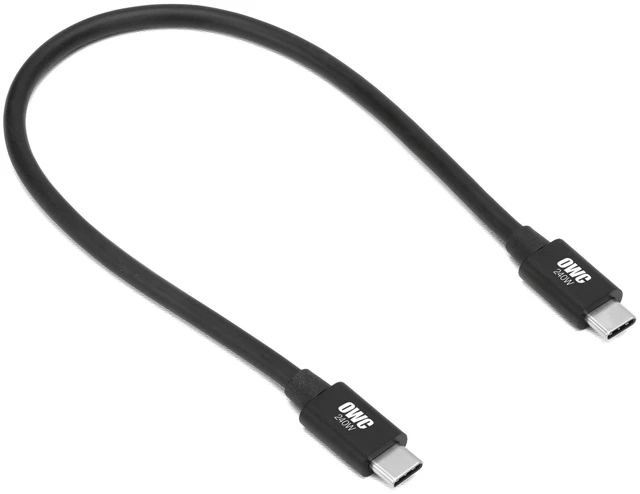
    OWC 0.3M Thunderbolt 5 (USB-C) Cable, Up to 80Gb/s Bi-directional, 120Gb/s Display Bandwidth, 240W Power Delivery

    Limited time offer, ends 11/22 By OWC

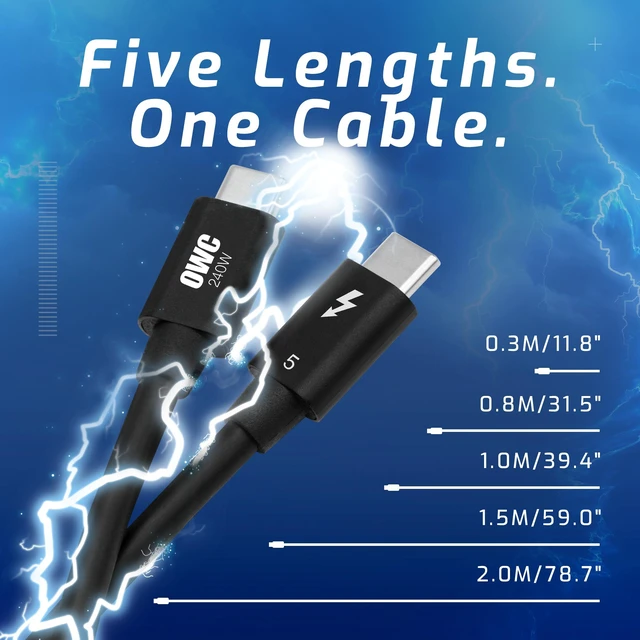
    • 0.3M
    • 0.8M
    • 1.0M
    • 1.5M
    • 100% USB-C Compatible: Connect to todays, tomorrows, and yesterday's Macs, PCs, iPads, Chromebooks, Surface, and other devices with a Thunderbolt 5, Thunderbolt 4, Thunderbolt 3, USB4, or USB-C port.
    • Lightning Quick: Work and play faster with up to 80Gb/s of bi-directional data speed and up to 120Gb/s for higher display bandwidth needs.
    • Versatile Connections: Connect to millions of docks, displays, eGPUs, PCIe expansion, external SSDs, RAID storage, and accessories.
    • Powerful: Lab-certified to safely deliver up to 240 watts to charge the most power-hungry notebook computer.
    • Stunning Visuals: Connect to the latest and future Thunderbolt, USB-C, and DisplayPort displays for incredible 4K, 5K, 6K, and up to three 8K displays.
    +
    +
    Overview
    Specs
    Reviews

    Any questions? Ask CelesteSM will help you find out quickly.

    OWC Thunderbolt 5 (USB-C) Cables
    Faster Today. Maximum Speed for Yesterday. Seat Belt Not Included.
    Connect to Everything...Faster
    Lightning Quick. Powerful.
    The Smart Way to See More
    Universal Connectivity
    The Solution for Everything You Own
    OWC Thunderbolt 5 (USB-C) Cables
    Faster Today. Maximum Speed for Yesterday. Seat Belt Not Included.
    Built for Speed: Thunderbolt 5 Cable
    Connect to Everything...Faster
    Lightning Quick. Versatile Connections. Stunning Visuals.
    The Smart Way to See More
    Your Connection to a Higher Power
    The Best Cable on the Planet for All Needs Transfer files faster. Connect more displays at higher resolutions and refresh rates. Quickly charge even the most power demanding notebook. Experience the next generation of remarkable Thunderbolt performance with the OWC Thunderbolt 5 (USB-C) Cable while still retaining the ability to connect to millions of Thunderbolt 4, Thunderbolt 3, USB4, and USB-C computers and devices anywhere. When you need an It Just Works solution to experience the best performance your computer or device can provide, the OWC Thunderbolt 5 Cable is the best premium quality cable available for your audio, photography, video, and general data needs.

    Warranty & Returns

    Warranty, Returns, And Additional Information

    Warranty

    • Please contact the Seller directly for warranty information. Warranty information may also be found on the Manufacturer's website.
    • Read full details
    • CONTACT

    Return Policies

    • Return for refund within: 30 days
    • Return for replacement within: 60 days
    • This item is covered by OWC Return Policy

    Manufacturer Contact Info

    LOADING...

    The OWC 0.3 m Thunderbolt 5 USB-C cable is a short, high-bandwidth cable for users connecting compatible computers to docks, storage, or displays, with up to 80 Gb/s bidirectional data, up to 120 Gb/s display bandwidth, and up to 240 W power delivery.

    Recommended For

    • Desk users placing a Thunderbolt 5 dock right beside a laptop or computer who want a short connection with little cable slack.
    • Users connecting a Thunderbolt 5 external SSD or RAID enclosure close to the host for high-bandwidth file transfers.
    • Users building a compact setup who need a short link to a Thunderbolt 5 eGPU or PCIe expansion enclosure positioned next to the computer.
    • Thunderbolt 5 workstation users who need a compact cable for a display-intensive setup and have a compatible host, dock, and displays.

    Real-World Use Scenarios

    • When moving large video or project files between a Thunderbolt 5 computer and a compatible external SSD, this cable can support a high-bandwidth connection; actual transfer speeds depend on the computer, drive, and workload.
    • At a desk, use it to connect a Thunderbolt dock to a compatible laptop, then attach storage and other peripherals through the dock; the experience depends on the dock and host’s supported features.
    • For a multi-monitor workstation, connect a compatible computer to a Thunderbolt dock or display setup; the cable can carry display signals, but the number and resolution of screens depend on the computer, dock, and displays.
    • When connecting a compatible high-power laptop to a charger or powered dock, use the cable for charging while keeping a USB-C connection; charging rate depends on the power adapter, device, and setup.
    • For a mixed-generation setup, connect compatible Thunderbolt, USB4, or USB-C devices with the same cable; the connection works according to the capabilities of the connected devices and ports.