• $239.26
  • Free 30-day Returns
  • Sold by Direct from manufacturerOWC
    4.7 (29 seller ratings)

    Shipped by Direct from manufacturerOWC

    Price alert
    Server System configurator/ABS
    Shop it at NeweggBusiness.

    Meet Your Seller

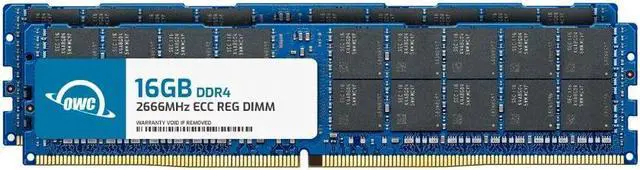
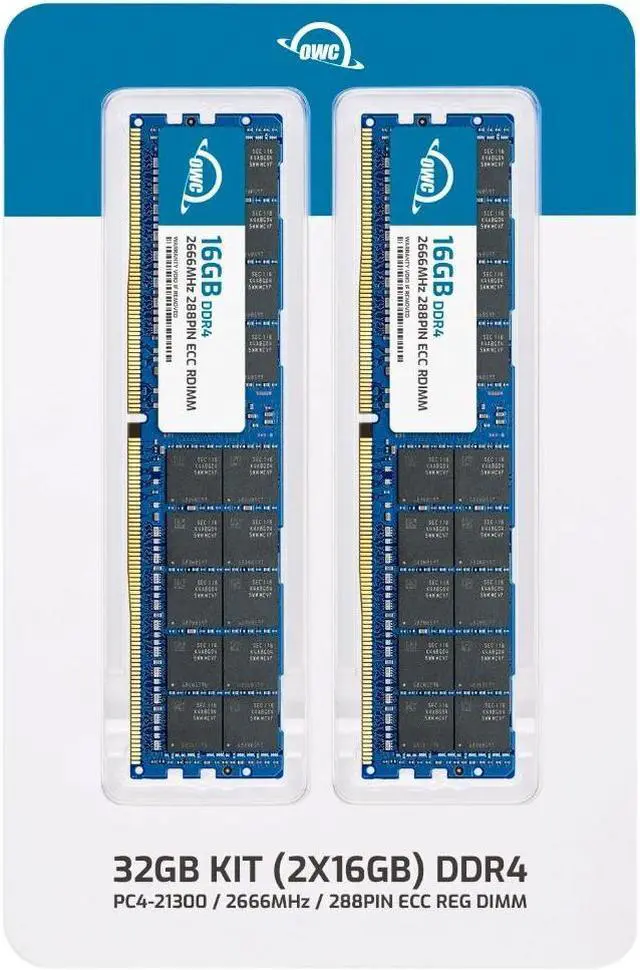
    OWC 32GB (2x16GB) Replacement for Synology D4RD-2666-16G, D4ER01-16G, DDR4 2666 MHz PC4-21300 ECC Registered RDIMM RAM Memory Compatible with Synology RACKSTATION RS18017xs+

    • 8GB
    • 16GB
    • 32GB
    • 32GB (2 x 16GB)
    • 32GB (4 x 8GB)
    • 64GB (2 x 32GB)
    • 64GB (4 x 16GB)
    • 128GB (4 x 32GB)
    • 1Rx4
    • 2Rx4
    • ECC REGISTERED UPGRADE: This type of memory is used in Workstations and Servers. It will NOT be compatible with standard desktop computers. Also, it cannot be mixed with UNBUFFERED -or- ECC LOAD REDUCED memory.
    • OWC 32GB UPGRADE: Consists of 2pcs of 16GB DDR4 2666 PC4-21300 CL19 2Rx4 288-pin 1.2V ECC Registered DIMM Memory RAM Module Upgrade Kit.
    • 100% COMPLIANT: JEDEC-Standard and ROHS Compliant. Warranty-Safe Upgrade. Designed and Tested to Meet or Exceed all Manufacturer OEM Specs.
    • MAXIMIZE YOUR SERVER: With OWC's ECC Registered Server Memory, you will extend the life of your old infrastructure or save money when building a new one.
    • INDUSTRY LEADING: Consumer-friendly Advanced Replacement Program and Limited Lifetime Warranty, which includes Free Tech Support by Other World Computing.
    +
    +
    Overview
    Specs
    Reviews
    See all Q & A

    Any questions? Ask CelesteSM will help you find out quickly.

    OWC DDR4 PC4-21300 2666MHz ECC REGISTERED DIMM SPECIFICATIONS

    Technology DDR4
    Speed PC4-21300 2666MHz CL19
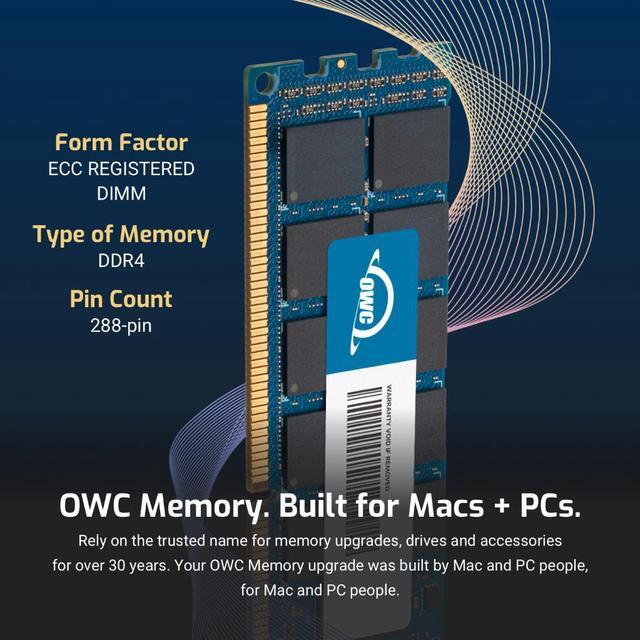
    Form Factor 288PIN ECC REGISTERED DIMM
    ECC Type ECC REGISTERED
    Voltage 1.2v
    Compatibility Server, Workstation, NAS System
    Backward Compatibility Also Compatible with 2133MHz, 2400MHz
    ECC ddr4 ram 2666 REGISTERED memory mac pro pc4-21300 memory 32gb 64gb 128gb 2019 ram 7,1
    DDR5 ECC REGISTERED REG MEMORY RAM MODULE DIMM STICK 32gb 16gb 8gb 288pin 4800MHz PC5-38400 CL40
    ECC ddr4 ram 2666 REGISTERED memory mac pro pc4-21300 memory 32gb 64gb 128gb 2019 ram 7,1

    OWC DDR4 PC4-21300 2666MHz ECC REGISTERED DIMM SPECIFICATIONS

    Technology DDR4
    Speed PC4-21300 2666MHz CL19
    Form Factor 288PIN ECC REGISTERED DIMM
    ECC Type ECC REGISTERED
    Voltage 1.2v
    Compatibility Server, Workstation, NAS System
    Backward Compatibility Also Compatible with 2133MHz, 2400MHz
    ecc registered server dimm memory ram upgrade NAS 64gb 32gb 16gb 8gb 288pin stick module
    unbuffered dimm memory ram upgrade desktop workstation non ecc ram 288pin stick module
    ecc registered server dimm memory ram upgrade NAS 64gb 32gb 16gb 8gb 288pin stick module
    OWC DDR4 memory is Fully compliant with JEDEC specifications, ROHS compliant, providing a warranty safe upgrade. OWC Memory is the most cost effective and simple DIY upgrade you can install to unleash your Mac or PC's full potential and speed up overall responsiveness. Become a multitasking maven when you upgrade your Mac or PC with OWC Memory. Open more apps. Open larger files. Plus, work with multiple files all at the same time. We test every OWC memory module at our in house lab so you can upgrade with the confidence that your memory is built to last.

    We built your OWC Memory upgrade to meet or exceed the toughest industry specs to provide years of worry-free service. OWC recommends that all DIMMs be the same capacity, speed, and manufacturer to ensure optimal memory performance.

    Warranty & Returns

    Warranty, Returns, And Additional Information

    Warranty

    • Please contact the Seller directly for warranty information. Warranty information may also be found on the Manufacturer's website.
    • CONTACT

    Return Policies

    • Return for refund within: 30 days
    • Return for replacement within: 60 days
    • This item is covered by OWC Return Policy

    Manufacturer Contact Info

    LOADING...

    The OWC 32GB (2×16GB) DDR4-2666 ECC Registered RDIMM kit is a server-memory upgrade for the Synology RackStation RS18017xs+, with 2Rx4 modules designed for systems that support registered ECC memory.

    Recommended For

    • RS18017xs+ administrators planning a 32GB, two-module ECC Registered memory replacement or upgrade for a NAS running virtualization workloads; confirm the DIMM configuration before installation.
    • IT teams using an RS18017xs+ for video post-production or intensive data processing who need additional system memory for their NAS workload—not a memory upgrade for an editing workstation.
    • Businesses running an RS18017xs+ as a shared storage or backup repository that have identified system memory capacity as a constraint in their workload.

    Real-World Use Scenarios

    • When an RS18017xs+ runs several lightweight virtual machines, adding memory can provide more room to assign RAM to guests and keep the host’s services running alongside them. Synology’s VM guidance lists up to 12 recommended instances for this model in a 1-vCPU, 1-GB-RAM configuration; heavier VMs need more resources.
    • For development or testing, a team can use the RS18017xs+ to keep multiple small VMs available at once. More installed memory can make it easier to give each test environment enough RAM, though the practical VM count still depends on each workload and the system’s CPU and storage.
    • When the NAS also runs containerized utilities alongside shared storage and backup services, additional memory can give those workloads and DSM more headroom. It is most relevant when several containers are active or memory use is already high; it does not make a CPU- or disk-limited task faster by itself.
    • In a video post-production setup, the RS18017xs+ can serve project storage while supporting other active NAS workloads. More memory may help when those services compete for RAM, but editing responsiveness also depends on the drives, network, and workstation.
    • For intensive data-processing jobs hosted on the RackStation, extra memory can provide more working room when the active workload is memory-bound. Users should expect little change from a RAM upgrade alone if processing speed is instead limited by the CPU, storage, or network.

    Spec Summary

    AttributeValue
    Best ForECC-registered DDR4 memory upgrades for compatible server systems, including the listed FS, HD, and SA devices
    Capacity And Kit Configuration32GB total as a dual-channel kit of two 16GB modules
    Memory Type And Speed288-pin DDR4 SDRAM, rated at 2666 MHz (PC4-21300)
    Latency And VoltageCL19 latency at 1.2V
    ECC And RegistrationECC registered memory
    Rank And Thermal Design2Rx4 rank configuration; no heat spreader
    Compatible DevicesFS3400, FS3451, FS3600, FS6441, HD6541, SA3400, SA3410, SA3641, SA3610, and SA6441
    Model IdentifiersOWC part number 2R6D42R4032P; model number OWC2R6D42R4032P

    Reference Q&A

    Q: Should I choose this OWC 32GB kit or the OWC 64GB DDR4-2666 ECC RDIMM kit?

    A: Choose this 32GB (2 × 16GB) kit for a 32GB memory configuration. The OWC 64GB kit provides twice the total capacity in two 32GB modules, so it suits a system configuration that calls for 64GB and supports those modules. Both are DDR4-2666 ECC Registered RDIMMs.

    Q: How does this OWC 32GB kit compare with OWC’s 16GB DDR4-2666 ECC RDIMM kit?

    A: Both kits use DDR4-2666 ECC Registered memory. This kit provides 32GB as two 16GB modules, while the OWC 16GB kit provides 16GB as two 8GB modules. Choose this kit when the planned configuration calls for 32GB total; choose the 16GB kit for a 16GB total.

    Q: For 32GB total, should I get this 2 × 16GB kit or OWC’s 4 × 8GB DDR4-2666 ECC RDIMM kit?

    A: Both kits total 32GB and use DDR4-2666 ECC Registered memory. This kit uses two 16GB modules; the alternative uses four 8GB modules. Choose this kit when you want the 32GB configuration installed across two modules, and the 4 × 8GB kit when that module layout matches your configuration plan.

    Q: Is this memory compatible with the Synology RS18017xs+?

    A: The product is listed as compatible with the RS18017xs+ and uses DDR4-2666 ECC Registered DIMMs. Before installing, confirm the server’s supported memory configuration and slot-population order.

    Q: Can I use this RAM in a standard desktop PC?

    A: No. This is ECC Registered (RDIMM) server memory, not standard unbuffered desktop memory. Use it only in a system that specifically supports DDR4 ECC RDIMMs.

    Q: Can I mix this kit with the RAM already in my server?

    A: Check the server’s memory rules before combining modules. This kit must not be mixed with unbuffered or load-reduced memory; confirm that the existing RAM and slot configuration support registered DIMMs.

    Q: How much memory is included in the kit?

    A: The kit contains two 16GB DDR4-2666 ECC Registered modules, for 32GB total. It is a dual-channel kit rated at 1.2V and CL19.

    Q: Will upgrading an RS18017xs+ from 16GB to 32GB make it faster?

    A: Not necessarily. A Reddit discussion about this exact RackStation proposed testing performance before and after a 16GB-to-32GB upgrade, but did not establish a general speed gain. More RAM may help when the NAS is memory-constrained or a workload benefits from additional cache; it is not a guaranteed transfer-speed upgrade.

    Q: Is a 32GB upgrade useful for an RS18017xs+ with a large storage volume?

    A: It can be useful if the system’s memory capacity is limiting the volume size you need. In a discussion about the RS18017xs+, users noted that 32GB was needed for a larger single volume in that setup. Check your NAS configuration and volume requirements before buying; added RAM does not remove every storage-volume limit.

    Q: Can I mix this kit with the RAM already installed in my Synology?

    A: Check the installed modules before combining them. This kit is ECC registered RDIMM; its product information says not to mix it with unbuffered or load-reduced memory. A Reddit discussion about RackStation memory also recommends matching modules for server use. When in doubt, verify the supported configuration for your exact NAS.

    Q: Is this RAM a good choice if I want to avoid third-party memory compatibility concerns?

    A: It is listed as compatible with the RS18017xs+, but it is OWC rather than Synology-branded memory. Reddit discussions about Synology upgrades report that third-party modules can work, while compatibility and support may depend on the exact NAS and module. Confirm the exact part and support implications with Synology before purchasing if official support is a priority.