




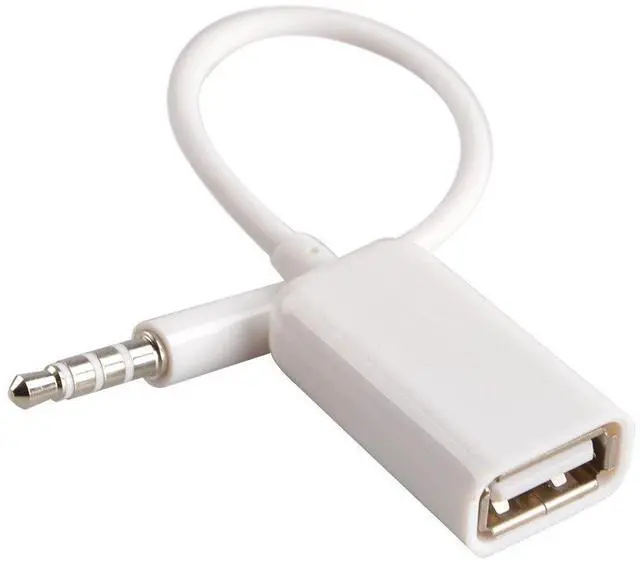
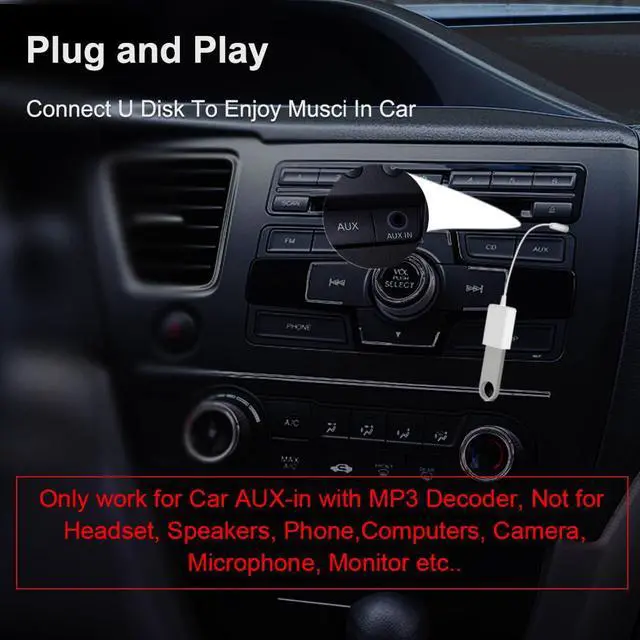
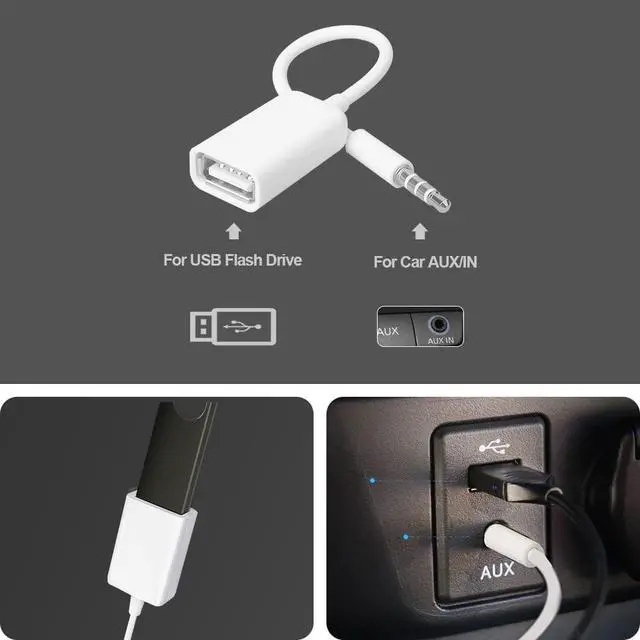
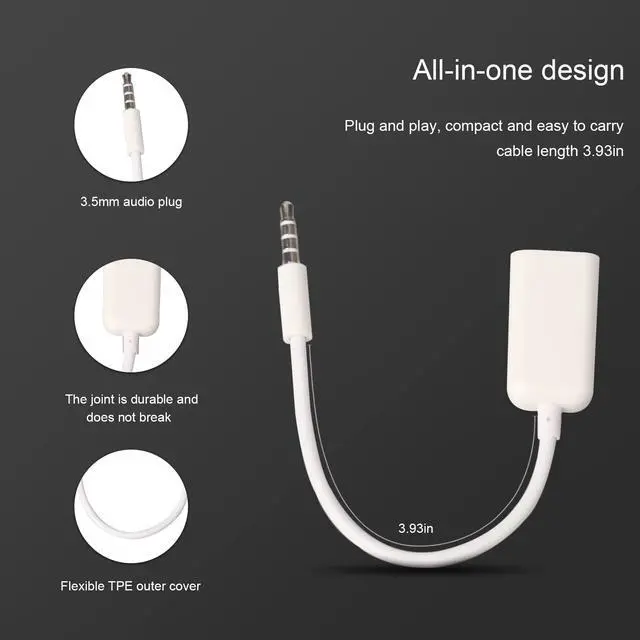
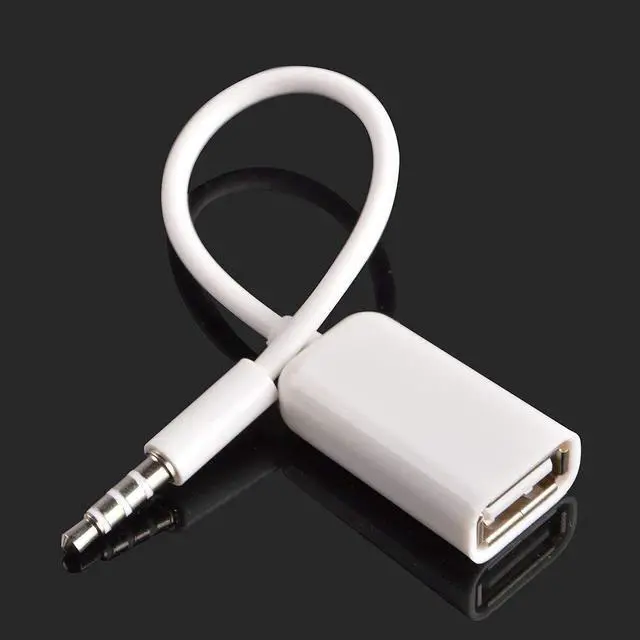


This AUX to USB adapter is exclusively designed for use in vehicles that have a 3.5mm AUX-IN port with built-in MP3 decoding functionality. It allows users to play MP3 music files stored on a USB 2.0 flash drive through the car’s audio system. This product does not transmit audio signals in a traditional AUX-to-USB direction and is not a standard audio cable.
Please note: This adapter does not function with devices that lack an MP3 decoding AUX-IN port. It is incompatible with passive AUX ports that only accept analog signals from phones or music players.
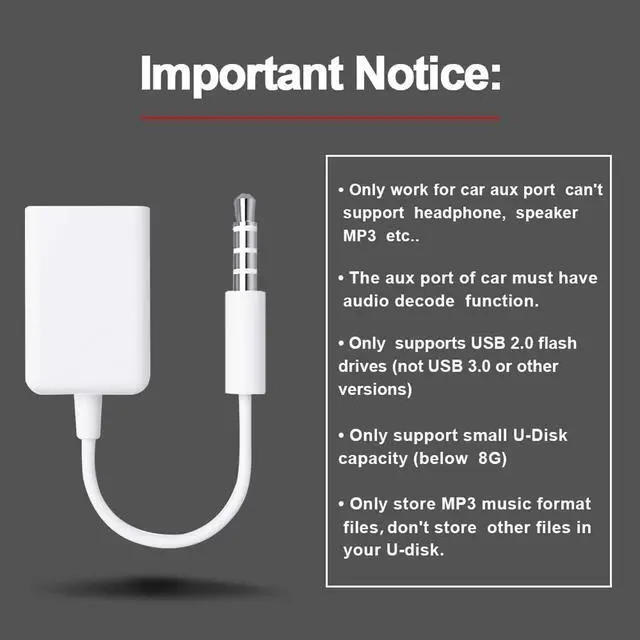
This product will not work with the following:
Headsets, speakers, phones, computers, cameras, microphones, monitors,
Headphones or earphones, Bluetooth or wired speakers, Portable media players, Mobile phones or tablets, Laptops or desktop computers,Game consoles or handheld entertainment systems
To ensure proper functionality:
- Use only USB 2.0 flash drives (not USB 3.0 or external hard drives)
- Drive capacity should be 8GB or less, depending on vehicle support
- Files must be in MP3 format only
- Do not store folders, videos, or unsupported file types in the drive
Before purchasing, please verify that your car audio system supports reading MP3 files directly from a USB drive via the AUX-IN port. Most factory audio systems without this feature will not support this adapter.
This adapter is intended for a very specific use case. If you're unsure whether your vehicle meets the requirements, we recommend contacting your car’s manufacturer or referring to the owner's manual before purchase.

Troubleshooting Guide for AUX to USB Cable
(Only for Cars with MP3 Decoding AUX-IN Port)
This adapter is designed exclusively for cars with a 3.5mm AUX-IN port that supports MP3 decoding, allowing playback of MP3 files from a USB 2.0 flash drive via the car stereo.
If it does not work, please follow these steps:
Step 1: Confirm MP3 Decoding Support
Check your vehicle’s manual or consult the manufacturer to ensure the AUX-IN port supports reading and decoding MP3 files from a USB drive. If the port is passive (analog-only), the adapter will not work. Most factory stereos do not support MP3 decoding via AUX unless explicitly stated.
Step 2: Use a Compatible USB Drive
Only USB 2.0 flash drives are supported, with a recommended capacity of 8GB or less. USB 3.0, external hard drives, or high-capacity storage devices are not compatible.
Step 3: Ensure Proper File Format
Only .MP3 format files are supported. Files in WMA, WAV, FLAC, AAC, or other formats will not work. Do not include folders, videos, or other file types—use MP3 files only.
Step 4: Prepare the Drive Properly
Format your USB drive as FAT32 and avoid complex folder structures. For testing, load 5–10 MP3 files directly onto the root of the drive without subfolders.
Final Note:
If all above conditions are met and the adapter still doesn’t function, it indicates your car system is not compatible. This is a vehicle limitation, not a product defect.

Package Contain:
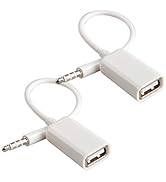
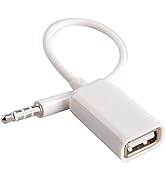
1x USB to Aux Audio Cable.
Features:
High Quality
Color: White
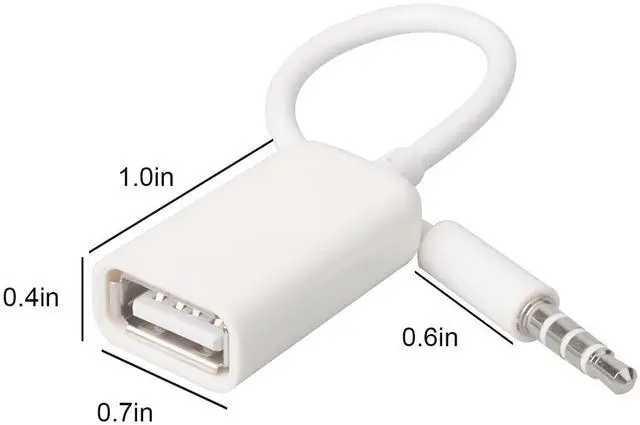
Length: Approx 18cm.
Connector:male to female
Jack:3.5mm stereo audio
3.5mm male: plug in the car AUX port

Fast. Reliable. Oxsubor.
Stay connected anytime with Oxsubor cables & adapters—fast speed, durable build, and dependable performance you can trust.



This AUX to USB adapter is exclusively designed for use in vehicles that have a 3.5mm AUX-IN port with built-in MP3 decoding functionality. It allows users to play MP3 music files stored on a USB 2.0 flash drive through the car’s audio system. This product does not transmit audio signals in a traditional AUX-to-USB direction and is not a standard audio cable.
Please note: This adapter does not function with devices that lack an MP3 decoding AUX-IN port. It is incompatible with passive AUX ports that only accept analog signals from phones or music players.
This product will not work with the following:
Headsets, speakers, phones, computers, cameras, microphones, monitors,
Headphones or earphones, Bluetooth or wired speakers, Portable media players, Mobile phones or tablets, Laptops or desktop computers,Game consoles or handheld entertainment systems
To ensure proper functionality:
- Use only USB 2.0 flash drives (not USB 3.0 or external hard drives)
- Drive capacity should be 8GB or less, depending on vehicle support
- Files must be in MP3 format only
- Do not store folders, videos, or unsupported file types in the drive
Before purchasing, please verify that your car audio system supports reading MP3 files directly from a USB drive via the AUX-IN port. Most factory audio systems without this feature will not support this adapter.
This adapter is intended for a very specific use case. If you're unsure whether your vehicle meets the requirements, we recommend contacting your car’s manufacturer or referring to the owner's manual before purchase.
Troubleshooting Guide for AUX to USB Cable
(Only for Cars with MP3 Decoding AUX-IN Port)
This adapter is designed exclusively for cars with a 3.5mm AUX-IN port that supports MP3 decoding, allowing playback of MP3 files from a USB 2.0 flash drive via the car stereo.
If it does not work, please follow these steps:
Step 1: Confirm MP3 Decoding Support
Check your vehicle’s manual or consult the manufacturer to ensure the AUX-IN port supports reading and decoding MP3 files from a USB drive. If the port is passive (analog-only), the adapter will not work. Most factory stereos do not support MP3 decoding via AUX unless explicitly stated.
Step 2: Use a Compatible USB Drive
Only USB 2.0 flash drives are supported, with a recommended capacity of 8GB or less. USB 3.0, external hard drives, or high-capacity storage devices are not compatible.
Step 3: Ensure Proper File Format
Only .MP3 format files are supported. Files in WMA, WAV, FLAC, AAC, or other formats will not work. Do not include folders, videos, or other file types—use MP3 files only.
Step 4: Prepare the Drive Properly
Format your USB drive as FAT32 and avoid complex folder structures. For testing, load 5–10 MP3 files directly onto the root of the drive without subfolders.
Final Note:
If all above conditions are met and the adapter still doesn’t function, it indicates your car system is not compatible. This is a vehicle limitation, not a product defect.
Package Contain:
1x USB to Aux Audio Cable.
Features:
High Quality
Color: White
Length: Approx 18cm.
Connector:male to female
Jack:3.5mm stereo audio
3.5mm male: plug in the car AUX port
Fast. Reliable. Oxsubor.
Stay connected anytime with Oxsubor cables & adapters—fast speed, durable build, and dependable performance you can trust.
Oxsubor: Hassle - Free Tech
Oxsubor removes transmission troubles. Our USB cables, adapters, audio lines & accessories ensure seamless, reliable 3C experiences. Connect devices, enjoy smooth tech life you deserve.
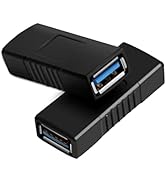
USB 3.0 Cable and Adapter
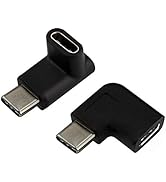
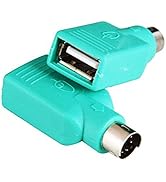
USB 3.0 Type C and PS2
Audio Adapter
