




 here!
here!
I’m your shopping assistant for PC builds, upgrades, and everything tech.
Got questions? Ask away!
Start a conversation
here!
I’m your shopping assistant for PC builds, upgrades, and everything tech.
Got questions? Ask away!
Start a conversation



Any questions? Ask CelesteSM will help you find out quickly.
Product details
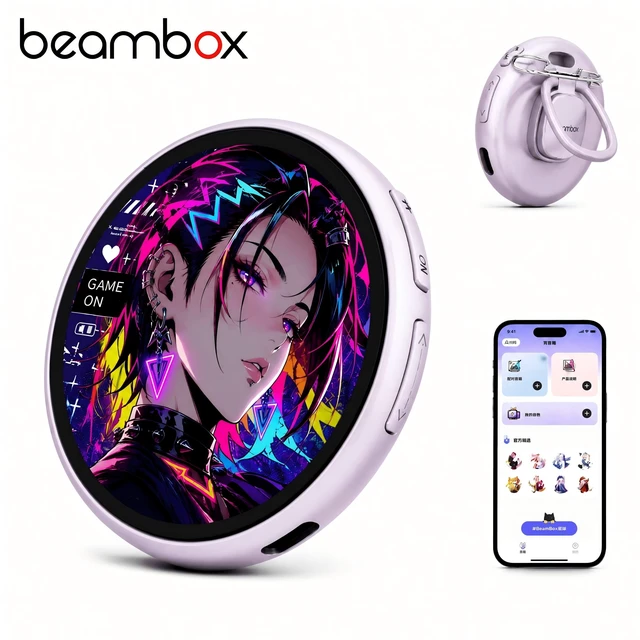
Meet the beambox Nikko E-Badge 1.8" interactive digital badge that turns your photos, videos, and marquee text into a wearable digital frame for ita bag, backpack, and desktop display.
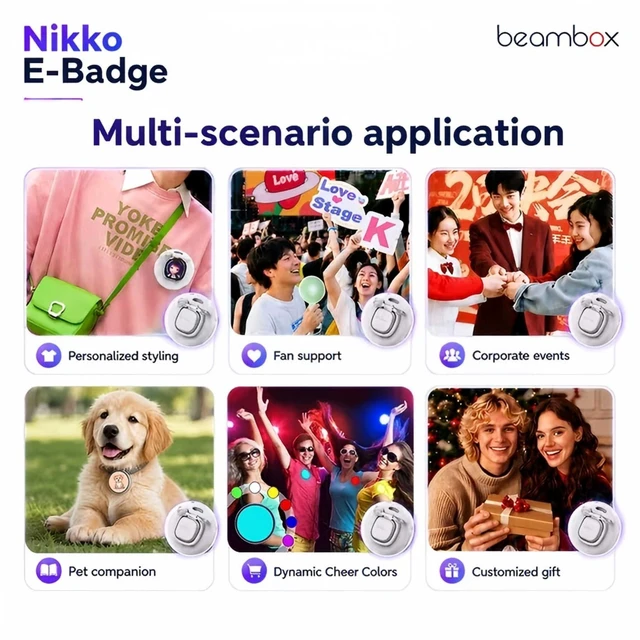
The 1.8" 360x360 IPS touch screen shows your photos, GIFs, and videos in vivid color, while the marquee text scrolls your custom message. The 7-color flashing LED works as a cheer light at concerts, parties, and creator meetups, and you can add creative stickers from the e-goods app. At just 31.5g, this lightweight electronic badge snaps on with magnetic adsorption and clips to your bag, lanyard, or backpack a daily wear photo display built for multi-scene use. Bring the Nikko E-Badge home as your next anime convention gift.
How to Use
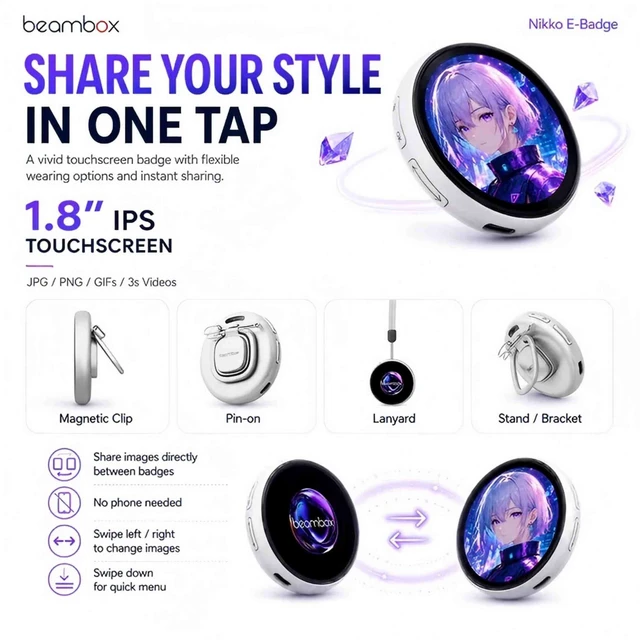
Browse & display long press to send to another badge, short press Bluetooth button to receive
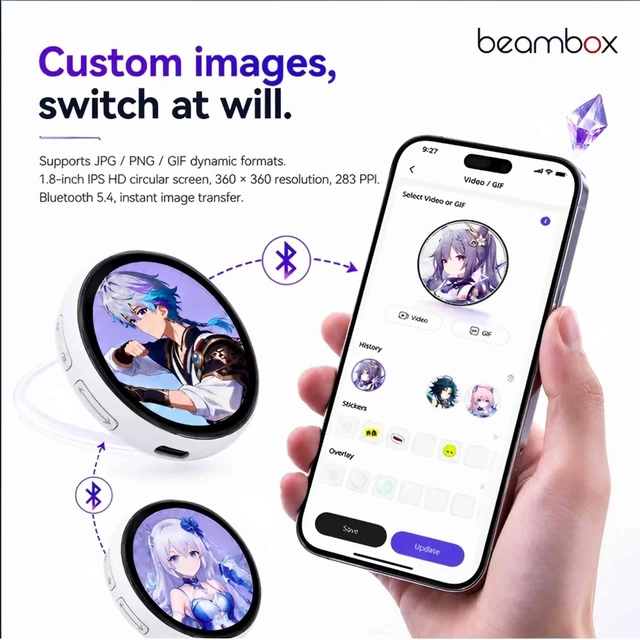
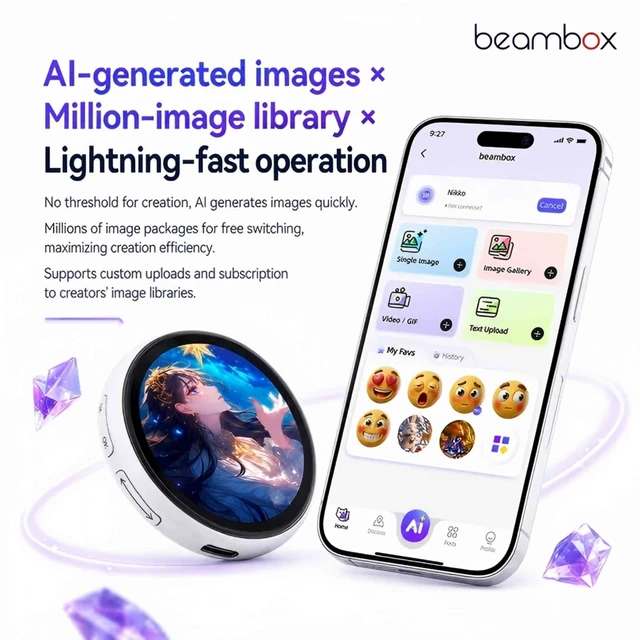
Personalize in-app Use beambox app to upload JPG, GIF, PNG, and video, add creative stickers, and set scrolling marquee text.
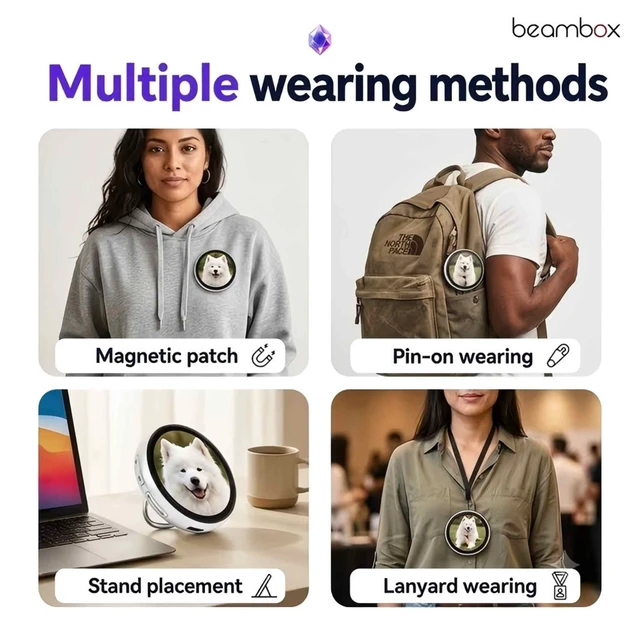
Wear 4 ways Snap on with Magnetic Adsorption, or switch to badge Attachment, Lanyard Loop, and 180° Rotating Bracket in seconds.
Power & brightness Long-press the OK button (2.5s) to power on/off; long-press the right button to adjust brightness.
Lock & remember Long-press the screen to lock or unlock; the memory function restores your last screen after power off.
Recharge fast Type-C fast charging tops it up quickly.
Specs & Package
Display: 1.8" 360x360 IPS touch screen
Weight: 49g
Lights: 7-color flashing LED
Wear: 4-in-1 (Magnetic Adsorption, buckle Attachment, Lanyard Loop, 180° Rotating Bracket)
Battery: 730mAh, up to 8 hours at maximum brightness
Memory: 16MB
Charging: Type-C fast charging
Colors: Silver, Purple, Orange
In the Box: e-BADGE ×1, Type-C Charging Cable ×1, Quick Start Guide ×1, Lanyard ×1, Safety buckle ×1
1.8" Digital Badge: Crystal-clear 360×360 IPS touchscreen in a sleek circular design. Show off your art, photos, GIFs, and videos on a wearable photo&video display.
beambox App Full Media Support: Upload JPG, GIF, PNG, and video via the beambox app, add creative stickers and scrolling marquee text, discover trending community art, and save favorites to your badge in one tap. Memory function remembers your last screen after power cycle. Type-C rechargeable.
Bluetooth Image Transfer: Share images instantly between devices with one-tap transfer. Break the ice at events, cons, and meetups in seconds.
7-Color Blink LED Call Lights: Customizable LED notification lights in 7 colors and Blink Modes. Get noticed, signal friends, or match your vibe.
Patented Wear Modes: Magnetic snap, pin-back, ring clip, or lanyard switch instantly. Wear it as a badge frame, keychain, backpack anime display, or stand-alone display.
info:
We aim to show you accurate product information. Ma


