Details
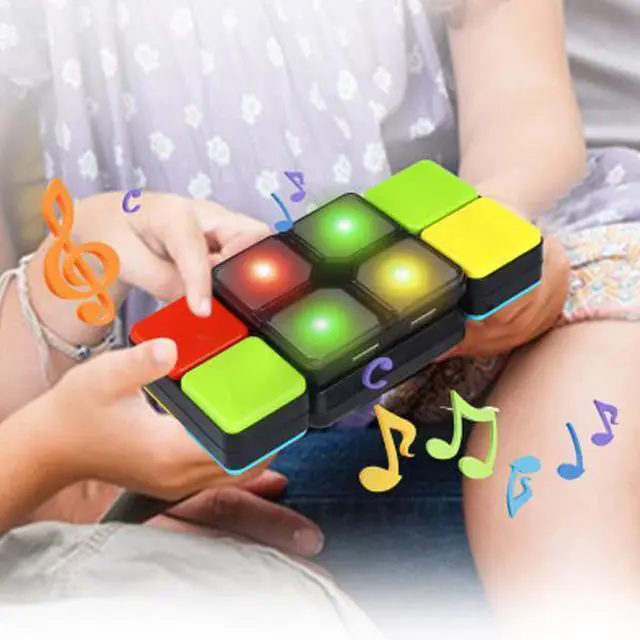
: This musical and amusing toy will give your kids hours of fun and will enhance their focus and small motor skills! Get more to challenge your kids and their friends with this multiplayer toy... Choose 1 of6 challenge Game Modes and master the moves to beat the blocks! Colored lights will show up; indicating which colors to match. Flip theside blocks to find the right colors. Slide the blocks into place and match! You will be so happy to see them laughing together getting pure entertainment! They will love this toy and reach for it again and again... You can join the challenge too and Square up with them!
DETAILS: Kids ages8 and up can play this under the supervision of adults. Measures 4 inches Wide.
Contents: 1x Game; 2x AA Batt. and 1x Instruction Manual.
6Game Modes: Multiplayer Mode to challengeyour friends; Level Mode lets you level-up to win!; Memory Mode is to remember the sequence; Speed Mode lets youbeat the clock; Super Speed Mode it is youagainst the game computer and Super Level Mode once you play this level you need to remain this level only champions reach this level. Get more and take it anywhere; play it anytime; It's addictive fun for anyone! Each sold separately.
INSTRUCTIONS: 1)
POWER BUTTON: Press the power button to power up the unit. Press and hold for 3 seconds to power Off the unit; the unit will automatically turn Off if left alone for 20 seconds at any time. 2) FLIP either side blocks to scroll through the different game modes. 3)MATCH the colored blocks to the lights. 4) SLIDE either side blocks around a corner to select a Game mode. 5) TO RESET all high scores; ensure the unit is Off; then hold the Power Button down for 10 seconds until you hear the word 'Zero'. 6) To adjust the volume; flip either side block until the 'VOLUME' mode appears (white color light). SLIDE either block around a corner to select; then FLIP a side block to scroll through the four-volume options: Silent; Quiet; Medium and Loud. To select the required volume; SLIDE a block around the corner again. The unit will then return to Mode Selection.





 here!
here!