





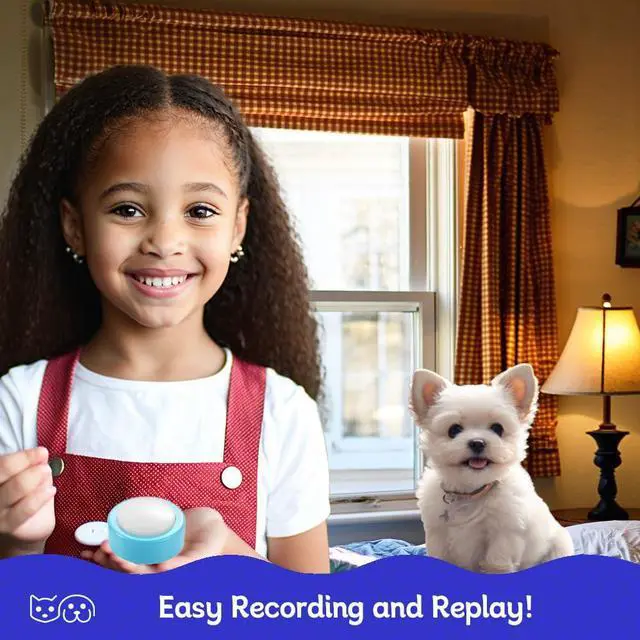




This set of pet buttons is exquisitely designed, small in size, and has a built-in rechargeable battery, making it suitable for small pets. Once you train them to express themselves using the buttons, you will be pleasantly surprised to find that their connection with you becomes closer.

This pet button, once fully charged, can be used for a long time, avoiding the hassle of constantly replacing batteries. In addition, its built-in speaker has a loud sound, so even if you are far away, you can clearly hear your pet's call. It will be a new communication bridge between you and your pet.

Button Functions
The function buttons are easy to operate. After pressing the record button, you can record voice, and then press the top to play clear sound. The Type-C interface can be charged with any mobile phone charger.

Recording Commands
Pet owners can record different commands for different buttons as needed. For example, food, water, going out, or playing together. Through repeated training, pets can be encouraged to actively trigger the buttons to communicate with their owners.

Small Size and Easy placing
This pet button has a relatively small size, making it easier to place on the ground. Note that you need to choose a relatively rough surface to place it on to prevent the button from sliding when pressed.

Basic Commands
A couple of buttons can meet basic communication needs, such as food and toys. After becoming familiar with the operation, you can purchase more sets of buttons to achieve richer commands.

Loudly Sound
The speaker on the button can produce enough volume for pet owners to hear and interact. If the volume is insufficient, it can be charged to restore power to the button.

More Pets More Buttons
When you have multiple pets, you need to train different pets differently, so they each become familiar with their own communication sounds. In this case, you might need more sets of buttons to achieve the training.
Product Specifications
Q1:Why is the recorded voice incomplete?
A1:After pressing the record button, you must start recording after hearing the "beep" sound.Speaking too quickly will cut off the beginning of the voice.
Q2:Why is the volume of playback sound very low?
A2:Speak near the talking button's microphone during recording to increase the volume.
Q3:What is the maximum length of the talking button's voice recording?
A3:The maximum recording time for the talking button is 24 seconds.After that ,the talking button will automatically stop recording.
Q4:Why does the voice volume decrease or not play completely after pressing the play button?
A4:This could be due to low battery.Please charge it in time.
Q5:Why doesn't the red indicator light up when charging?
A5:The red indicator light will turn off when the trainer is fully charged.If not, there might be an issue with the charger.Try using another 5V charger.
Q6:Why does the red indicator keep flashing while charging?
A6:This may be due to a fault in the rechargeable battery.Please contact the supplier.
This set of pet buttons is exquisitely designed, small in size, and has a built-in rechargeable battery, making it suitable for small pets. Once you train them to express themselves using the buttons, you will be pleasantly surprised to find that their connection with you becomes closer.
This pet button, once fully charged, can be used for a long time, avoiding the hassle of constantly replacing batteries. In addition, its built-in speaker has a loud sound, so even if you are far away, you can clearly hear your pet's call. It will be a new communication bridge between you and your pet.
Button Functions
The function buttons are easy to operate. After pressing the record button, you can record voice, and then press the top to play clear sound. The Type-C interface can be charged with any mobile phone charger.
Recording Commands
Pet owners can record different commands for different buttons as needed. For example, food, water, going out, or playing together. Through repeated training, pets can be encouraged to actively trigger the buttons to communicate with their owners.
Small Size and Easy placing
This pet button has a relatively small size, making it easier to place on the ground. Note that you need to choose a relatively rough surface to place it on to prevent the button from sliding when pressed.
Basic Commands
A couple of buttons can meet basic communication needs, such as food and toys. After becoming familiar with the operation, you can purchase more sets of buttons to achieve richer commands.
Loudly Sound
The speaker on the button can produce enough volume for pet owners to hear and interact. If the volume is insufficient, it can be charged to restore power to the button.
More Pets More Buttons
When you have multiple pets, you need to train different pets differently, so they each become familiar with their own communication sounds. In this case, you might need more sets of buttons to achieve the training.
Product Specifications
| Dimensions | D=60mm,H=28mm |
| Speaker power | 8 Ohms,500mW |
| Maximum recording time | 24 Seconds |
| Charging voltage | DC 5V, 1A |
| Standby time | Up to 120 Days |
| Packing Including | 2x Buttons, 1x Charging Cable, 1 x User Guide |
| Trigger pressure | 0.5 pounds (200 grams - 250grams) |
Q1:Why is the recorded voice incomplete?
A1:After pressing the record button, you must start recording after hearing the "beep" sound.Speaking too quickly will cut off the beginning of the voice.
Q2:Why is the volume of playback sound very low?
A2:Speak near the talking button's microphone during recording to increase the volume.
Q3:What is the maximum length of the talking button's voice recording?
A3:The maximum recording time for the talking button is 24 seconds.After that ,the talking button will automatically stop recording.
Q4:Why does the voice volume decrease or not play completely after pressing the play button?
A4:This could be due to low battery.Please charge it in time.
Q5:Why doesn't the red indicator light up when charging?
A5:The red indicator light will turn off when the trainer is fully charged.If not, there might be an issue with the charger.Try using another 5V charger.
Q6:Why does the red indicator keep flashing while charging?
A6:This may be due to a fault in the rechargeable battery.Please contact the supplier.