• $29.99
  • Free 30-day Returns
  • Sold by PowerixDxz

    Shipped by PowerixDxz

    Price alert
    Shop it at NeweggBusiness.

    Meet Your Seller

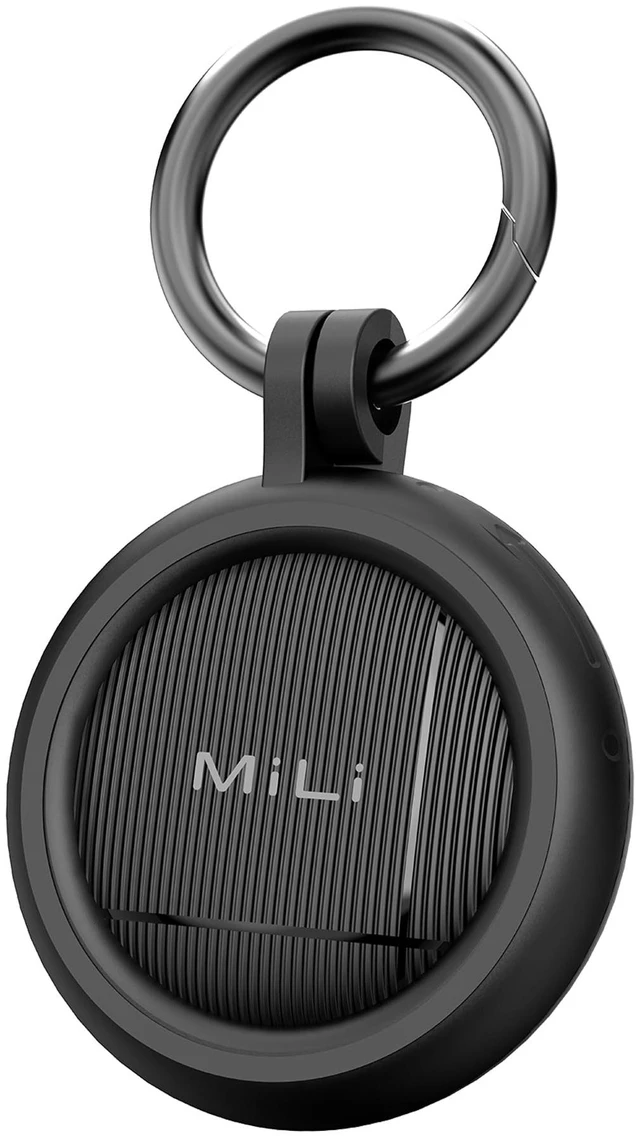
    Air Tracker Tags for iOS and Android Bluetooth Tracker with case | for Apple Find My/Google Find Hub. Key Finder Item Locator for Luggage, Bags,Suitcase,Keys

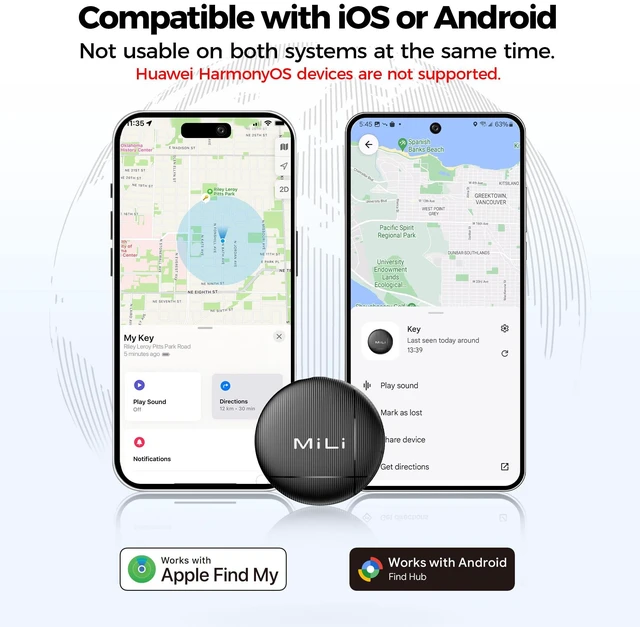
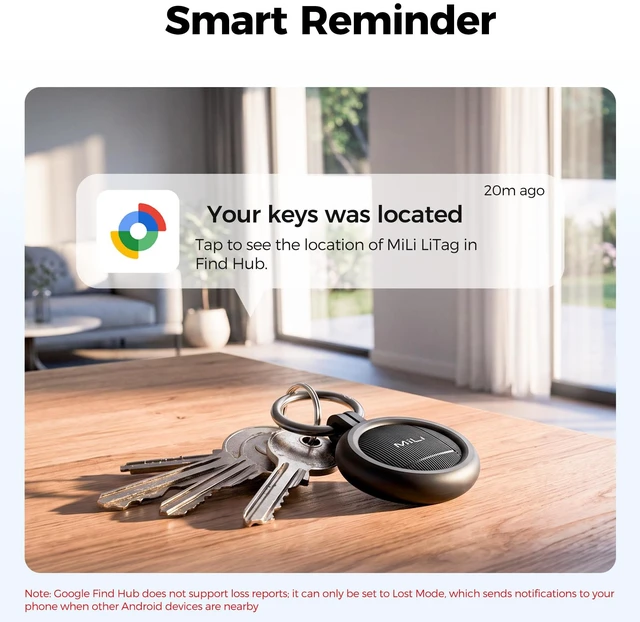
    • DUAL-SYSTEM NO SUBSCRIPTION TRACKER: Designed for iOS and Android users who need a reliable item finder.(supports Android 9 and above). This smart tracker tags works directly with the Google Find Hub (Find My Device) and Apple Find My, helping you locate items easily on Google Maps.(No third-party apps required)
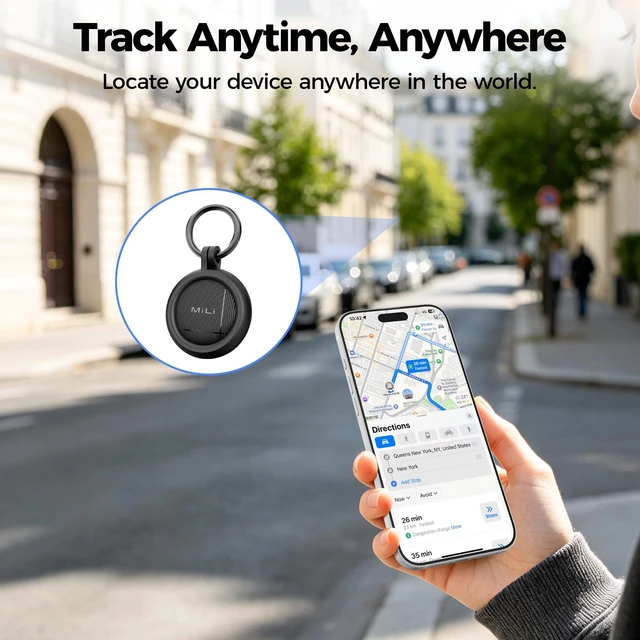
    • REAL LOCATION: When your tracker is outside Bluetooth range, nearby Android or iOS in the Find My network can help update its location so you can check where your item was last detected.
    • PRIVACY PROTECTION: Certified by Apple and Google,The iOS/Google Find My network is encrypted and anonymous. The location data and location history of your belongings will never be stored on the tracker and cannot be known by Google systems. You can use these smart trackers with peace of mind.
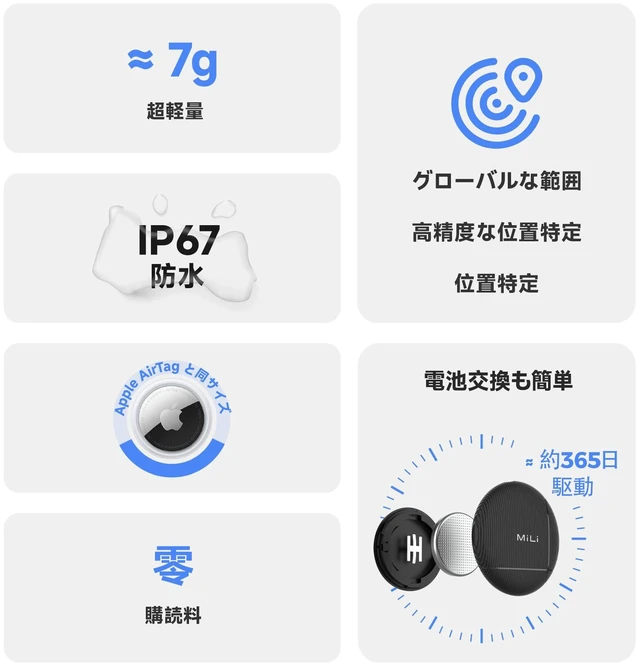
    • BATTERY LIFE: Our Bluetooth tracker features a built-in CR2032 battery lasting up to 1 year. (Battery life may vary based on temperature and usage frequency). IP67 Waterproof: this smart air tag tracker for android is IP67 certified, easily withstanding rain, splashes, and brief submersion. you can use it for outdoor activities or travel.
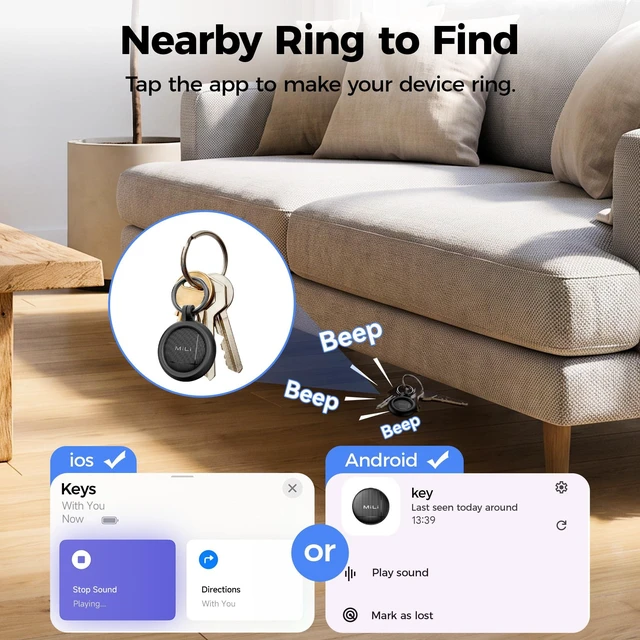
    • PLAY SOUND to LOCATE NEARBY ITEMS: Within Bluetooth range (up to 150 m / 500 ft), you can trigger a loud sound from the app or by voice command to quickly find misplaced items.
    +
    +
    Overview
    Specs
    Reviews
    avatar

    Any questions? Our AI mode will help you find out quickly.

    MiLi Air Tracker Tags Certified by Apple Find My and Google Find Hub

    MiLi Air Tracker Tags for iOS and Android
    MiLi Air Tracker Tags for iOS and Android
    MiLi Air Tracker Tags for iOS and Android
    MiLi Air Tracker Tags for iOS and Android

    MiLi Litag tracker Q & A

    Q 1 Why doesn't the tracker update its location in a timely manner, or why has it not updated for a long time?
    A 1 It depends on the density of nearby mobile phone and the update frequency of Apple's and Google's system. In areas with low device coverage, update speed will be slower. Our tracker is not a real-time GPS tracker.For Android user: It could be because your Google Play Services is not up to date. Updates may be delayed depending on the phone brand. You can update it manually: "Settings" > "Apps" find and tap "Google Play services," then tap "App details" to update.
    Q 2 What should I do if one or more of the four trackers are not working when I turn them on for pairing?
    A 2 When multiple trackers are activated at the same time, it may trigger silent mode, which can prevent popups or pairing. We recommend turning on each tracke one by one and attempting to connect individually to avoid interference from silent mode. We also recommend assigning a custom name after successfully connecting to avoid confusion caused by identical default tracker names.
    Q 3 I successfully connected my MiLi tracker, but later it disappeared from the Google Find Hub, what happened?
    A 3 This may happen if multiple Google accounts are signed in on your Android phone. When you first add your MiLi Tag, Google Find Hub uses the Google account that is currently selected on your phone to associate with the device. If your phone has multiple Google accounts (for example, a personal account and a secondary account), and you switch accounts after setup, the MiLi Tag may not sync correctly.
    Power On Press the button once to turn on the device (a beep will sound).
    Factory Reset Press 6 times rapidly when you hear a long beep, the device will be reset.

    MiLi Air Tracker Tags Certified by Apple Find My and Google Find Hub

    MiLi Air Tracker Tags for iOS and Android
    MiLi Air Tracker Tags for iOS and Android
    MiLi Air Tracker Tags for iOS and Android
    MiLi Air Tracker Tags for iOS and Android

    MiLi Litag tracker Q & A

    Q 1 Why doesn't the tracker update its location in a timely manner, or why has it not updated for a long time?
    A 1 It depends on the density of nearby mobile phone and the update frequency of Apple's and Google's system. In areas with low device coverage, update speed will be slower. Our tracker is not a real-time GPS tracker.For Android user: It could be because your Google Play Services is not up to date. Updates may be delayed depending on the phone brand. You can update it manually: "Settings" > "Apps" find and tap "Google Play services," then tap "App details" to update.
    Q 2 What should I do if one or more of the four trackers are not working when I turn them on for pairing?
    A 2 When multiple trackers are activated at the same time, it may trigger silent mode, which can prevent popups or pairing. We recommend turning on each tracke one by one and attempting to connect individually to avoid interference from silent mode. We also recommend assigning a custom name after successfully connecting to avoid confusion caused by identical default tracker names.
    Q 3 I successfully connected my MiLi tracker, but later it disappeared from the Google Find Hub, what happened?
    A 3 This may happen if multiple Google accounts are signed in on your Android phone. When you first add your MiLi Tag, Google Find Hub uses the Google account that is currently selected on your phone to associate with the device. If your phone has multiple Google accounts (for example, a personal account and a secondary account), and you switch accounts after setup, the MiLi Tag may not sync correctly.
    Power On Press the button once to turn on the device (a beep will sound).
    Factory Reset Press 6 times rapidly when you hear a long beep, the device will be reset.
    Air Tracker Tags for iOS and Android Bluetooth Tracker with case | for Apple Find My/Google Find Hub. Key Finder Item Locator for Luggage, Bags, Suitcase, Keys

    Warranty & Returns

    Warranty, Returns, And Additional Information

    Warranty

    • Please contact the Seller directly for warranty information. Warranty information may also be found on the Manufacturer's website.
    • CONTACT

    Return Policies

    • Return for refund within: 30 days
    • Return for replacement within: 45 days
    • This item is covered by PowerixDxz Return Policy

    Manufacturer Contact Info

    LOADING...