here!
here!
I’m your shopping assistant for PC builds, upgrades, and everything tech.
Got questions? Ask away!
Start a conversation
here!
I’m your shopping assistant for PC builds, upgrades, and everything tech.
Got questions? Ask away!
Start a conversation



Any questions? Ask CelesteSM will help you find out quickly.
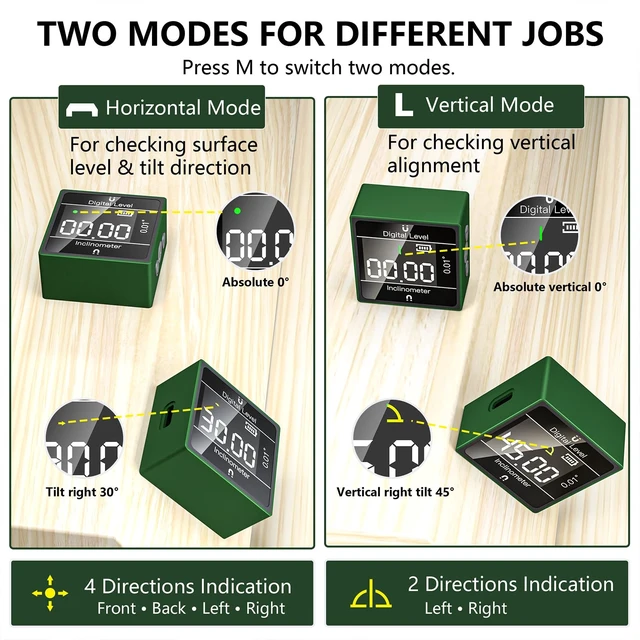
What is the difference between Horizontal Mode and Vertical Mode?
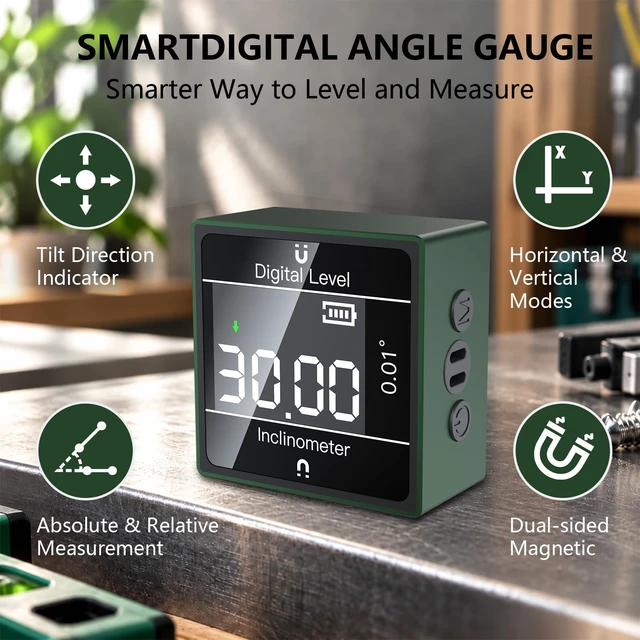
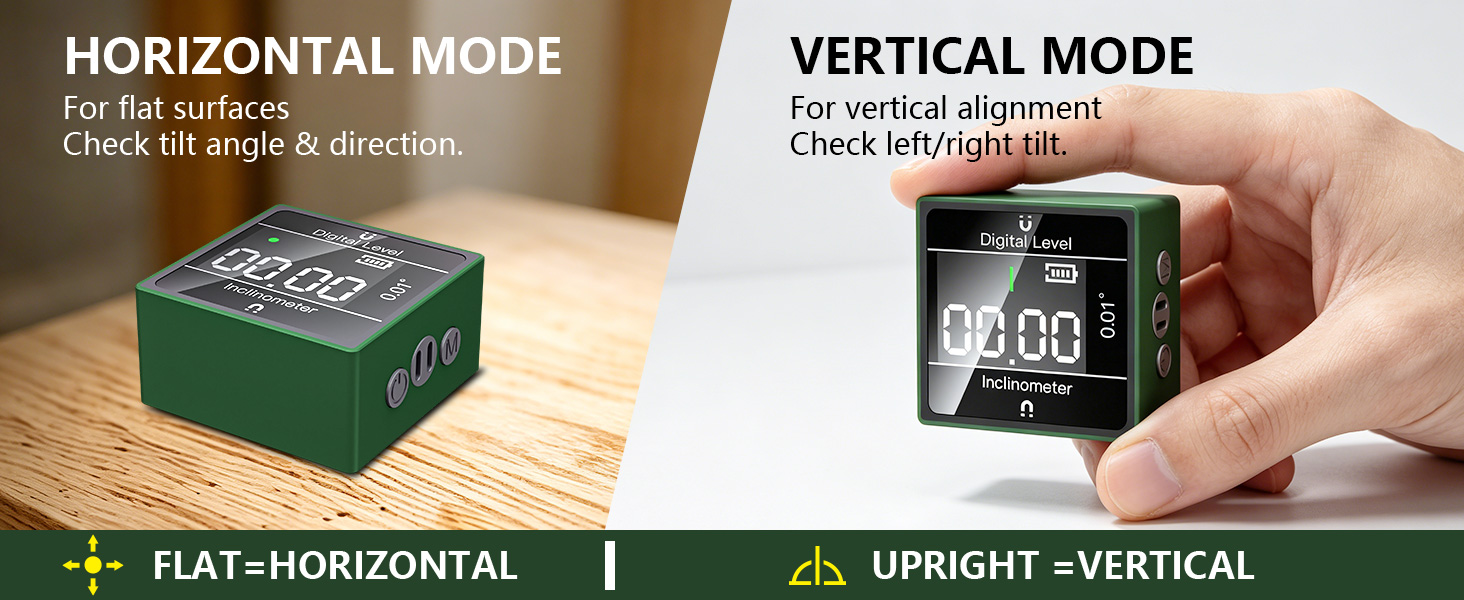
Horizontal Mode is designed for flat surfaces with the display facing upward and provides 4-way tilt guidance. Vertical Mode is used with the device upright and provides left/right guidance for vertical alignment.
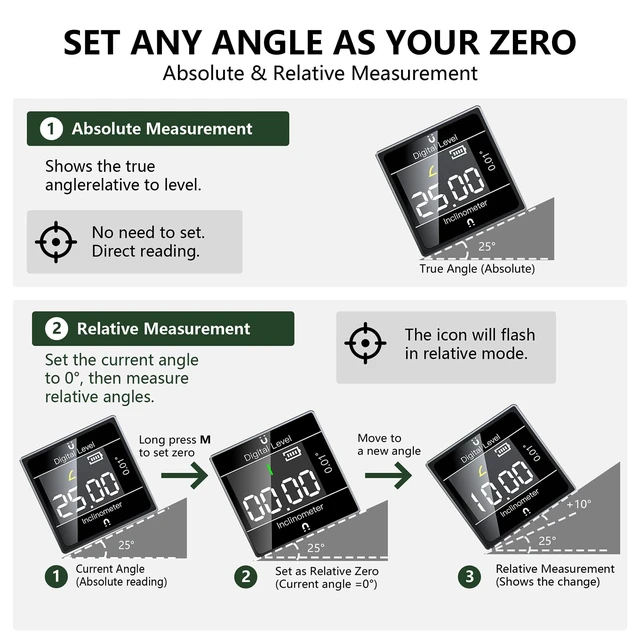
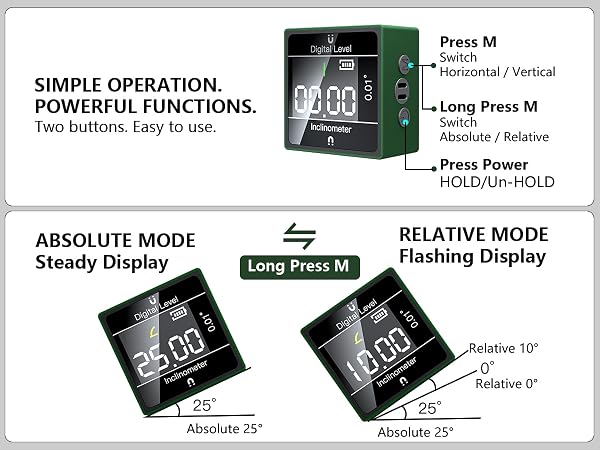
What is the difference between Absolute and Relative measurement?
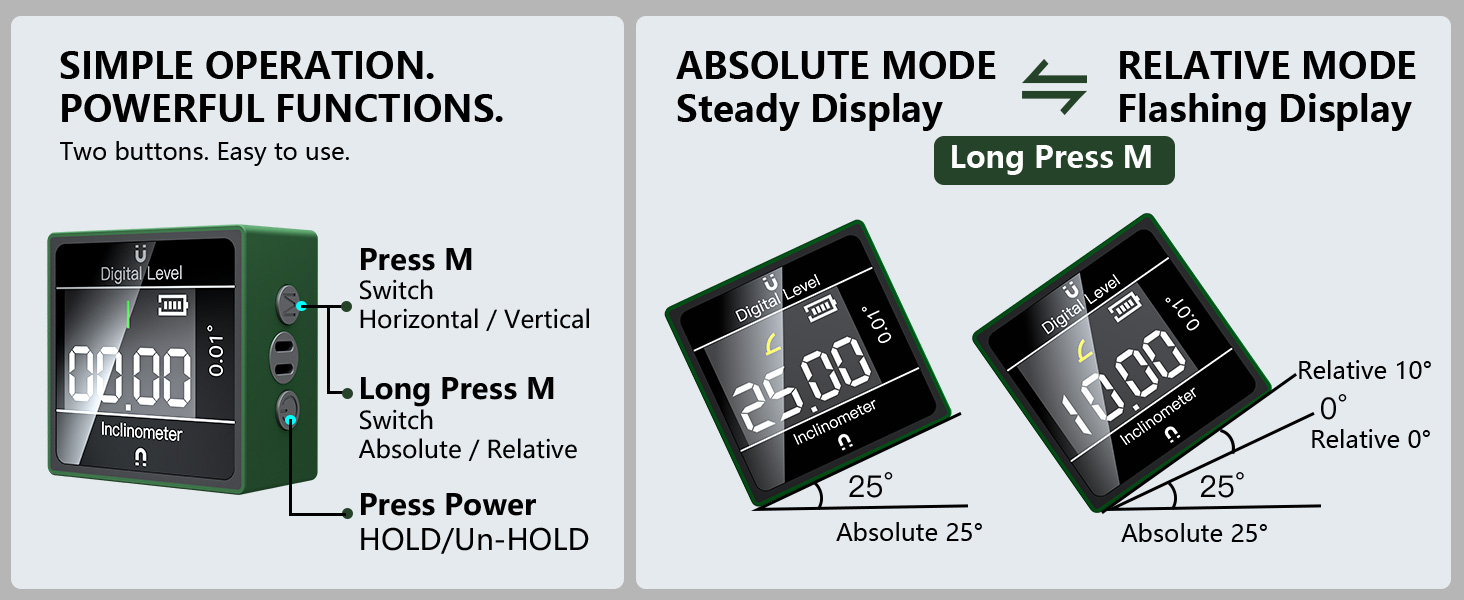
Absolute Mode shows the actual angle relative to the level reference. Long press M to enter Relative Mode and set the current position as the reference, making it easy to measure angle changes from that point.
Why is the display flashing?
A flashing measurement display indicates that the device is in Relative Mode. Long press M to switch between Relative and Absolute measurement.
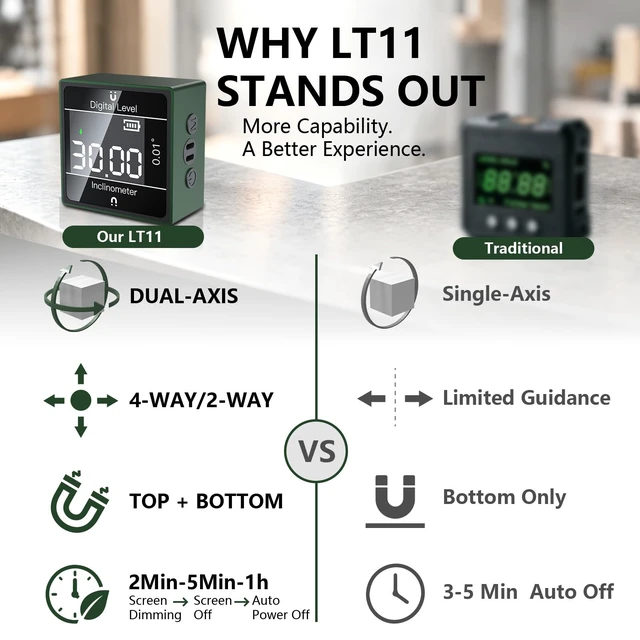
Why does the screen dim or turn off by itself?
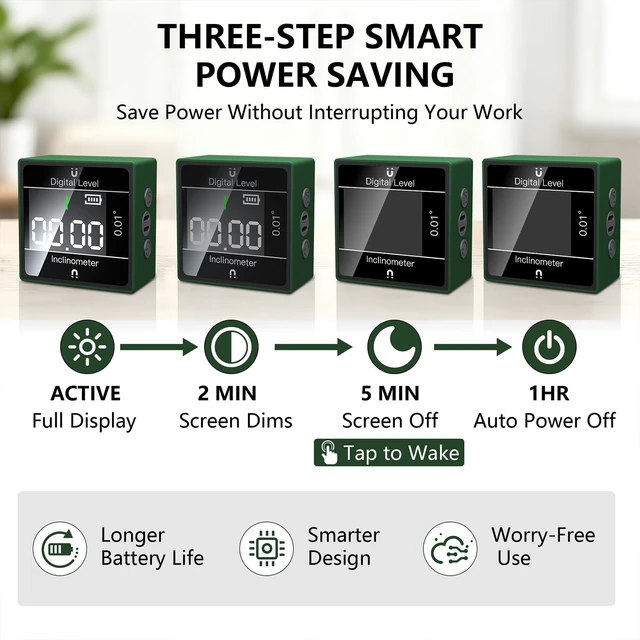
Smart Power-Saving: The display dims after 2 minutes of inactivity and turns off after 5 minutes. Tap the device to wake the screen. After 1 hour of inactivity, it automatically powers off and must be restarted using the Power button.
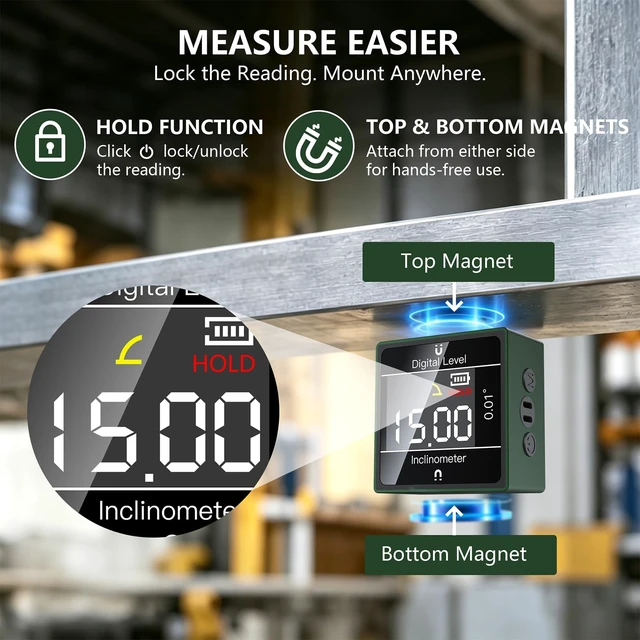
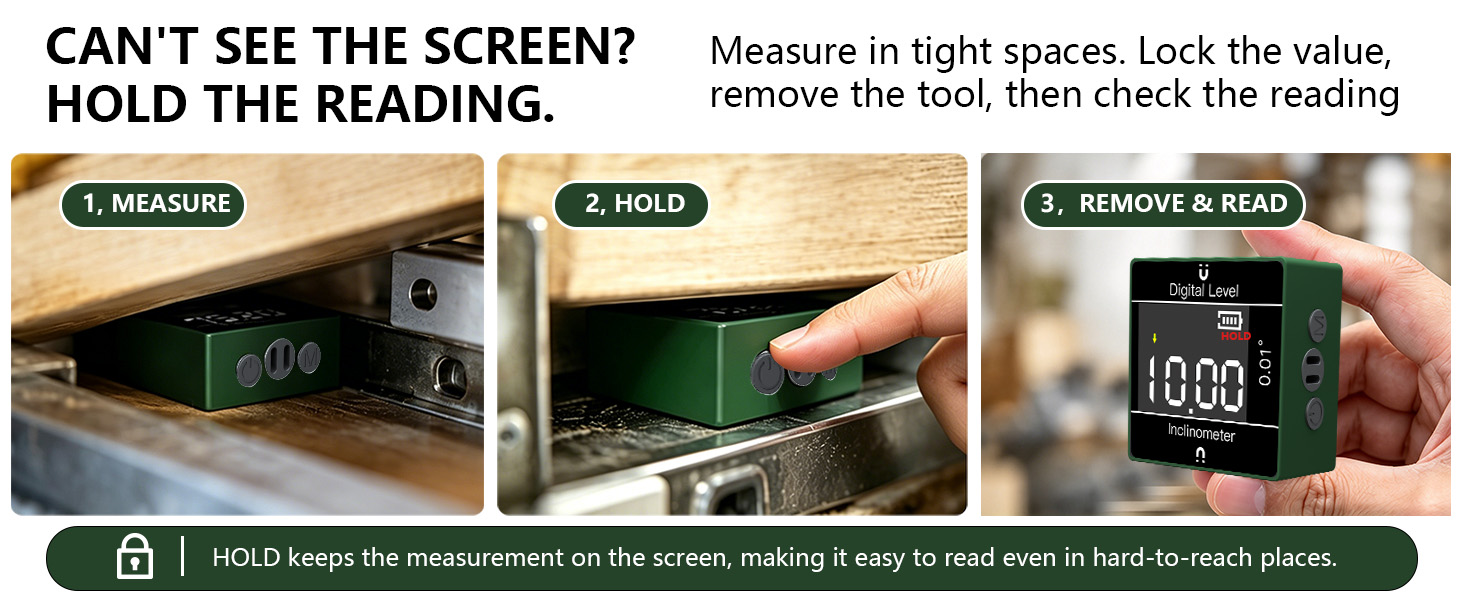
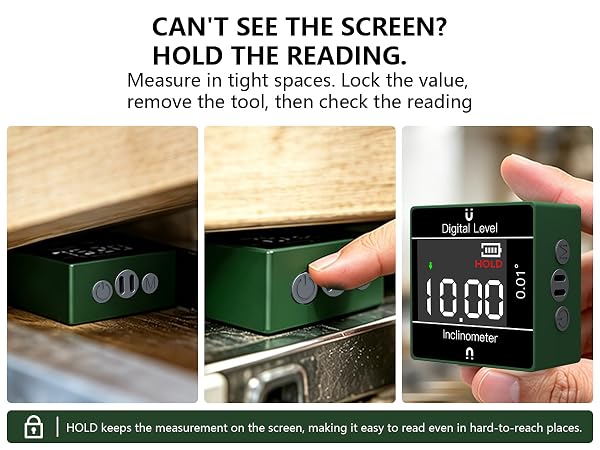
How does the HOLD function work?
Press the Power button once to lock the current reading. This is especially useful when the display is difficult to see during measurement—lock the value, remove the tool, then read it comfortably. Press Power again to release HOLD.
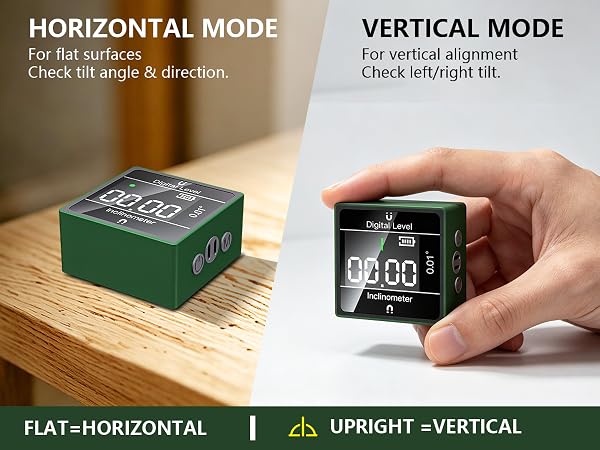

What is the difference between Horizontal Mode and Vertical Mode?
Horizontal Mode is designed for flat surfaces with the display facing upward and provides 4-way tilt guidance. Vertical Mode is used with the device upright and provides left/right guidance for vertical alignment.
What is the difference between Absolute and Relative measurement?
Absolute Mode shows the actual angle relative to the level reference. Long press M to enter Relative Mode and set the current position as the reference, making it easy to measure angle changes from that point.
Why is the display flashing?
A flashing measurement display indicates that the device is in Relative Mode. Long press M to switch between Relative and Absolute measurement.
Why does the screen dim or turn off by itself?
Smart Power-Saving: The display dims after 2 minutes of inactivity and turns off after 5 minutes. Tap the device to wake the screen. After 1 hour of inactivity, it automatically powers off and must be restarted using the Power button.
How does the HOLD function work?
Press the Power button once to lock the current reading. This is especially useful when the display is difficult to see during measurement—lock the value, remove the tool, then read it comfortably. Press Power again to release HOLD.