Your Browsing History
- $60.00
- Free 30-day Returns
Ships from China.
Meet Your Seller
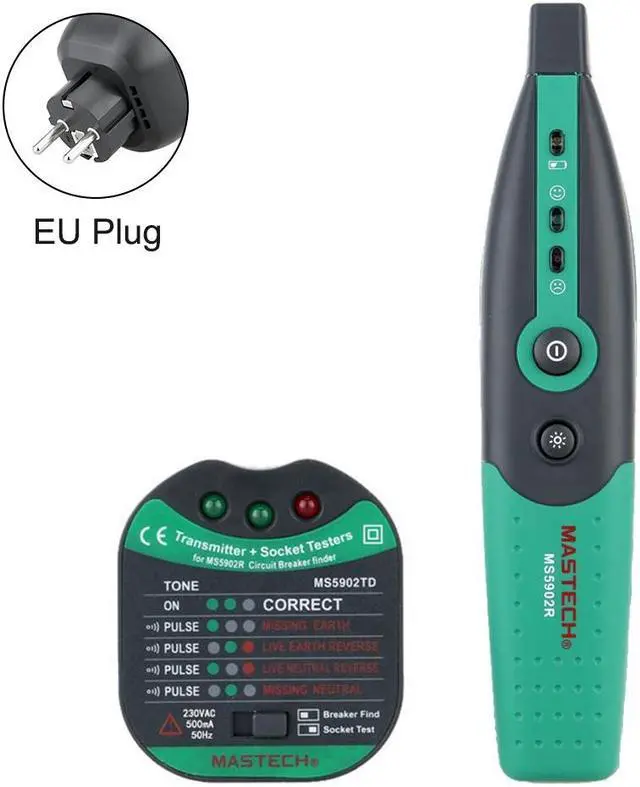
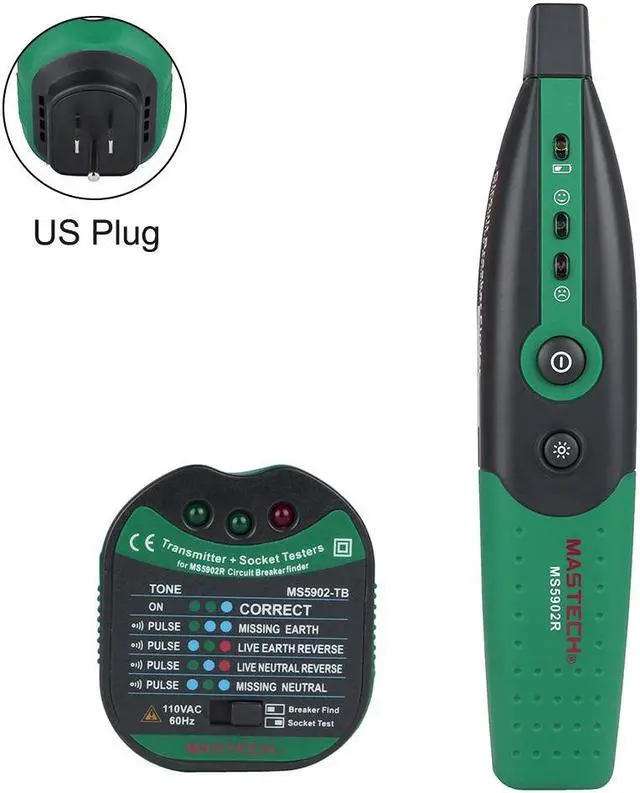
Mastech MS5902 Circuit Breaker LED Tester Finder CATII 600V Zeroline US EU AU Plug Type Fuse Socket Tester Mastech MS5902
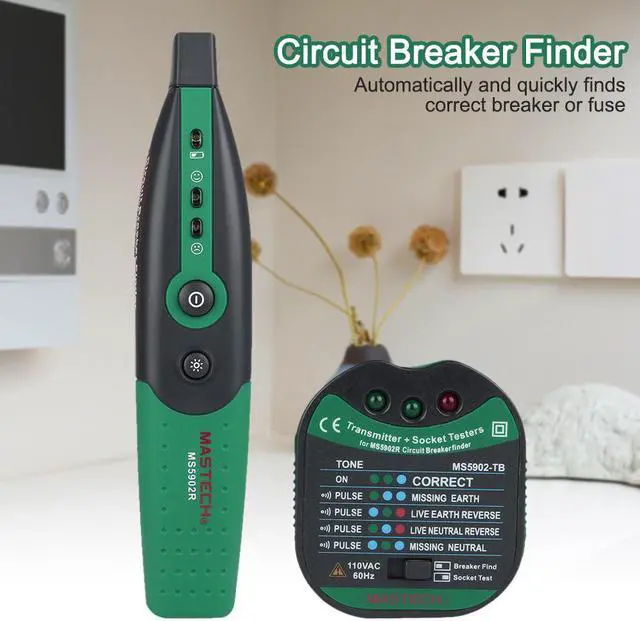
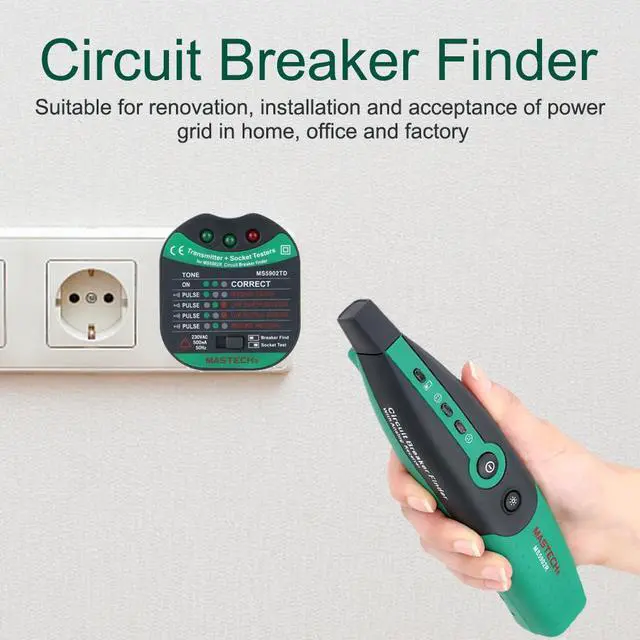
- 1. Automatically and quickly finds correct breaker or fuse.
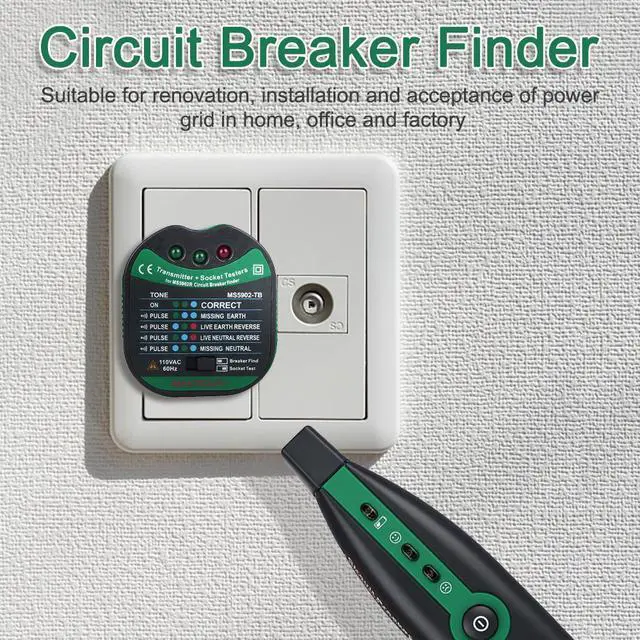
- 2. Quickly and easy identifies conditions of circuit socket.
- 3. MS5902-T× Works on 220V AC, MS5902-TB Works on 110V AC
- 4. Operating temperature: 0 ~ 50° C
+
+
Overview
Specs
Reviews
Any questions? Our AI beta will help you find out quickly.
Try me now
Features:
1. Automatically and quickly finds correct breaker or fuse.
2. Quickly and easy identifies conditions of circuit socket.
3. MS5902-T× Works on 220V AC, MS5902-TB Works on 110V AC
4.
Operating temperature: 0 ~ 50° C
Operation:
Locating a Circuit Breaker or Fuse
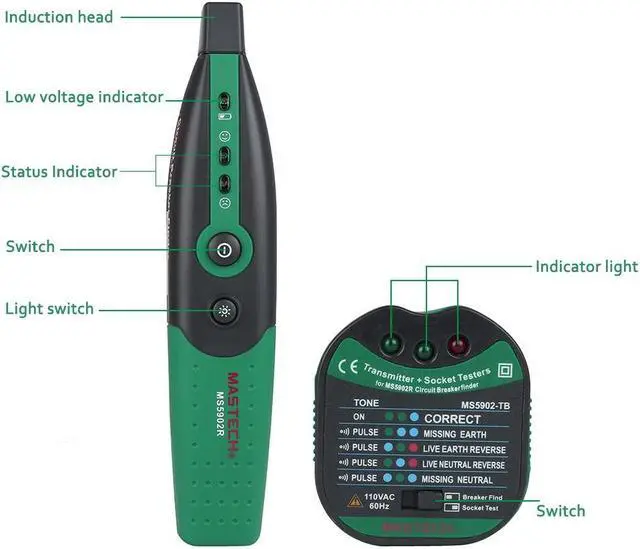
1. Keep the pillar at left on the MS5902-T
2. Plug the MS5902-T into the receptacle. if there is a candescent light fixture, please install a socket adapter before make sure the switch is OFF. then plug the MS5902-T into the socket adapter, turn the switch on at one time. (Socket adapter need purchase additional)
3. Go to the circuit breaker panel box.
4. Turn the MS5902-R on, the red LED is light.
5. Place the chapiter of the MS5902-R directly onto the circuit breaker or fuse.
6. Slide the chapiter of the MS5902-R down each breaker along both sides of the panel. Then the MS5902-R will beep frequently as it denote the relative signal strength.
7. Move the MS5902-R down each breaker once more. On the third pass, the MS5902-R will beep, the red LED will quench and the green LED will light only at the circuit Breaker powering the MS5902-T.
8. Push the breaker off and check that the LED on the MS5902-T in the outlet is off to confirm you have found the correct breaker or buse.
Test Socket Keep the pillar at right on the MS5902-T.
Please contradistinguish nameplate on the MS5902-T.
Package:
1 set MS5902 circuit breaker finder
Maintenance:
1. Keep clean with a dry cloth.
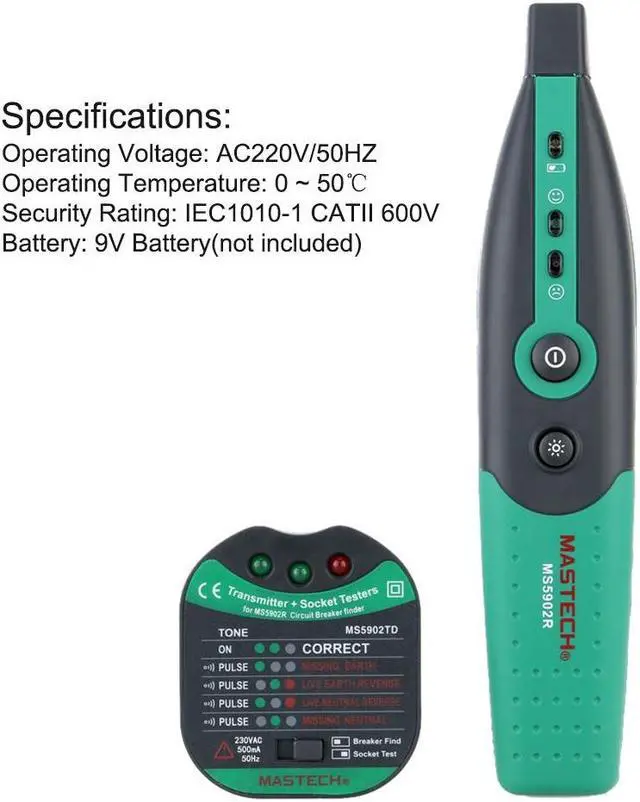
2. When the yellow LED is light on the MS5902-R, please unscrew and
remove cover, insert new 9V battery so as to the MS5902-R is well-balanced.

1. Automatically and quickly finds correct breaker or fuse.
2. Quickly and easy identifies conditions of circuit socket.
3. MS5902-T× Works on 220V AC, MS5902-TB Works on 110V AC
4.
Operating temperature: 0 ~ 50° C
Operation:
Locating a Circuit Breaker or Fuse
1. Keep the pillar at left on the MS5902-T
2. Plug the MS5902-T into the receptacle. if there is a candescent light fixture, please install a socket adapter before make sure the switch is OFF. then plug the MS5902-T into the socket adapter, turn the switch on at one time. (Socket adapter need purchase additional)
3. Go to the circuit breaker panel box.
4. Turn the MS5902-R on, the red LED is light.
5. Place the chapiter of the MS5902-R directly onto the circuit breaker or fuse.
6. Slide the chapiter of the MS5902-R down each breaker along both sides of the panel. Then the MS5902-R will beep frequently as it denote the relative signal strength.
7. Move the MS5902-R down each breaker once more. On the third pass, the MS5902-R will beep, the red LED will quench and the green LED will light only at the circuit Breaker powering the MS5902-T.
8. Push the breaker off and check that the LED on the MS5902-T in the outlet is off to confirm you have found the correct breaker or buse.
Test Socket Keep the pillar at right on the MS5902-T.
Please contradistinguish nameplate on the MS5902-T.
Package:
1 set MS5902 circuit breaker finder
Maintenance:
1. Keep clean with a dry cloth.
2. When the yellow LED is light on the MS5902-R, please unscrew and
remove cover, insert new 9V battery so as to the MS5902-R is well-balanced.
Warranty & Returns
Warranty, Returns, And Additional Information
Warranty
- Please contact the Seller directly for warranty information. Warranty information may also be found on the Manufacturer's website.
- CONTACT
Return Policies
- Return for refund within: 30 days
- Return for replacement within: 30 days
- This item is covered by ZumTek Return Policy
Manufacturer Contact Info
- For a directory of all our manufacturers, please click below.
- Manufacturers Directory
LOADING...