






Are you annoyed by the unknown on the other side of the wall?
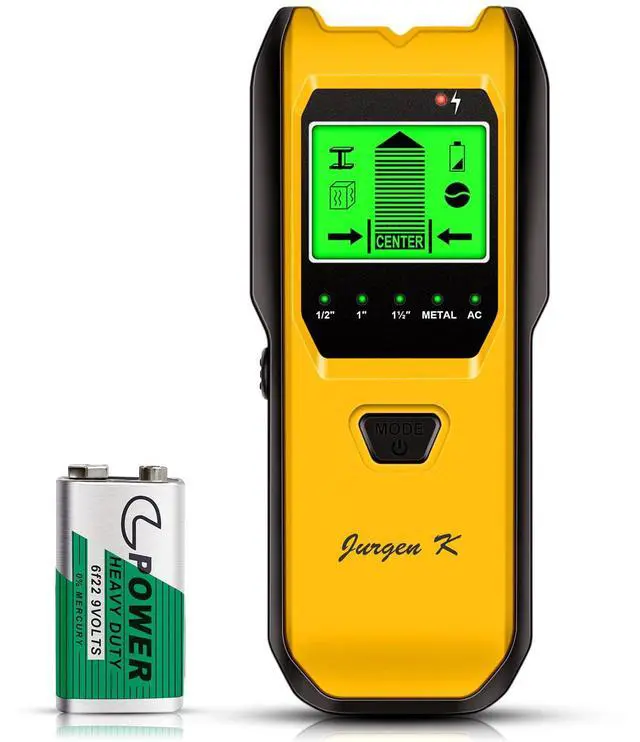
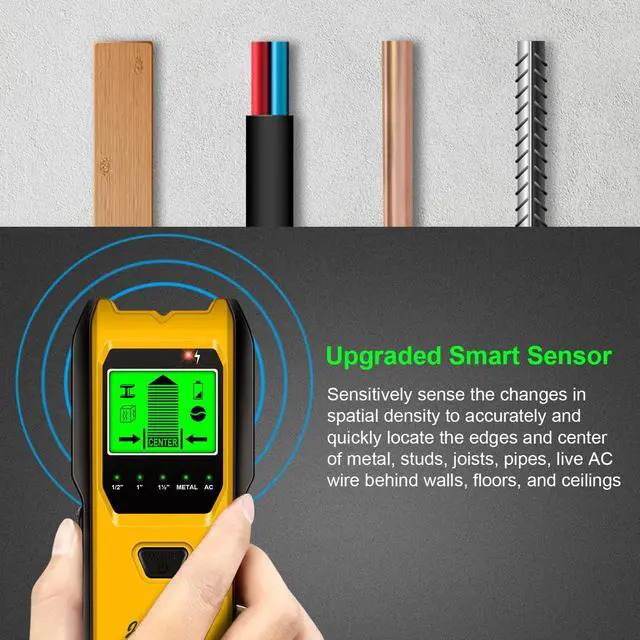
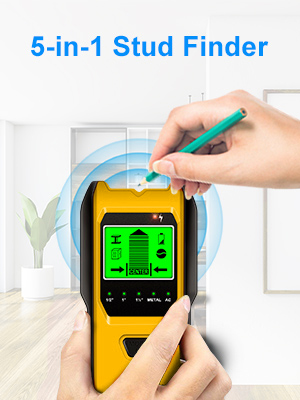
Jurgen K stud finder uses UPGRADED SMART SENSORS which can sense the change in density in the space behind the wall and locates the stud center with GREAT ACCURACY.
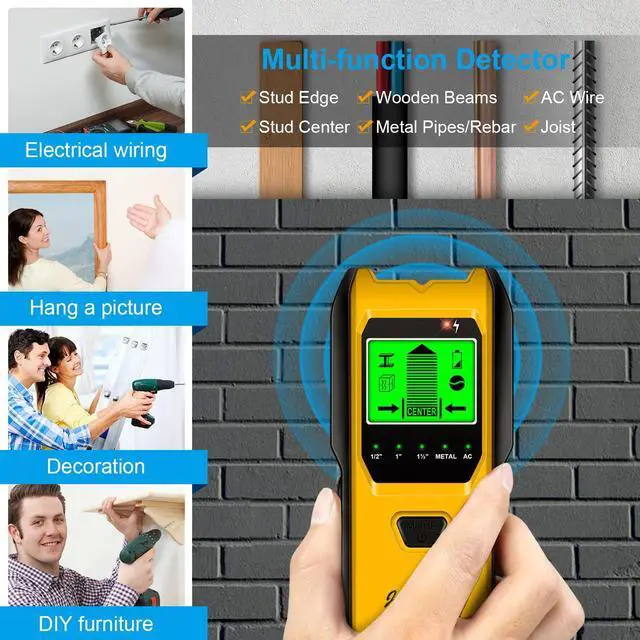
Whether you’re hanging a picture, mounting a TV, renovating part of your home. Jurgen K stud finder is one of those tools that you will eventually need!

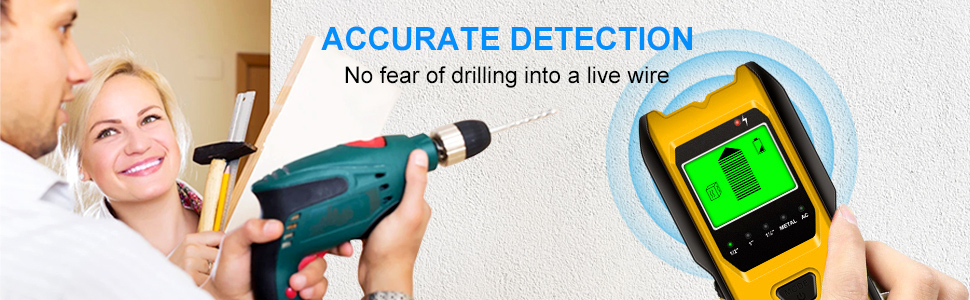
Jurgen K stud finder can give great help on your work, to avoid damage and protect your safety with accurate detection. Don't worry about having difficulty using such a wall scanner tool.
- 1 x Jurgen K Stud Finder
- 1 x 9V Battery
- 1 x User Manual
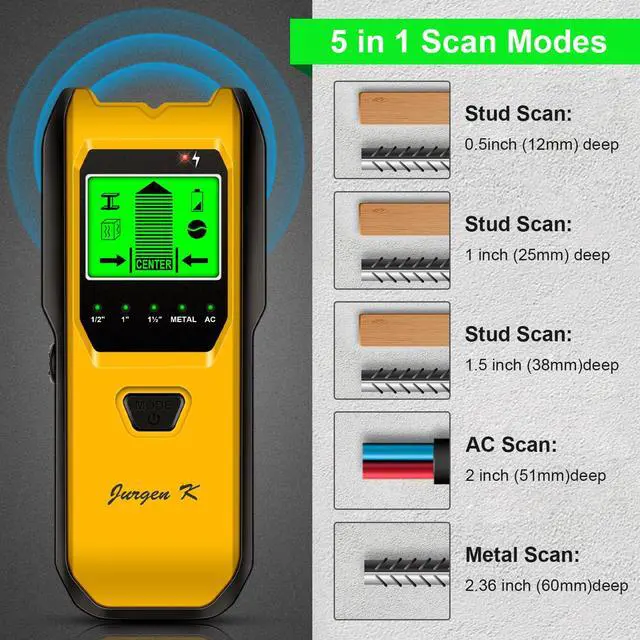
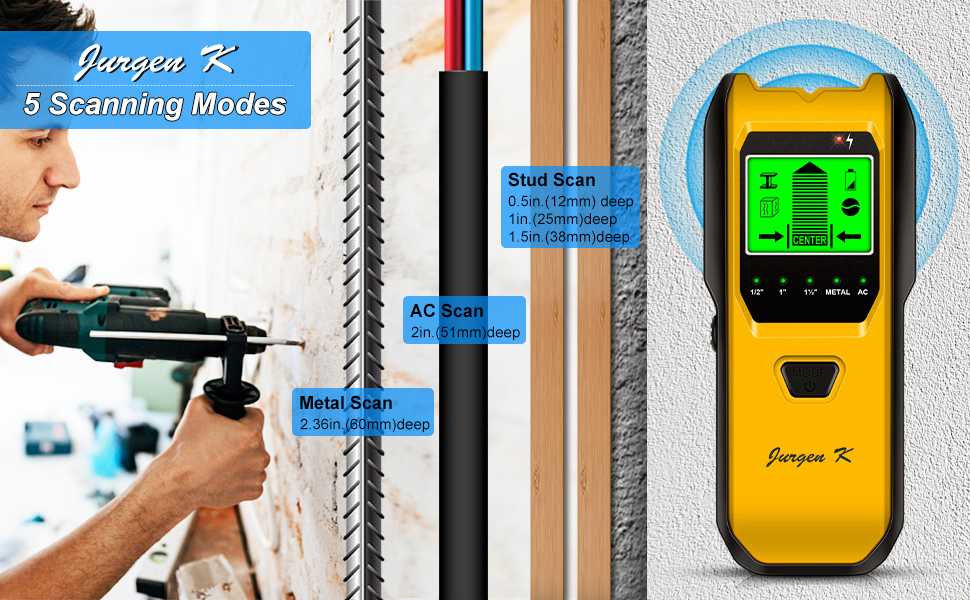
Jurgen K stud finder features 5 scanning modes for detecting studs, metal and AC wires. You can select the ideal modes conveniently to meet your different detection needs.
Why choose Jurgen K stud finder?
- Quick & Precise Positioning
- 5 IN 1 Deep Detection Function
- Auto Calibration & Ergonomic Grip
- 9V battery & Low Battery Indication
- LCD Screen Displaying & Sound Warning
Stud Scan Detection
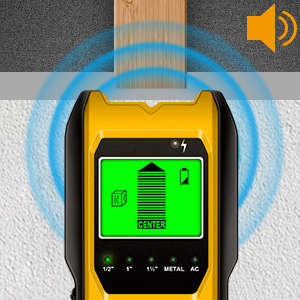
This stud mode has three depth stud scanning choices. Deep scan mode scans up to a maximum depth of 1.5 inches (38 mm).
DeepScan mode is a sensitive scanning mode that should be used when there are additional layers for wall panels and panels. To minimize false alarms or other objects behind the wall that may not be studs. Always start scanning at a resolution of 0.5 inches(12mm).
After you detect the center of an object, Please Use Metal Scan to determine if the reading in Stud scan mode was a wood stud, metal stud, or pipe.
Metal Scan Detection
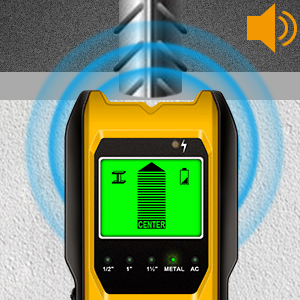
Metal Scan mode detects pipe up to 2.36 inches (60 mm) deep. Jurgen K wall canner will locate metal studs in Stud Scan, Deep Scan, and Metal Scan Modes. Since the stud finder is looking for a change in density behind drywall, not a particular material, in Stud Scan and Deep Scan Modes the detector will react to metal studs the same as it would for wooden studs.
Wire Warning Detection
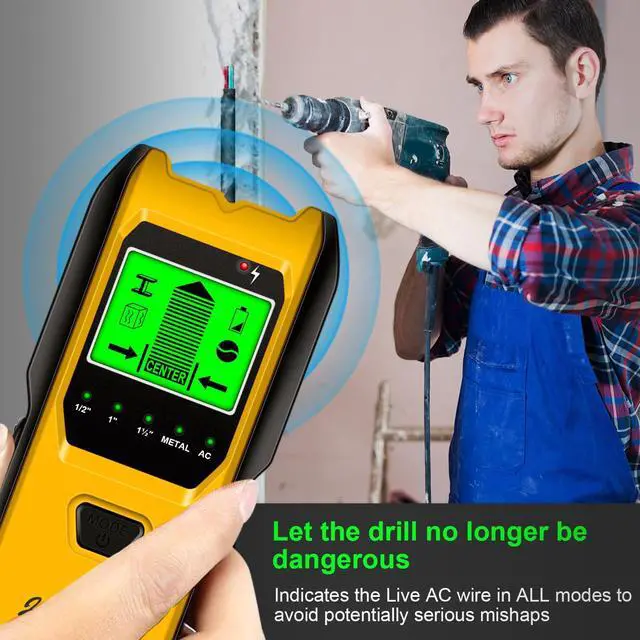
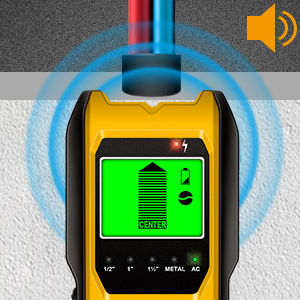
Wire Warning detection indicates the presence of live, unshielded electrical wiring up to 2 inches (51 mm) deep. For Safety, in all modes, this wall scanner always detects and indicates the Live AC Wire.
Note: Wire Warning Detection works in both StudScan / DeepScan / MetalScan Modes. The WireWarning Detection Icon will flash when live, unshielded wires are detected.
Step 1: SELECTING THE MODE
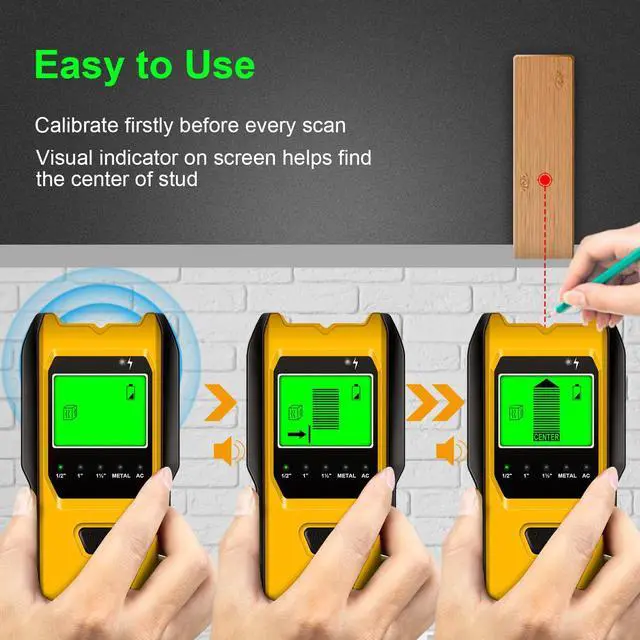
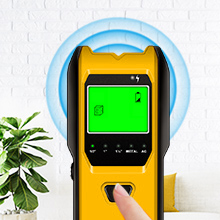
Press the "Mode button" to turn on the tool. Then press it again to choose five different modes of finding the Stud 1/2 in. mode(12mm)/ Stud 1 in. mode(25mm) / Stud 1½ in. mode(38mm)/ Metal / AC Mode. (Press the power button for more than 3s to turn it off).
Step 2: CALIBRATING THE TOOL
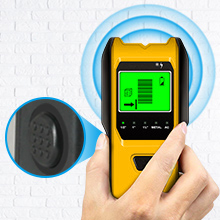
Place the TH530 against the wall (Stud /Metal mode)or air(AC mode) first.
Press the Scan button(on the side of the tool) to start calibration this tool but do not move and try to scan at this moment, Wait for the reducing bars to disappear and the buzzer will beep one time and the calibration is completed.
Then you can release the scan button and begin scanning.
Step 3: SCAN THE WALL
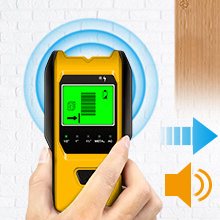
After Calibration, move the stud finder along the wall slowly, if you shake or lift the scanner accidentally, the device needs to be re-calibrated.
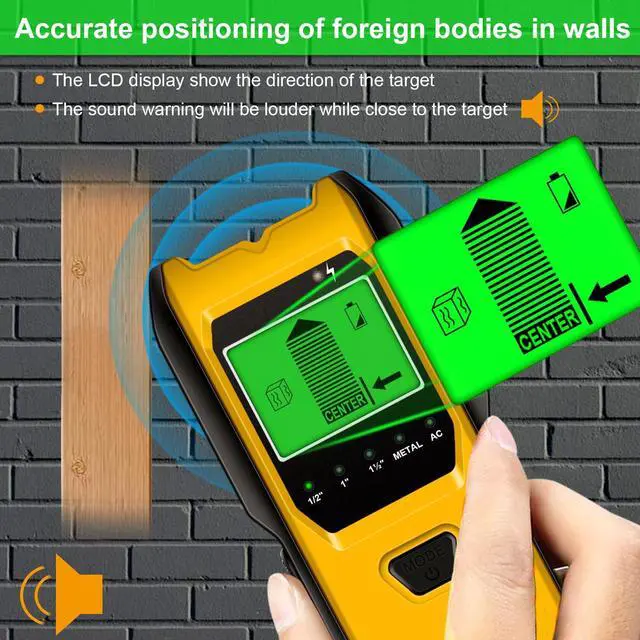
The narrow on the screen together with the beep signal alter, it means you to find the location of the stud.
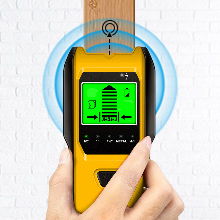
Step 4: FIND STUD CENTER
When the signal bar is full and the beep alarm is loudest, it means you have found the center of an object. Mark it with your pencil.
Then choose the Metal Scan mode to test whether it is a metal. After you confirm that it is not a metal, it means that you found the center of a stud. Then you can drill it to hang the thing.
Are you annoyed by the unknown on the other side of the wall?
Jurgen K stud finder uses UPGRADED SMART SENSORS which can sense the change in density in the space behind the wall and locates the stud center with GREAT ACCURACY.
Whether you’re hanging a picture, mounting a TV, renovating part of your home. Jurgen K stud finder is one of those tools that you will eventually need!
Jurgen K stud finder can give great help on your work, to avoid damage and protect your safety with accurate detection. Don't worry about having difficulty using such a wall scanner tool.
- 1 x Jurgen K Stud Finder
- 1 x 9V Battery
- 1 x User Manual
Jurgen K stud finder features 5 scanning modes for detecting studs, metal and AC wires. You can select the ideal modes conveniently to meet your different detection needs.
Why choose Jurgen K stud finder?
- Quick & Precise Positioning
- 5 IN 1 Deep Detection Function
- Auto Calibration & Ergonomic Grip
- 9V battery & Low Battery Indication
- LCD Screen Displaying & Sound Warning
Stud Scan Detection
This stud mode has three depth stud scanning choices. Deep scan mode scans up to a maximum depth of 1.5 inches (38 mm).
DeepScan mode is a sensitive scanning mode that should be used when there are additional layers for wall panels and panels. To minimize false alarms or other objects behind the wall that may not be studs. Always start scanning at a resolution of 0.5 inches(12mm).
After you detect the center of an object, Please Use Metal Scan to determine if the reading in Stud scan mode was a wood stud, metal stud, or pipe.
Metal Scan Detection
Metal Scan mode detects pipe up to 2.36 inches (60 mm) deep. Jurgen K wall canner will locate metal studs in Stud Scan, Deep Scan, and Metal Scan Modes. Since the stud finder is looking for a change in density behind drywall, not a particular material, in Stud Scan and Deep Scan Modes the detector will react to metal studs the same as it would for wooden studs.
Wire Warning Detection
Wire Warning detection indicates the presence of live, unshielded electrical wiring up to 2 inches (51 mm) deep. For Safety, in all modes, this wall scanner always detects and indicates the Live AC Wire.
Note: Wire Warning Detection works in both StudScan / DeepScan / MetalScan Modes. The WireWarning Detection Icon will flash when live, unshielded wires are detected.
Step 1: SELECTING THE MODE
Press the "Mode button" to turn on the tool. Then press it again to choose five different modes of finding the Stud 1/2 in. mode(12mm)/ Stud 1 in. mode(25mm) / Stud 1½ in. mode(38mm)/ Metal / AC Mode. (Press the power button for more than 3s to turn it off).
Step 2: CALIBRATING THE TOOL
Place the TH530 against the wall (Stud /Metal mode)or air(AC mode) first.
Press the Scan button(on the side of the tool) to start calibration this tool but do not move and try to scan at this moment, Wait for the reducing bars to disappear and the buzzer will beep one time and the calibration is completed.
Then you can release the scan button and begin scanning.
Step 3: SCAN THE WALL
After Calibration, move the stud finder along the wall slowly, if you shake or lift the scanner accidentally, the device needs to be re-calibrated.
The narrow on the screen together with the beep signal alter, it means you to find the location of the stud.
Step 4: FIND STUD CENTER
When the signal bar is full and the beep alarm is loudest, it means you have found the center of an object. Mark it with your pencil.
Then choose the Metal Scan mode to test whether it is a metal. After you confirm that it is not a metal, it means that you found the center of a stud. Then you can drill it to hang the thing.