




 here!
here!
I’m your shopping assistant for PC builds, upgrades, and everything tech.
Got questions? Ask away!
Start a conversation
here!
I’m your shopping assistant for PC builds, upgrades, and everything tech.
Got questions? Ask away!
Start a conversation
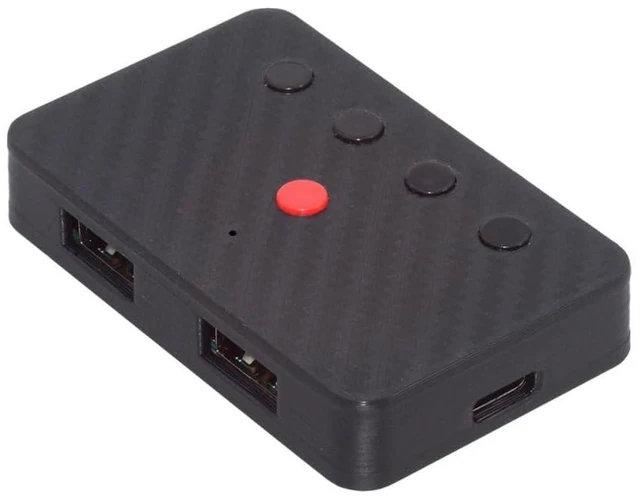
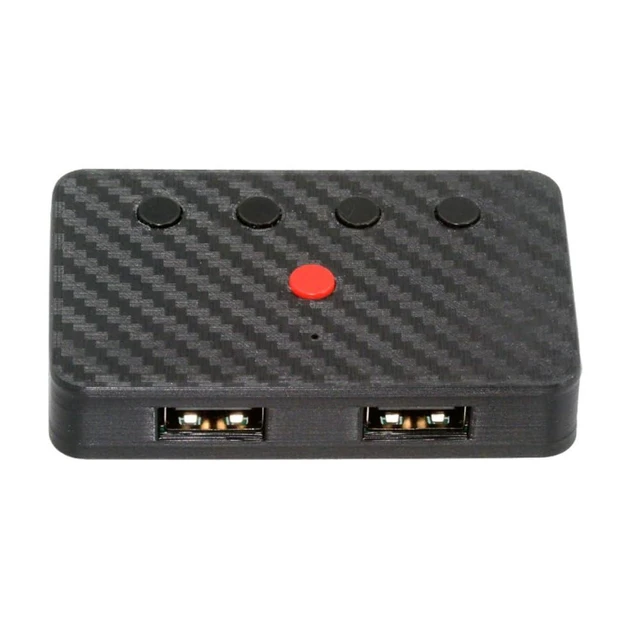
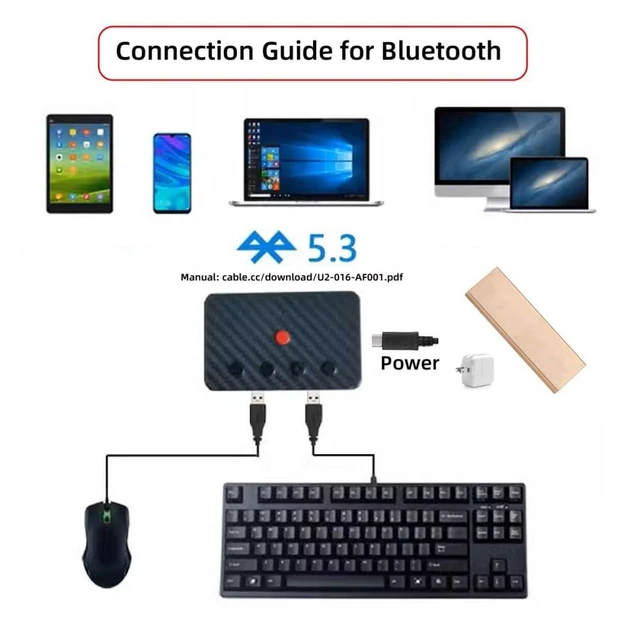
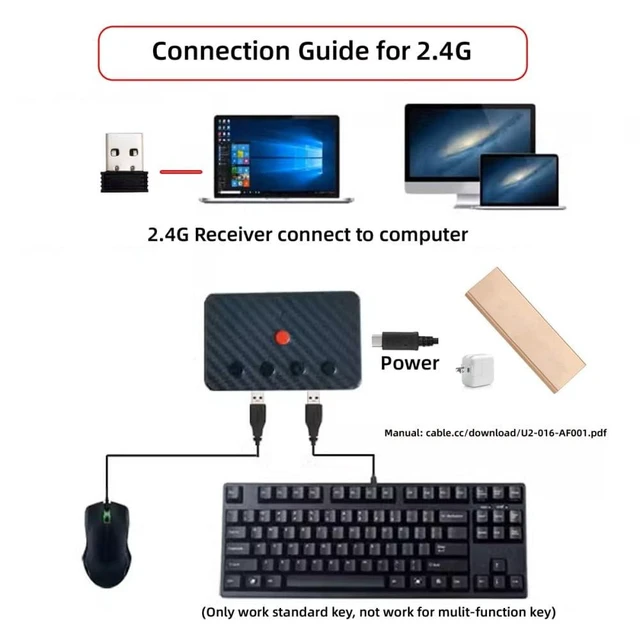



Any questions? Ask CelesteSM will help you find out quickly.
Product Description:
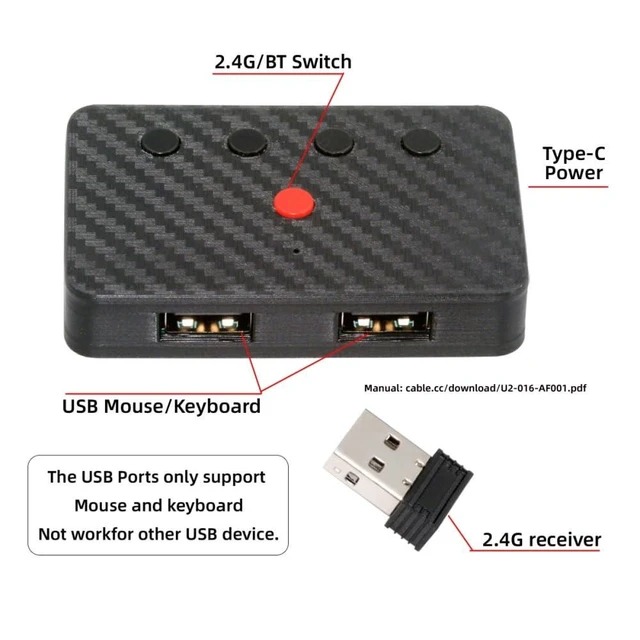
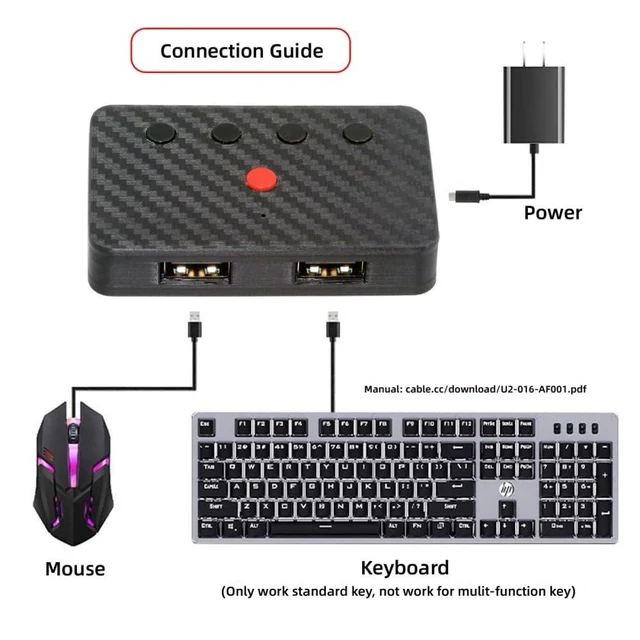
This 2.4G and BT converter turns a wired USB keyboard and mouse into wireless input devices for use with laptops, tablets, and phones. It supports BT or 2.4G wireless operation and includes a receiver.
Core Selling Points:
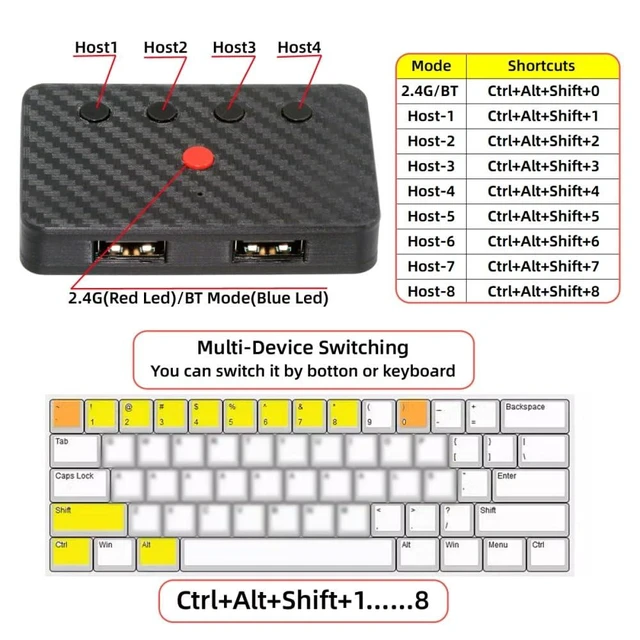
Switch between connected devices using the button or keyboard shortcuts. Device switching is completed in about 1-3 seconds. Use Ctrl+Alt+Shift+1 through Ctrl+Alt+Shift+8 to select connected devices. Switch between BT and 2.4G modes with the button or Ctrl+Alt+Shift+0. The blue LED indicates BT mode, while the red LED indicates 2.4G mode.
Technical Specifications:
Connection modes: BT and 2.4G wireless. Supports up to 8 computer or phone connections in BT mode and up to 8 connections in 2.4G wireless mode. Input support: wired USB keyboard and mouse. Power connection: Type-C. Keyboard shortcuts: Ctrl+Alt+Shift+1 to Ctrl+Alt+Shift+8 for device selection; Ctrl+Alt+Shift+0 for BT/2.4G mode switching.
Package Contents:
Wireless adapter; 2.4G receiver.
Before Purchase:
Designed to convert wired USB keyboards and mice for wireless use. An additional 2.4G receiver is required separately for additional 2.4G wireless connections.


