




Professional scheme design
The introduction of Taiwan Lianyong technology solutions, high-performance processing chips, powerful performance and compatibility, dual-running memory and dual-core processors ensure smooth high-speed operation, and core algorithms are used to add speed lubrication effects to make the display more coherent and smooth.

Automatic switch machine
Automatically turn on and off when the car starts and shuts down

HD Display
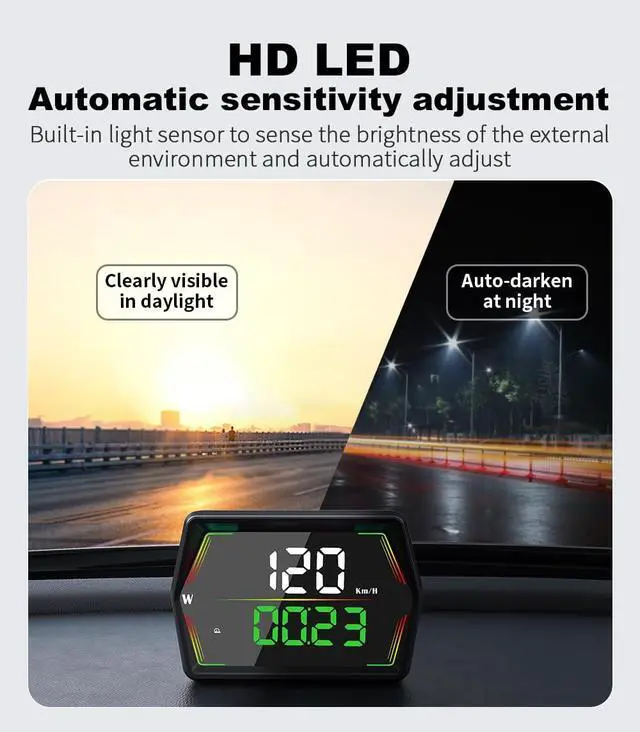
The light-sensitive screens feature an automatic dimming function that dynamically adjusts brightness, ensuring optimal display clarity in various lighting conditions—whether in daylight, nighttime, bright light, or low light.

HD LED
Clearly Visible in Daylight,Auto-darken at Night.
Automatic sensitivity adjustment
Built-in light sensor to sense the brightness of the external environment and automatically adjust

Product List
- G21-HUD*1
- Instructions*1
- Rotary Suction Cup Holder*1
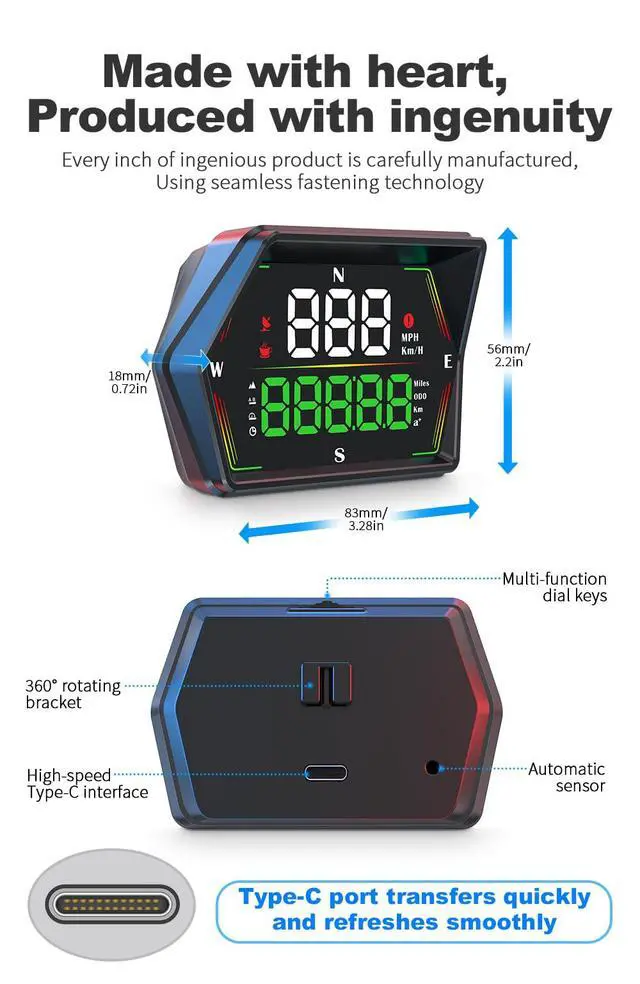
- Type-C interface*1
- Non-slip Mat*1

GPS Speed Display
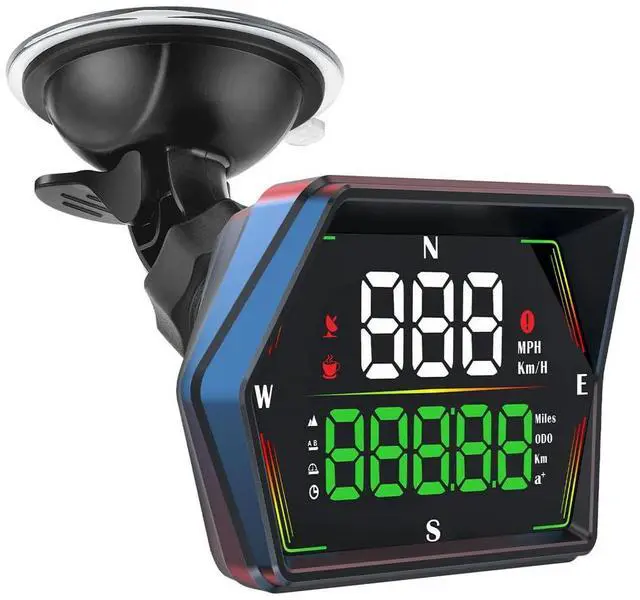
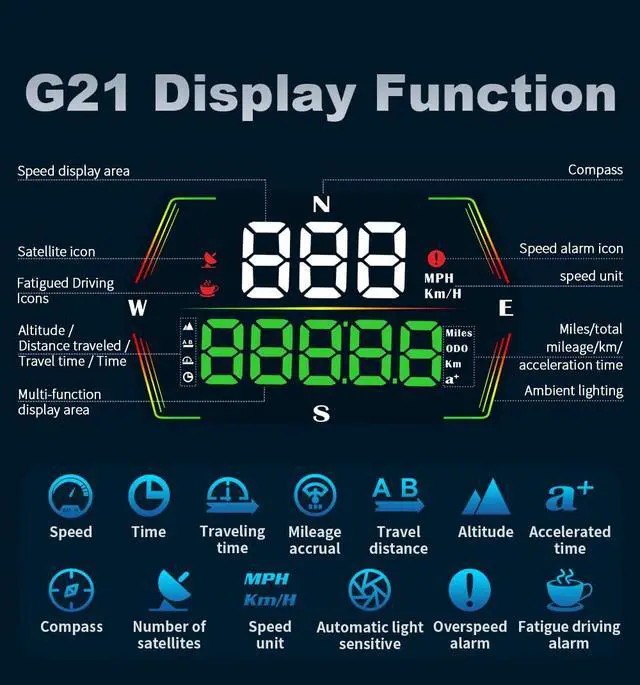
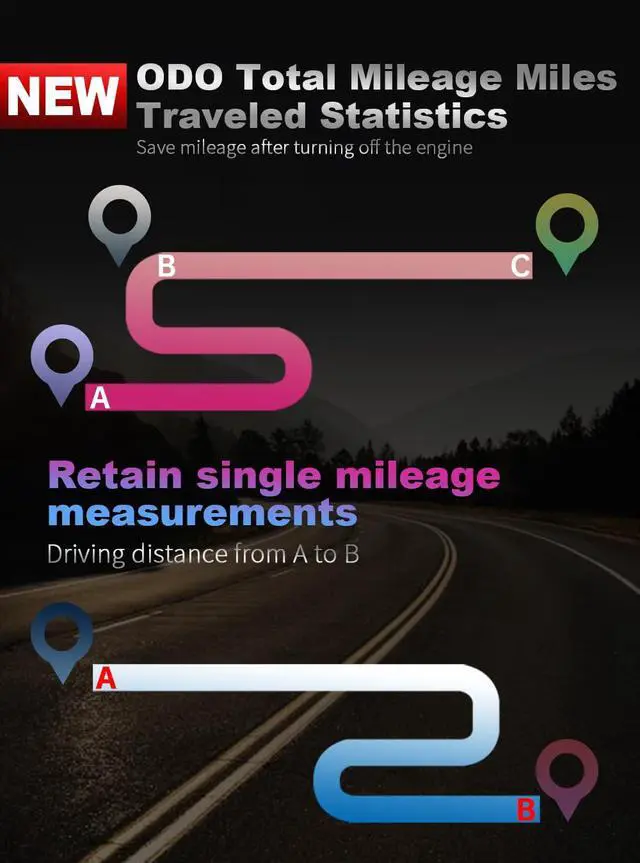
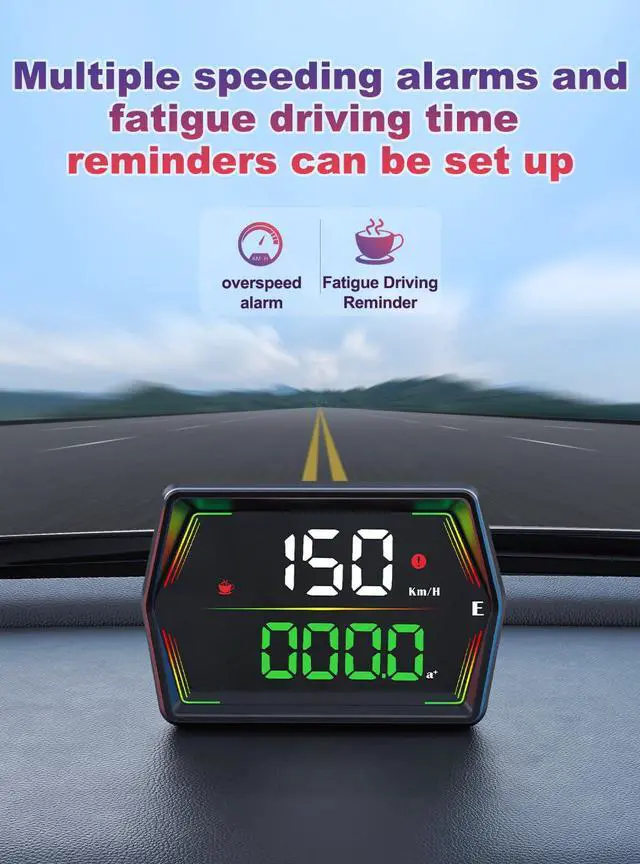
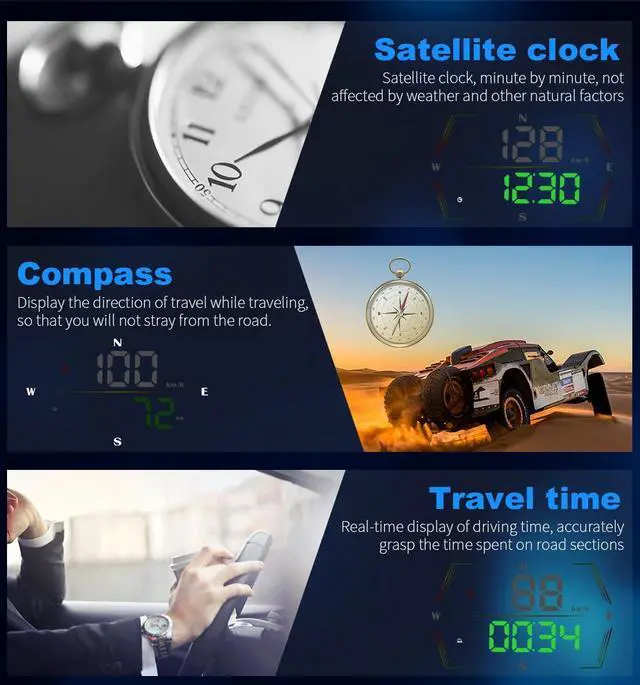
Suitable for all models / Total mileage / Altitude / Distance traveled / Driving time / Time/ Compass / Ambient light


FAQ
FAQ:
- 1.The screen has no display and there is no power.
Check if the USB cable is damaged or replace new one for testing (do not use a voltage higher than 5V for power supply)
- 2.No speed display
After the product is powered on, please move the car to an open road to receive the signal and wait for searching the satellite signal. When '- - - 'shows 00, it means the HUD connect to satellite successfully.
- 3.The speed is still displayed after the car stops
When driving in underground parking lots? tunnels? under overpasses and other places where the signal is unstable, the data displayed by the product may have deviation. Driving the car to an open road will restore to normal.
- 4. Inaccurate vehicle speed
A: Please check if the speed unit is correct KM/H or Mile MPH (please refer to the speed unit setting in the Menu Items 7)
B: If the speed unit is correct, fine-tune the speed ( the car displays 100Km/H, the HUD product displays 105Km/H, and the HUD parameter value can be adjusted to 102 Menu Items 1 )
- 5.Driving direction display error
Without the vehicle speed, the satellite cannot identify the direction of the vehicle. The product can only display normally after the vehicle speed exceeds 5Km/H.
- 6.Time calibration
A: Adjust time zone: The satellite icon flashes to show that no satellite has been found. The default is East 8 8:00. If you need to adjust to other time zones, please go to the setting menu item 11. (for example: The area is 1 hour ahead of Beijing time, adjust to 9:00)
B: Adjust time: When the satellite icon stops flashing, it will automatically switch to the time. Please go to the setting menu item 11, local time zone, save and exit.
Professional scheme design
The introduction of Taiwan Lianyong technology solutions, high-performance processing chips, powerful performance and compatibility, dual-running memory and dual-core processors ensure smooth high-speed operation, and core algorithms are used to add speed lubrication effects to make the display more coherent and smooth.
Automatic switch machine
Automatically turn on and off when the car starts and shuts down
HD Display
The light-sensitive screens feature an automatic dimming function that dynamically adjusts brightness, ensuring optimal display clarity in various lighting conditions—whether in daylight, nighttime, bright light, or low light.
HD LED
Clearly Visible in Daylight,Auto-darken at Night.
Automatic sensitivity adjustment
Built-in light sensor to sense the brightness of the external environment and automatically adjust
Product List
- G21-HUD*1
- Instructions*1
- Rotary Suction Cup Holder*1
- Type-C interface*1
- Non-slip Mat*1
GPS Speed Display
Suitable for all models / Total mileage / Altitude / Distance traveled / Driving time / Time/ Compass / Ambient light
FAQ
FAQ:
- 1.The screen has no display and there is no power.
Check if the USB cable is damaged or replace new one for testing (do not use a voltage higher than 5V for power supply)
- 2.No speed display
After the product is powered on, please move the car to an open road to receive the signal and wait for searching the satellite signal. When '- - - 'shows 00, it means the HUD connect to satellite successfully.
- 3.The speed is still displayed after the car stops
When driving in underground parking lots? tunnels? under overpasses and other places where the signal is unstable, the data displayed by the product may have deviation. Driving the car to an open road will restore to normal.
- 4. Inaccurate vehicle speed
A: Please check if the speed unit is correct KM/H or Mile MPH (please refer to the speed unit setting in the Menu Items 7)
B: If the speed unit is correct, fine-tune the speed ( the car displays 100Km/H, the HUD product displays 105Km/H, and the HUD parameter value can be adjusted to 102 Menu Items 1 )
- 5.Driving direction display error
Without the vehicle speed, the satellite cannot identify the direction of the vehicle. The product can only display normally after the vehicle speed exceeds 5Km/H.
- 6.Time calibration
A: Adjust time zone: The satellite icon flashes to show that no satellite has been found. The default is East 8 8:00. If you need to adjust to other time zones, please go to the setting menu item 11. (for example: The area is 1 hour ahead of Beijing time, adjust to 9:00)
B: Adjust time: When the satellite icon stops flashing, it will automatically switch to the time. Please go to the setting menu item 11, local time zone, save and exit.