






Lifetime Service- Whatever any issues any issues, please message us via at any time, and we will serve you as soon as possible!

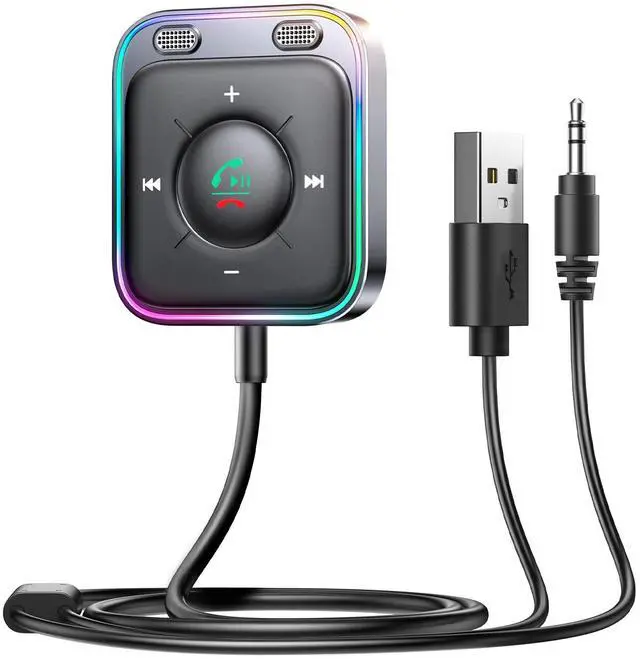
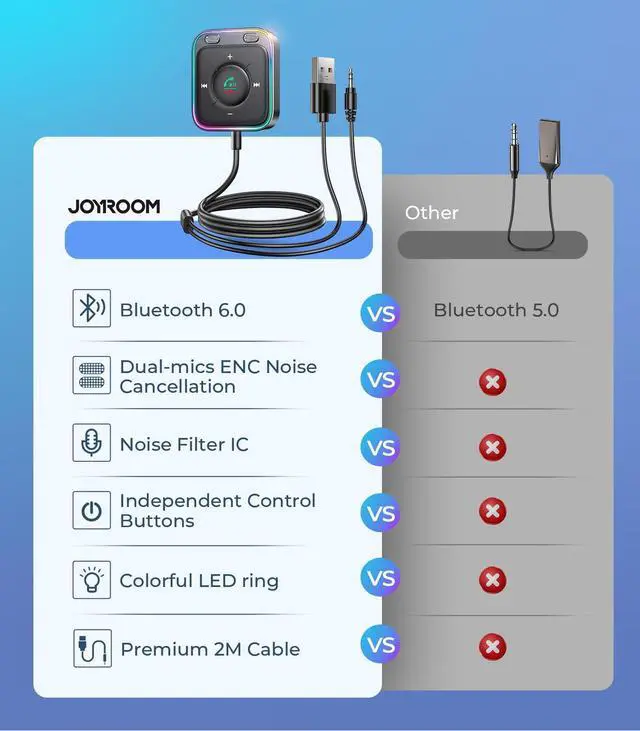
2026 Upgrade Bluetooth 6.0 Car AUX Receiver Adapter

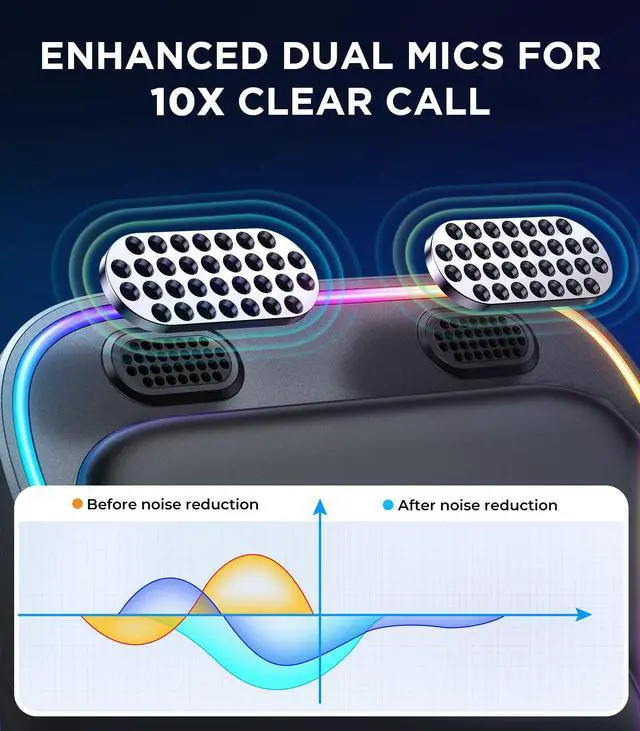
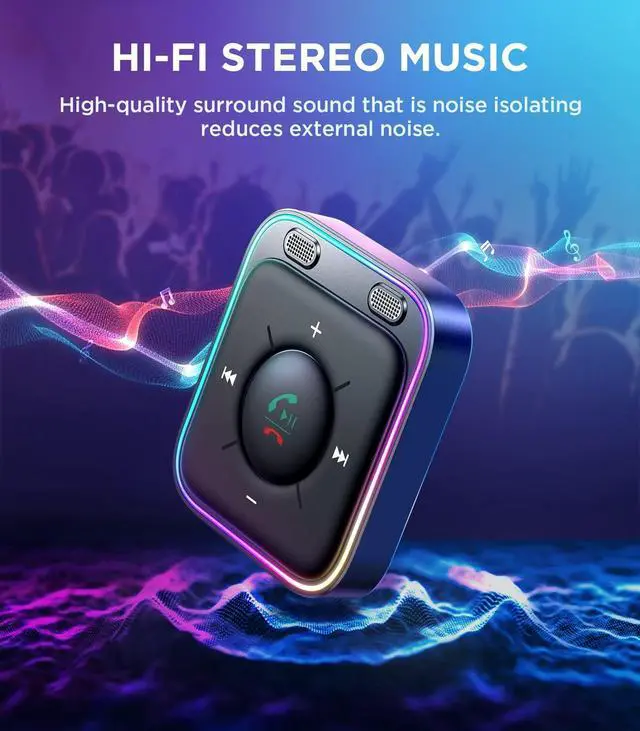
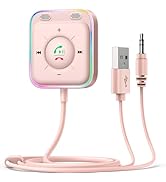
Experience enhanced connectivity with our Bluetooth 6.0 AUX receiver. This advanced bluetooth car adapter for aux solves previous delay and dropout issues, delivering a faster, more stable link with minimal audio loss. Equipped with CVC 8.0 noise cancellation, it effectively reduces road, wind, and background noise—so every call is crystal clear for both sides. A superior aux bluetooth adapter and a standout choice among car accessories and practical car gifts

Eye Level Operation VS Lower Head Operation
Our AUX Bluetooth adapter receiver is closer to eye level than using your phone closer to eye level, making it easier to change audio tracks, volume, and Siri, allowing you to stay focused on the road while driving.

JOYROOM innovative AUX Bluetooth car adapter can reduce noise up to 35dB with its built-in noise reduction IC

Pairing Steps
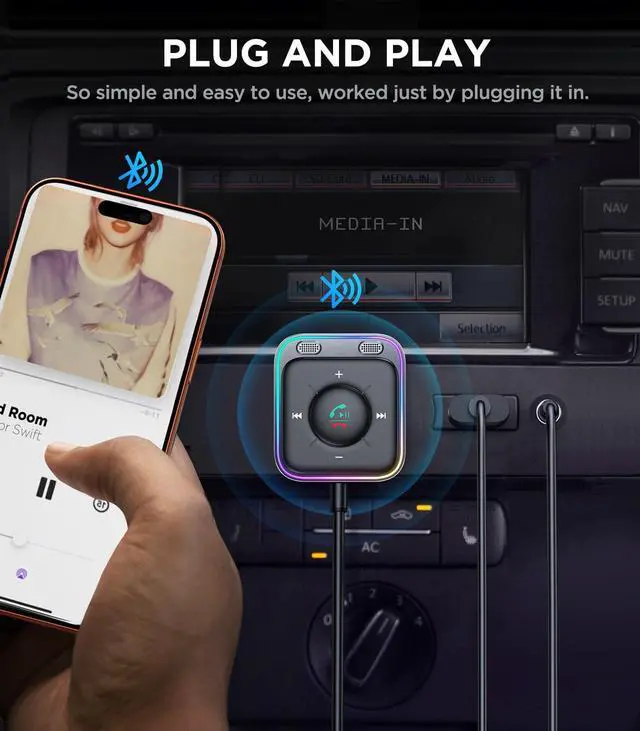
? Step 1. Insert the USB connector of the Bluetooth receiver into a power supply, the light ring will light up which means the receiver is turned on. Plug the 3.5mm audio cable of the receiver into the 3.5mm port of the car audio system
? Step 2. Turn the phone’s Bluetooth function on, search for the AUX Bluetooth device "JR-CB3", then connect the phone with it and enjoy easy hands-free calling and enjoy CD-like sound quality
Friendly tip: It takes only 1 second to complete pairing, and no need to repeat pairing after the first successful pairing with your device.

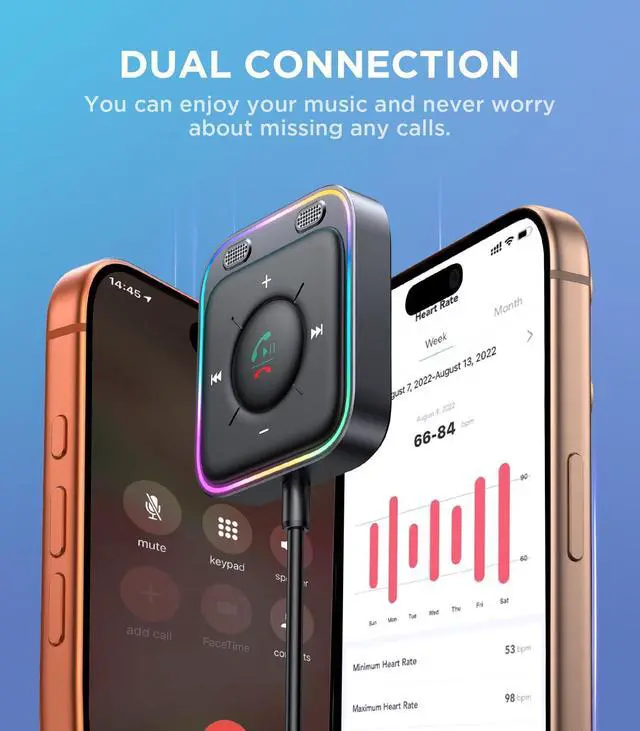
Dual device connections
Supports dual-device connection, and auto reconnection

Dual Reading Modes
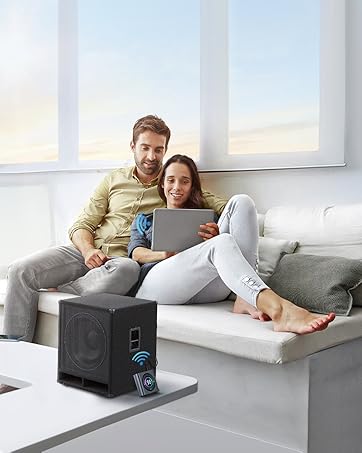
This radio adapter supports 3.5mm AUX Bluetooth Wireless play, and TF card play. Which meets your various needs

Independent control button
Simple operation with one hand

[ ANSWER QUESTIONS ]
? Q: Why can't the Bluetooth receiver be connected?
? A: 1?It may be that the receiver has been connected to another device (such as a computer or mobile phone). Please disconnect it from the device and make a reconnection
2?Since the iPhone phone's Bluetooth has no automatic refresh function, you can click "JR-CB3" manually on the Bluetooth interface
3?If the above operations failed, you can restore the receiver to factory settings
? Q: Why is the sound of the Bluetooth receiver too low?
? A: 1?If you are an Android user, it may be that the playback A: channel of the mobile phone is not turned on. Please turn your phone's BT function on, and click the icon on the right side of the connected earphones to turn on the "media channel and call channel"
2?If you are an iPhone user, please open your phone's "Settings" interface, and check if there is a maximum volume limit on the phone
3?Due to the different operating systems of different phones, the volume of the receiver may not be synchronized with the volume of the phone/car audio. Please manually volume up the mobile phone, the receiver, and the car audio respectively
Metal plate using the method:
- Remove the protective film.
- Stick the adhesivepad onto dashboard, Put the wireless receiver onto the adhesive pad.


How did we get our start?
Starting in 2009, JOYROOM mainly produces car accessories, such as Bluetooth car adapters and sunglass holder for cars—our goal is to produce the products our customers need and make choices simple
What makes our products unique?
Our value is ‘the ability to constantly innovate, and we upgrade our products constantly to be the best brand that meets our customers' needs


Best Gift for Your Beloved
· Your beloved deserve the best
· Safety is the best for your lover!
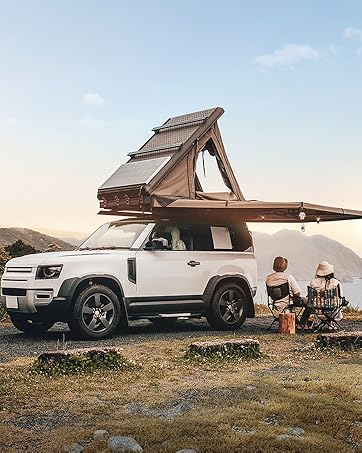
A Must for Family Travel
· Enjoy high-quality wireless music
· Providing the ultimate listening experience!

Journey is No Longer Lonely
- Listening to music while talking to your riding partner through the internal speakers.
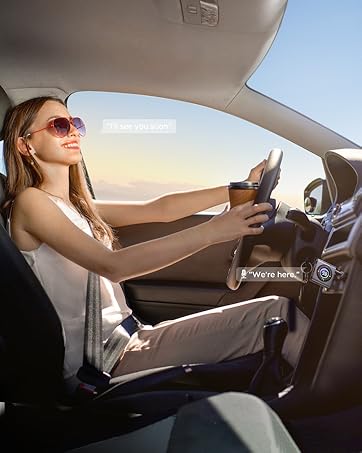
Hands-free Calls-Safer Driving
· Your beloved deserve the best
· Safety is the best for your lover!
![JOYROOM Bluetooth 5.4 AUX Car Adapter[2025 Upgrade] [Stronger Dual Mics& Noise Cancellation] [Mul...](//c1.neweggimages.com/sellingpilot/modules/product/a-plus/e5253654e779c07f16af61174d45ba18e565200519bd21f863d1252d351ec0fc.jpg)
Make Choices Simple
![Sunglass Holder for Car Visor Clip [Real One-Handed Operation] [Soft Foam Protection] [Non-Slip] ...](//c1.neweggimages.com/sellingpilot/modules/product/a-plus/f4b667136bd666ecd0e8642f32d2f5c2761259c87a3b34b455dae62ce4b6c8ef.jpg)
![Sunglass Holder for Car Visor Clip [Real One-Handed Operation] [Soft Foam Protection] [Non-Slip] ...](//c1.neweggimages.com/sellingpilot/modules/product/a-plus/09215773c31b987b19d028b78b6f09ebbf8509569ddc397853cb1bed3ac0aa5b.jpg)
![[Real One-Handed Operation] Sunglasses Holder for Car [Soft Foam Protection] [Non-Slip] Magnetic ...](//c1.neweggimages.com/sellingpilot/modules/product/a-plus/549ac852612230f4eb74b5a9ca7e38e6bd4f03300ec910e6ec112a16ab41b369.jpg)
![Sunglass Holder for Car Visor Clip [Real One-Handed Operation] [Soft Foam Protection] [Non-Slip] ...](//c1.neweggimages.com/sellingpilot/modules/product/a-plus/e15a181263408262120b0630a9d0be701a32acc969bf2571ff66e697f395ea60.jpg)
Make Choices Simple



![JOYROOM Bluetooth 5.4 AUX Car Adapter[2025 Upgrade] [Stronger Dual Mics& Noise Cancellation] [Mul...](http://c1.neweggimages.com/sellingpilot/modules/product/a-plus/e5253654e779c07f16af61174d45ba18e565200519bd21f863d1252d351ec0fc.jpg)
![Sunglass Holder for Car Visor Clip [Real One-Handed Operation] [Soft Foam Protection] [Non-Slip] ...](http://c1.neweggimages.com/sellingpilot/modules/product/a-plus/f4b667136bd666ecd0e8642f32d2f5c2761259c87a3b34b455dae62ce4b6c8ef.jpg)
![Sunglass Holder for Car Visor Clip [Real One-Handed Operation] [Soft Foam Protection] [Non-Slip] ...](http://c1.neweggimages.com/sellingpilot/modules/product/a-plus/09215773c31b987b19d028b78b6f09ebbf8509569ddc397853cb1bed3ac0aa5b.jpg)
![[Real One-Handed Operation] Sunglasses Holder for Car [Soft Foam Protection] [Non-Slip] Magnetic ...](http://c1.neweggimages.com/sellingpilot/modules/product/a-plus/549ac852612230f4eb74b5a9ca7e38e6bd4f03300ec910e6ec112a16ab41b369.jpg)
![Sunglass Holder for Car Visor Clip [Real One-Handed Operation] [Soft Foam Protection] [Non-Slip] ...](http://c1.neweggimages.com/sellingpilot/modules/product/a-plus/e15a181263408262120b0630a9d0be701a32acc969bf2571ff66e697f395ea60.jpg)
Lifetime Service- Whatever any issues any issues, please message us via at any time, and we will serve you as soon as possible!
2026 Upgrade Bluetooth 6.0 Car AUX Receiver Adapter
Experience enhanced connectivity with our Bluetooth 6.0 AUX receiver. This advanced bluetooth car adapter for aux solves previous delay and dropout issues, delivering a faster, more stable link with minimal audio loss. Equipped with CVC 8.0 noise cancellation, it effectively reduces road, wind, and background noise—so every call is crystal clear for both sides. A superior aux bluetooth adapter and a standout choice among car accessories and practical car gifts
Eye Level Operation VS Lower Head Operation
Our AUX Bluetooth adapter receiver is closer to eye level than using your phone closer to eye level, making it easier to change audio tracks, volume, and Siri, allowing you to stay focused on the road while driving.
JOYROOM innovative AUX Bluetooth car adapter can reduce noise up to 35dB with its built-in noise reduction IC
Pairing Steps
? Step 1. Insert the USB connector of the Bluetooth receiver into a power supply, the light ring will light up which means the receiver is turned on. Plug the 3.5mm audio cable of the receiver into the 3.5mm port of the car audio system
? Step 2. Turn the phone’s Bluetooth function on, search for the AUX Bluetooth device "JR-CB3", then connect the phone with it and enjoy easy hands-free calling and enjoy CD-like sound quality
Friendly tip: It takes only 1 second to complete pairing, and no need to repeat pairing after the first successful pairing with your device.
Dual device connections
Supports dual-device connection, and auto reconnection
Dual Reading Modes
This radio adapter supports 3.5mm AUX Bluetooth Wireless play, and TF card play. Which meets your various needs
Independent control button
Simple operation with one hand
[ ANSWER QUESTIONS ]
? Q: Why can't the Bluetooth receiver be connected?
? A: 1?It may be that the receiver has been connected to another device (such as a computer or mobile phone). Please disconnect it from the device and make a reconnection
2?Since the iPhone phone's Bluetooth has no automatic refresh function, you can click "JR-CB3" manually on the Bluetooth interface
3?If the above operations failed, you can restore the receiver to factory settings
? Q: Why is the sound of the Bluetooth receiver too low?
? A: 1?If you are an Android user, it may be that the playback A: channel of the mobile phone is not turned on. Please turn your phone's BT function on, and click the icon on the right side of the connected earphones to turn on the "media channel and call channel"
2?If you are an iPhone user, please open your phone's "Settings" interface, and check if there is a maximum volume limit on the phone
3?Due to the different operating systems of different phones, the volume of the receiver may not be synchronized with the volume of the phone/car audio. Please manually volume up the mobile phone, the receiver, and the car audio respectively
Metal plate using the method:
- Remove the protective film.
- Stick the adhesivepad onto dashboard, Put the wireless receiver onto the adhesive pad.
How did we get our start?
Starting in 2009, JOYROOM mainly produces car accessories, such as Bluetooth car adapters and sunglass holder for cars—our goal is to produce the products our customers need and make choices simple
What makes our products unique?
Our value is ‘the ability to constantly innovate, and we upgrade our products constantly to be the best brand that meets our customers' needs
Best Gift for Your Beloved
· Your beloved deserve the best
· Safety is the best for your lover!
A Must for Family Travel
· Enjoy high-quality wireless music
· Providing the ultimate listening experience!
Journey is No Longer Lonely
- Listening to music while talking to your riding partner through the internal speakers.
Hands-free Calls-Safer Driving
· Your beloved deserve the best
· Safety is the best for your lover!
Make Choices Simple
Make Choices Simple