





Main Features:
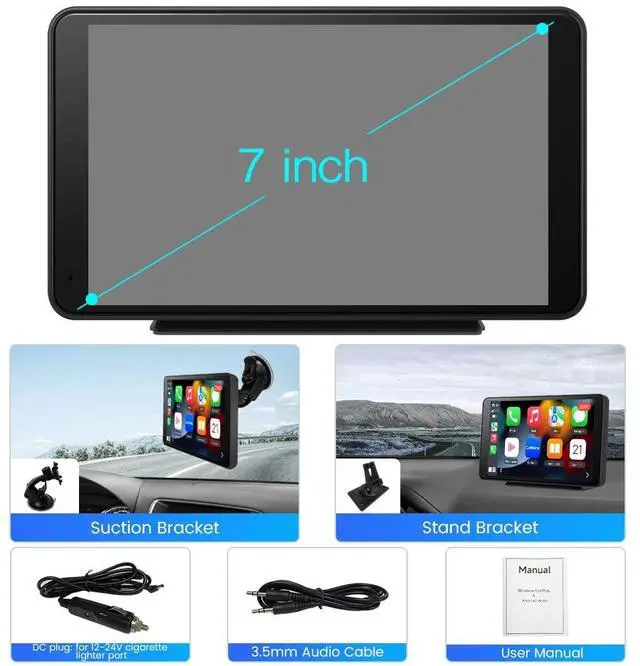
1. 7-inch Full 1080HD Capacitive touch screen.
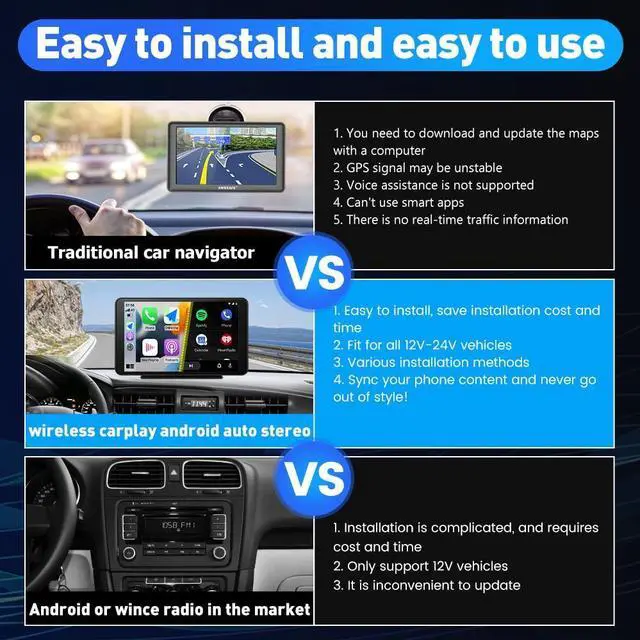
2. Simple Installation with adjustable bracket.
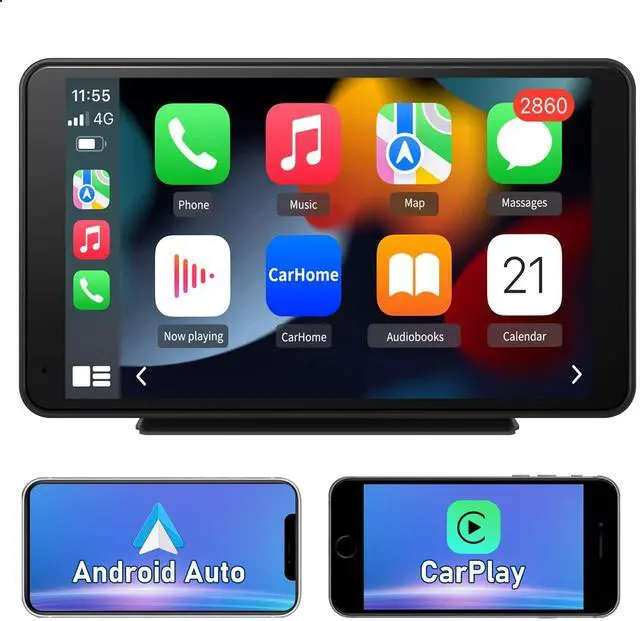
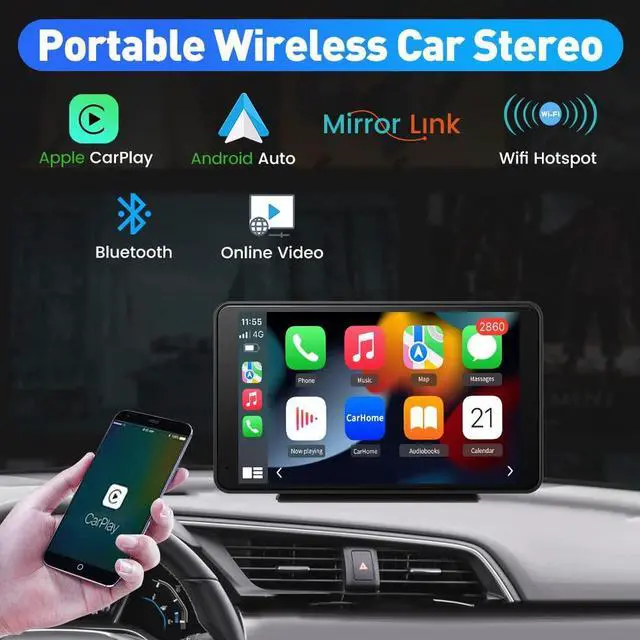
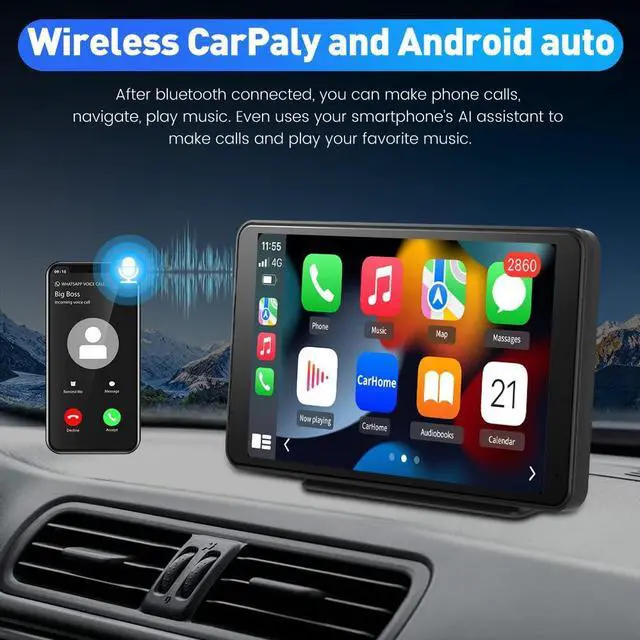
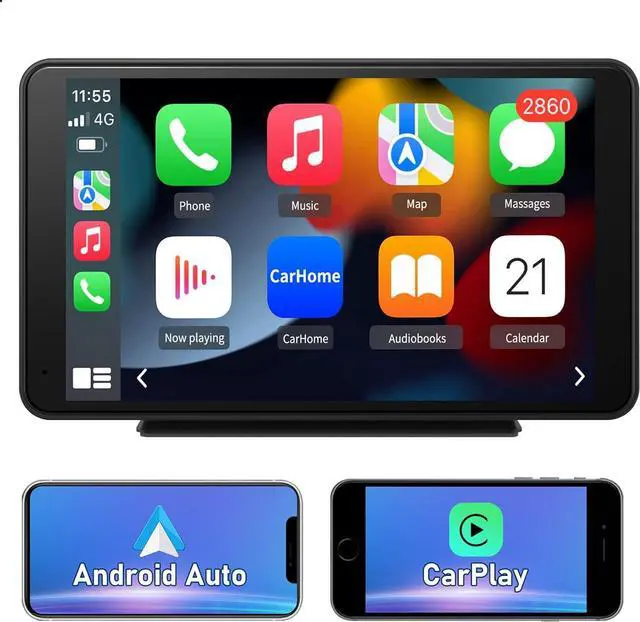
3. Compatible Wireless/Wired CarPlay and Android Auto: Take calls, listen to music, or perfect for real-time map navigation , and more.
4. Wired Mirror Link for IOS/Android System
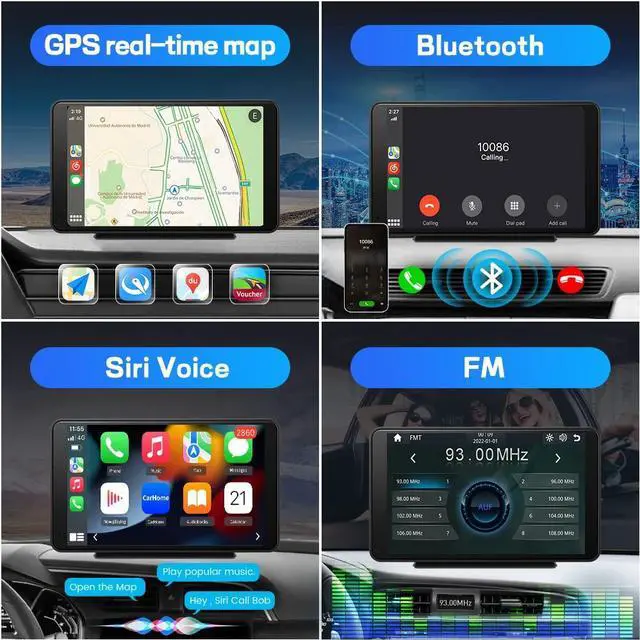
5. Bluetooth Feature: Support Bluetooth music and hands-free calls.
6. Support rear view camera. (Note: the camera does not include)
7. Voice Control: Support IOS Siri and Android voice control.
8. USB Charger Port to charge cellphones.
9. FM Transmitting: Connect into car audio by FM transmitting sounds.
10. AUX Output: Support AUX port transmission.
(Does not support Subwoofer.)

Support wired & wireless CarPlay
Take what you want to do on your phone while driving, use smart voice assistant or touch the display, you can get directions, make calls, send and receive messages, and listen to music etc.
1. How to connect wireless and wired carplay - Tap Settings->Smart phone->Apple Device->Set to CarPlay

Support wired & wireless Android Auto
Work for Android cell phone, after wireless wired conenction, you can access maps navigation, enjoy music, make calls and more Android compatible software applications.
1. How to connect wireless and wired Android Auto - Tap Settings->Smart Phone->Android Device->Set to Android Auto

Mirror link
You can duplicate the screen of your Android or iPhone mobile to the radio screen, it works for all mobile phones with Android and iOS system.
1. AirPlay is for iPhone mirroring: Tap Settings->Smart Phone->Apple Device->set to IOS Mirror.
2. PhoneLink is for Android Phone mirroring: Tap Settings->Smart Phone->Andriod Device->set to Auto Link.

After connecting your smartphone, you can use your favorita online map via carplay or mirroring function. the specific map route will be displayed on the screen and clearly show you the way. There will be provide clearer information such as speed limit, direction, ETA, traffic conditions and weight limit.
Support install a rear camera (Camera Not included in the package) with an RCA connector(AV IN port). When your car is in reverse, it will automatically provide parking assistance lines.
You can also avoid reversing dead corners, reversing accidents, and do not need others to guide the route.

FM transmitter
If you want to play the car stereo sound through the car speakers, turn on the "FM transmitter" function and adjust the frequency to be consistent with the car radio frequency to play car stereo sound .
Note: In this case, the car FM radio channel is 93, then manually adjust the FM transmitter to 93 in the car stereo. If you do not want to use the function, click close, and the car stereo can play the sound normally.

Support reversing camera
Warm tip: you need to buy extra reversing cameras. Reversing camera

FQA
1. Why does CarPlay sometimes fail to work?
When we use CarPlay, in addition to connecting the Bluetooth of the mobile phone, we also need to turn on WiFi, because WiFi is the key to transmit data, and when you use CarPlay, the mobile phone WiFi will not be connected elsewhere, otherwise the machine will be disconnected or the machine and mobile phone cannot be connected.
2. How to play the sound of our machine on the car?
Please use AUX cable or connect the machine to car FM.
Main Features:
1. 7-inch Full 1080HD Capacitive touch screen.
2. Simple Installation with adjustable bracket.
3. Compatible Wireless/Wired CarPlay and Android Auto: Take calls, listen to music, or perfect for real-time map navigation , and more.
4. Wired Mirror Link for IOS/Android System
5. Bluetooth Feature: Support Bluetooth music and hands-free calls.
6. Support rear view camera. (Note: the camera does not include)
7. Voice Control: Support IOS Siri and Android voice control.
8. USB Charger Port to charge cellphones.
9. FM Transmitting: Connect into car audio by FM transmitting sounds.
10. AUX Output: Support AUX port transmission.
(Does not support Subwoofer.)
Support wired & wireless CarPlay
Take what you want to do on your phone while driving, use smart voice assistant or touch the display, you can get directions, make calls, send and receive messages, and listen to music etc.
1. How to connect wireless and wired carplay - Tap Settings->Smart phone->Apple Device->Set to CarPlay
Support wired & wireless Android Auto
Work for Android cell phone, after wireless wired conenction, you can access maps navigation, enjoy music, make calls and more Android compatible software applications.
1. How to connect wireless and wired Android Auto - Tap Settings->Smart Phone->Android Device->Set to Android Auto
Mirror link
You can duplicate the screen of your Android or iPhone mobile to the radio screen, it works for all mobile phones with Android and iOS system.
1. AirPlay is for iPhone mirroring: Tap Settings->Smart Phone->Apple Device->set to IOS Mirror.
2. PhoneLink is for Android Phone mirroring: Tap Settings->Smart Phone->Andriod Device->set to Auto Link.
After connecting your smartphone, you can use your favorita online map via carplay or mirroring function. the specific map route will be displayed on the screen and clearly show you the way. There will be provide clearer information such as speed limit, direction, ETA, traffic conditions and weight limit.
Support install a rear camera (Camera Not included in the package) with an RCA connector(AV IN port). When your car is in reverse, it will automatically provide parking assistance lines.
You can also avoid reversing dead corners, reversing accidents, and do not need others to guide the route.
FM transmitter
If you want to play the car stereo sound through the car speakers, turn on the "FM transmitter" function and adjust the frequency to be consistent with the car radio frequency to play car stereo sound .
Note: In this case, the car FM radio channel is 93, then manually adjust the FM transmitter to 93 in the car stereo. If you do not want to use the function, click close, and the car stereo can play the sound normally.
Support reversing camera
Warm tip: you need to buy extra reversing cameras. Reversing camera
FQA
1. Why does CarPlay sometimes fail to work?
When we use CarPlay, in addition to connecting the Bluetooth of the mobile phone, we also need to turn on WiFi, because WiFi is the key to transmit data, and when you use CarPlay, the mobile phone WiFi will not be connected elsewhere, otherwise the machine will be disconnected or the machine and mobile phone cannot be connected.
2. How to play the sound of our machine on the car?
Please use AUX cable or connect the machine to car FM.