Your Browsing History
- Free 30-day Returns
$84.30
Ships from China.
Meet Your Seller
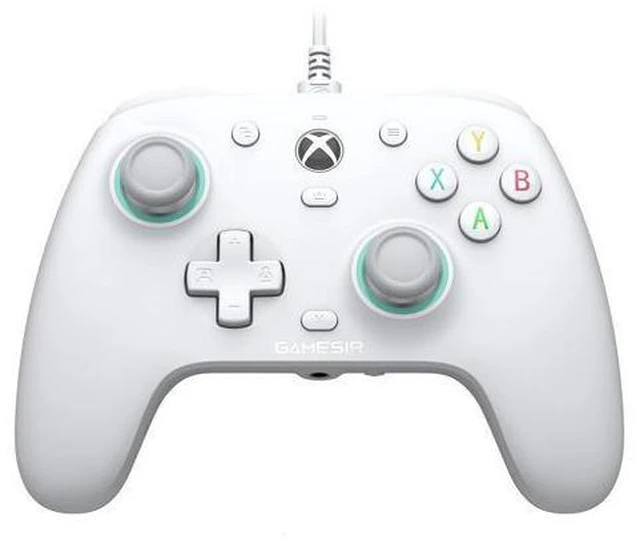
GameSir G7 SE Officially Licensed Xbox One Controller With Hall Effect Sticks for Windows 10/11, Xbox One, Xbox Series X/S, PC Gamepad with 3.5mm Earphone Port, Programmable Back Button
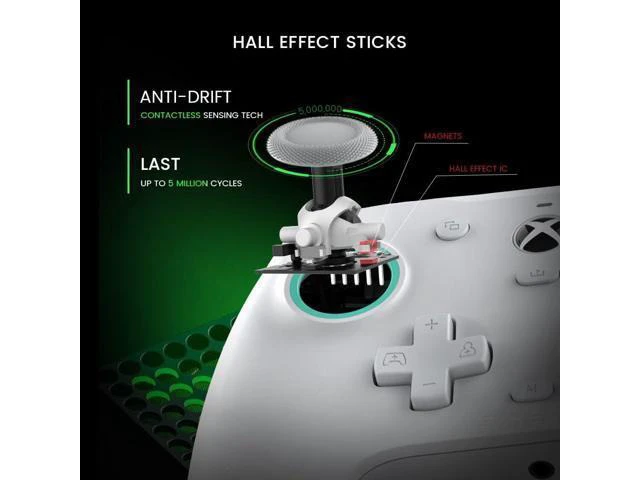
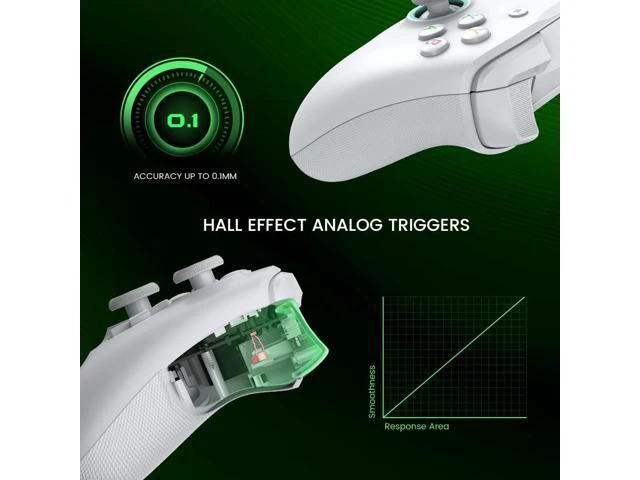
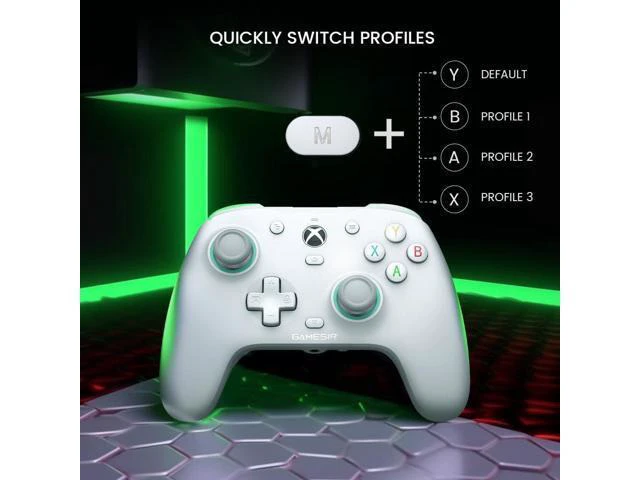
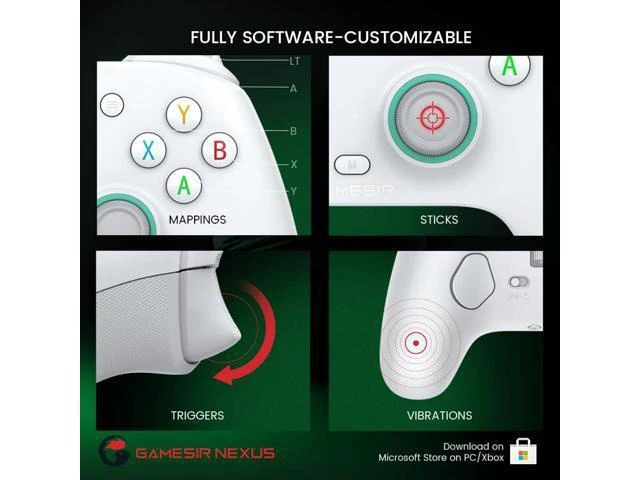
- DESIGN FOR XBOX: Officially licensed by Xbox, the G7 SE Xbox controller is compatible with Windows 10/11, Xbox One, and Xbox Series X/S, providing the best gaming experience possible for every gamer.; PROFESSIONAL-GRADE ACCESSORIES: Can set to 1000Hz polling rate and 0 dead zone. The G7 SE Hall effect sticks and hall triggers deliver best-in-class consistent smoothness and precision, giving you the competitive edge you need. Say goodbye to stick drift!; ON-FLY MAPPINGS: GameSir G7 SE with 2 additional back buttons, load up your favorite button mappings with or without software during gameplay. Mappings are instantly programmable and synced in real-time.; MAGNETIC SWAPPLE FACEPLATE: The magnetic paint-friendly faceplate allows you to easily personalize and change the look of the G7 SE for an even more engaging experience.; CUSTOMIZABLE GameSir APP: Fully customize your gaming experience via the GameSir Nexus software. Map buttons, tweak D-pad diagonal, adjust sticks & triggers zone, con
+
+
Overview
Specs
Reviews
Any questions? Ask CelesteSM will help you find out quickly.
Try me now
Video Player is loading. Play Video Play Skip Backward Skip Forward Mute Current Time 0:00 /
Duration 0:46 Loaded: 12.91 % 0:00 Stream Type LIVE Seek to live, currently behind live LIVE Remaining Time - 0:46 1x Playback Rate Chapters Chapters Descriptions descriptions off, selected Captions captions settings, opens captions settings dialog captions off, selected Audio Track Fullscreen This is a modal window. Beginning of dialog window. Escape will cancel and close the window. Text Color White Black Red Green Blue Yellow Magenta Cyan Opacity Opaque Semi-Transparent Text Background Color Black White Red Green Blue Yellow Magenta Cyan Opacity Opaque Semi-Transparent Transparent Caption Area Background Color Black White Red Green Blue Yellow Magenta Cyan Opacity Transparent Semi-Transparent Opaque Font Size 50% 75% 100% 125% 150% 175% 200% 300% 400% Text Edge Style None Raised Depressed Uniform Drop shadow Font Family Proportional Sans-Serif Monospace Sans-Serif Proportional Serif Monospace Serif Casual Script Small Caps Reset restore all settings to the default values Done Close Modal Dialog End of dialog window. GameSir G7 SE XBOX Wired Controller Merchant Video About Joystick Drift If you encounter joystick drift after receiving the product, dont worry. Simply follow these steps to calibrate the G7 SE joystick and resolve the issue: Press and hold the View + Menu + Xbox buttons while connecting the USB-C cable to your PCs USB port. The indicator light will slowly flash white.
Warranty & Returns
Warranty, Returns, And Additional Information
Warranty
- Please contact the Seller directly for warranty information. Warranty information may also be found on the Manufacturer's website.
- CONTACT
Return Policies
- Return for refund within: 30 days
- Return for replacement within: 30 days
- This item is covered by NovaStar Tech Return Policy
Manufacturer Contact Info
- For a directory of all our manufacturers, please click below.
- Manufacturers Directory
LOADING...