


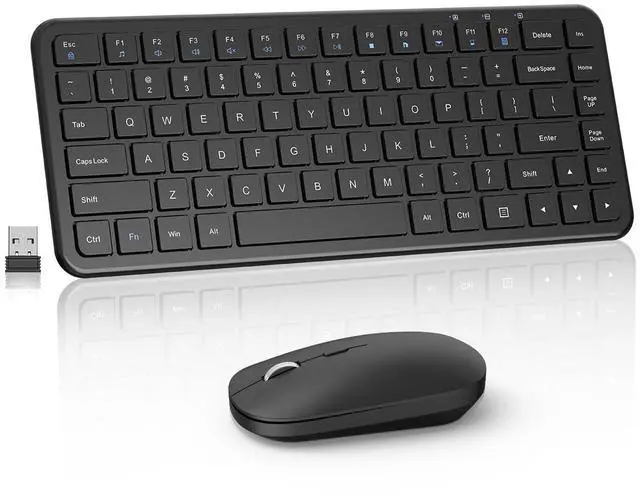






2.4G WIRELESSKEYBOARD AND MOUSE
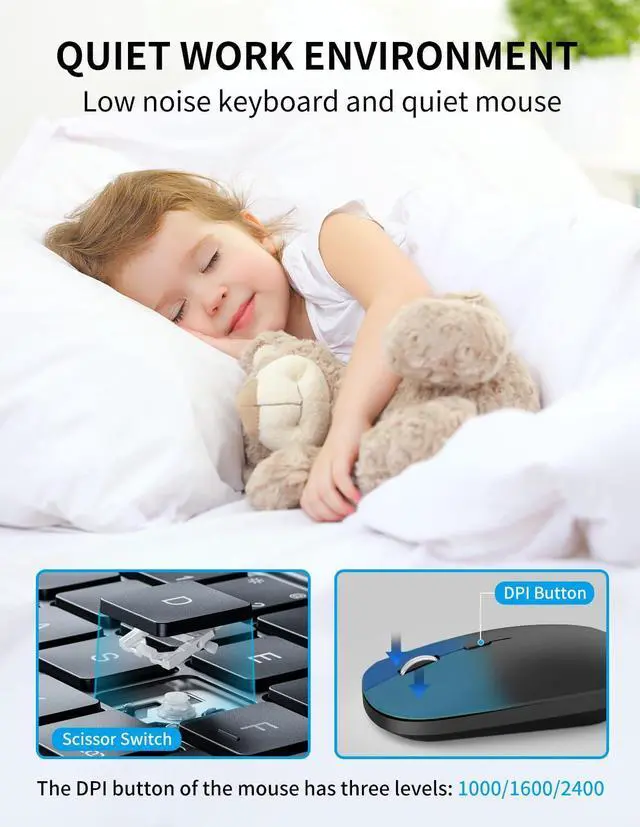
Stable connection with an effective range of 10 metres. Perfect for use when travelling, at home or in the office without disturbing others.


How do l use the multimedia or F1-F12 functions?
To access the F1-F12 function keys, simply press the Fn key +F1-F12 key,Fn key locked, press Fn+Esc to unlock;
Mac os system is not compatible withF1-F12 functions.
lf the mouse does not respond and the keyboard is working properly, how can l re pair the mouse?
1.Unplug the receiver of computer.
2.Simultaneously press and hold the wheel button, the left button, and the right button for 5 seconds. (no lights will light up)
3.Insert the USB receiver into the computer within 15 seconds.
If the keyboard is unresponsive and the mouse is working properly, how can l re pair the keyboard?
1.Unplug the USB receiver
2.Press and hold the "ESC" and "=+" buttons for about 3 seconds, the keyboard enters pairing, and the power light turns red
3.Keyboard within 30cm of the port, insert the USB receiver into the computer within 15 seconds


2.4G WIRELESSKEYBOARD AND MOUSE
Stable connection with an effective range of 10 metres. Perfect for use when travelling, at home or in the office without disturbing others.


How do l use the multimedia or F1-F12 functions?
To access the F1-F12 function keys, simply press the Fn key +F1-F12 key,Fn key locked, press Fn+Esc to unlock;
Mac os system is not compatible withF1-F12 functions.
lf the mouse does not respond and the keyboard is working properly, how can l re pair the mouse?
1.Unplug the receiver of computer.
2.Simultaneously press and hold the wheel button, the left button, and the right button for 5 seconds. (no lights will light up)
3.Insert the USB receiver into the computer within 15 seconds.
If the keyboard is unresponsive and the mouse is working properly, how can l re pair the keyboard?
1.Unplug the USB receiver
2.Press and hold the "ESC" and "=+" buttons for about 3 seconds, the keyboard enters pairing, and the power light turns red
3.Keyboard within 30cm of the port, insert the USB receiver into the computer within 15 seconds