




Troubleshooting:
Q1:The mouse delivered would not connect?
1.Note:please make sure that the mouse batteries and usb dongle have installed properly,and the batteries is not low power condition.
Then do keyboard and mouse connection steps as below:
Step1:Prepare four AAA batteries ,each two for the keyboard and mouse ,
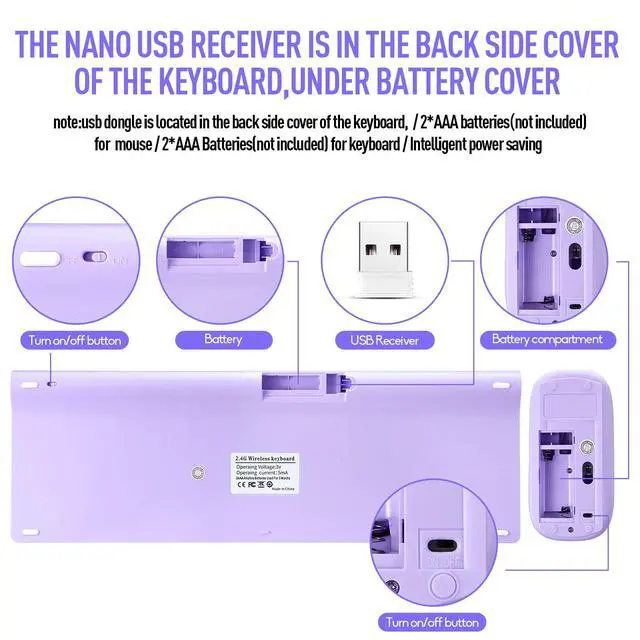
Step2:Open the keyboard battery cover,there is a receiver groove on the right side of the battery groove,take out the receiver;
Step3:Plug it into the computer,and then mount the batteries to the keyboard and mouse,pay attention not to install the battery in the wrong direction.
Then check if the mouse works well.
Q2:The keyboard will not work?
1.Check Whether the battery is live,
2.Check whether the direction of the positive and negative poles of the battery are correct ,
3.Try plugging the usb dongle into the computer a few more times or try another usb socket,
4.If the battery is with power,the positive and negative poles are in the correct direction.
If the keyboard still do not work after above steps, please do paired forcibly;
How to paired forcibly about the keyboard?
1.unplug the usb dongle
2.Pull out the keyboard battery,and press”ESC” and “Q” at the same time;
3.If the indicator lights of the two are on ,plug in the usb dongle,it can be used if the indicator light is off;
Q3:the keyboard and mouse working slow and laggy?
1.check the battery is in power condition,if the Power led light is flashing red led ,please replace new battery to use;
2.The keyboard and mouse have auto sleep function:if the keyboard and mouse are placed for more than ten minutes without moving ,the smart sleep will be activated,press a button on the keyboard and mouse to activate the keyboard and mouse.
3.Note:2.4GHz wireless signal boasts a range of 33 ft,just plug the receiver into any USB port and it quickly establishes a solid connection.
Q4:the dongle is missing?
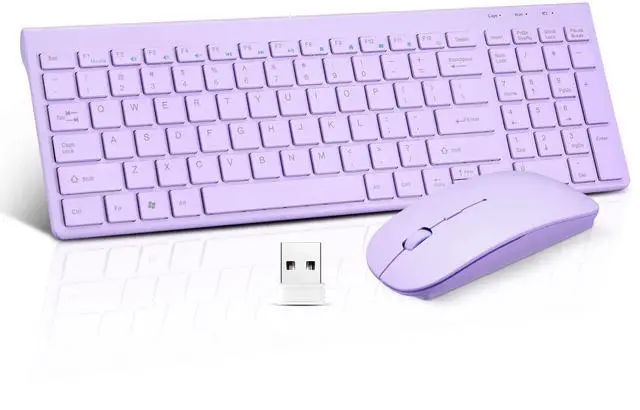
1.Note: The Nano receiver just snap in the storage of keyboard near battery compartment,
Q5:the keyboard is too small?
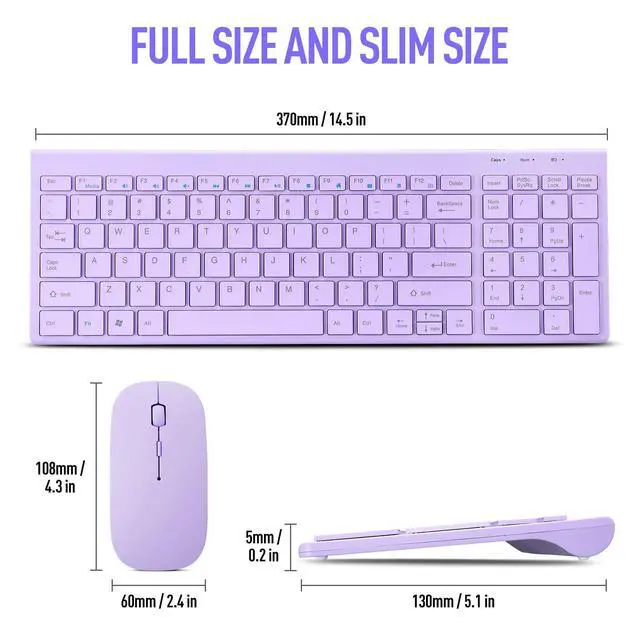
Please note the keyboard is ultra slim and not big size ,please take into consideration before buying.
The keyboard size : 14.5*5.1*0.2inch;
The mouse size: 4.3*2.4*0.9inch;
Troubleshooting:
Q1:The mouse delivered would not connect?
1.Note:please make sure that the mouse batteries and usb dongle have installed properly,and the batteries is not low power condition.
Then do keyboard and mouse connection steps as below:
Step1:Prepare four AAA batteries ,each two for the keyboard and mouse ,
Step2:Open the keyboard battery cover,there is a receiver groove on the right side of the battery groove,take out the receiver;
Step3:Plug it into the computer,and then mount the batteries to the keyboard and mouse,pay attention not to install the battery in the wrong direction.
Then check if the mouse works well.
Q2:The keyboard will not work?
1.Check Whether the battery is live,
2.Check whether the direction of the positive and negative poles of the battery are correct ,
3.Try plugging the usb dongle into the computer a few more times or try another usb socket,
4.If the battery is with power,the positive and negative poles are in the correct direction.
If the keyboard still do not work after above steps, please do paired forcibly;
How to paired forcibly about the keyboard?
1.unplug the usb dongle
2.Pull out the keyboard battery,and press”ESC” and “Q” at the same time;
3.If the indicator lights of the two are on ,plug in the usb dongle,it can be used if the indicator light is off;
Q3:the keyboard and mouse working slow and laggy?
1.check the battery is in power condition,if the Power led light is flashing red led ,please replace new battery to use;
2.The keyboard and mouse have auto sleep function:if the keyboard and mouse are placed for more than ten minutes without moving ,the smart sleep will be activated,press a button on the keyboard and mouse to activate the keyboard and mouse.
3.Note:2.4GHz wireless signal boasts a range of 33 ft,just plug the receiver into any USB port and it quickly establishes a solid connection.
Q4:the dongle is missing?
1.Note: The Nano receiver just snap in the storage of keyboard near battery compartment,
Q5:the keyboard is too small?
Please note the keyboard is ultra slim and not big size ,please take into consideration before buying.
The keyboard size : 14.5*5.1*0.2inch;
The mouse size: 4.3*2.4*0.9inch;