






Bluetooth Numeric Keypad with Calculator & Touchpad
Product Specifications
- Dimensions: Folded 197 x 113 x 6.1 x 6.5mm, Unfolded 297 x 113 x 6.1mm
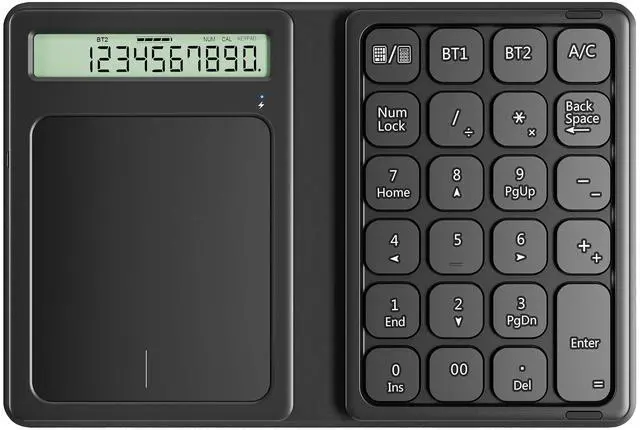
- Keys: 23
- Weight: 134g
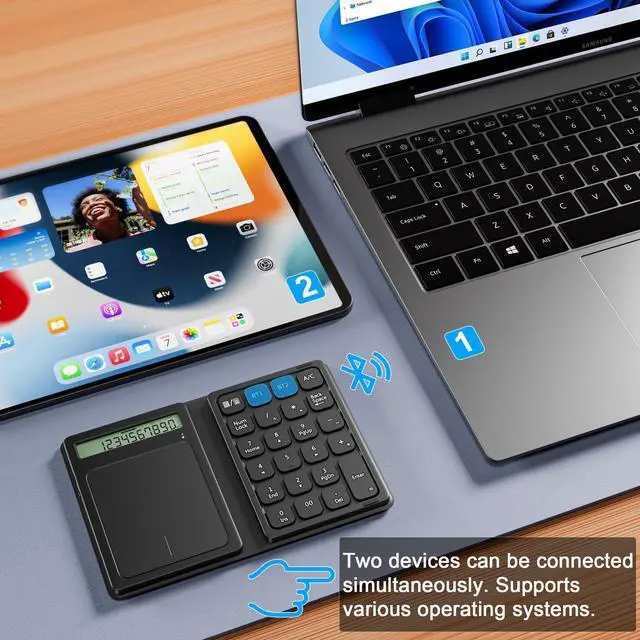
- Connection: Bluetooth, up to 2 devices
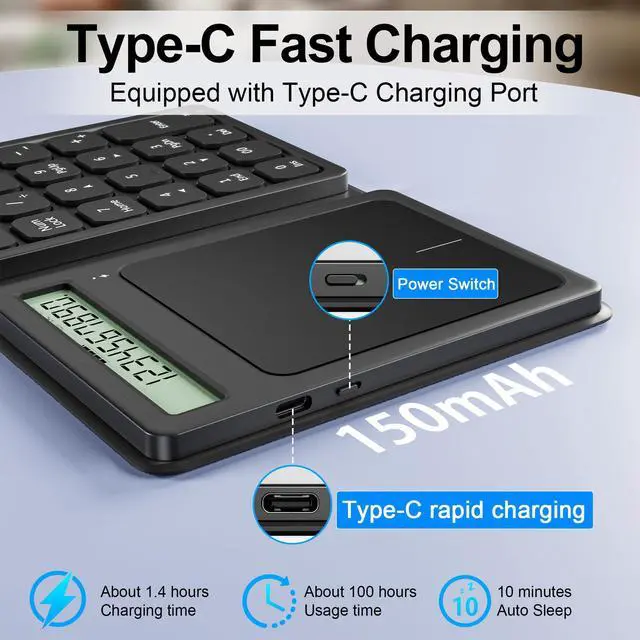
- Battery: 150mA lithium battery
- Foldable Leather Case: Yes
LED Indicator Light:
- The led light shows red when charging and turns off after charged fully. When start pairing, the light will be flashing blue and stops after pairing successful.
Powerful Functional Keys:
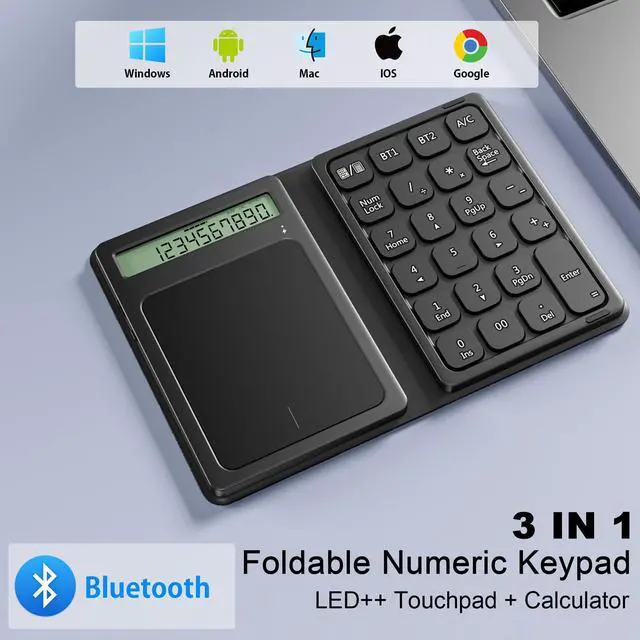
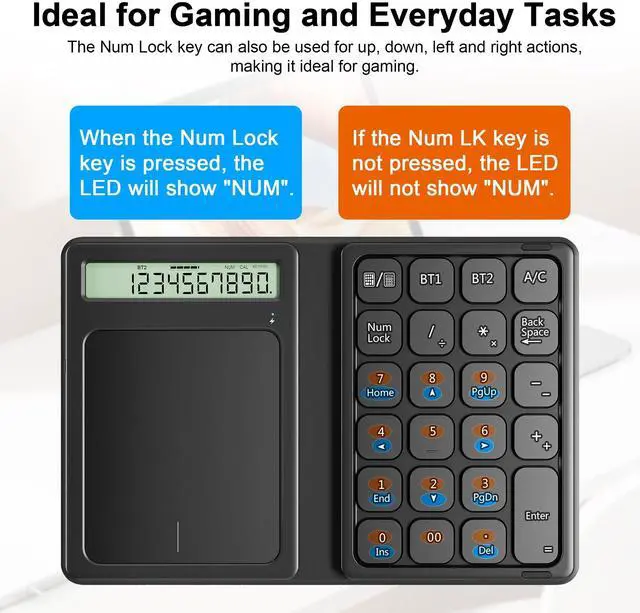
- This Bluetooth keypad has 23-keys with multiple useful shortcuts which can meet all you need of a number keyboard!

Multi-Pairing
- It can use Bluetooth to connect two devices at the same time, and you can freely switch between different devices with one click.


23 Keys Numeric Keypad
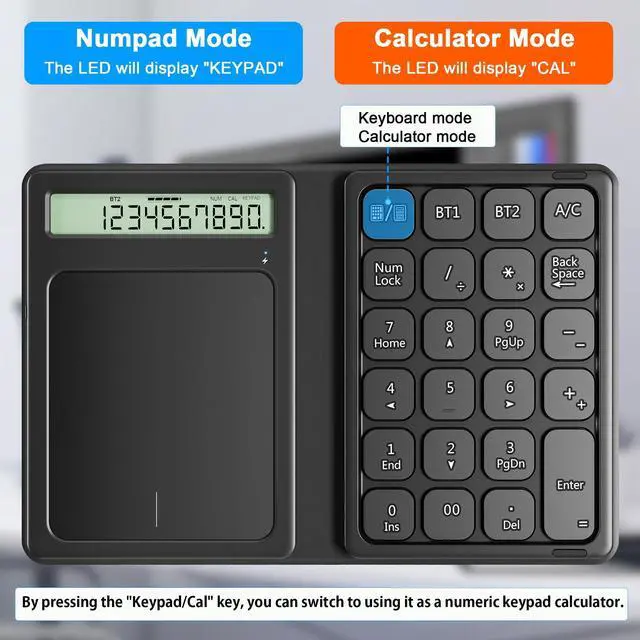
- Includes A/C, Num Lock, home, end and other functions to improve work efficiency. Bluetooth has stable connection and excellent compatibility, making it suitable for multi-purpose use such as office work and design.

System Compatibility:
- (1) Mac OS 10.0 above, IOS 9.2 and above, compatible with iMac, Macbook, Macbook Air/Pro.
- (2) Windows 2000/XP/Vista/7/8/10, Android system (Please make sure your device with bluetooth enabled )
NOTE:1. Due to MAC OS is special system, the "page up", "page down", "search", "screenshot", and "ins" key won't work with Mac.

Uses a Pantograph System
- The key type uses a "pantograph method" that allows keys to be typed with the same light force as a laptop keyboard.

What's in the box
- Foldable Bluetooth keyboard
- Charging cable
- Manual

How to use Bluetooth to connect devices:
- 1. Turn on the keyboard power switch, short press BT1/BT2, select the Bluetooth channel, and then long press BT1/BT2 for 3 seconds to pair. The blue light flashes to enter pairing mode.
- Bluetooth and other devices
- 2. Open Settings, turn on Bluetooth, and click Add Bluetooth or other devices.
- 3. Select "Bluetooth" in Add Devices and search
- 4. Until you find "Bluetooth Keypad", then click the pairing name to connect.
- 5. When the connection is successful, you can use your keyboard comfortably.

Bluetooth Numeric Keypad with Calculator & Touchpad
Product Specifications
- Dimensions: Folded 197 x 113 x 6.1 x 6.5mm, Unfolded 297 x 113 x 6.1mm
- Keys: 23
- Weight: 134g
- Connection: Bluetooth, up to 2 devices
- Battery: 150mA lithium battery
- Foldable Leather Case: Yes
LED Indicator Light:
- The led light shows red when charging and turns off after charged fully. When start pairing, the light will be flashing blue and stops after pairing successful.
Powerful Functional Keys:
- This Bluetooth keypad has 23-keys with multiple useful shortcuts which can meet all you need of a number keyboard!
Multi-Pairing
- It can use Bluetooth to connect two devices at the same time, and you can freely switch between different devices with one click.
23 Keys Numeric Keypad
- Includes A/C, Num Lock, home, end and other functions to improve work efficiency. Bluetooth has stable connection and excellent compatibility, making it suitable for multi-purpose use such as office work and design.
System Compatibility:
- (1) Mac OS 10.0 above, IOS 9.2 and above, compatible with iMac, Macbook, Macbook Air/Pro.
- (2) Windows 2000/XP/Vista/7/8/10, Android system (Please make sure your device with bluetooth enabled )
NOTE:1. Due to MAC OS is special system, the "page up", "page down", "search", "screenshot", and "ins" key won't work with Mac.
Uses a Pantograph System
- The key type uses a "pantograph method" that allows keys to be typed with the same light force as a laptop keyboard.
What's in the box
- Foldable Bluetooth keyboard
- Charging cable
- Manual
How to use Bluetooth to connect devices:
- 1. Turn on the keyboard power switch, short press BT1/BT2, select the Bluetooth channel, and then long press BT1/BT2 for 3 seconds to pair. The blue light flashes to enter pairing mode.
- Bluetooth and other devices
- 2. Open Settings, turn on Bluetooth, and click Add Bluetooth or other devices.
- 3. Select "Bluetooth" in Add Devices and search
- 4. Until you find "Bluetooth Keypad", then click the pairing name to connect.
- 5. When the connection is successful, you can use your keyboard comfortably.