






Widely Compatibility
Our
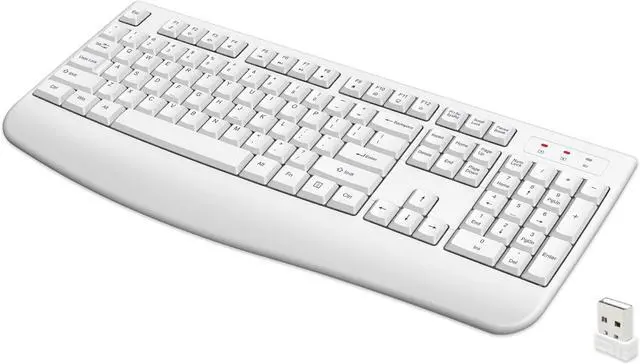
wireless keyboard compatible with Windows/Mac OS/Linux system.
But please note the Copy/Paste shortcut buttons in Windows and Mac OS system are different:
- Copy/Paste Shortcut Buttons Combination in Mac System: Win + C/V
- Copy/Paste Shortcut Buttons Combination in Windows and others System: Ctrl + C/V
Smart Power Saving Wireless Keyboard
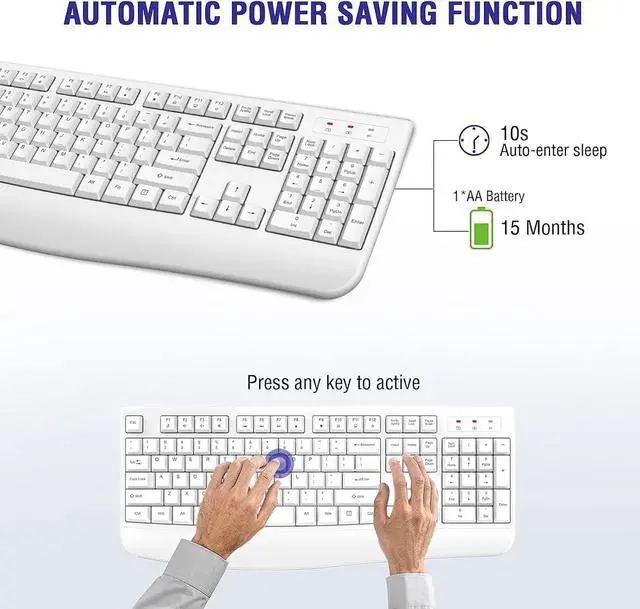
Auto-enter power saving mode when you stop use it
This wireless keyboard with smart power saving function, No need ON/OFF switch. The wireless keyboard will auto-enter power saving mode when you stop use it more than 10 seconds, and when you stop ust it more than 30min, the wireless keyboard will consume almost no power. You can re-activity it by press any key, never worry about wasting battery by forgetting to turn off the switch.
- Plug and Play, no need to download any software.
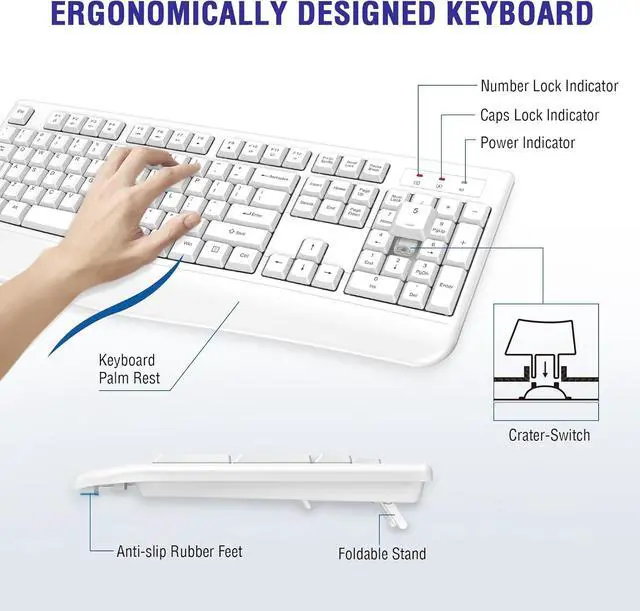
- Comfortable Palm Rest
- Wireless keyboard indicator
- Quiet Crater-switch

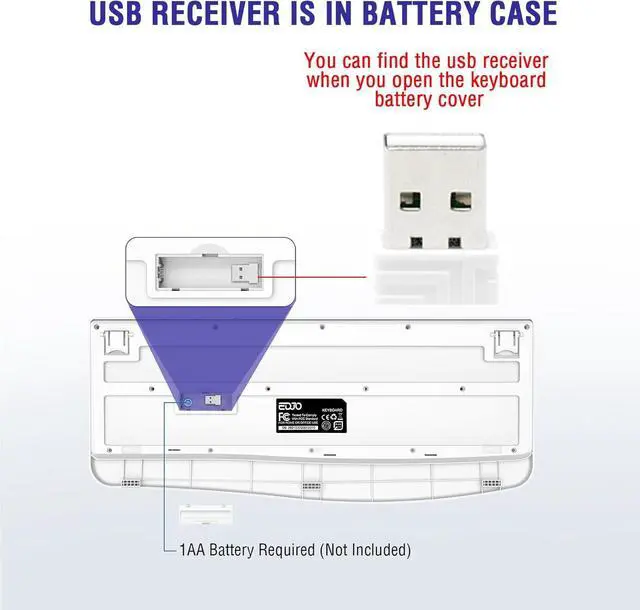
USB Receiver is in keyboard battery compartment
The USB Receiver is in keyboard battery compartment, you can find it when you open the battery compartment cover.

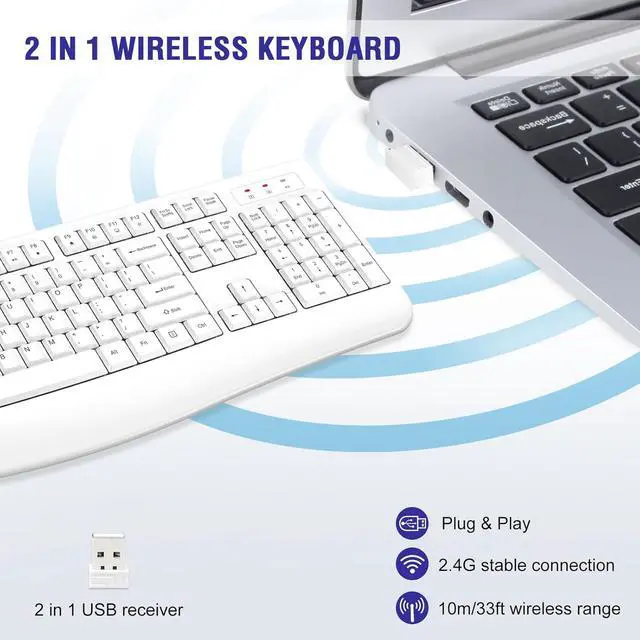
Plug and Play
Plug and Play, no need to download any software.

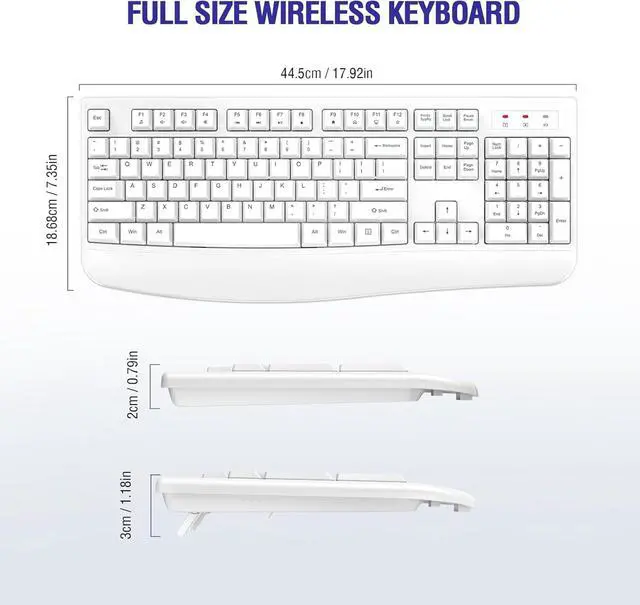
2.4G Wireless Connection
2.4 GHz wireless provides a powerful and reliable connection up to 33 feet(10m) without any delays.

12 Multimedia Shortcuts
This wireless keyboard with 12 multimedia shortcuts, can provide you with the best entertainment experience.

3 Indicator Lights
This wireless keyboard with 3 Indicator Lights:
- Number Lock Indicator
- Caps Lock Indicator
- Power Indicator

Quiet Crater-switch
This wireless keyboard use quiet crater keys which can reduce 70% noise.

Smart Power Saving Wireless Keyboard
Widely Compatibility
Our
wireless keyboard compatible with Windows/Mac OS/Linux system.
But please note the Copy/Paste shortcut buttons in Windows and Mac OS system are different:
- Copy/Paste Shortcut Buttons Combination in Mac System: Win + C/V
- Copy/Paste Shortcut Buttons Combination in Windows and others System: Ctrl + C/V
Auto-enter power saving mode when you stop use it
This wireless keyboard with smart power saving function, No need ON/OFF switch. The wireless keyboard will auto-enter power saving mode when you stop use it more than 10 seconds, and when you stop ust it more than 30min, the wireless keyboard will consume almost no power. You can re-activity it by press any key, never worry about wasting battery by forgetting to turn off the switch.
- Plug and Play, no need to download any software.
- Comfortable Palm Rest
- Wireless keyboard indicator
- Quiet Crater-switch
USB Receiver is in keyboard battery compartment
The USB Receiver is in keyboard battery compartment, you can find it when you open the battery compartment cover.
Plug and Play
Plug and Play, no need to download any software.
2.4G Wireless Connection
2.4 GHz wireless provides a powerful and reliable connection up to 33 feet(10m) without any delays.
12 Multimedia Shortcuts
This wireless keyboard with 12 multimedia shortcuts, can provide you with the best entertainment experience.
3 Indicator Lights
This wireless keyboard with 3 Indicator Lights:
- Number Lock Indicator
- Caps Lock Indicator
- Power Indicator
Quiet Crater-switch
This wireless keyboard use quiet crater keys which can reduce 70% noise.