

• $55.99
  • Free 30-day Returns
  • Price alert
    Shop it at NeweggBusiness.

    Meet Your Seller

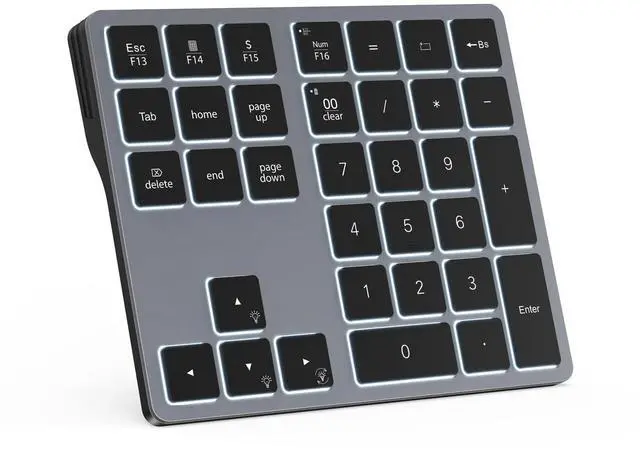
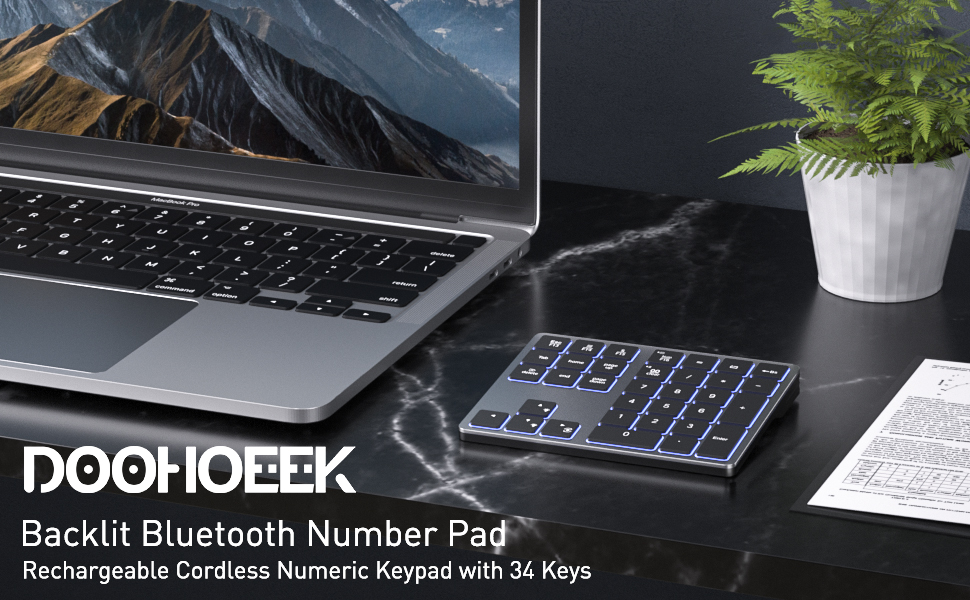
    Backlit Bluetooth Numeric Keypad for Laptops and Computers, Number Pads 34 Keys with 7-Color Backlight for MacBook & Windows, Gray

    • The configuration page dose not appear after installed sucessfully? Please try the following specific steps: 1. Check the System Tray: The configurator may be running as a background icon. Please look at the bottom-right corner of your taskbar, near the clock. 2. Click the small ^ arrow (or up-arrow) to show hidden icons. 3. Look for our app's icon in that menu. If you find it, clicking it once should open the main configuration window.
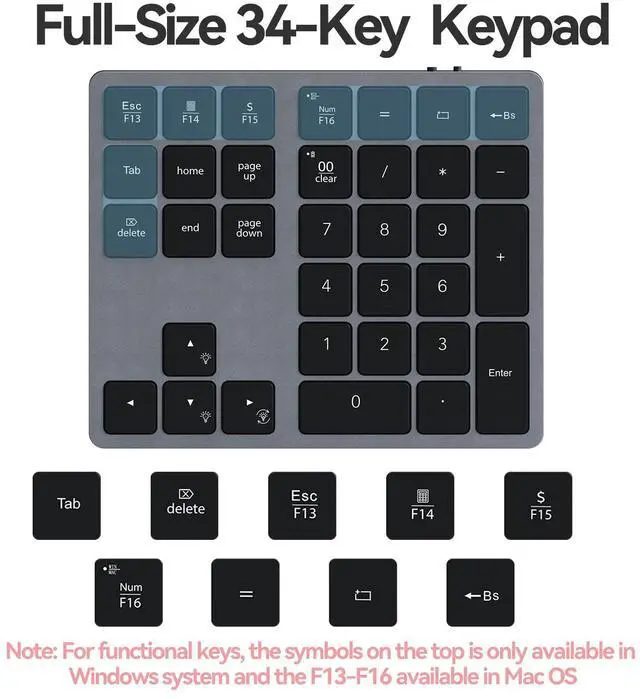
    • Familiar Number Configuration for Efficiency: Forget hunting through a full row of numbers on no numpad keyboards. This keypad is a must-have for those who needs intense data input but is not used to typing with that kind of keyboards.
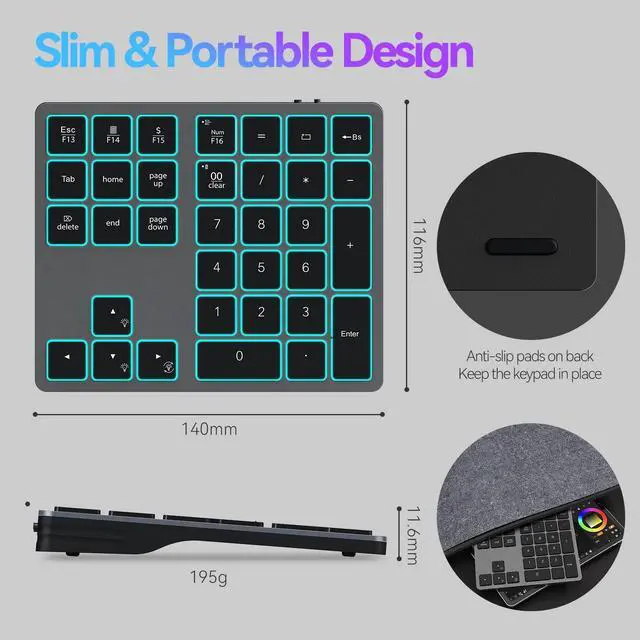
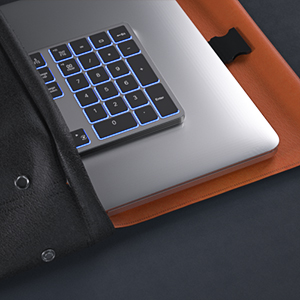
    • Portable and Sturdy: Type wherever you like thanks to the slim and portable design (195g weight; 143mm*118mm*14mm). It also built with the high quality of ABS material that keeps it from falling and scratching.
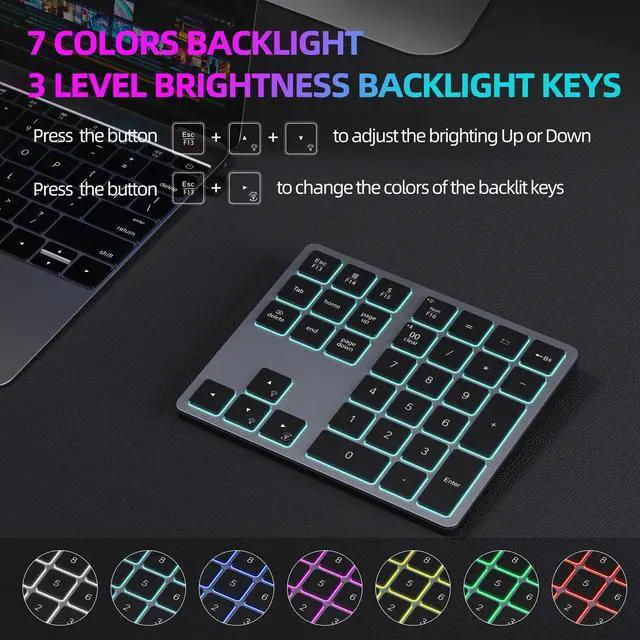
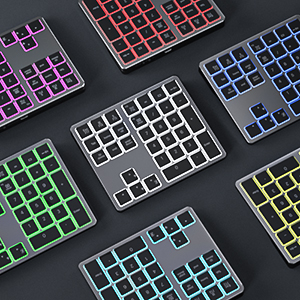
    • Backlit Keys for Any Lighting Environment: The keyboard with 7 colors and 3 levels of brightness allow you to type day or night. The backlit shortcut keys (Esc + the arrow keys) allow you to manually adjust the color and brightness of the keys.
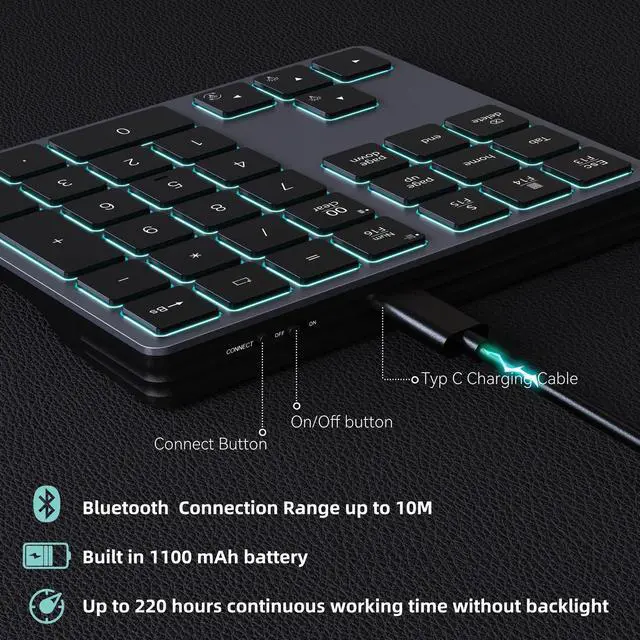
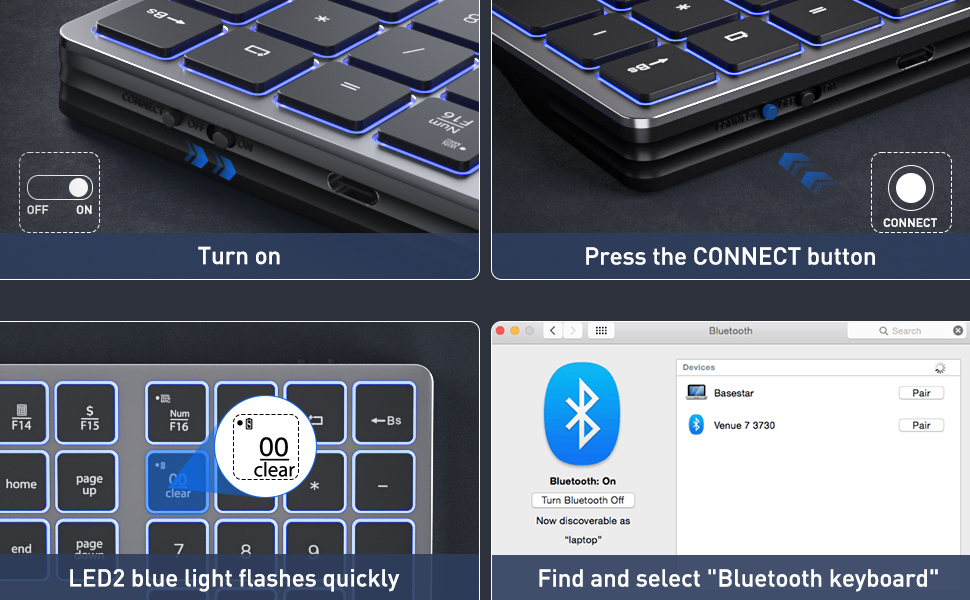
    • Reliable 5.0 Bluetooth Connection: The strong and secure Bluetooth connection allows you to work efficiently with a 10m range. You only need to press CONNECT button to enter Bluetooth pairing mode.
    +
    +
    Overview
    Specs
    Reviews
    avatar

    Any questions? Our AI beta will help you find out quickly.

    1
    22

    2

    Seamless Bluetooth Connectivity

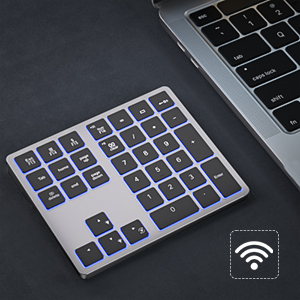
    The strong and secure Bluetooth connection allows you to work efficiently with a 10m range.
    3

    Backlit Keys for Any Lighting Environment

    The keyboard with 7 colors and 3 levels of brightness allow you to type day or night.
    4

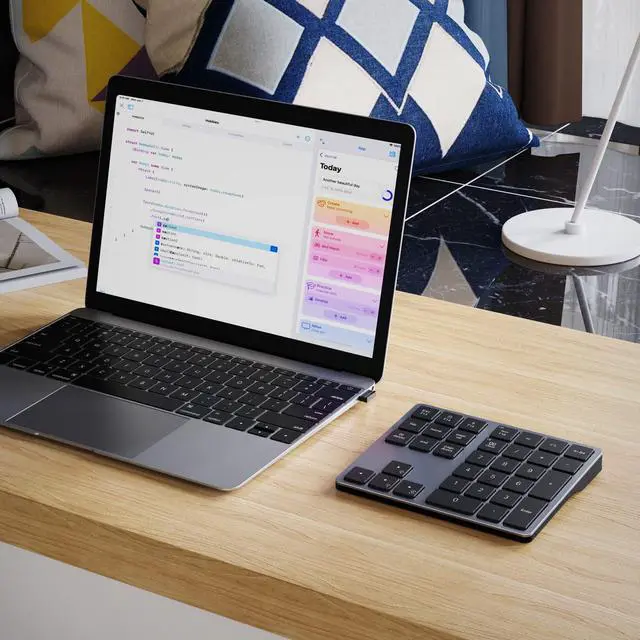
    Portable and Sturdy

    Type wherever you like thanks to the slim and portable design (195g weight; 143mm*118mm*14mm). It also built with the high quality of ABS material that keeps it from falling and scratching.
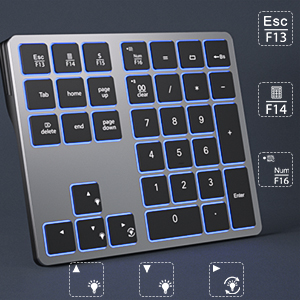
    5

    Shortcut Keys for Data Input

    Forget hunting through a full row of numbers on no numpad keyboards. This keypad is a must-have for those who needs intense data input but is not used to typing with that kind of keyboards.
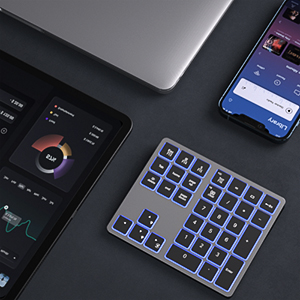
    5

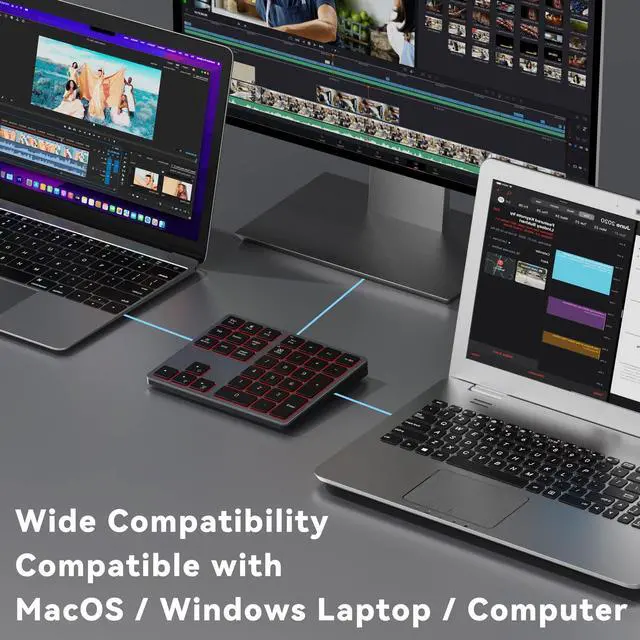
    Wide Compatibility

    The keypad is compatible with both Windows and MacOS devices. Please configure the keypad to the corresponding operating system after paring it.
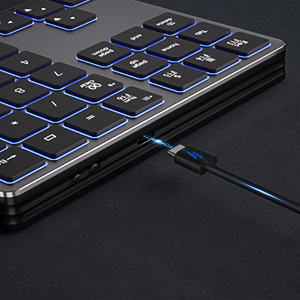
    7

    Long Lasting Rechargeable Battery

    It can work up to 220 hours without backlighting thanks to auto-sleep power saving mode and an/off switch button. Note: The battery life may vary based on use and computing conditions.

    1
    22

    2

    Seamless Bluetooth Connectivity

    The strong and secure Bluetooth connection allows you to work efficiently with a 10m range.

    3

    Backlit Keys for Any Lighting Environment

    The keyboard with 7 colors and 3 levels of brightness allow you to type day or night.

    4

    Portable and Sturdy

    Type wherever you like thanks to the slim and portable design (195g weight; 143mm*118mm*14mm). It also built with the high quality of ABS material that keeps it from falling and scratching.

    5

    Shortcut Keys for Data Input

    Forget hunting through a full row of numbers on no numpad keyboards. This keypad is a must-have for those who needs intense data input but is not used to typing with that kind of keyboards.

    5

    Wide Compatibility

    The keypad is compatible with both Windows and MacOS devices. Please configure the keypad to the corresponding operating system after paring it.

    7

    Long Lasting Rechargeable Battery

    It can work up to 220 hours without backlighting thanks to auto-sleep power saving mode and an/off switch button. Note: The battery life may vary based on use and computing conditions.

    Doohoeek Backlit Buetooth Keypad Windows and Macbook, Gray


    How to adjust the backlit keys:
    1. Adjust keys backlighting down or up by pressing Esc key + Up or Down arrow key;
    2. Change backlighting colors by pressing Esc key + right arrow key.


    How to connect to the keyboard:
    1. Fully charge the keyboard;
    2. Turn on the keyboard;
    3. Press the CONNECT button to enter the Bluetooth pairing mode;
    4. Turn on the Bluetooth of your laptop and click Bluetooth named bluetooth keyboard to connect it.


    How to configure the keyboard for different operating system:
    1. Please press and hold Esc and then press Enter key for 5 seconds;
    2. If the keyboard is under Windows configuration, the LED1 will turn blue. If the keyboard is under configuration, the LED1 will turn red.


    The bluetooth dosent show up on my device:
    1. Please go to Bluetooth page to delete or forgot all devices connected your tablet before;
    2. Reconnect the keyboard according to the steps above.


    Product information

    Brand Doohoeek
    Compatible Devices Windows Computers, Windows Laptops
    Connectivity Technology Bluetooth
    Keyboard Description Bluetooth Backlit Numeric Keypad
    Recommended Uses For Product Office
    Special Feature Backlit, Hotkeys and Media Keys, Rechargeable
    Color Grey
    Keyboard backlighting color support RGB
    Style Contemporary
    Product Dimensions 5.63"L x 4.65"W x 0.55"H
    Additional Features Backlit, Hotkeys and Media Keys, Rechargeable
    Language English
    Power Source Rechargeable Battery-Powered
    Keyboard Layout QWERTY
    Hand Orientation Ambidextrous
    Button Quantity 34
    Number of Keys 34
    Style Name Contemporary
    Antenna Location Office
    Built-In Media Numeric Keypad, USB Cable
    Unit Count 1.0 Count
    Manufacturer Doohoeek
    Warranty Description 1 Year Warranty
    Item Dimensions L x W x H 5.63"L x 4.65"W x 0.55"H
    Enclosure Material Acrylonitrile Butadiene Styrene

    Additional Features

    • Long Lasting Rechargeable Battery: It can work up to 220 hours without backlighting thanks to auto-sleep power saving mode and an/off switch button. Note: The battery life may vary based on use and computing conditions.
    • Wide Compatibility: The keypad is compatible with both Windows and mackbook devices. Please configure the keypad to the corresponding operating system after paring it.

    Warranty & Returns

    Warranty, Returns, And Additional Information

    Warranty

    • Please contact the Seller directly for warranty information. Warranty information may also be found on the Manufacturer's website.
    • CONTACT

    Return Policies

    Manufacturer Contact Info

    LOADING...