Get a $25 Newegg Promo Gift Card when you spend $250+ between 1/17/26 and 1/19/26. Learn More>
  • $79.18
  • Free 30-day Returns
  • Price alert
    Sold by TrustBasket

    Shipped by TrustBasket

    Shop it at NeweggBusiness.

    Meet Your Seller

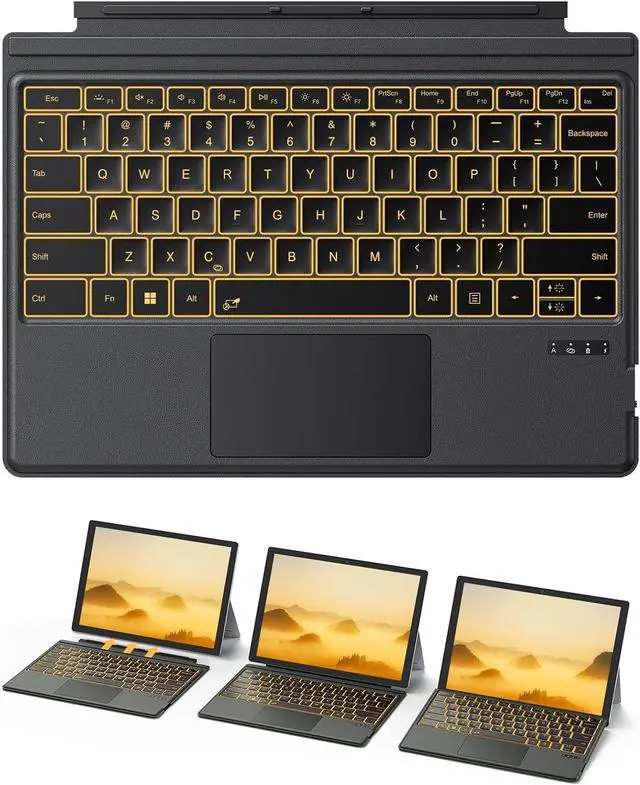
    TECURS Bluetooth Keyboard for Surface Pro 7/7+/6/5/4/3 (12.3 inch), Wireless Bluetooth Connection 7-Colors Backlight Keyboard Type Cover, Touchpad, Sleep/Wake Function, Rechargeable Ultra-Thin Design

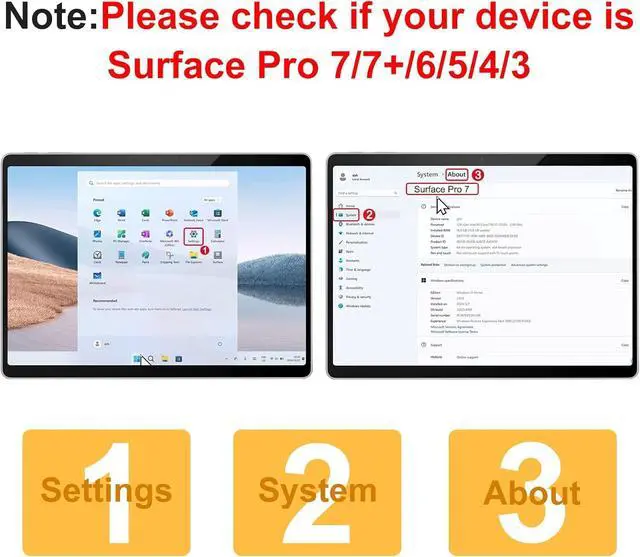
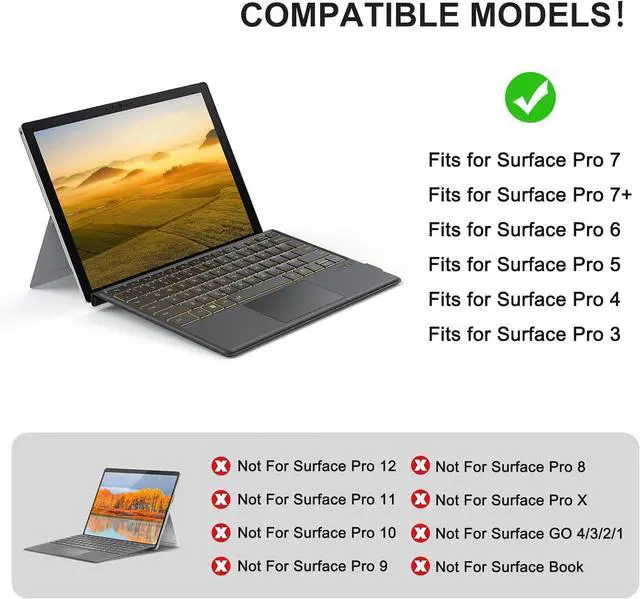
    • IMPORTANT: Bluetooth keyboard ONLY compatible with Microsoft Surface Pro 7, Pro 7/ Pro 7+/ Pro 6/ Pro 5/ Pro 4/ Pro 3 12.3inch, NOT for Surface Pro 11/10/9/8/X13inchand other models. PLEASE follow the steps to confirm your model: 1.Settings, 2.System,3. About(you can see your model name here)
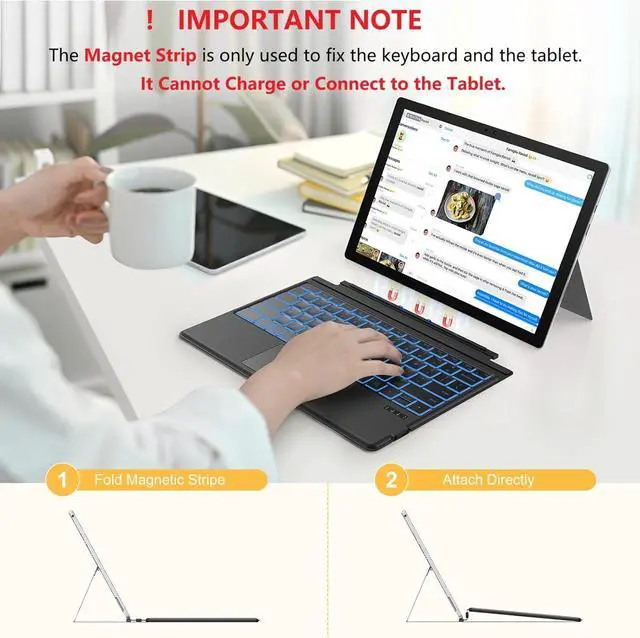
    • Charging via Cable: The included charging cable delivers a full charge in just 2-3 hours, providing exceptional 50-hour continuous operation. (Please note that the device cannot be charged via a magnetic strip and must be charged using the provided cable.)
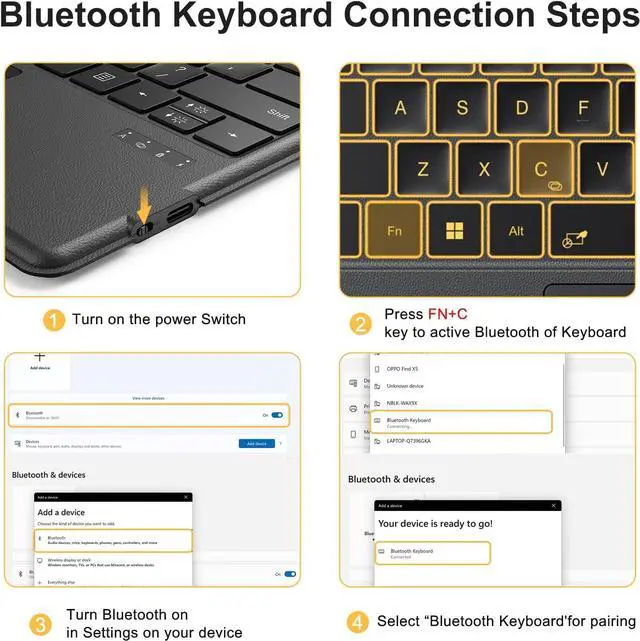
    • Manual Pairing MUSTIt only supports Bluetooth manual pairing. How to connect: Press F+C keys to active Bluetooth of Keyboard >Turn Bluetooth on in Settings on your device >Select"Bluetooth Keyboard"for pairing(Note: Magnetic automatic connection is not supported)
    • SLEEP&WAKE FUNCTINO:If you want to use the sleep/wake functions, please ensure that your keyboard is connected to the tablet via Bluetooth.
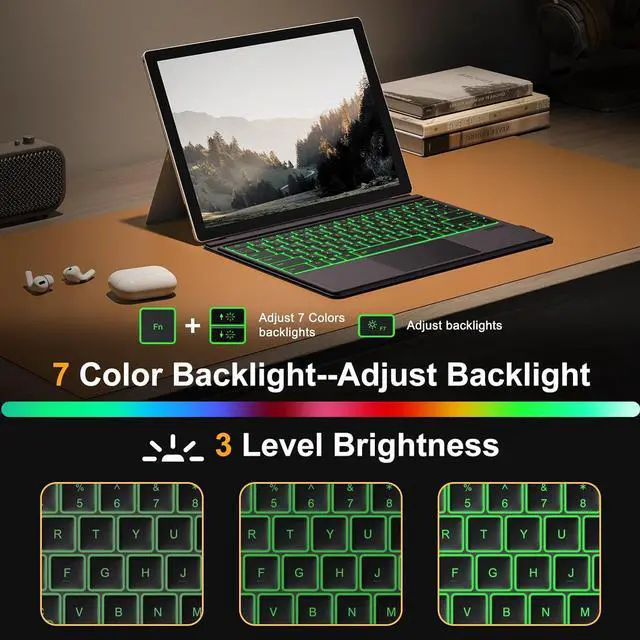
    • 7-Color BACKLITt: Equipped
    +
    +
    Overview
    Specs
    Reviews
    avatar

    Any questions? Our AI beta will help you find out quickly.

    IMPORTANT: Bluetooth keyboard ONLY compatible with Microsoft Surface Pro 7, Pro 7/ Pro 7+/ Pro 6/ Pro 5/ Pro 4/ Pro 3 12.3 inch, NOT for Surface Pro 11/10/9/8/X13inchand other models. PLEASE follow the steps to confirm your model: 1. Settings, 2. System, 3. About (you can see your model name here)
    Charging via Cable: The included charging cable delivers a full charge in just 2-3 hours, providing exceptional 50-hour continuous operation. (Please note that the device cannot be charged via a magnetic strip and must be charged using the provided cable. )
    Manual Pairing MUST
    It only supports Bluetooth manual pairing.
    How to connect: Press F+C keys to active Bluetooth of Keyboard >Turn Bluetooth on in Settings on your device >Select"
    Bluetooth Keyboard" for pairing(Note: Magnetic automatic connection is not supported)
    SLEEP&WAKE FUNCTINO: If you want to use the sleep/wake functions, please ensure that your keyboard is connected to the tablet via Bluetooth.
    7-Color BACKLI
    Tt: Equipped with a 7-color LED backlight with 3 levels of brightness adjustment, allowing you to type clearly and comfortably in low-light environments or when working late at night
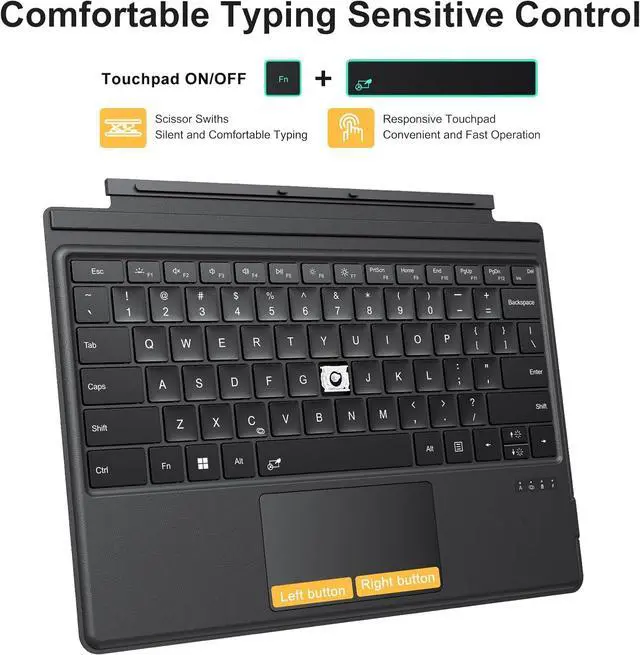
    RESPONSIVE TRACKPAD: It has a built-in responsive trackpad with, zooming, and multi-touch gestures for precise cursor control that' s as easy to use as a mouse

    Warranty & Returns

    Warranty, Returns, And Additional Information

    Warranty

    • Please contact the Seller directly for warranty information. Warranty information may also be found on the Manufacturer's website.
    • CONTACT

    Return Policies

    Manufacturer Contact Info

    LOADING...