








ROSPE MFi Certified Flash Drive - Enables easy data sharing among different devices.
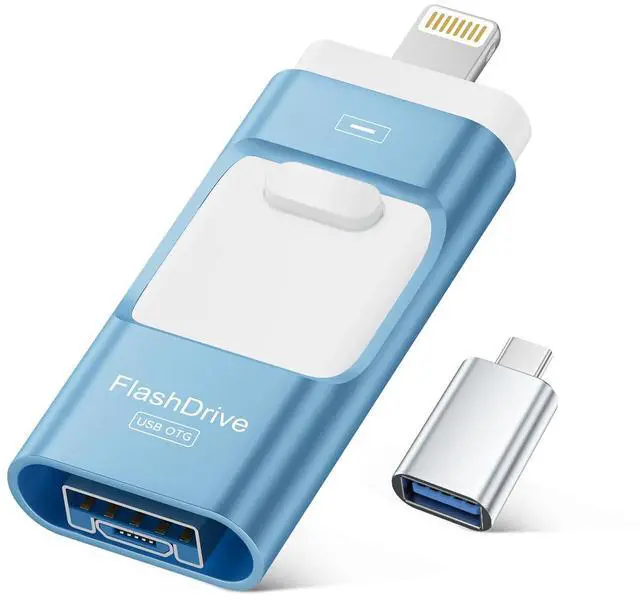
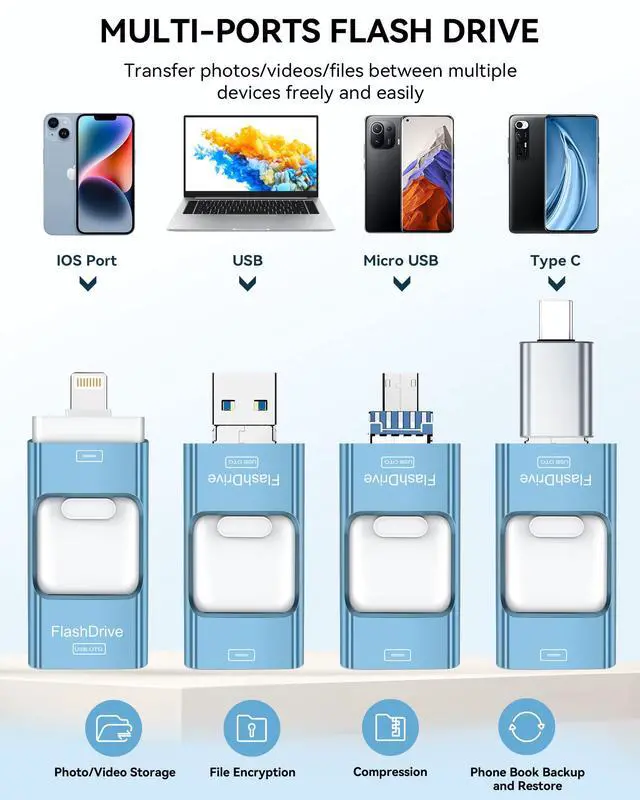
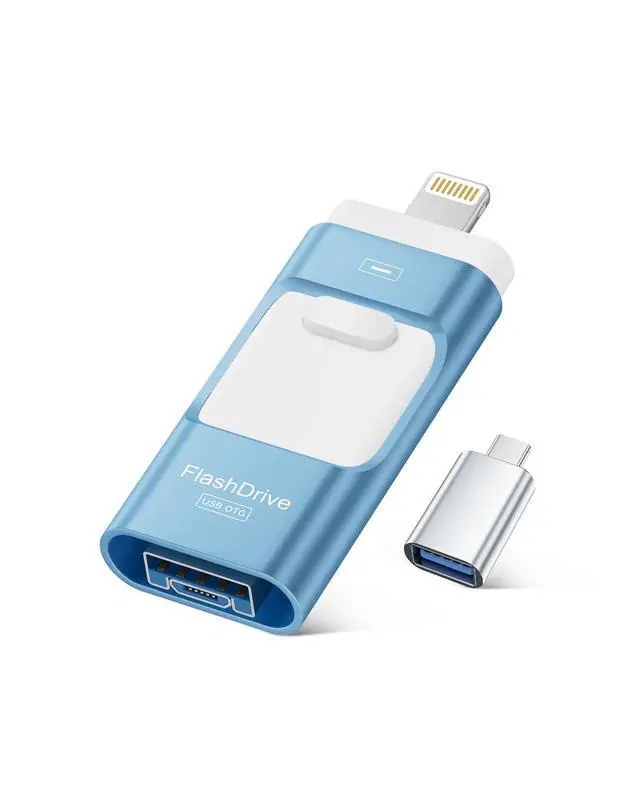
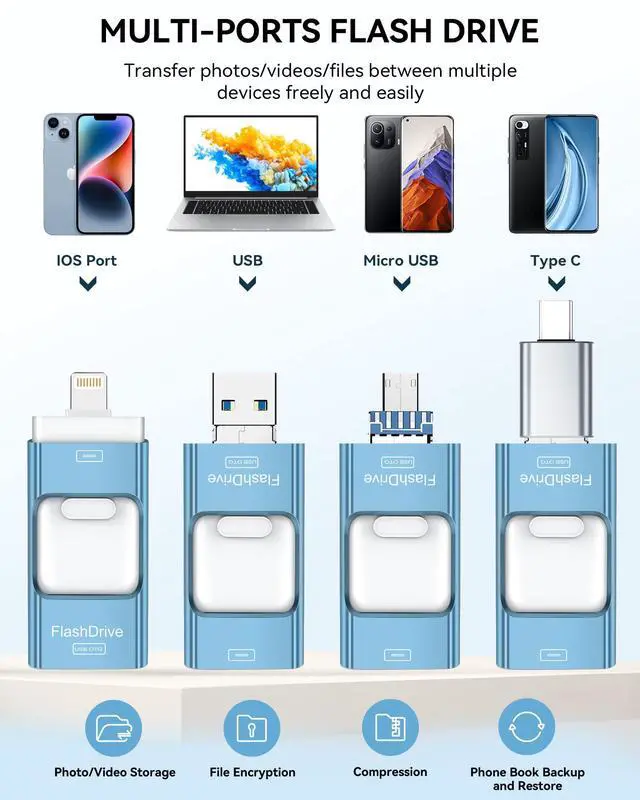
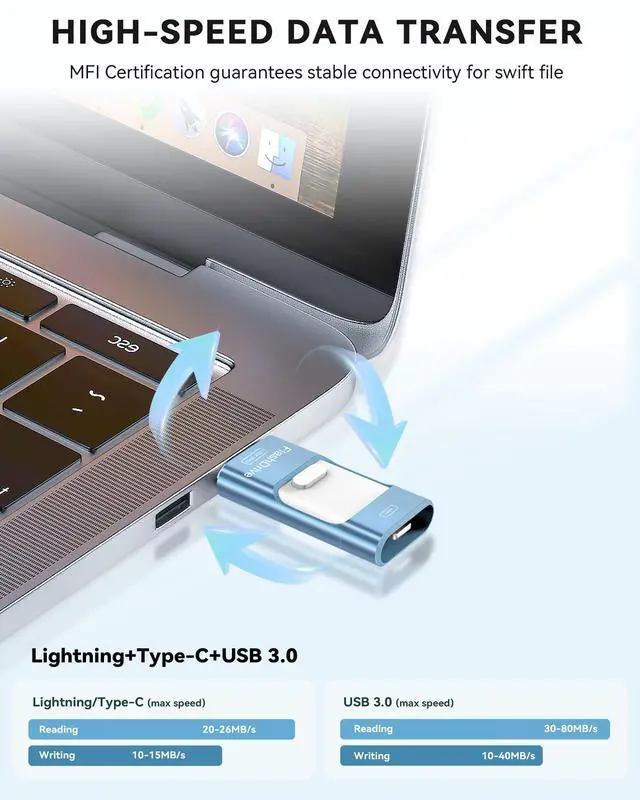
- The ROSPE photo stick has versatile interfaces (lightning, USB A, and Type C with an adapter), ensuring compatibility with iPhone, iPad, OTG Android, PC, and devices with standard USB ports. This simplifies data transfer between devices for easy sharing. The included adapter comes in random colors (black or silver).
- Compact and Portable: The iPhone storage flash drive measures just 2.18 x 0.89 x 0.36 inches, making it small, exquisite, and easy to carry wherever you go.

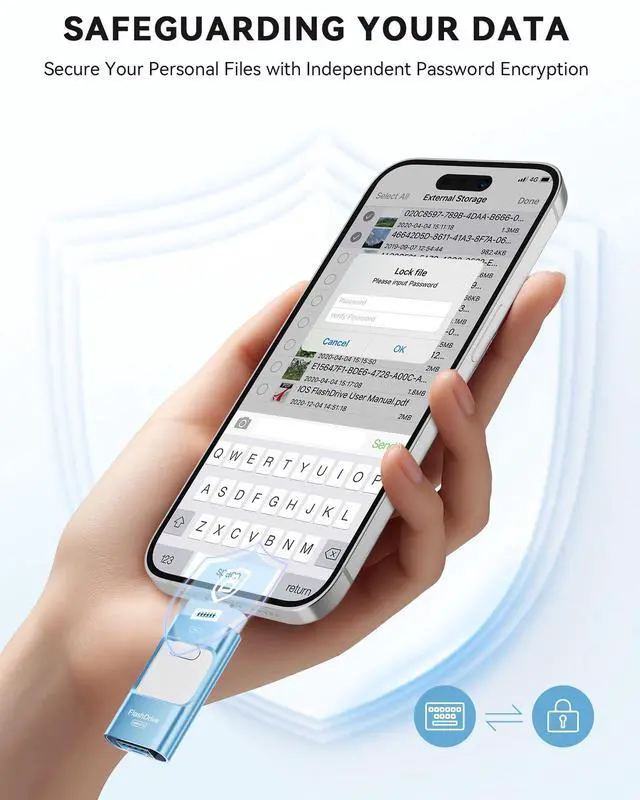
Protecting File
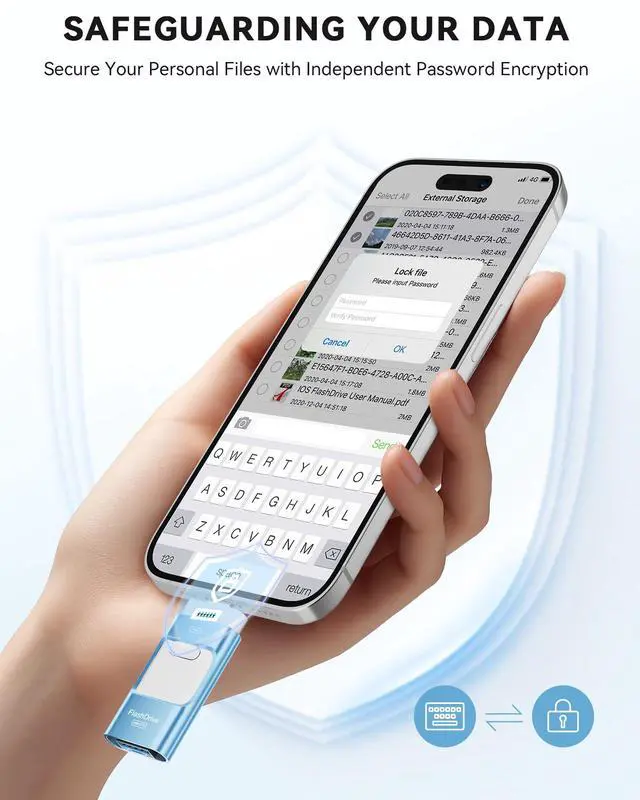
The ROSPE photo storage for iphone features independent password and Touch ID functionality to encrypt file information within the application. By setting a password or using Touch ID, you can effectively safeguard your private files from theft or leakage. This allows you to confidently store and manage confidential files while ensuring their security and confidentiality.

Universal Compatibility
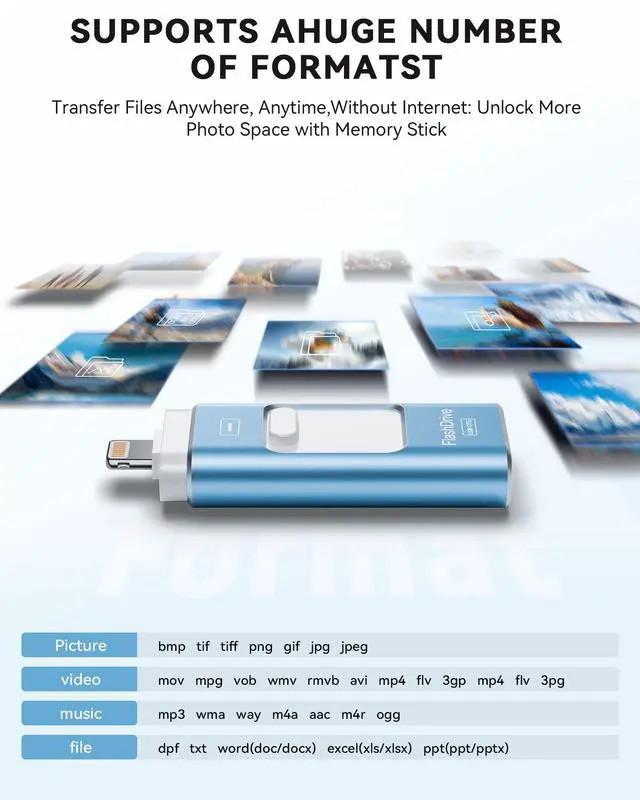
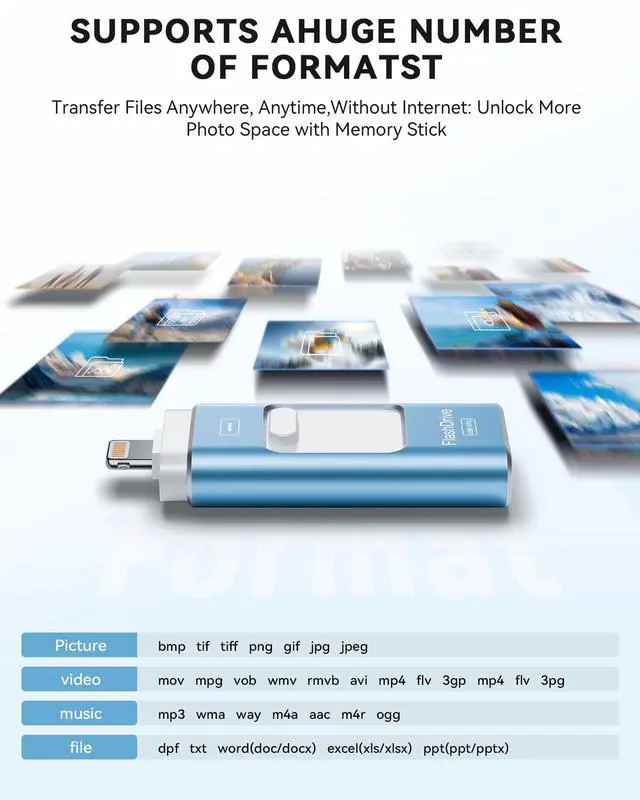
The portable storage drive supports reading and storing various file formats, including documents, photos, videos, and audio, making it easy to store and back up to the USB drive. It supports the following systems: iOS 12.1 or later versions, MacOS, Windows, and Android.

Effortlessly Expand Storage Space
With the iphone thumb drive, you can easily store files externally, freeing up space on your phone. Whether it's photos, videos, documents, or music, you can conveniently store and access them anytime. Enjoy a lighter phone and a more liberated life.

Dual Chip Design
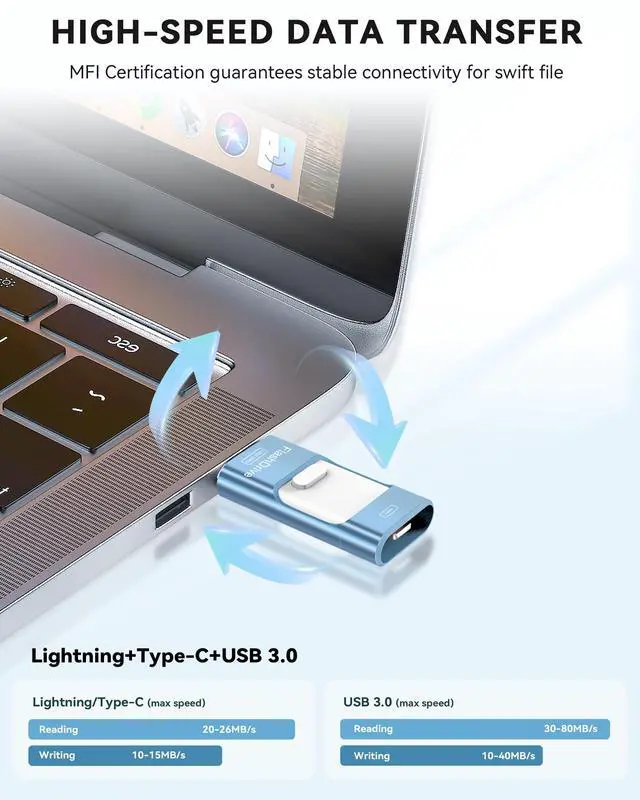
The dual-chip design of the iphone backup flash drive enables simultaneous reading and writing of data, thereby enhancing transfer speeds. In contrast to conventional single-chip designs, the dual-chip design facilitates faster transfer of large data volumes and boosts the durability of the photo stick for iphone.

Sliding Design and Stylish Casing
This pen drive features a sleek metal casing with a convenient sliding design, perfect for easy portability. Its robust construction ensures excellent protection for internal chips and data, guaranteeing long-lasting durability. Its lightweight design makes it easy to carry in pockets or bags. Ideal for everyday use and travel, combining style with practicality.

One-Click Backup
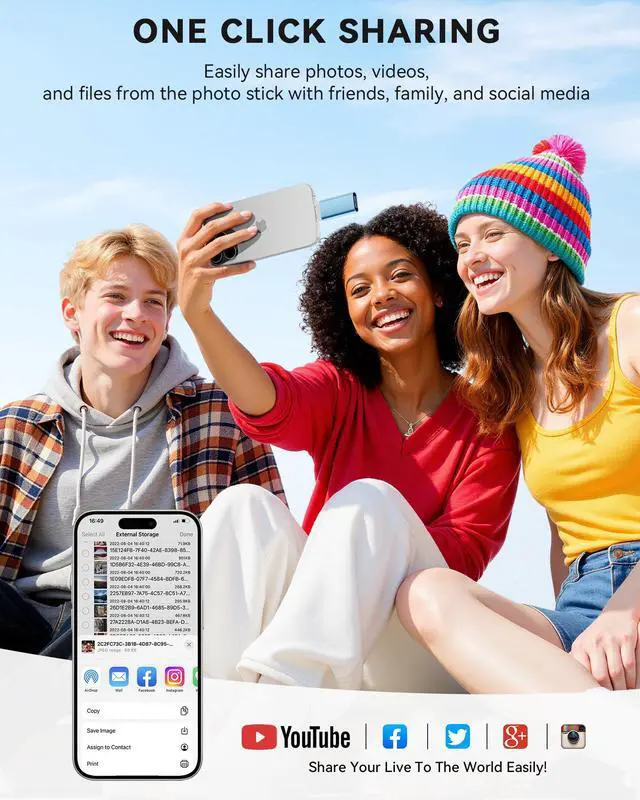
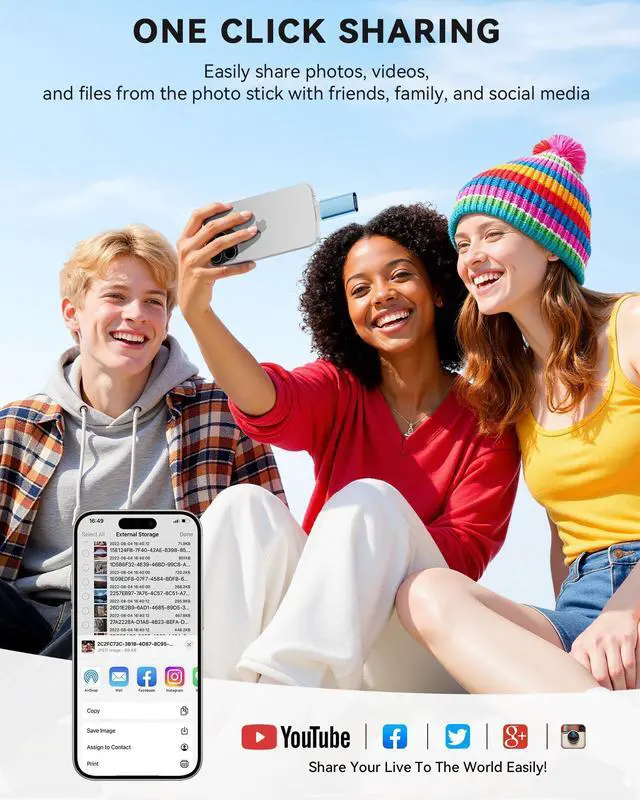
With the ROSPE USB Drive 256GB, easily backup and manage files without relying on iTunes. Use our mobile app to conveniently manage files, contacts, photos, and videos on your phone, and quickly backup to the mini flash drive, saving space on your device. Additionally, share files on the USB thumb drive and store captured videos, photos, or favorite movies directly on the usb c memory stick for instant viewing.


Remarks:
- 1.To use the iphone hard drive on your iPhone or iPad, you need to download the app "Easyflash Pro" from the App Store. In case the iPhone USB Flash Drive is not recognized by your phone, uninstall the "Easyflash Pro" app, restart your phone, and manually download the app again from the App Store.
- 2.If you have previously backed up files on iCloud, you will need to download the files to your phone or iPad from iCloud and then copy them to the USB flash drive.
- 3.The usb storage flash drive is only compatible for Android phones that have the OTG function. You can find the external iPhone stick in the "File Manager" app on your phone. If your phone doesn't work, you need to open the phone settings to enable the OTG connection.
Please Note:
- 1.Media files downloaded from iTunes or other third-party applications cannot be transferred or viewed due to digital rights management protection.
- 2.For small-capacity lightning flash drives that have better compatibility, the preferred format is FAT32. For large-capacity USB flash drives, it is recommended to use exFAT format. If the encrypted usb drive is unable to transfer files, you can convert the format from FAT32 to exFAT by formatting. However, remember to save the files before formatting to prevent data loss.
- 3.After using the iphone external hard drive, ensure that you turn off any apps related to the iphone usb storage flash drive and gently unplug the iphone usb photo transfer to prevent any damage to the files stored on it.
- 4. The phone case may prevent the proper connection between a phone and a USB flash drive, which could result in the phone being unable to recognize the USB flash drive. In this situation, please do not conclude that the usb flash drive cannot be used, remove the phone case and try again.
 128GB Flash Drive for iPhone |  128GB Flash Drive for iPhone | 256GB Flash Drive for iPhone | 256GB Flash Drive for iPhone | |
|---|---|---|---|---|
| Customer Reviews | — | — | — | — |
| Price | — | — | — | — |
| Digital Storage Capacity | 128GB | 128GB | 256GB | 256GB |
| Color | Blue | Pink | Blue | Pink |
| Connectors | Lightning +Type-C +USB | Lightning +Type-C +USB | Lightning +Type-C +USB | Lightning +Type-C +USB |
| Suitable for | Work with iPhone/iPad/Android/MacBooks/Windows PC | Work with iPhone/iPad/Android/MacBooks/Windows PC | Work with iPhone/iPad/Android/MacBooks/Windows PC | Work with iPhone/iPad/Android/MacBooks/Windows PC |
| Packing List | Flash drive, usb adapter, user manual | Flash drive, usb adapter, user manual | Flash drive, usb adapter, user manual | Flash drive, usb adapter, user manual |
ROSPE MFi Certified Flash Drive - Enables easy data sharing among different devices.
- The ROSPE photo stick has versatile interfaces (lightning, USB A, and Type C with an adapter), ensuring compatibility with iPhone, iPad, OTG Android, PC, and devices with standard USB ports. This simplifies data transfer between devices for easy sharing. The included adapter comes in random colors (black or silver).
- Compact and Portable: The iPhone storage flash drive measures just 2.18 x 0.89 x 0.36 inches, making it small, exquisite, and easy to carry wherever you go.
Protecting File
The ROSPE photo storage for iphone features independent password and Touch ID functionality to encrypt file information within the application. By setting a password or using Touch ID, you can effectively safeguard your private files from theft or leakage. This allows you to confidently store and manage confidential files while ensuring their security and confidentiality.
Universal Compatibility
The portable storage drive supports reading and storing various file formats, including documents, photos, videos, and audio, making it easy to store and back up to the USB drive. It supports the following systems: iOS 12.1 or later versions, MacOS, Windows, and Android.
Effortlessly Expand Storage Space
With the iphone thumb drive, you can easily store files externally, freeing up space on your phone. Whether it's photos, videos, documents, or music, you can conveniently store and access them anytime. Enjoy a lighter phone and a more liberated life.
Dual Chip Design
The dual-chip design of the iphone backup flash drive enables simultaneous reading and writing of data, thereby enhancing transfer speeds. In contrast to conventional single-chip designs, the dual-chip design facilitates faster transfer of large data volumes and boosts the durability of the photo stick for iphone.
Sliding Design and Stylish Casing
This pen drive features a sleek metal casing with a convenient sliding design, perfect for easy portability. Its robust construction ensures excellent protection for internal chips and data, guaranteeing long-lasting durability. Its lightweight design makes it easy to carry in pockets or bags. Ideal for everyday use and travel, combining style with practicality.
One-Click Backup
With the ROSPE USB Drive 256GB, easily backup and manage files without relying on iTunes. Use our mobile app to conveniently manage files, contacts, photos, and videos on your phone, and quickly backup to the mini flash drive, saving space on your device. Additionally, share files on the USB thumb drive and store captured videos, photos, or favorite movies directly on the usb c memory stick for instant viewing.
Remarks:
- 1.To use the iphone hard drive on your iPhone or iPad, you need to download the app "Easyflash Pro" from the App Store. In case the iPhone USB Flash Drive is not recognized by your phone, uninstall the "Easyflash Pro" app, restart your phone, and manually download the app again from the App Store.
- 2.If you have previously backed up files on iCloud, you will need to download the files to your phone or iPad from iCloud and then copy them to the USB flash drive.
- 3.The usb storage flash drive is only compatible for Android phones that have the OTG function. You can find the external iPhone stick in the "File Manager" app on your phone. If your phone doesn't work, you need to open the phone settings to enable the OTG connection.
Please Note:
- 1.Media files downloaded from iTunes or other third-party applications cannot be transferred or viewed due to digital rights management protection.
- 2.For small-capacity lightning flash drives that have better compatibility, the preferred format is FAT32. For large-capacity USB flash drives, it is recommended to use exFAT format. If the encrypted usb drive is unable to transfer files, you can convert the format from FAT32 to exFAT by formatting. However, remember to save the files before formatting to prevent data loss.
- 3.After using the iphone external hard drive, ensure that you turn off any apps related to the iphone usb storage flash drive and gently unplug the iphone usb photo transfer to prevent any damage to the files stored on it.
- 4. The phone case may prevent the proper connection between a phone and a USB flash drive, which could result in the phone being unable to recognize the USB flash drive. In this situation, please do not conclude that the usb flash drive cannot be used, remove the phone case and try again.
128GB Flash Drive for iPhone | 128GB Flash Drive for iPhone | 256GB Flash Drive for iPhone | 256GB Flash Drive for iPhone | |
|---|---|---|---|---|
| Customer Reviews | — | — | — | — |
| Price | — | — | — | — |
| Digital Storage Capacity | 128GB | 128GB | 256GB | 256GB |
| Color | Blue | Pink | Blue | Pink |
| Connectors | Lightning +Type-C +USB | Lightning +Type-C +USB | Lightning +Type-C +USB | Lightning +Type-C +USB |
| Suitable for | Work with iPhone/iPad/Android/MacBooks/Windows PC | Work with iPhone/iPad/Android/MacBooks/Windows PC | Work with iPhone/iPad/Android/MacBooks/Windows PC | Work with iPhone/iPad/Android/MacBooks/Windows PC |
| Packing List | Flash drive, usb adapter, user manual | Flash drive, usb adapter, user manual | Flash drive, usb adapter, user manual | Flash drive, usb adapter, user manual |