





SinoTrack Car Diagnostic OBD2 Scanner Bluetooth- Reliable, Tried & True
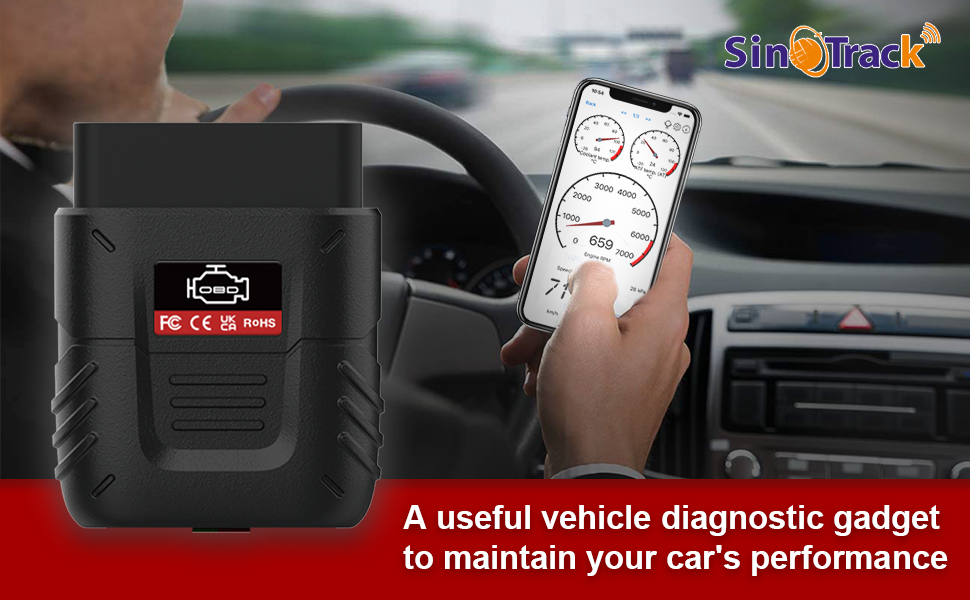
What can this obd2 scanner bluetooth do for your car?
As we all know, the health of your car directly affects the safety of driving, and just like people need medical checkups, the car needs one too.
But every time we go to the mechanic's store need to spend hundreds of dollars to check car engine lights and vehicle information, it is too expensive and inconvenient.
If you want to spend a little fee on car repairs and like doing a bit of car repair on your own car, the SinoTrack Bluetooth OBD2 scanner will assist you in deciding how to save your money.
- A situation where the car breaks down on the road and needs to know what's going on. This small tool is exactly what you need, Instead of spending hundreds of dollars sending to the garage to figure out what's happening, monitor the status of your vehicle and find the issues do maintenance on a time basis, and even fix the small issue by yourselves.
- Really just plug and play. Just connect to the vehicle, and this car gadget OBD2 reader scansn for error codes, You can use this device to view all of your MIL codes.
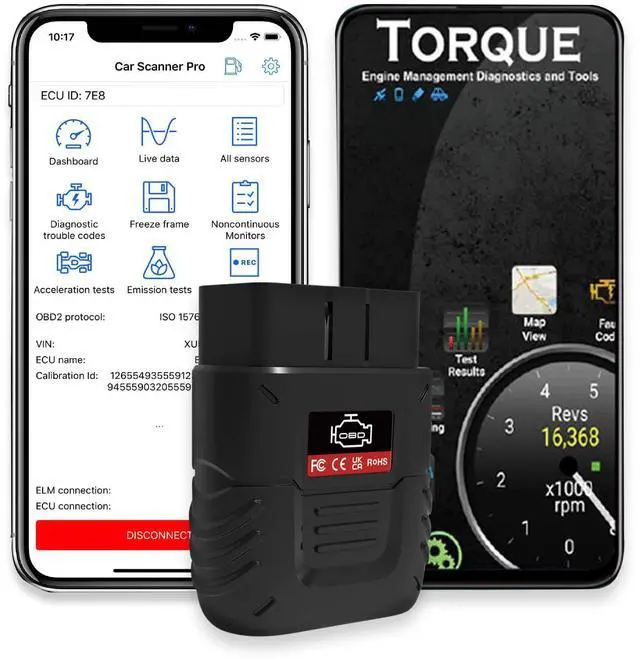
- The app install ( Car Scanner/Mini OBDII) was easy and set up was a breeze. You can leave this plugged in when driving for real-time data on fuel usage among many other stats. You will find how easy it is to read so many data points from various sensors.
- Real-time data shows: It's quick to connect and updates very fast. SinoTrack car bluetooth obd2 scanner is great for diagnostic work or to keep an eye on sensors while driving. It's able to pull a bunch of information and read the status of many variables, it may be no need to fix but the information offered will help us make accurate judgments about the state of the car. Use the SinoTrack V019 Bluetooth car scanner professionals use to get all the code.
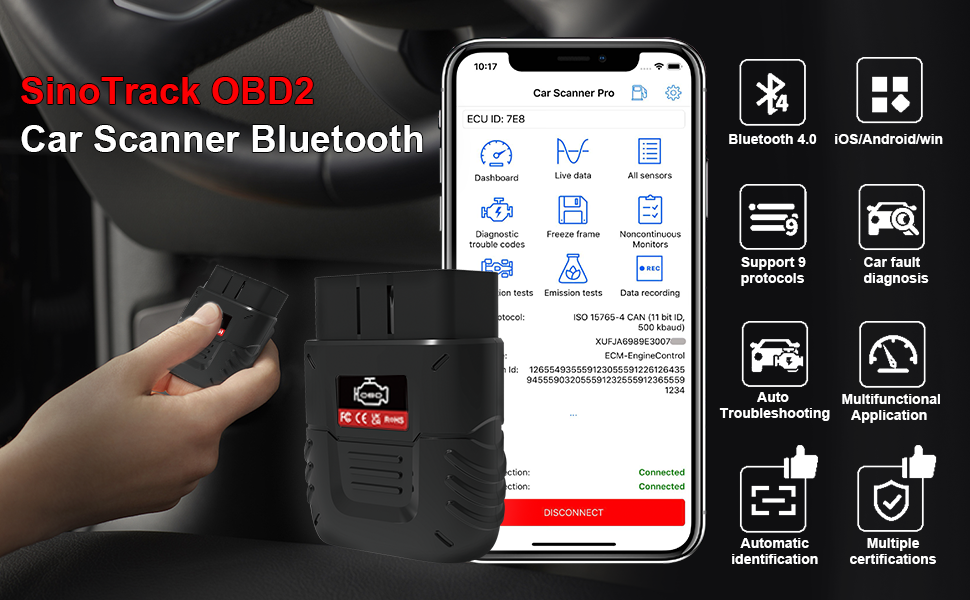
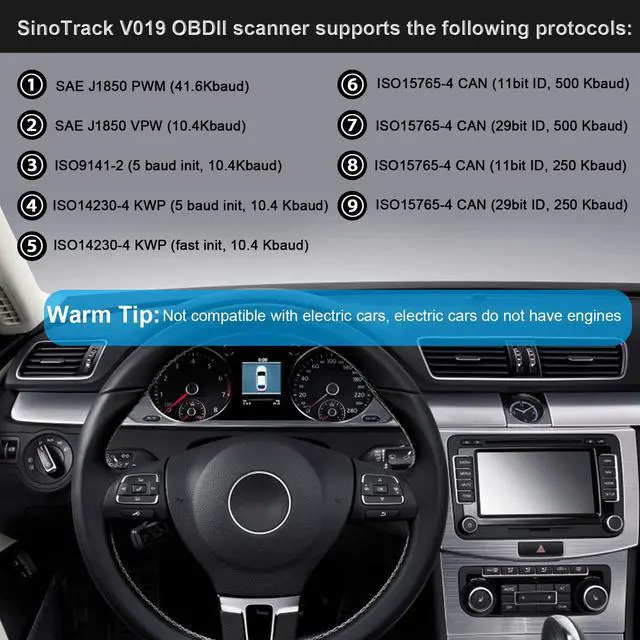
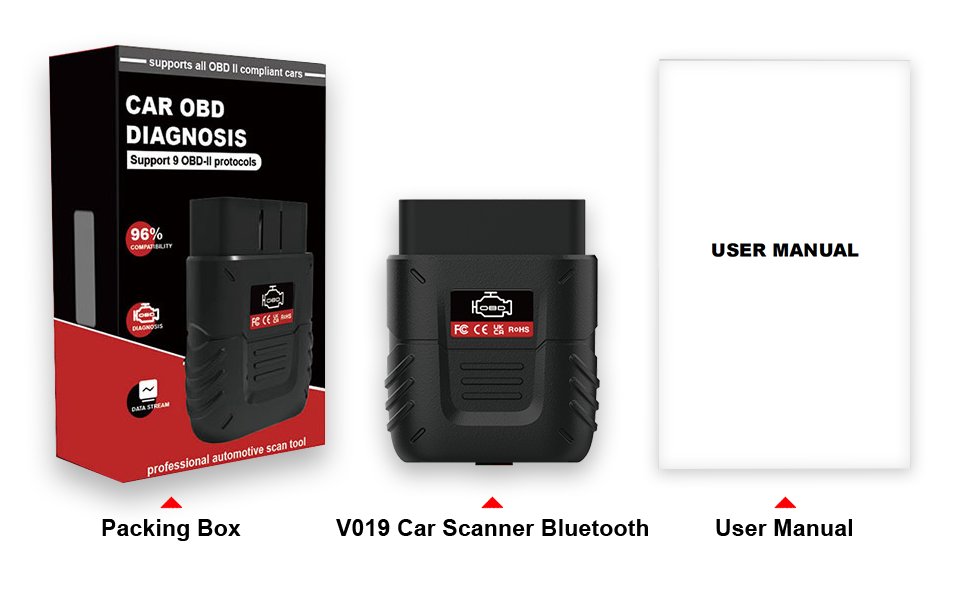
V019 OBDII scanner Bluetooth supports the following protocols.
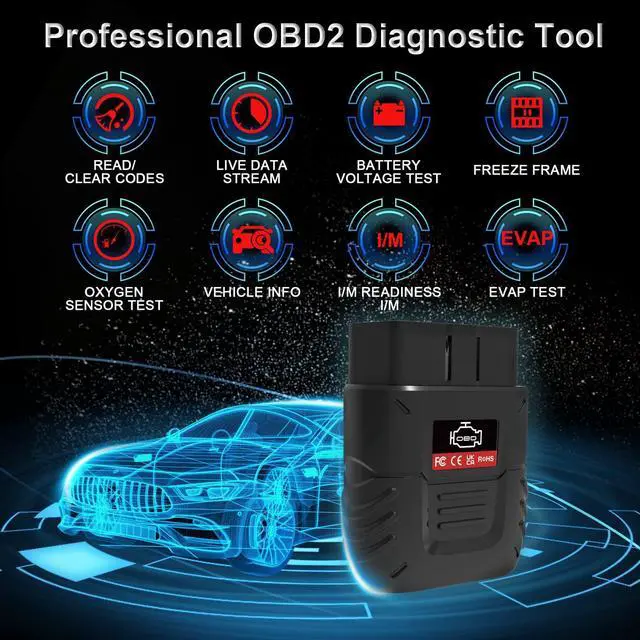
Read Code and Erase Code: Quickly read error codes
Built-in OBD II Fault Code Lookup Library: provides cryptic descriptions of fault codes meaning and more information about fault code
Real-time Data: display each data source as a graph, gauge, or digital display;
Vehicle Information: Display VIN (Vehicle Identification Number), CID (Calibration ID), and CVN (Calibration Verification Number).
Freeze Frame: Take a snapshot of the vehicle
- SAE J1850 PWM (41.6Kbaud);
- SAE J1850 VPW (10.4Kbaud) ;
- ISO9141-2 (5 baud init, 10.4Kbaud)
- ISO14230-4 KWP (5 baud init, 10.4 Kbaud);
- ISO14230-4 KWP (fast init, 10.4 Kbaud);
- ISO15765-4 CAN (11bit ID, 500 Kbaud)
- ISO15765-4 CAN (29bit ID, 500 Kbaud);
- ISO15765-4 CAN (11bit ID, 250 Kbaud);
- ISO15765-4 CAN (29bit ID, 250 Kbaud)
Inquire SinoTrack about any compatibility issues

Upgrade Intelligent Chip
Using the latest technology, based on the principle of chip improvement, making the Bluetooth connection is very stable, V019 car reader reading speed increased by 80%
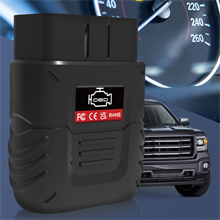
Vehicle Performance Check
No more mystery check engine lights.It's compatible with several different apps so there are lots of options. You can set up different profiles for your different vehicles
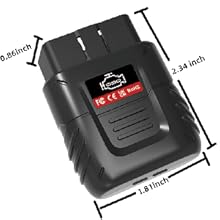
Lightweight and Compact
So easy to carry around in glove box or console when not in use. Keep it in the glove box and the day you get the dreaded engine light you can check it right away
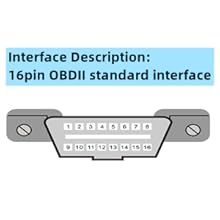
16pin OBDII Standard Interface
Do not connect to the car's ECU(electronic control unit). If you are not sure this device is compatible with your car, please ask for SinoTrack Team.
The Easiest Way to View the Trouble and Maintain Your Car
SinoTrack OBD2 scanner Bluetooth Support Most Cars
Software platforms.
Compatible software
Android version: Mini OBDII
iOS version: Mini OBDII, Car Scanner
Small size, highest chip integration - with independent appearance patent, utility model patent, and software copyright. Passed CE, FCC, and RoHS certification.
Read error diagnostic codes - generic and manufacturer-specific and display their meaning (a database with over 3000 generic code definitions)
Displaying current sensor data - including Engine speed per minute calculated load value; Vehicle speed; Intake manifold pressure many other data
There are some instructions, please help to refer them.
Warm tip: The manual and product link video that comes with the product will be more intuitive.
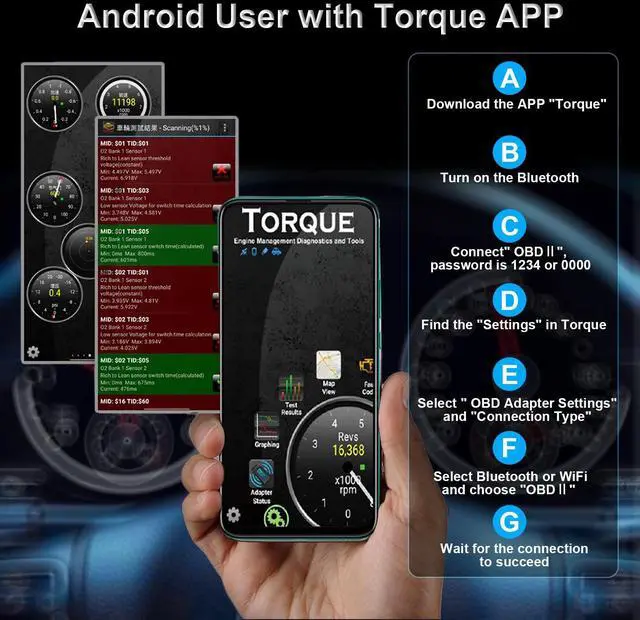
For Android, Android users recommend downloading the app“Mini OBDII”, it can be used after connection.
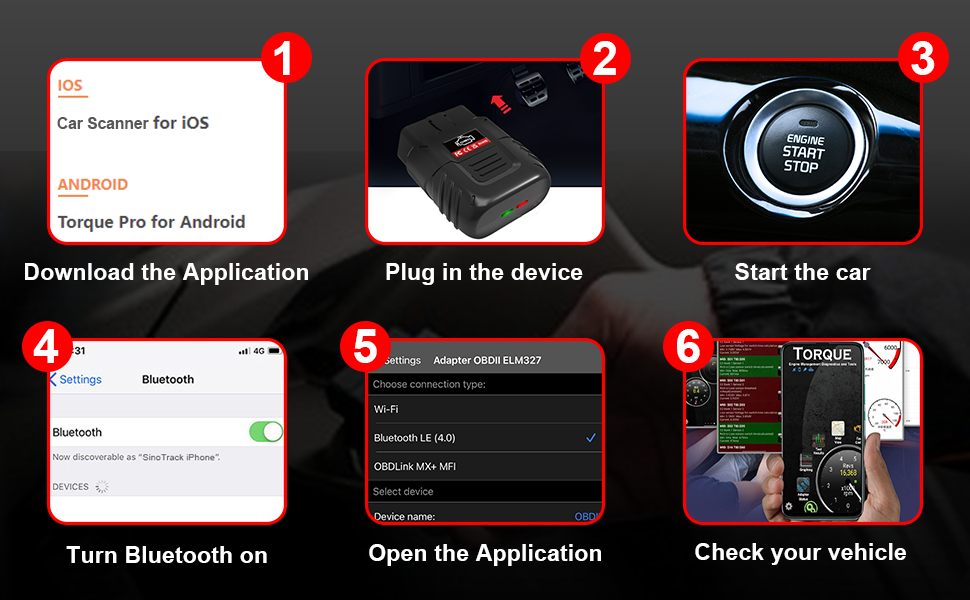
Please refer to the Bluetooth connection steps
1. Download the APP"Mini OBDII”,
2. Plug in the device
3. Start the car
4. Turn on the Bluetooth
5. Open the APP corresponding to the system
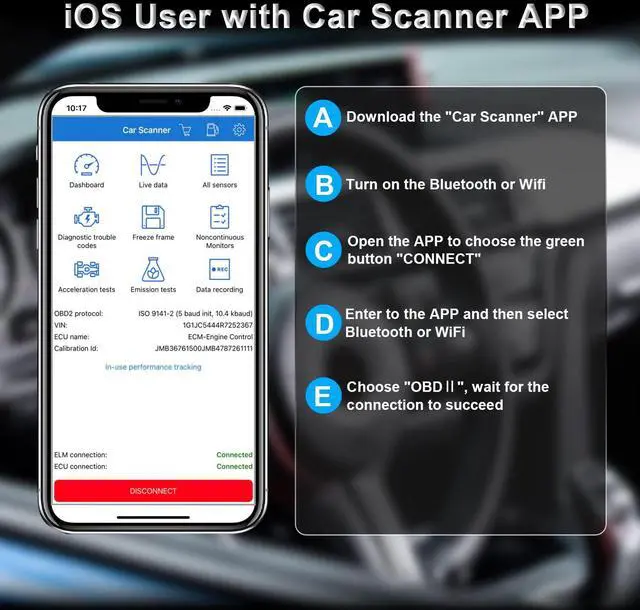
For iPhone and iPad, iOS users recommend downloading the application “car scanner", it can be used after connection.
If you are an iOS user, please refer to the connection steps here:
Due to iOS limitations, the Bluetooth connection for iOS users can be used as follows:
1. download the application "Car Scanner"
2. turn on Bluetooth or WiFi according to product properties (please do not pair Bluetooth directly)
3. Open the"Car Scanner" and choose “CONNECT"
4. Select Bluetooth or WiFi according to product attributes
Product Troubleshooting:
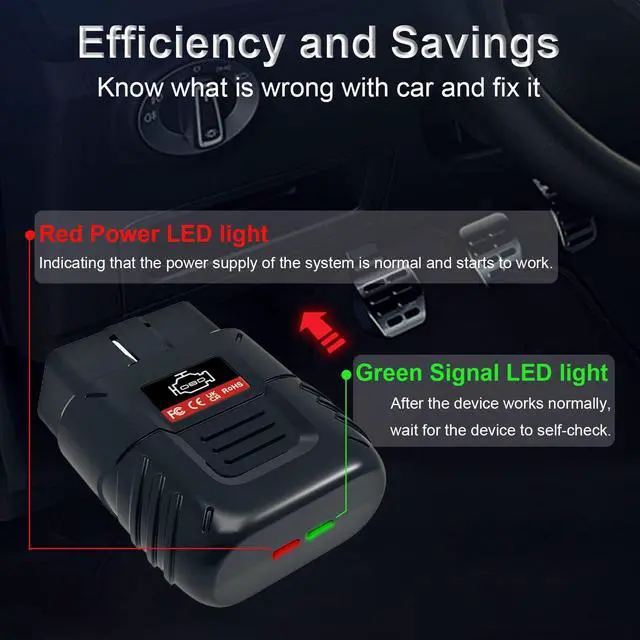
1. Does the light on the OBD2 scanner?
The light indicates that the product is working properly and it can receive Bluetooth.
If the light is on, and the connecting steps are correct, the unit could work as usual.
2. If the phone's Bluetooth is working normally, and the connecting steps are correct, it still could not work. Then the connection steps may be wrong.
3. Do not connect to the car's ECU(electronic control unit).
4. Not applicable to pure electric vehicles, which do not have an engine.
5. OBDII protocol universal fit rate of 96%, if you are not sure please ask for SinoTrack team.
6. The model pool covers 41,889 models from 2,024 car models of 121 brands.
7. If your car does not appear in our model library, as long as your car has an OBDII interface, especially after 08 years of cars, most of them can use our products normally.
SinoTrack Car Diagnostic OBD2 Scanner Bluetooth- Reliable, Tried & True
What can this obd2 scanner bluetooth do for your car?
As we all know, the health of your car directly affects the safety of driving, and just like people need medical checkups, the car needs one too.
But every time we go to the mechanic's store need to spend hundreds of dollars to check car engine lights and vehicle information, it is too expensive and inconvenient.
If you want to spend a little fee on car repairs and like doing a bit of car repair on your own car, the SinoTrack Bluetooth OBD2 scanner will assist you in deciding how to save your money.
- A situation where the car breaks down on the road and needs to know what's going on. This small tool is exactly what you need, Instead of spending hundreds of dollars sending to the garage to figure out what's happening, monitor the status of your vehicle and find the issues do maintenance on a time basis, and even fix the small issue by yourselves.
- Really just plug and play. Just connect to the vehicle, and this car gadget OBD2 reader scansn for error codes, You can use this device to view all of your MIL codes.
- The app install ( Car Scanner/Mini OBDII) was easy and set up was a breeze. You can leave this plugged in when driving for real-time data on fuel usage among many other stats. You will find how easy it is to read so many data points from various sensors.
- Real-time data shows: It's quick to connect and updates very fast. SinoTrack car bluetooth obd2 scanner is great for diagnostic work or to keep an eye on sensors while driving. It's able to pull a bunch of information and read the status of many variables, it may be no need to fix but the information offered will help us make accurate judgments about the state of the car. Use the SinoTrack V019 Bluetooth car scanner professionals use to get all the code.
V019 OBDII scanner Bluetooth supports the following protocols.
Read Code and Erase Code: Quickly read error codes
Built-in OBD II Fault Code Lookup Library: provides cryptic descriptions of fault codes meaning and more information about fault code
Real-time Data: display each data source as a graph, gauge, or digital display;
Vehicle Information: Display VIN (Vehicle Identification Number), CID (Calibration ID), and CVN (Calibration Verification Number).
Freeze Frame: Take a snapshot of the vehicle
- SAE J1850 PWM (41.6Kbaud);
- SAE J1850 VPW (10.4Kbaud) ;
- ISO9141-2 (5 baud init, 10.4Kbaud)
- ISO14230-4 KWP (5 baud init, 10.4 Kbaud);
- ISO14230-4 KWP (fast init, 10.4 Kbaud);
- ISO15765-4 CAN (11bit ID, 500 Kbaud)
- ISO15765-4 CAN (29bit ID, 500 Kbaud);
- ISO15765-4 CAN (11bit ID, 250 Kbaud);
- ISO15765-4 CAN (29bit ID, 250 Kbaud)
Inquire SinoTrack about any compatibility issues
Upgrade Intelligent Chip
Using the latest technology, based on the principle of chip improvement, making the Bluetooth connection is very stable, V019 car reader reading speed increased by 80%
Vehicle Performance Check
No more mystery check engine lights.It's compatible with several different apps so there are lots of options. You can set up different profiles for your different vehicles
Lightweight and Compact
So easy to carry around in glove box or console when not in use. Keep it in the glove box and the day you get the dreaded engine light you can check it right away
16pin OBDII Standard Interface
Do not connect to the car's ECU(electronic control unit). If you are not sure this device is compatible with your car, please ask for SinoTrack Team.
The Easiest Way to View the Trouble and Maintain Your Car
SinoTrack OBD2 scanner Bluetooth Support Most Cars
Software platforms.
Compatible software
Android version: Mini OBDII
iOS version: Mini OBDII, Car Scanner
Small size, highest chip integration - with independent appearance patent, utility model patent, and software copyright. Passed CE, FCC, and RoHS certification.
Read error diagnostic codes - generic and manufacturer-specific and display their meaning (a database with over 3000 generic code definitions)
Displaying current sensor data - including Engine speed per minute calculated load value; Vehicle speed; Intake manifold pressure many other data
There are some instructions, please help to refer them.
Warm tip: The manual and product link video that comes with the product will be more intuitive.
For Android, Android users recommend downloading the app“Mini OBDII”, it can be used after connection.
Please refer to the Bluetooth connection steps
1. Download the APP"Mini OBDII”,
2. Plug in the device
3. Start the car
4. Turn on the Bluetooth
5. Open the APP corresponding to the system
For iPhone and iPad, iOS users recommend downloading the application “car scanner", it can be used after connection.
If you are an iOS user, please refer to the connection steps here:
Due to iOS limitations, the Bluetooth connection for iOS users can be used as follows:
1. download the application "Car Scanner"
2. turn on Bluetooth or WiFi according to product properties (please do not pair Bluetooth directly)
3. Open the"Car Scanner" and choose “CONNECT"
4. Select Bluetooth or WiFi according to product attributes
Product Troubleshooting:
1. Does the light on the OBD2 scanner?
The light indicates that the product is working properly and it can receive Bluetooth.
If the light is on, and the connecting steps are correct, the unit could work as usual.
2. If the phone's Bluetooth is working normally, and the connecting steps are correct, it still could not work. Then the connection steps may be wrong.
3. Do not connect to the car's ECU(electronic control unit).
4. Not applicable to pure electric vehicles, which do not have an engine.
5. OBDII protocol universal fit rate of 96%, if you are not sure please ask for SinoTrack team.
6. The model pool covers 41,889 models from 2,024 car models of 121 brands.
7. If your car does not appear in our model library, as long as your car has an OBDII interface, especially after 08 years of cars, most of them can use our products normally.