




Veepeak Car OBD2 Scanners
Smarter tools. Better drives.

Consumers around the world want to get quality accessories and tools for their beloved cars. We at Veepeak have been working with experts in the automotive aftermarket and App developers to design and develop auto diagnostic products. The Veepeak products enable car owners to easily access information they care about and get problems fixed at a reasonable cost with peace of mind.
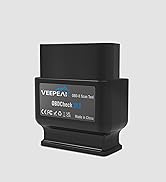
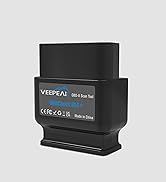
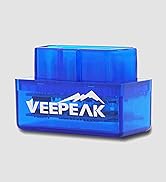
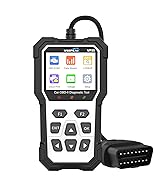
OBD-II Scanners Readers
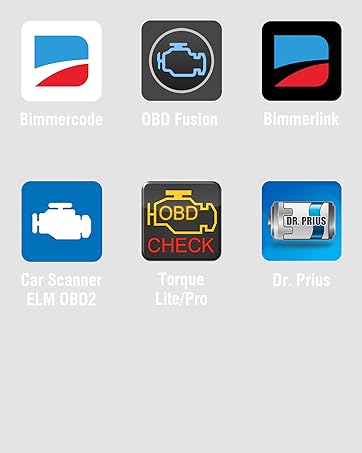
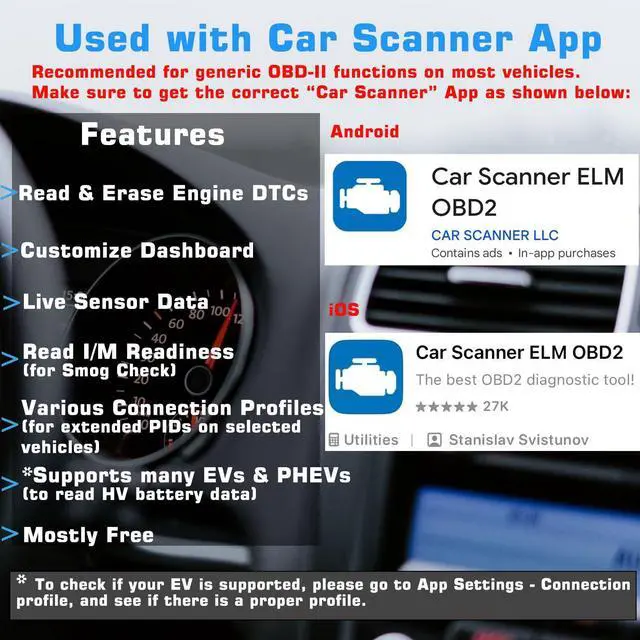
Recommended by Various Apps


More Than A OBD Code Reader
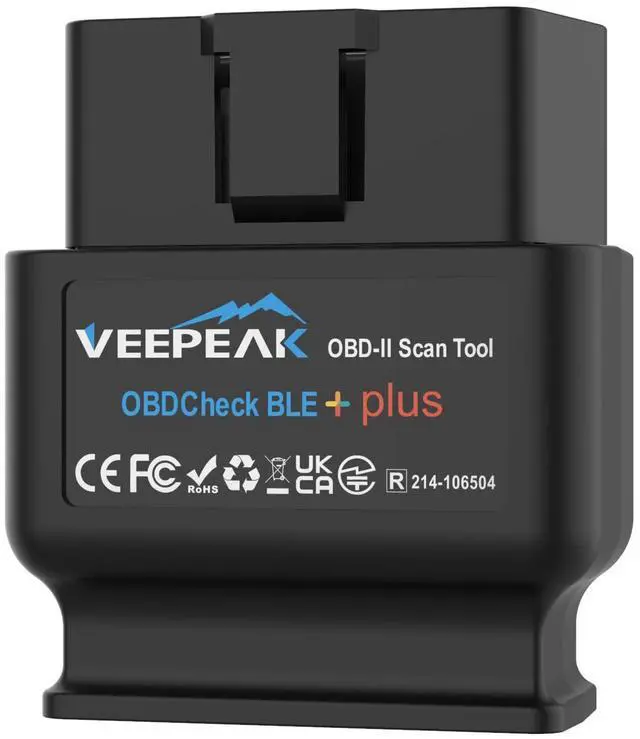
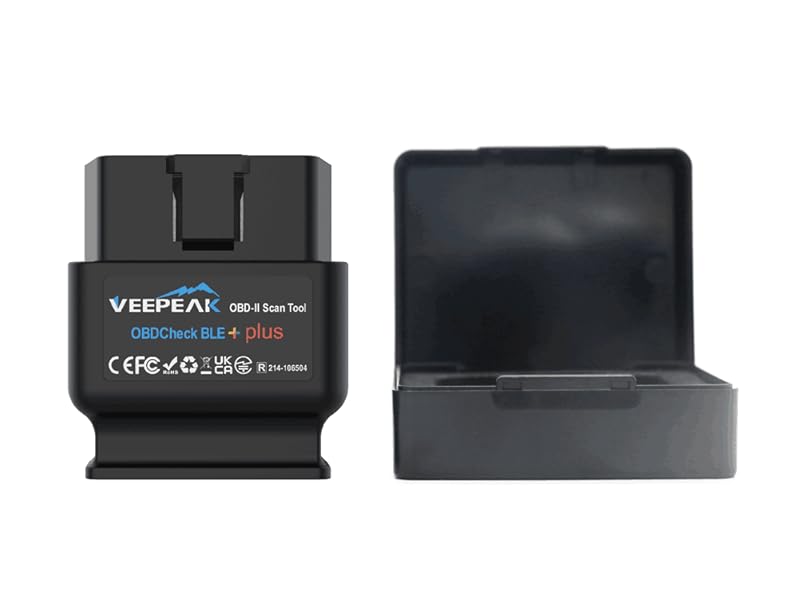
The vehicle in your garage can be as smart as your phone. Turn your smartphone or tablet into a sophisticated diagnostic scan tool and real-time performance monitor. The OBDCheck BLE+ directly plugs into your vehicle and connects to an OBD II App on your iOS or Android device via Bluetooth. Whenever you have a check engine light on or want to see how your car is performing, it will be a very useful gadget for you.
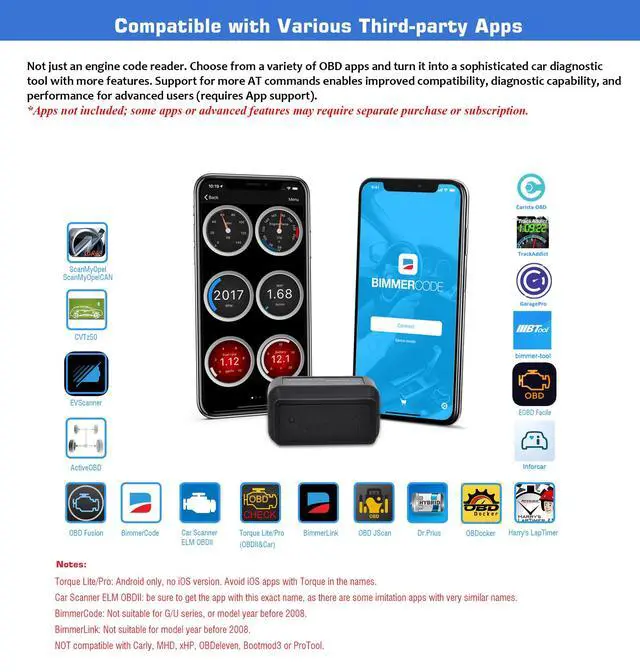
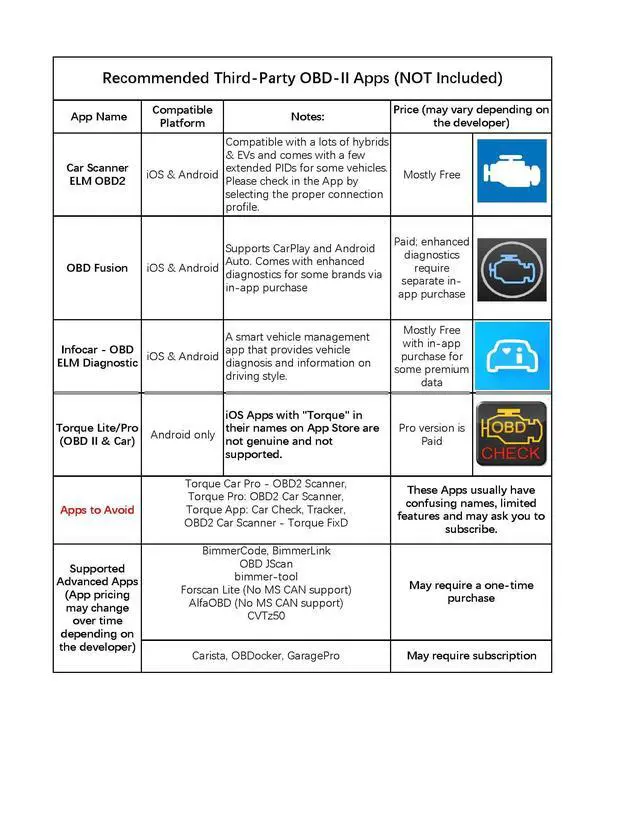
Popular Compatible Apps (Not Included)
Specifications
Is there an App included with the item? Do I need a subscription to use it?
No. You need to get a compatible third-party App from the App Store or Play Store. Be cautious of imitation apps that require a subscription. Only use the recommended apps to ensure proper functionality and avoid unnecessary charges.
What vehicles are supported when using it with BimmerCode or BimmerLink App?
Currently only 2008+ models are supported for the two apps. Additionally, G or U series is not supported in BimmerCode, and BimmerLink may have limited support for the latest G or U series. Check the App website for details.
Does it work on electric vehicles?
EVs do not have standard OBD-II systems so they require special Apps to connect, for example Car Scanner ELM OBD2 (with the appropriate EV connection profiles), and not all of them are compatible. Also it's limited to battery system reading.
Does it read transmission temperature?
The transmission (fluid) temperature is a manufacturer specific PID. It can only be read on some vehicles (usually CAN protocol-based) using specific apps. Check details in the Troubleshooting Guide on the product page.
How to connect on iOS and Android?
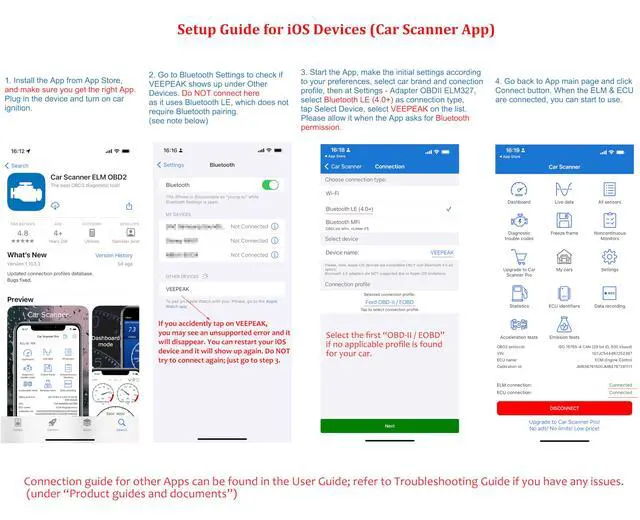
iOS: Do NOT pair in Bluetooth settings. Open the app, set to Bluetooth LE and connect from within the app.
Android: same as iOS if the App supports Bluetooth LE. Otherwise, pair the device in phone Bluetooth, set to Bluetooth in the App to connect.
Common Issues and Troubleshooting
1. Device does not power up (no blue light).
First check if the cigar fuse of your vehicle is in good condition to provide power. You can also try with another vehicle to verify.
2. Could not pair my Android device with “VEEPEAK”.
Turn off Bluetooth and turn it back on. Try pairing a few more times; Turn off WiFi & cellular data and try again; Disconnect other Bluetooth devices; Restart your Android device; Clear Bluetooth cache; For Android 13+, go to Settings->Apps->App Battery Usage, Select Show System in the menu, Select Bluetooth, then select Unrestricted. Go back and select Bluetooth Legacy, and select Unrestricted also. Skip the pairing and switch to Bluetooth LE connection if App supports (e.g. Car Scanner).
3.App not connecting to Veepeak device.
Make sure the App is compatible, and you have made the correct App connection settings and granted the App permissions (Bluetooth for iOS, nearby devices for Android); Remove and re-install the app (especially when you have an OS update or the App is not used for some time); Try with a different App.
4.Cannot connect to vehicle/ECU.
Make sure the OBD port is in good condition and the device fits well in it. Try to push it a little harder into the OBD port if the contact is loose as powering up does not always mean a good fit. Make sure your vehicle is OBD II compliant, and ignition is turned ON; Check if your vehicle is supported by the App; Try it on another vehicle.
Tip: Detailed connection instructions can be found in the "Installation Manual" document.
Veepeak OBD2 Scanners
 OBDCheck BLE+ |  OBDCheck BLE |  OBDCheck VP11 |  VP59 | |
|---|---|---|---|---|
Customer Reviews | — | — | — | — |
Price | — | — | — | — |
Connection Method | Bluetooth LE + Classic | Bluetooth LE + Classic | Classic Bluetooth | Wired |
Compatible with Android | ? | ? | ? | ? |
Compatible with iOS | ? | ? | ? | ? |
Third-paty App Required | ? | ? | ? | ? |
Standard OBD-II Diagnostics | ? | ? | ? | ? |
Key Highlight | Extra AT command support v2.2 | Cost-Effective, Versatile Use | Mini size | Plug & Read — No App Required |
Car OBD-II Diagnostics at Your Fingertips
Read and clear trouble codes
Comprehensive Diagnostic Information
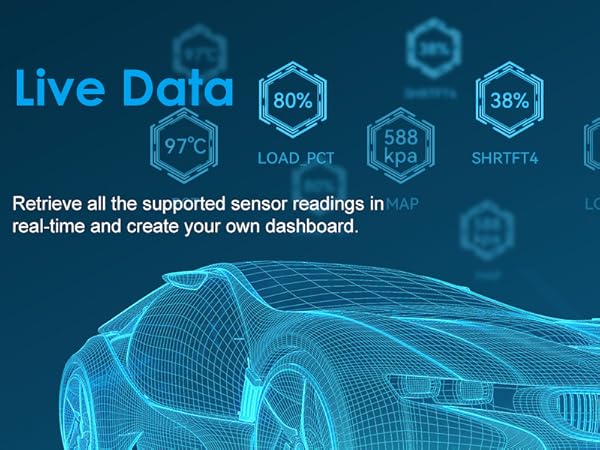
Real-Time Sensor Data
Ready for SMOG Check?



More Than A OBD Code Reader
The vehicle in your garage can be as smart as your phone. Turn your smartphone or tablet into a sophisticated diagnostic scan tool and real-time performance monitor. The OBDCheck BLE+ directly plugs into your vehicle and connects to an OBD II App on your iOS or Android device via Bluetooth. Whenever you have a check engine light on or want to see how your car is performing, it will be a very useful gadget for you.
Popular Compatible Apps (Not Included)
| CAR SCANNER ELM OBD2 | Get OBD fault codes, car performance, sensor data and more! (Recommended for most vehicles for generic OBD-II functions) |
|---|---|
| OBD Fusion | Generic OBD-II functions, plus enhanced diagnostics add-on for selected vehicles (paid). |
| Torque (Android) | Popular vehicle performance, sensors and diagnostics tool for Android (No iOS version). |
| BimmerCode | Advanced paid coding App for BMW (2008+ E, F, I, and 2008+ R series); Model year before 2008, G series and U series are NOT supported. |
| BimmerLink | Advanced paid diagnostic App for BMW (MY2008+). Model year before 2008 are not supported. |
| Other Advanced Apps | Compatible with Dr. Prius, JScan OBD, Carista, bimmer-tool, OBDocker, AlfaOBD (limited support), ActiveOBD, FORScan Lite (no MS CAN support) etc. (Please check the app page for detailed features & fees) |
| Incompatible Apps or Software | Carly, MHD, xHP, ProTool, bootmod3, Multiecuscan, Techstream, VCDS, or other software that requires specialized hardware. |
| Non-recommended apps | Avoid apps that imitate the names Torque or Car Scanner to ensure proper functionality and prevent unnecessary charges (check Troubleshooting Guide for a list of them). |
Specifications
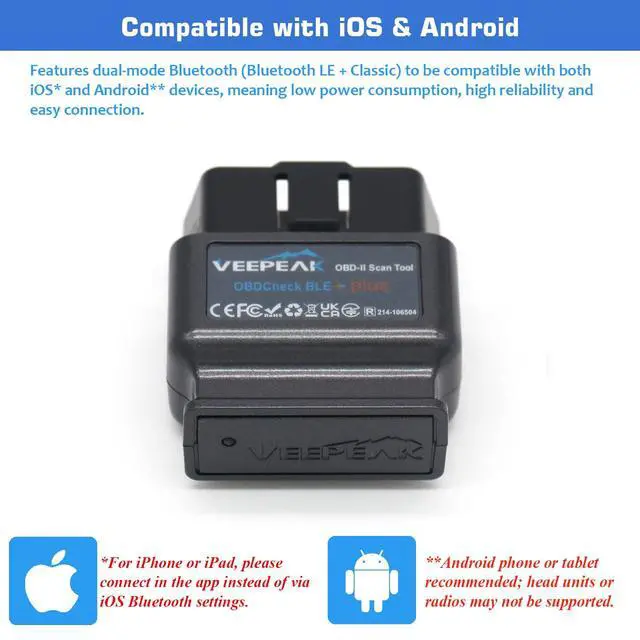
| Connection Method | Bluetooth LE + Classic. For Bluetooth LE, no pairing is required — just plug in the device, open the App, and connect from within the app. |
|---|---|
| Supported AT command version | v2.2 (v1.4 for normal BLE version) |
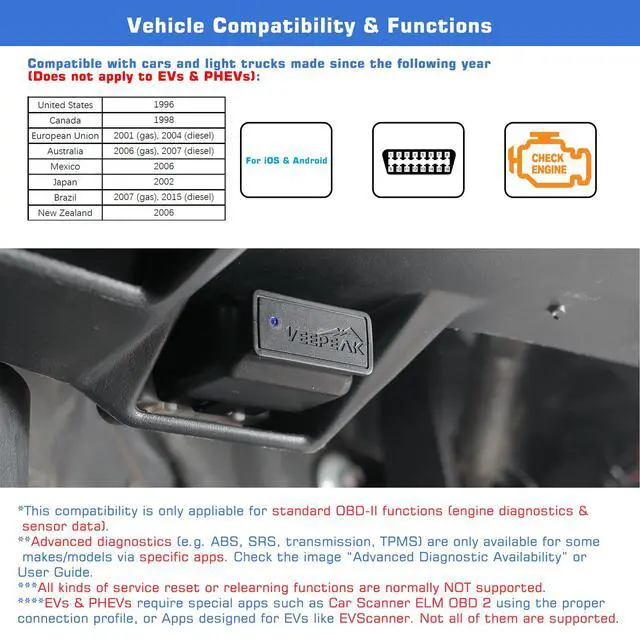
| Compatible Vehicles | USA - 1996+, Canada – 1998+, Mexico – 2006+, EU – 2001+ (gas), 2004+ (diesel) for generic OBD II diagnostic functions. |
| Supported OBD II protocols | J1850 PWM, J1850 VPW, ISO9141-2, ISO14230-4 (KWP2000), and ISO 15765-4 (CAN). MS-CAN & SW-CAN are Not supported. |
| Supported Functions | Generic OBD-II functions including OBD-II diagnostics, live sensor data, I/M readiness, and advanced diagnostics & extended data for selected makes and models via specific Apps. |
| Unsupported Functions | Oil light reset, injector coding, EPB/brake reset, relearning, adaptation, and other manufacturer-specific functions. |
| EV Compatibility | Partially supported on electric vehicles when used with specific apps such as Car Scanner ELM OBD2. |
Is there an App included with the item? Do I need a subscription to use it?
No. You need to get a compatible third-party App from the App Store or Play Store. Be cautious of imitation apps that require a subscription. Only use the recommended apps to ensure proper functionality and avoid unnecessary charges.
What vehicles are supported when using it with BimmerCode or BimmerLink App?
Currently only 2008+ models are supported for the two apps. Additionally, G or U series is not supported in BimmerCode, and BimmerLink may have limited support for the latest G or U series. Check the App website for details.
Does it work on electric vehicles?
EVs do not have standard OBD-II systems so they require special Apps to connect, for example Car Scanner ELM OBD2 (with the appropriate EV connection profiles), and not all of them are compatible. Also it's limited to battery system reading.
Does it read transmission temperature?
The transmission (fluid) temperature is a manufacturer specific PID. It can only be read on some vehicles (usually CAN protocol-based) using specific apps. Check details in the Troubleshooting Guide on the product page.
How to connect on iOS and Android?
iOS: Do NOT pair in Bluetooth settings. Open the app, set to Bluetooth LE and connect from within the app.
Android: same as iOS if the App supports Bluetooth LE. Otherwise, pair the device in phone Bluetooth, set to Bluetooth in the App to connect.
Common Issues and Troubleshooting
1. Device does not power up (no blue light).
First check if the cigar fuse of your vehicle is in good condition to provide power. You can also try with another vehicle to verify.
2. Could not pair my Android device with “VEEPEAK”.
Turn off Bluetooth and turn it back on. Try pairing a few more times; Turn off WiFi & cellular data and try again; Disconnect other Bluetooth devices; Restart your Android device; Clear Bluetooth cache; For Android 13+, go to Settings->Apps->App Battery Usage, Select Show System in the menu, Select Bluetooth, then select Unrestricted. Go back and select Bluetooth Legacy, and select Unrestricted also. Skip the pairing and switch to Bluetooth LE connection if App supports (e.g. Car Scanner).
3.App not connecting to Veepeak device.
Make sure the App is compatible, and you have made the correct App connection settings and granted the App permissions (Bluetooth for iOS, nearby devices for Android); Remove and re-install the app (especially when you have an OS update or the App is not used for some time); Try with a different App.
4.Cannot connect to vehicle/ECU.
Make sure the OBD port is in good condition and the device fits well in it. Try to push it a little harder into the OBD port if the contact is loose as powering up does not always mean a good fit. Make sure your vehicle is OBD II compliant, and ignition is turned ON; Check if your vehicle is supported by the App; Try it on another vehicle.
Tip: Detailed connection instructions can be found in the "Installation Manual" document.
Veepeak OBD2 Scanners
OBDCheck BLE+ | OBDCheck BLE | OBDCheck VP11 | VP59 |
|---|---|---|---|
| Customer Reviews | |||
| — | — | — | — |
| Price | |||
| — | — | — | — |
| Connection Method | |||
| Bluetooth LE + Classic | Bluetooth LE + Classic | Classic Bluetooth | Wired |
| Compatible with Android | |||
| ? | ? | ? | ? |
| Compatible with iOS | |||
| ? | ? | ? | ? |
| Third-paty App Required | |||
| ? | ? | ? | ? |
| Standard OBD-II Diagnostics | |||
| ? | ? | ? | ? |
| Key Highlight | |||
| Extra AT command support v2.2 | Cost-Effective, Versatile Use | Mini size | Plug & Read — No App Required |
Veepeak Car OBD2 Scanners
Smarter tools. Better drives.
Consumers around the world want to get quality accessories and tools for their beloved cars. We at Veepeak have been working with experts in the automotive aftermarket and App developers to design and develop auto diagnostic products. The Veepeak products enable car owners to easily access information they care about and get problems fixed at a reasonable cost with peace of mind.
OBD-II Scanners Readers
Recommended by Various Apps