




 here!
here!
I’m your shopping assistant for PC builds, upgrades, and everything tech.
Got questions? Ask away!
Start a conversation
here!
I’m your shopping assistant for PC builds, upgrades, and everything tech.
Got questions? Ask away!
Start a conversation



Any questions? Ask CelesteSM will help you find out quickly.
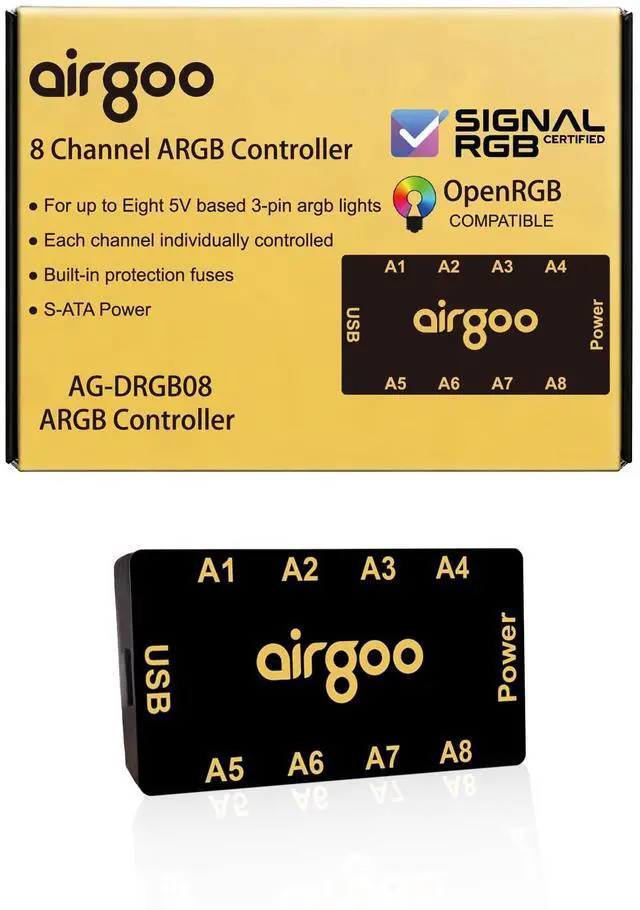
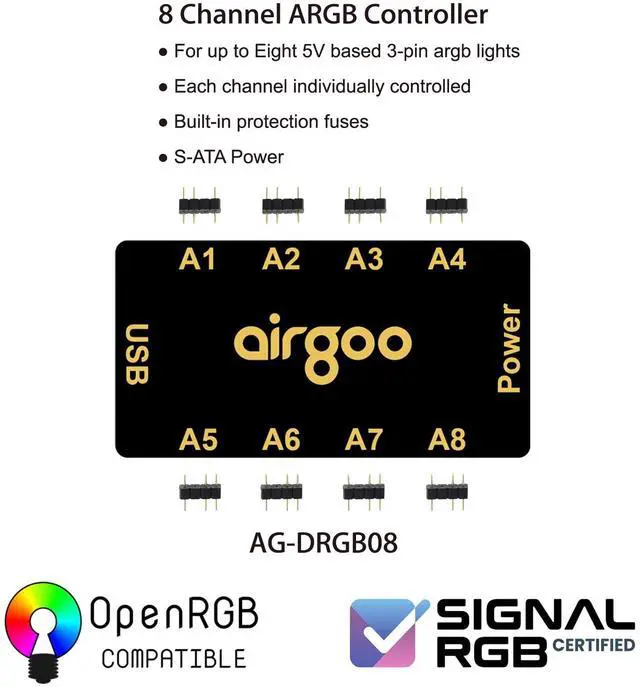
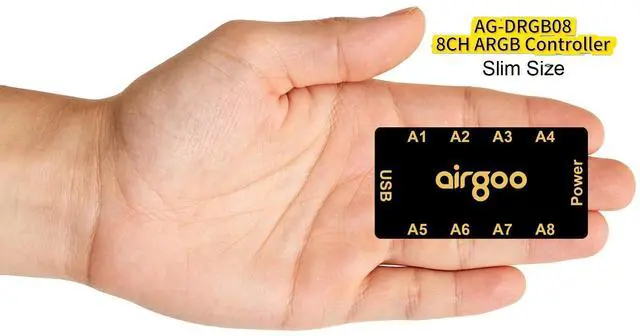
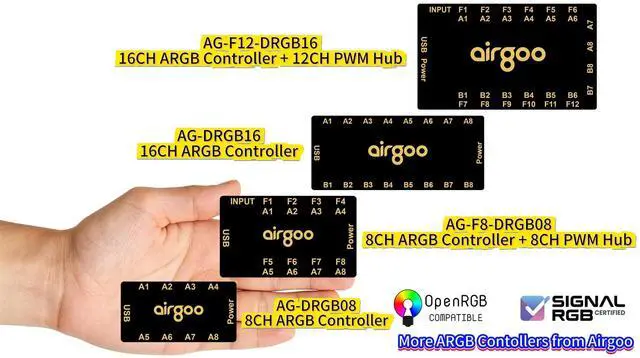
This 8-port ARGB controller has 8 standard 5V 3-pin ports. Compact size fits mini-tower and mid-tower cases, ideal for setups with 6+ ARGB fans.
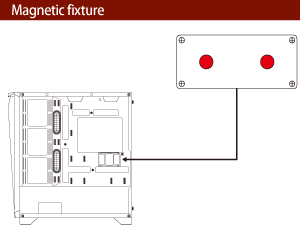
It comes with strong built-in magnets for easy mounting on the case backplate. No need extra tape or adhesives, for simple, and clean installation.
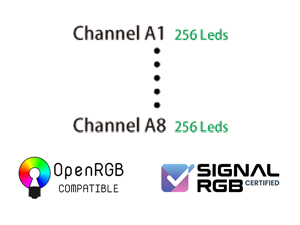
Compared with standard 120-LED ARGB controllers, each channel supports up to 256 LEDs, ideal for high-density DIY ARGB devices and richer lighting.
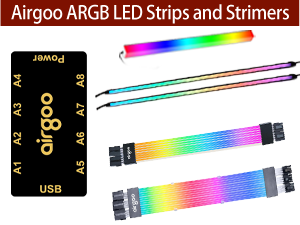
Easily add Airgoo ARGB strips and Strimer cables. They work perfectly with our 8-port controller to create smooth, synchronized PC lighting.
Is each channel controlled independently? And how many LEDs can each channel of the controller support at most?
Yes, independent channel control for complex layered lighting setups. And each channel can support up to 256 LEDs.
Does it support control via both SignalRGB and OpenRGB software?
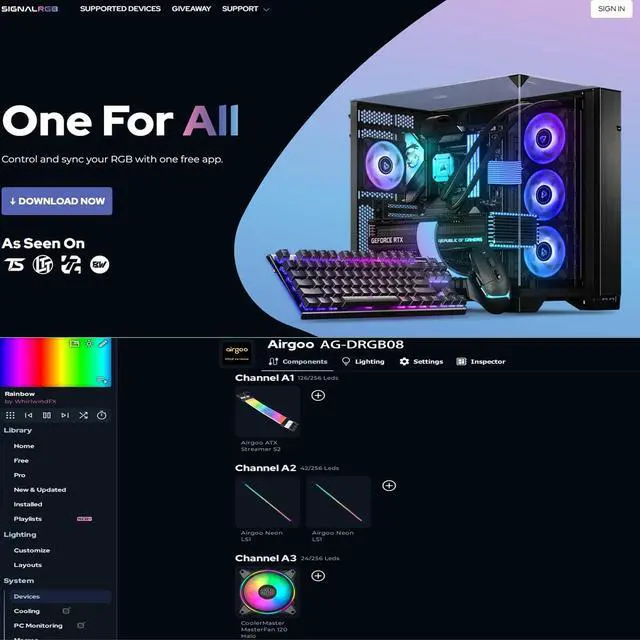
Yes. Latest Release for SignalRGB, newest Experimental for OpenRGB. OpenRGB Release version has suspended updates and fails to support newly-released hardware devices. Controller configuration available only after proper software installation.
Can I control this controller via the motherboard rgb control software?
No, it only supports control via SignalRGB and OpenRGB software. Therefore, you need to download either SignalRGB or OpenRGB software first.
Can you help me DIY Lighting Compenents Model I need for using in the SignalRGB sotware?
Yes, we can help customers DIY Lighting Compenents Model for using in the SignalRGB sotware. Please reach out to Airgoo for assistance.
Why don't the ARGB fans lights turn on after installing the controller and plugging in the ARGB fans?
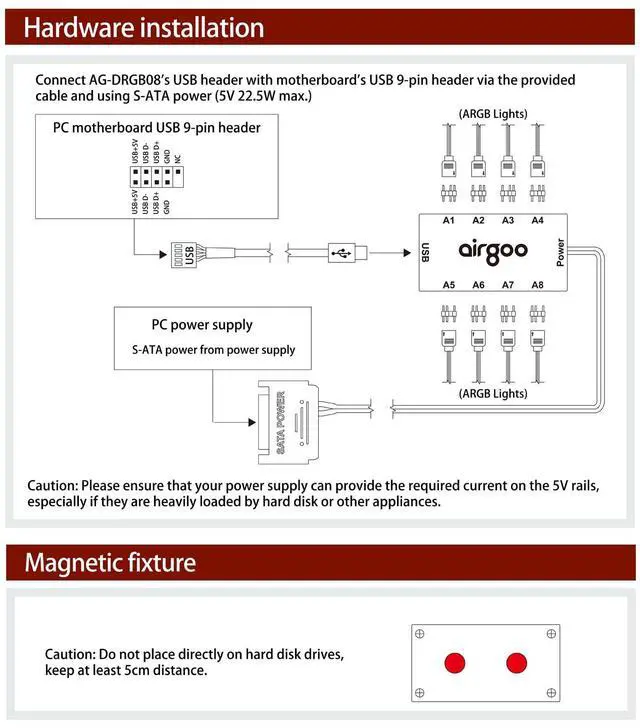
Please check if the controller's USB port is connected to the motherboard via included USB 9-pin cable and check if the controller's S-ATA connector is connected to the S-ATA interface of pc power supply, and ensure there is no looseness.
 Airgoo Internal USB Hub | 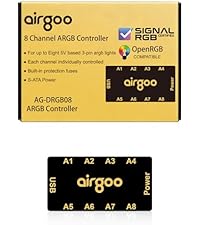 Airgoo ARGB Controller | 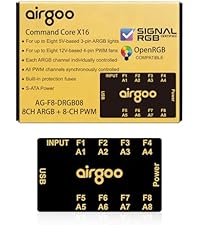 Airgoo Command Core X16 |  Airgoo 24-Pin Strimer |  Airgoo 2*8-Pin Strimer |  Airgoo 3*8-Pin Strimer |  Airgoo 16-Pin Strimer | |
|---|---|---|---|---|---|---|---|
Customer Reviews | — | — | — | — | — | — | — |
Price | — | — | — | — | — | — | — |
Magnetic Fixture | ? | ? | ? | ? | ? | ? | ? |
SignalRGB & OpenRGB | ? | ? | ? | ? | ? | ? | ? |
ARGB Controller Ports | N/A | 8 Ports | 8 Ports | 4 Ports | 4 Ports | 4 Ports | 4 Ports |
PWM Fan Ports | N/A | N/A | 8 Ports | N/A | N/A | N/A | N/A |
Controller Data Port | USB 9-Pin | USB 9-Pin | USB 9-Pin | USB 9-Pin | USB 9-Pin | USB 9-Pin | USB 9-Pin |
Controller Power Input | SATA Powered | SATA Powered | SATA Powered | SATA Powered | SATA Powered | SATA Powered | SATA Powered |
Strimer Cable | N/A | N/A | N/A | ATX 24-Pin | GPU Dual 8-Pin | GPU Triple 8-Pin | GPU 16-Pin |
This 8-port ARGB controller has 8 standard 5V 3-pin ports. Compact size fits mini-tower and mid-tower cases, ideal for setups with 6+ ARGB fans.
It comes with strong built-in magnets for easy mounting on the case backplate. No need extra tape or adhesives, for simple, and clean installation.
Compared with standard 120-LED ARGB controllers, each channel supports up to 256 LEDs, ideal for high-density DIY ARGB devices and richer lighting.
Easily add Airgoo ARGB strips and Strimer cables. They work perfectly with our 8-port controller to create smooth, synchronized PC lighting.
Is each channel controlled independently? And how many LEDs can each channel of the controller support at most?
Yes, independent channel control for complex layered lighting setups. And each channel can support up to 256 LEDs.
Does it support control via both SignalRGB and OpenRGB software?
Yes. Latest Release for SignalRGB, newest Experimental for OpenRGB. OpenRGB Release version has suspended updates and fails to support newly-released hardware devices. Controller configuration available only after proper software installation.
Can I control this controller via the motherboard rgb control software?
No, it only supports control via SignalRGB and OpenRGB software. Therefore, you need to download either SignalRGB or OpenRGB software first.
Can you help me DIY Lighting Compenents Model I need for using in the SignalRGB sotware?
Yes, we can help customers DIY Lighting Compenents Model for using in the SignalRGB sotware. Please reach out to Airgoo for assistance.
Why don't the ARGB fans lights turn on after installing the controller and plugging in the ARGB fans?
Please check if the controller's USB port is connected to the motherboard via included USB 9-pin cable and check if the controller's S-ATA connector is connected to the S-ATA interface of pc power supply, and ensure there is no looseness.
Airgoo Internal USB Hub | Airgoo ARGB Controller | Airgoo Command Core X16 | Airgoo 24-Pin Strimer | Airgoo 2*8-Pin Strimer | Airgoo 3*8-Pin Strimer | Airgoo 16-Pin Strimer |
|---|---|---|---|---|---|---|
| Customer Reviews | ||||||
| — | — | — | — | — | — | — |
| Price | ||||||
| — | — | — | — | — | — | — |
| Magnetic Fixture | ||||||
| ? | ? | ? | ? | ? | ? | ? |
| SignalRGB & OpenRGB | ||||||
| ? | ? | ? | ? | ? | ? | ? |
| ARGB Controller Ports | ||||||
| N/A | 8 Ports | 8 Ports | 4 Ports | 4 Ports | 4 Ports | 4 Ports |
| PWM Fan Ports | ||||||
| N/A | N/A | 8 Ports | N/A | N/A | N/A | N/A |
| Controller Data Port | ||||||
| USB 9-Pin | USB 9-Pin | USB 9-Pin | USB 9-Pin | USB 9-Pin | USB 9-Pin | USB 9-Pin |
| Controller Power Input | ||||||
| SATA Powered | SATA Powered | SATA Powered | SATA Powered | SATA Powered | SATA Powered | SATA Powered |
| Strimer Cable | ||||||
| N/A | N/A | N/A | ATX 24-Pin | GPU Dual 8-Pin | GPU Triple 8-Pin | GPU 16-Pin |
Airgoo Magnetic 8-Port ARGB Controller, Compact SATA Powered ARGB PC Lighting Hub, Easy Install for Mini & Mid-Tower Cases, Compatible with SignalRGB & OpenRGB, AG-DRGB08
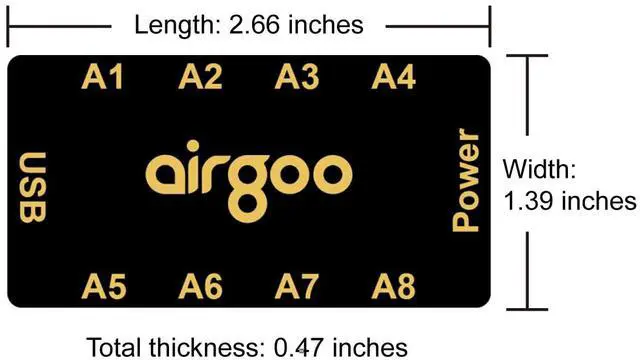
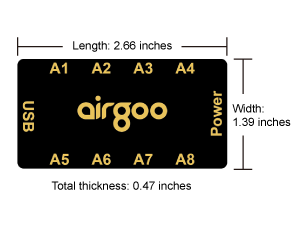
| Product Dimensions | 2.66 x 1.39 x 0.47 inches |
| Item Weight | 3.87 ounces |
| Manufacturer | airgoo |
| Item model number | AG-DRGB08 |
| Date First Available | March 26, 2026 |


