

Your Browsing History





Any questions? Our AI beta will help you find out quickly.
Note:
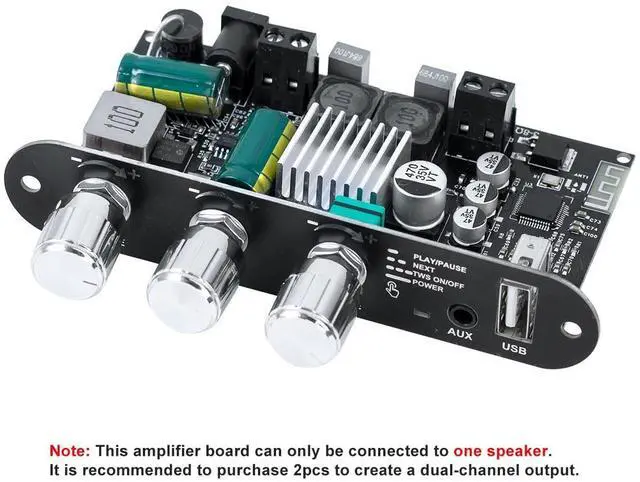
This amplifier board is a single-channel design and can only connect to one speaker. It is recommended to use two of these amplifier boards to form a dual-channel output.
If you encounter any problems during use, please contact us for assistance.
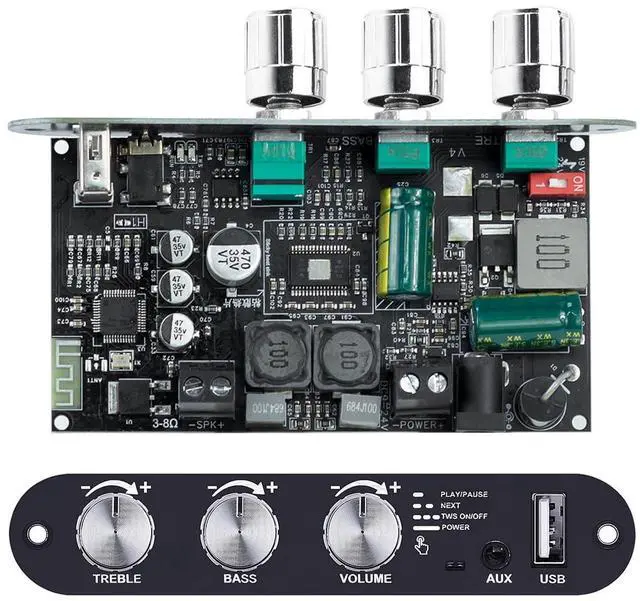
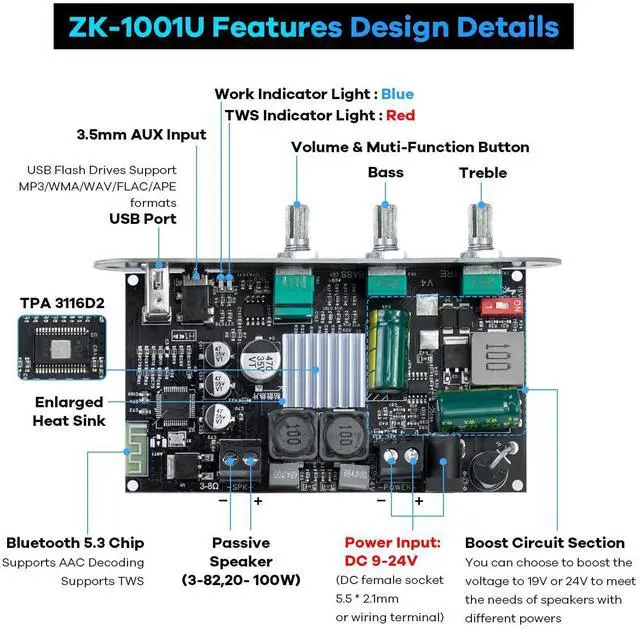
Bluetooth Chip: TPA3116D2
Input Modes: Bluetooth + 3.5mm AUX + USB
Audio Output: Mono 100W
Input Voltage: DC 9-24V, >4A
Compatible Speakers: 20-100W,3-8Q
Protection Features: Reverse polarity protection, over-tempe protection, over-current protection, short circuit protection, anti-static protection
Special Feature: TrueWirelessStereo(TWS)
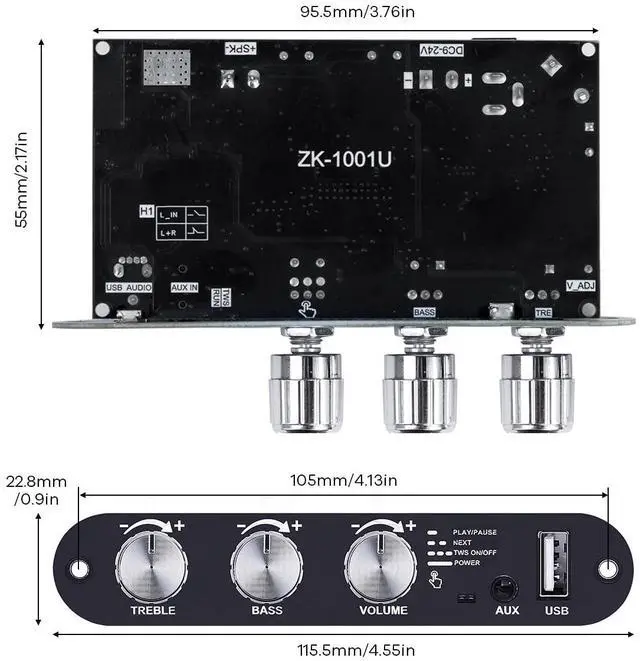
Product Dimensions: 99 × 75 × 22.8 mm
Product Weight:82g; 106g with packaging
100W Mono Amplifier Board
The ZK-1001U is a 100W mono Bluetooth amplifier board powered by the TPA3116D2 chip, designed for portable audio systems and DIY speaker projects. It supports TWS (True Wireless Stereo), allowing you to wirelessly pair two boards for true left and right channel output. In addition, the ZK-1001U includes treble and bass controls, giving you the flexibility to fine-tune your audio for a richer, more immersive listening experience.
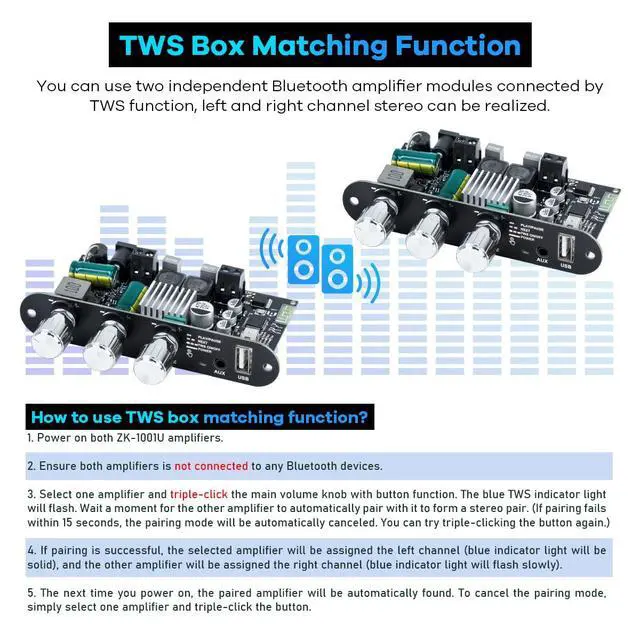
TWS Function - Achieving True Wireless Connection
1. Power on both ZK-1001U amplifiers.
2. Ensure both amplifiers is not connected to any Bluetooth devices before theTWS connection is successful.
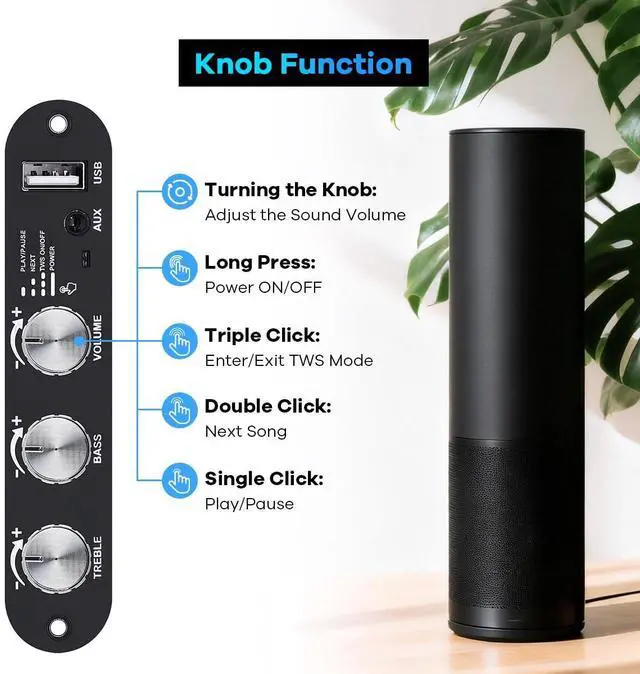
3. Select one amplifier and triple-click the main volume knob with button function. The blue TWS indicator light will flash. Wait a moment for the other amplifier to automatically pair with it to form a stereo pair. (If pairing fails within 15 seconds, the pairing mode will be automatically canceled. You can try triple-clicking the button again.)
4. If pairing is successful, the selected amplifier will be assigned the left channel (blue indicator light will be solid), and the other amplifier will be assigned the right channel (blue indicator light will flash slowly).
5. The next time you power on, the paired amplifier will be automatically found. To cancel the pairing mode, simply select one amplifier and triple-click the button.