

Your Browsing History
- Free 30-day Returns
$144.99

Meet Your Seller

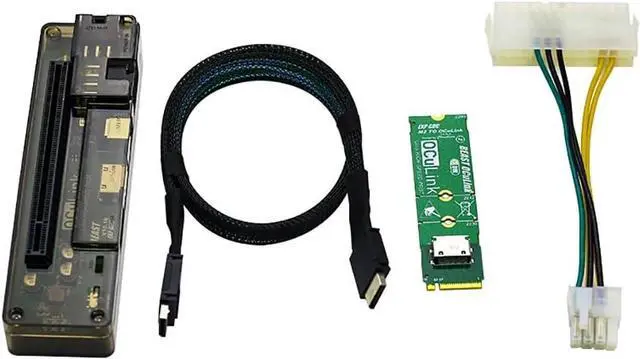
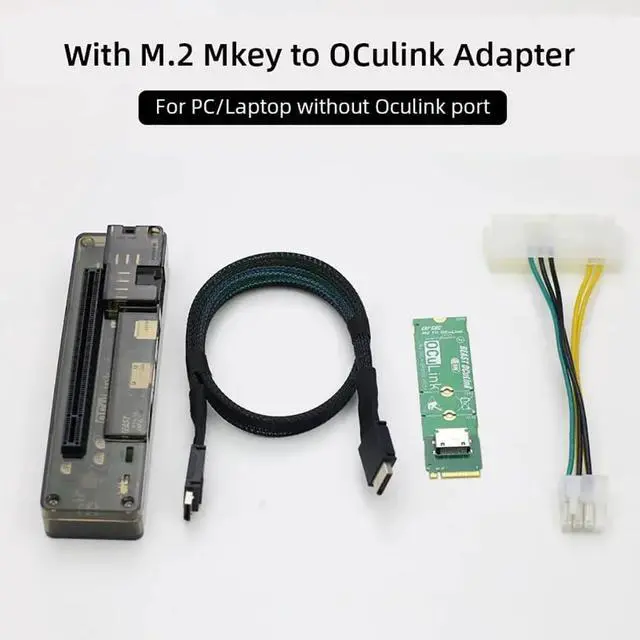
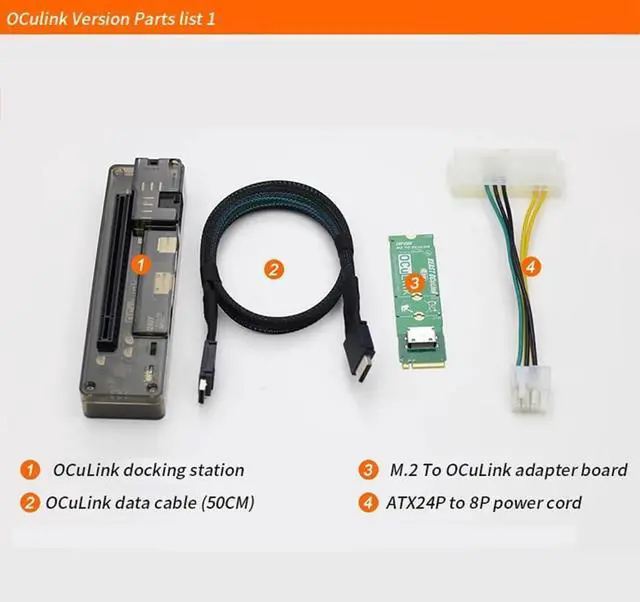


JMT M.2 M Key to OCulink-Compatible GPU Docking Station PCIe 4.0 X4 64GB/s for Mini PC Notebook Laptop to External Video Graphic Card (with M.2 Adapter)
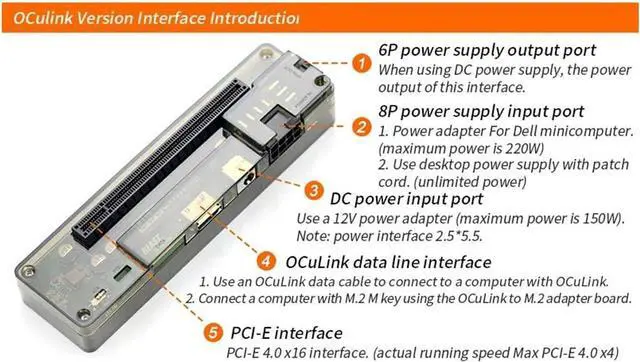
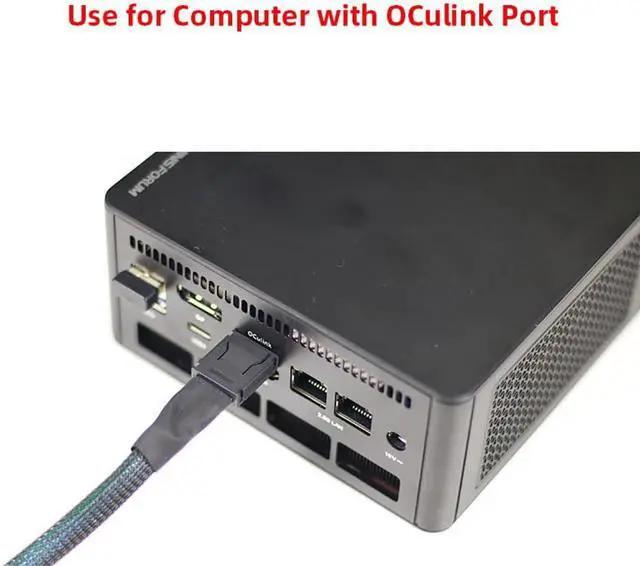
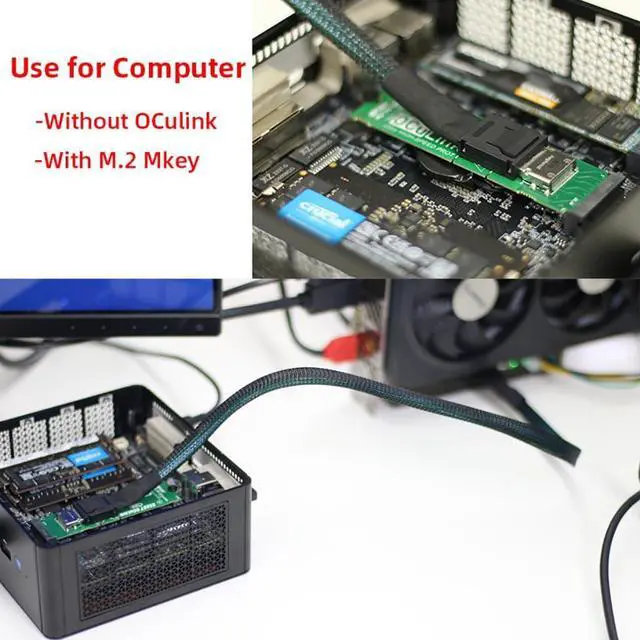
- OCulink-compatible Data Line Interface: Use an OCulink-compatible data cable to connect to a computer with OCulink-compatible interface. Connect a computer with M.2 M key using the OCulink-compatible to M.2 adapter board.
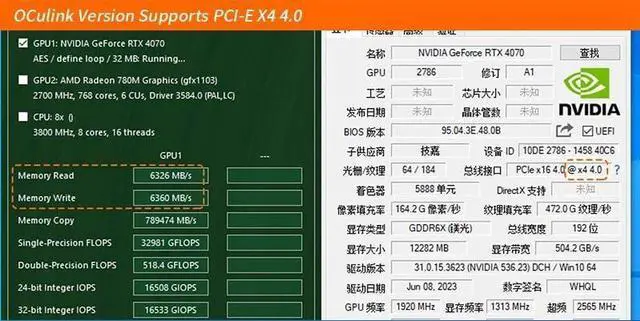
- PCI-E Interface: PCI-E 4.0 x16 interface. ( actual running speed Max PCI-E4.0 X4). 6P Power Supply Output Port: When using DC power supply , the power output of this interface.
- 8P Power Supply Output Port: Power adapter for Dell minicomputer( maximum power is 220W). Use desktop power supply with patch cord ( unlimited power).
- DC Power Input Port: Use a 12V power adapter ( maximum power is 150W), Power interface 2.5 * 5.5.
- High Speed: Support PCIe 4.0 X4 64GB/s max. Data Line length: About 50cm. Supported Power Supplier:?DC/FLEX/SFX/ATX. Power: DC/8P [M.2?Adapter Card(with OCulink-compatible Port?) Optional].
+
+
Overview
Reviews

Any questions? Our AI beta will help you find out quickly.
Try me now
JMT M.2 M Key to OCulink-compatible GPU Docking Station PCIe 4.0 X4 64GB/s for Mini PC Notebook Laptop to External Video Graphic Card
M.2 Adapter Card(with OCulink-compatible Port ) Optional
Produduct Detail:
OCulink-compatible version Board interface:
1.6P power supply output port
When using DC power supply , the power output of this interface
2.8P power supply input port
1.Power adapter for Dell minicomputer( maximum power is 220W)
2.Use desktop power supply with patch cord ( unlimited power).
3.DC power input port
Use a 12V power adapter ( maximum power is 150W)
Note : power interface 2.5 * 5.5.
4.OCulink-compatible data line interface
1.Use an OCulink-compatible data cable to connect to a computer with OCulink-compatible interface.
2. Connect a computer with M.2 M key using the OCulink-compatible to M.2 adapter board.
5.PCI-E interface
PCI-E 4.0 x16 interface. ( actual running speed Max PCI-E4.0 X4)
M.2 M Key Docking Station parameter£º
Product Size: 140*38*26mm
Speed: PCIe 4.0 X4 64GB/s max.
Data Line length: About 50cm.
Supported Power Supplier: DC/FLEX/SFX/ATX
Power: DC/8P
Installation Mode: Disassembling/OCulink-compatible interface does not need to be disassembled.
M.2 Adapter Card(with OCulink-compatible Port ) Optional
Produduct Detail:
OCulink-compatible version Board interface:
1.6P power supply output port
When using DC power supply , the power output of this interface
2.8P power supply input port
1.Power adapter for Dell minicomputer( maximum power is 220W)
2.Use desktop power supply with patch cord ( unlimited power).
3.DC power input port
Use a 12V power adapter ( maximum power is 150W)
Note : power interface 2.5 * 5.5.
4.OCulink-compatible data line interface
1.Use an OCulink-compatible data cable to connect to a computer with OCulink-compatible interface.
2. Connect a computer with M.2 M key using the OCulink-compatible to M.2 adapter board.
5.PCI-E interface
PCI-E 4.0 x16 interface. ( actual running speed Max PCI-E4.0 X4)
M.2 M Key Docking Station parameter£º
Product Size: 140*38*26mm
Speed: PCIe 4.0 X4 64GB/s max.
Data Line length: About 50cm.
Supported Power Supplier: DC/FLEX/SFX/ATX
Power: DC/8P
Installation Mode: Disassembling/OCulink-compatible interface does not need to be disassembled.
Warranty & Returns
Warranty, Returns, And Additional Information
Warranty
- Please contact the Seller directly for warranty information. Warranty information may also be found on the Manufacturer's website.
- CONTACT
Return Policies
- Return for refund within: 30 days
- Return for replacement within: 30 days
- This item is covered by DHINGDOM TRADING CO., LIMITED Return Policy
Manufacturer Contact Info
- For a directory of all our manufacturers, please click below.
- Manufacturers Directory
LOADING...