

Your Browsing History
- Free 30-day Returns
$71.99

Meet Your Seller

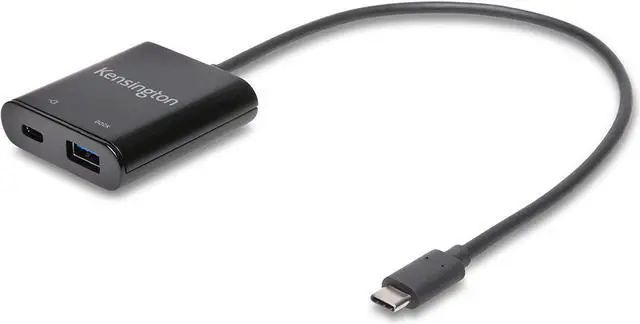


Kensington PD1000 USB-C 95W Power Delivery Dongle for USB 3.0 (Type A) Docking Stations (K39100WW)
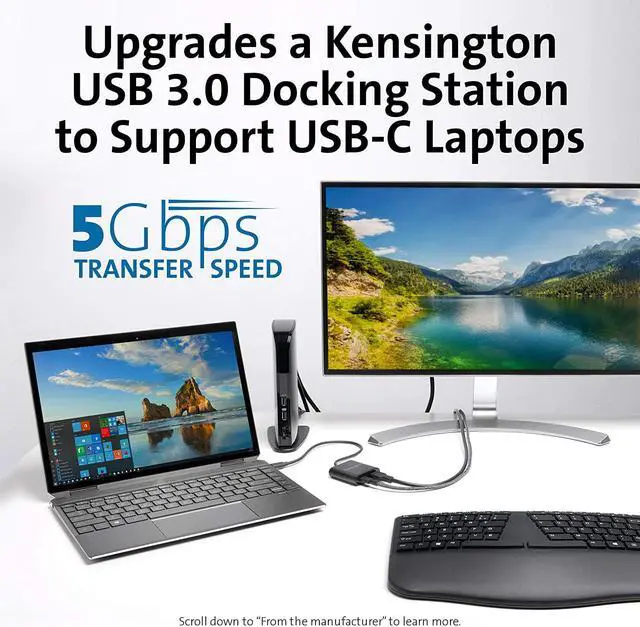
- The PD1000 is a practical way to upgrade your USB 3. 0 (Type A) DisplayLink docking station to support a USB-C laptop in mixed technology environments.
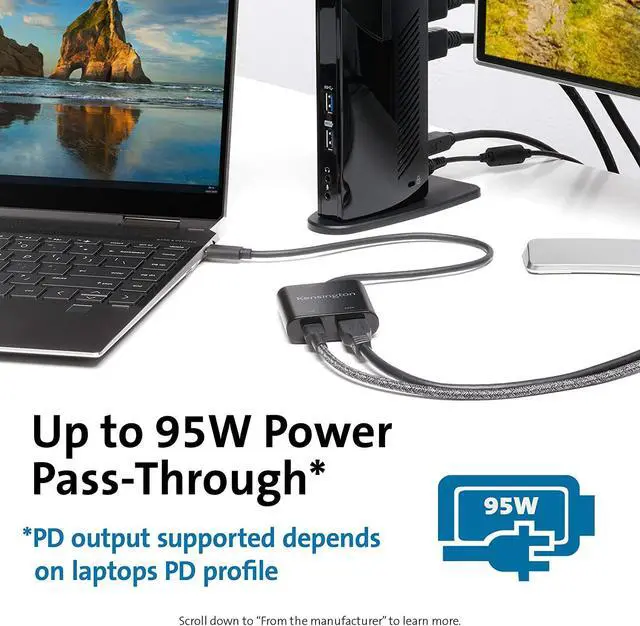
- Provides your USB-C laptop with up to 95W of power pass-through via PD 3. 0. The final Power Delivery output will depend on your laptops PD profile (up to 95W). USB-C power supply not included.
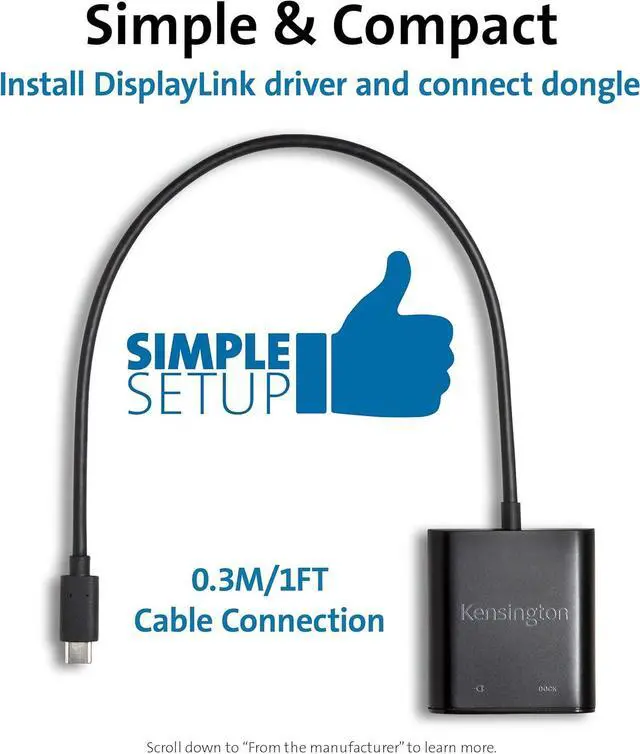
- An ideal cable length to accommodate different desktop setups while reducing cable clutter.
- To connect your USB-C laptop, install the latest DisplayLink driver on your laptop and make 3 connectionsthe laptops USB-C power supply and docking stations host cable to the dongle, and then the dongle to your laptop.
- Verified and tested to support up to 5Gbps data throughput and up to 95W of Power Deliver with all of Kensingtons USB 3. 0 (Type A) DisplayLink docking stations (SD3500v, SD3600, SD3650, SD4000 and SD4100v).
+
+
Overview
Reviews

Any questions? Our AI beta will help you find out quickly.
Try me now
The PD1000 is a practical way to upgrade your USB 3. 0 (Type A) DisplayLink docking station to support a USB-C laptop in mixed technology environments.
Provides your USB-C laptop with up to 95W of power pass-through via PD 3. 0. The final Power Delivery output will depend on your laptops PD profile (up to 95W). USB-C power supply not included.
An ideal cable length to accommodate different desktop setups while reducing cable clutter.
To connect your USB-C laptop, install the latest DisplayLink driver on your laptop and make 3 connectionsthe laptops USB-C power supply and docking stations host cable to the dongle, and then the dongle to your laptop.
Verified and tested to support up to 5Gbps data throughput and up to 95W of Power Deliver with all of Kensingtons USB 3. 0 (Type A) DisplayLink docking stations (SD3500v, SD3600, SD3650, SD4000 and SD4100v).
Provides your USB-C laptop with up to 95W of power pass-through via PD 3. 0. The final Power Delivery output will depend on your laptops PD profile (up to 95W). USB-C power supply not included.
An ideal cable length to accommodate different desktop setups while reducing cable clutter.
To connect your USB-C laptop, install the latest DisplayLink driver on your laptop and make 3 connectionsthe laptops USB-C power supply and docking stations host cable to the dongle, and then the dongle to your laptop.
Verified and tested to support up to 5Gbps data throughput and up to 95W of Power Deliver with all of Kensingtons USB 3. 0 (Type A) DisplayLink docking stations (SD3500v, SD3600, SD3650, SD4000 and SD4100v).
Warranty & Returns
Warranty, Returns, And Additional Information
Warranty
- Please contact the Seller directly for warranty information. Warranty information may also be found on the Manufacturer's website.
- Read full details
- CONTACT
Return Policies
- Return for refund within: 30 days
- Return for replacement within: 30 days
- This item is covered by DHINGDOM TRADING CO., LIMITED Return Policy
Manufacturer Contact Info
- For a directory of all our manufacturers, please click below.
- Manufacturers Directory
LOADING...