• $134.50
  • Free 30-day Returns
  • Ships from Hong Kong.
    Price alert
    Shop it at NeweggBusiness.

    Meet Your Seller

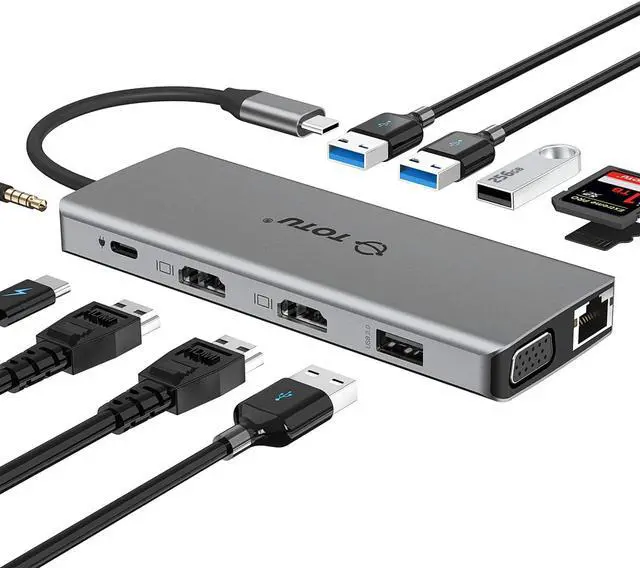
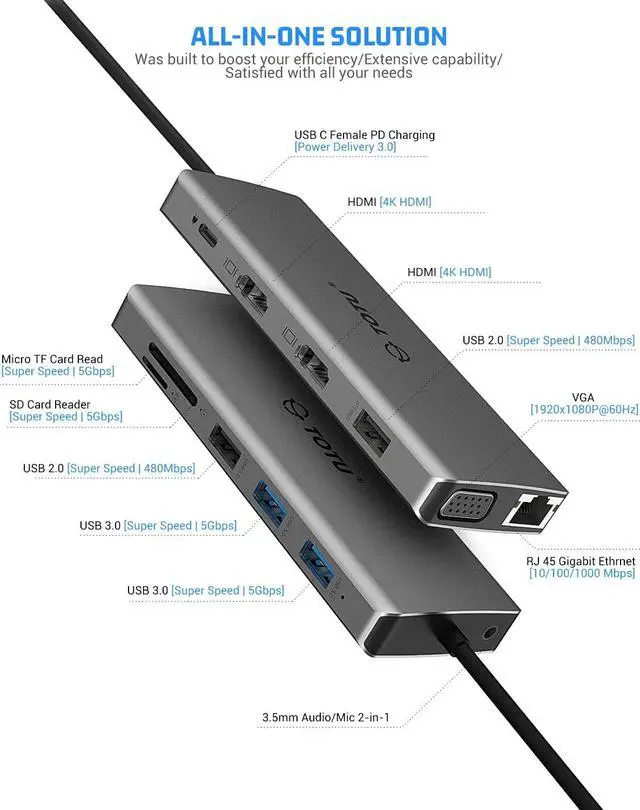
    USB C Hub, TOTU 13-in-1 Type C Hub with Ethernet, 4K USB C to 2 HDMI, VGA, 2 USB 3.0, 2 USB 2.0, 100W PD, SD/TF Cards Reader, Mic/Audio Docking Station for MacBook Pro Air XPS and Other USB-C Laptops

    • 12-in-1 USB C Hub: The hub supports DP Alt Mode video output, DisplayLink and Power Delivery base on the new Type-C USB 3.1 Gen 2 standard, thus it is not compatible with the older Type-A USB 3.0 / 2.0 interface. Please confirm that your USB-C device supports "Display Port Alternate Mode" video output and USB Power Delivery before buying this product.
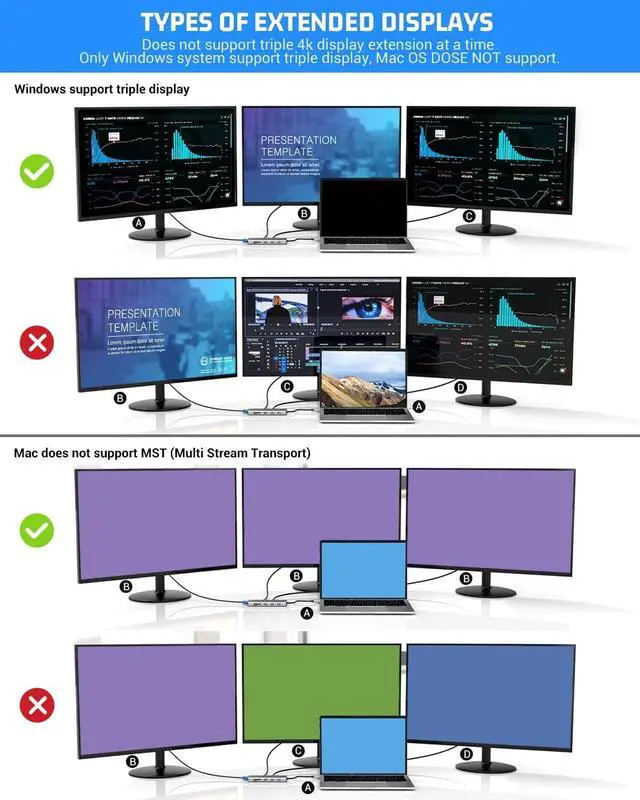
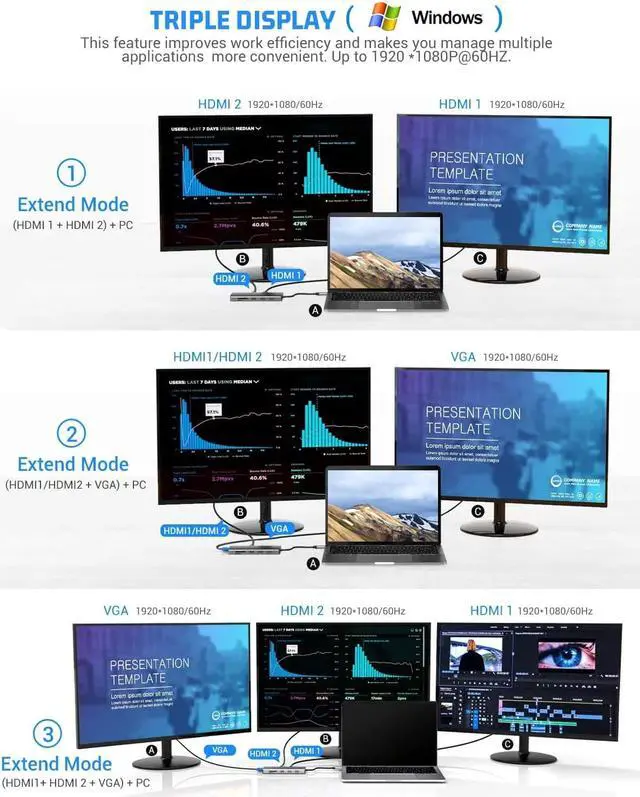
    • Ultra HD 4K output & Triple Display: Mirror or extend your USB-C laptop screen stream 4K UHD or full HD 1080P video using HDMI or VGA port. Triple display: one display of HDMI output, one display of HDMI or VGA, one screen of laptop.
    • Please note ONLY Windows system support MST, Mac OS DOES NOT support triple display
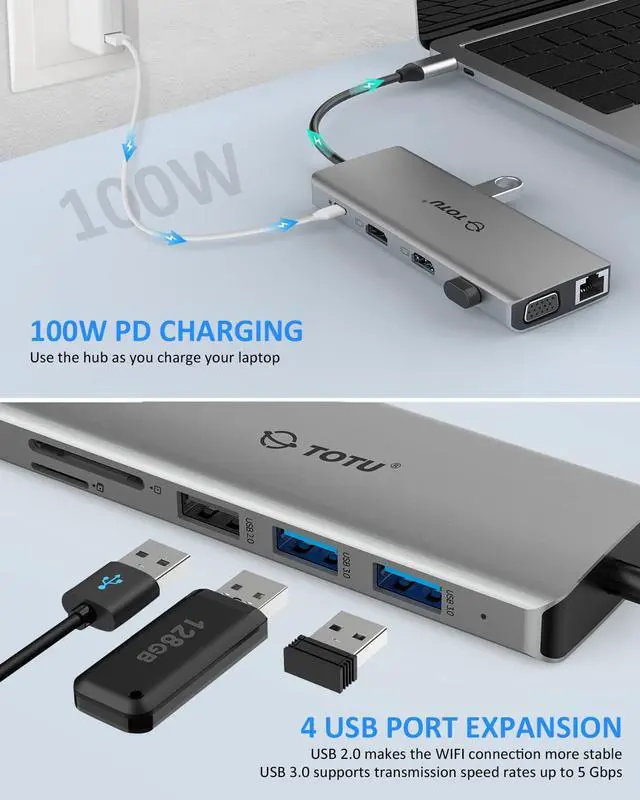
    • Convenient Charging: The USB Power Delivery port supports up to 100W Power Delivery to keep your MacBook Pro or other compatible laptop fully charged (using your device’s original power adapter)
    +
    +
    Overview
    Specs
    Reviews
    avatar

    Any questions? Our AI beta will help you find out quickly.

    Mirror display
    When only one HDMI port is connected, its resolution can reach 4K30Hz. In other cases, the resolution is 1080P (Windows).

    Note1: Please click Intel Graphics Settings for multi-display setting or press Windows+P

    Note2: If you want to set Display, Resolution and Refresh Rate, go to the General Setting.

    Triple display with Windows system
    When connecting three displays at the same time, the resolution can only reach up to 1920*1080/60HZ. If you need, please click "Second screen only" to turn off the laptop screen after connecting.

    Note1: Among the four screens (Displays and Computer), only three can display. There will be one that can not displayed (either Display or Computer).

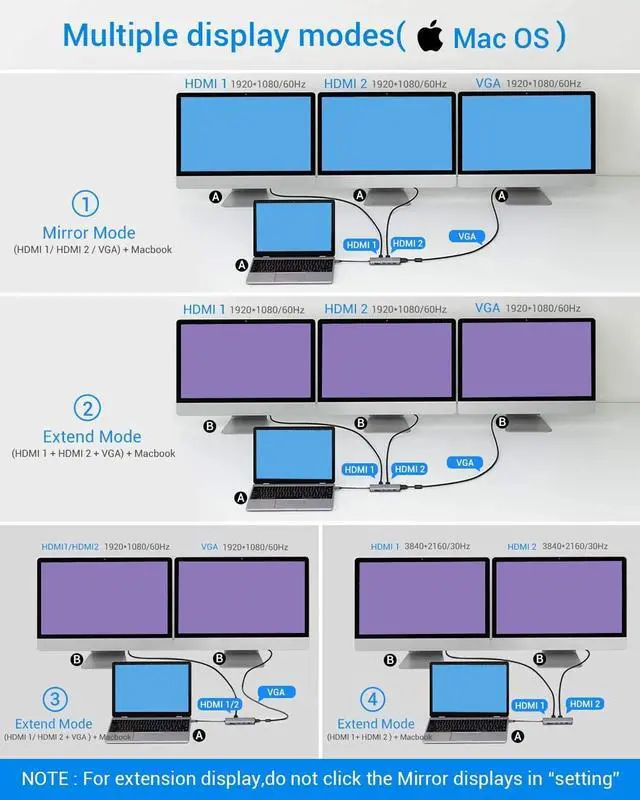
    Extend display with Mac OS system
    Extend the display to other screens in up to 4K@30Hz with the Mac OS computer. The resolution is 1080P@60Hz when use VGA.

    Note1: Setting- About This Mac>Display>Arrangement>Mirror Displays.

    Note2: When your MAC OS needs to extend display, you need to click "Display" in Preferences, choose the Arrangement option, and then click "Cancel Mirror Displays".

    Thunderbolt 3
    The USB-C port with tiny lightning bolt leading to an arrow
    (Thunderbolt 3) means it is Full-featured, supporting video input or PD charging. If it is not Thunderbolt 3, we are happy to check if it can be used through USB-C hub.

    USB-C Pass-Through Charging
    USB 3.1 Gen 1 ports enable faster data transfer speeds up to 5Gbps. The USB-C port powers a compatible laptop with 100W Power Delivery.

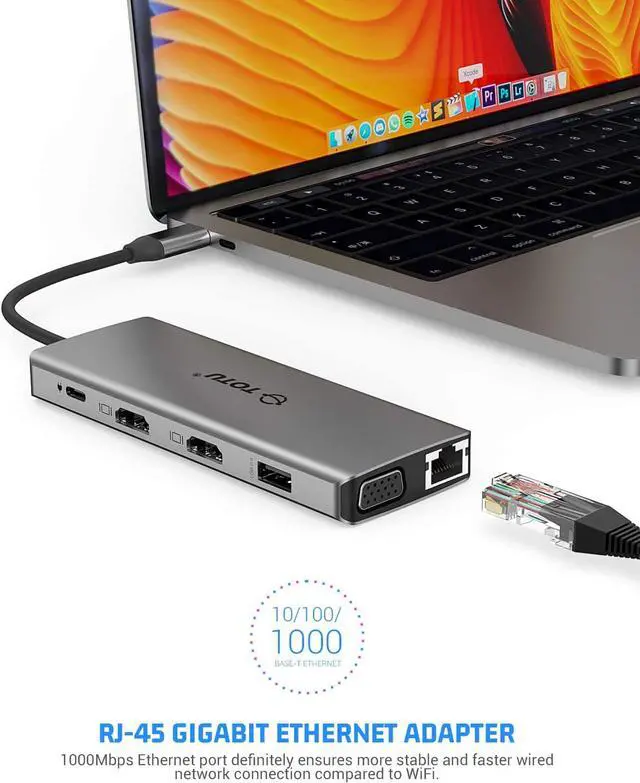
    Gigabit Ethernet Connectivity
    Get a high-speed network connection on your USB-C device.

    Warranty & Returns

    Warranty, Returns, And Additional Information

    Warranty

    • Please contact the Seller directly for warranty information. Warranty information may also be found on the Manufacturer's website.
    • CONTACT

    Return Policies

    Manufacturer Contact Info

    LOADING...