

Your Browsing History
- Free 30-day Returns
$142.99

Meet Your Seller

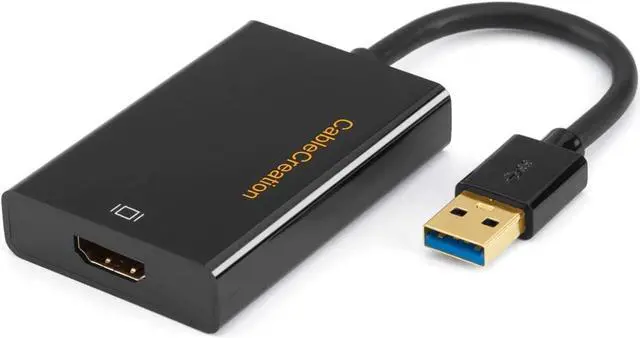


CableCreation USB 3.0 to HDMI Adapter with DisplayLink, USB External Display Graphics Adapter Compatible with Windows 11,10 and macOS, Black
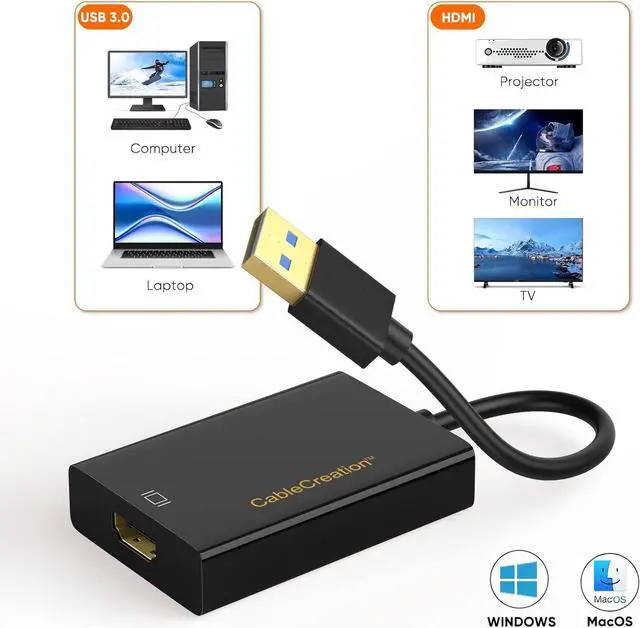
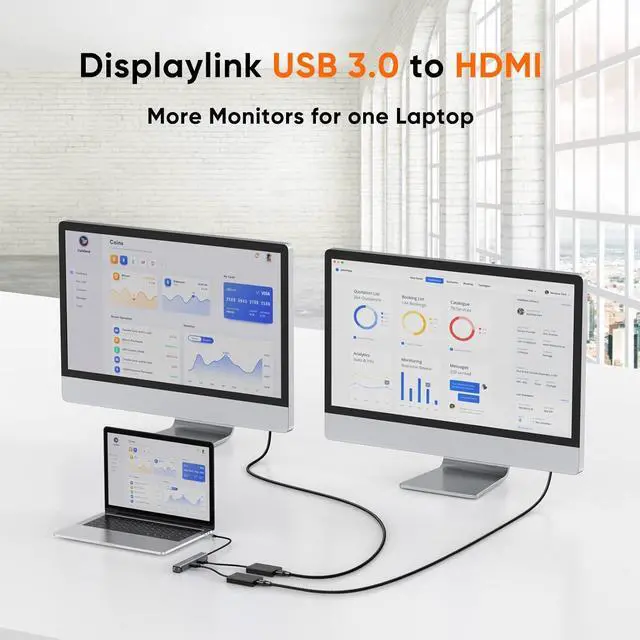
- USB 3.0 to HDMI Adapter: USB 3 to HDMI converter with Displaylink Chip allows you to connect your desktop PC or laptop's USB port to more extra HDMI monitor, projector or TV, you can make a presentation, watch videos or slide shows on the big screen.
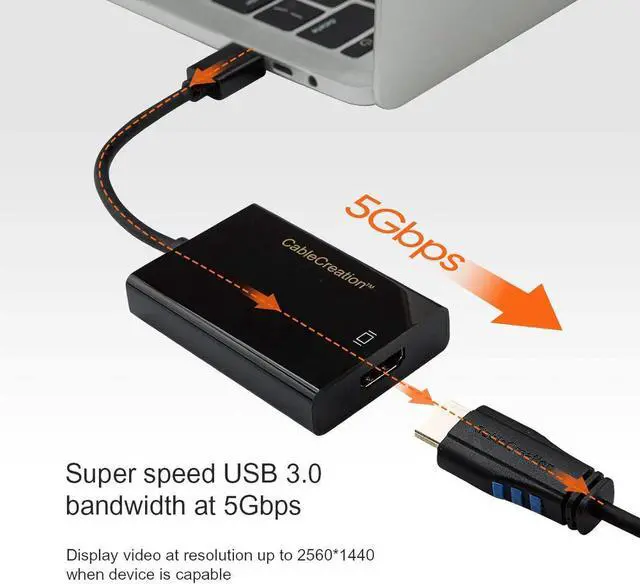
- High Resolution & Refresh Rate: Sending both audio and video, HDMI output supports 1920x1080P resolution and HD resolution up to 2560*1440 (target device should support), supports 1.65Gbps/165MHz/24bits bandwidth.
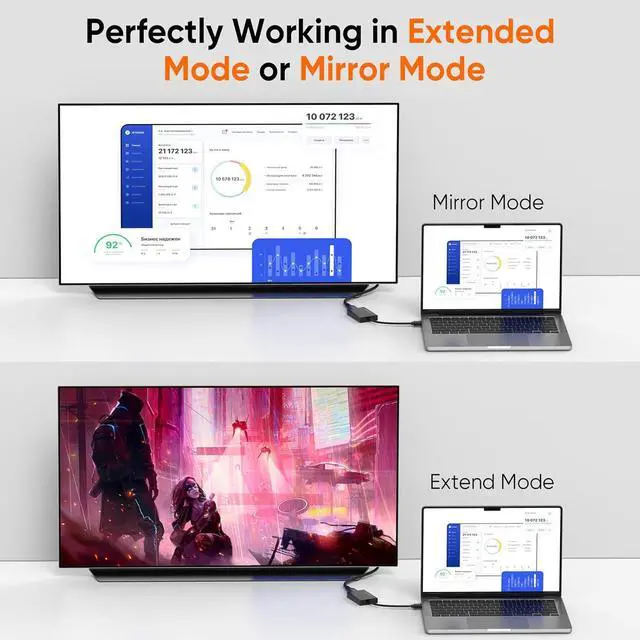
- Mirror & Extend Mode: This HDMI to USB adapter can provide an extend and mirror screen, you can extend the display of a laptop to a monitor for extending working space with split-screen or mirror screens for a presentation on a projector.
- Wide Compatibility: Work with Windows 10 / 8.1 / 8 / 7, Vista, XP (32-bit / 64-bit) and macOS, ChromeOS, and Linux; Ensured compatibility with any USB-A laptop, Ultrabook, PC desktop or small form factor system; Works with systems even if 4K output is not natively supported by laptops/video
+
+
Overview
Specs
Reviews

Any questions? Our AI beta will help you find out quickly.
Try me now
CableCreation USB 3.0 to HDMI Adapter is designed to connect an external Projector / Monitor/ Display / TV to your USB 3.0 enabled Surface book, laptop or desktop.
Also compliant with HDMI and DVI specification, it can be connected to an HDMI Male to DVI adapter, then to a DVI display device.
USB 3.0 super speed delivers the best performance with HD display capability.
High Definition Video and Hi-Fi Audio
Supports resolution up to 2560*1440 and 1920*1080p.
-Important Notes:
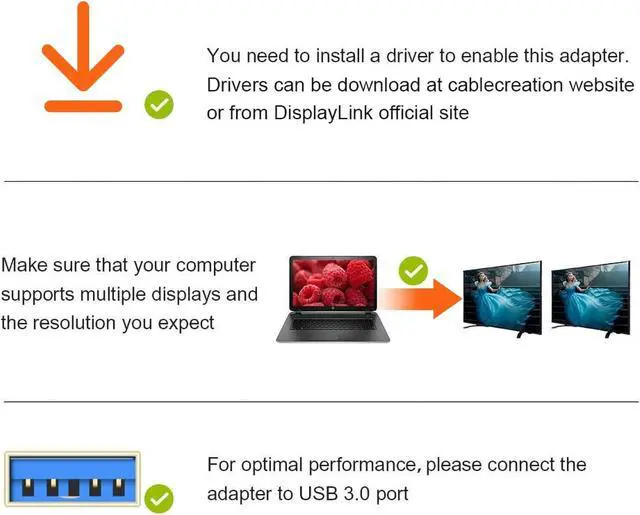
Your computer needs to support 2560*1440 for this adapter to achieve 2K video. If not, this adapter supports 1080p only.
Note that please use your "Administrator" account to download and install the drivers.
A qualified chip ensures superior performance and durable use of the adapter.
This adapter is USB powered. You do not need to attach it to an external power source when connected to a desktop, laptop, or Ultrabook.
1. Does this adapter require drivers?
Yes, you need to install the DisplayLink driver from CableCreation or from DisplayLink website, then follow the video to complete the installation.
(You can also download the User Guide from the "Technical Specification of this page.)
2. How to install the drivers for Windows laptop.
Make sure you have updated the BIOS and graphics driver to the latest. Please install the drivers with Administrator permission.
3. When I connect the adapter to a second external display, why does it not work?
It depends on your computer in terms of the amount of displays you can connect, please check your computer configuration before you decide to connect to multiple displays, if you can not sure, kindly reach to us at any time.
4. Why my TV does not have sound ?
Please go to lower right-bottom of your Windows PC / desktop, right click the audio iconPlayback DevicesPlayback, and then choose your HDMI TV as the sound output.
5. Why is the video so laggy?
It's most probably because you are playing a video beyond the capacity of your computer. Please do not play 4K videos, and select 1080p format when you are watching an online video.
Powerful DisplayLink Chipset USB P-owered Easy to Store and Carry MacOS & Windows Support 1. Does this adapter require drivers?
2. How to install the drivers for Windows laptop.
3. When I connect the adapter to a second external display, why does it not work?
4. Why my TV does not have sound ?
5. Why is the video so laggy?
Also compliant with HDMI and DVI specification, it can be connected to an HDMI Male to DVI adapter, then to a DVI display device.
USB 3.0 super speed delivers the best performance with HD display capability.
High Definition Video and Hi-Fi Audio
Supports resolution up to 2560*1440 and 1920*1080p.
-Important Notes:
Your computer needs to support 2560*1440 for this adapter to achieve 2K video. If not, this adapter supports 1080p only.
Note that please use your "Administrator" account to download and install the drivers.
A qualified chip ensures superior performance and durable use of the adapter.
This adapter is USB powered. You do not need to attach it to an external power source when connected to a desktop, laptop, or Ultrabook.
1. Does this adapter require drivers?
Yes, you need to install the DisplayLink driver from CableCreation or from DisplayLink website, then follow the video to complete the installation.
(You can also download the User Guide from the "Technical Specification of this page.)
2. How to install the drivers for Windows laptop.
Make sure you have updated the BIOS and graphics driver to the latest. Please install the drivers with Administrator permission.
3. When I connect the adapter to a second external display, why does it not work?
It depends on your computer in terms of the amount of displays you can connect, please check your computer configuration before you decide to connect to multiple displays, if you can not sure, kindly reach to us at any time.
4. Why my TV does not have sound ?
Please go to lower right-bottom of your Windows PC / desktop, right click the audio iconPlayback DevicesPlayback, and then choose your HDMI TV as the sound output.
5. Why is the video so laggy?
It's most probably because you are playing a video beyond the capacity of your computer. Please do not play 4K videos, and select 1080p format when you are watching an online video.
Powerful DisplayLink Chipset USB P-owered Easy to Store and Carry MacOS & Windows Support 1. Does this adapter require drivers?
2. How to install the drivers for Windows laptop.
3. When I connect the adapter to a second external display, why does it not work?
4. Why my TV does not have sound ?
5. Why is the video so laggy?
Warranty & Returns
Warranty, Returns, And Additional Information
Warranty
- Please contact the Seller directly for warranty information. Warranty information may also be found on the Manufacturer's website.
- CONTACT
Return Policies
- Return for refund within: 30 days
- Return for replacement within: 30 days
- This item is covered by DHINGDOM TRADING CO., LIMITED Return Policy
Manufacturer Contact Info
- For a directory of all our manufacturers, please click below.
- Manufacturers Directory
LOADING...