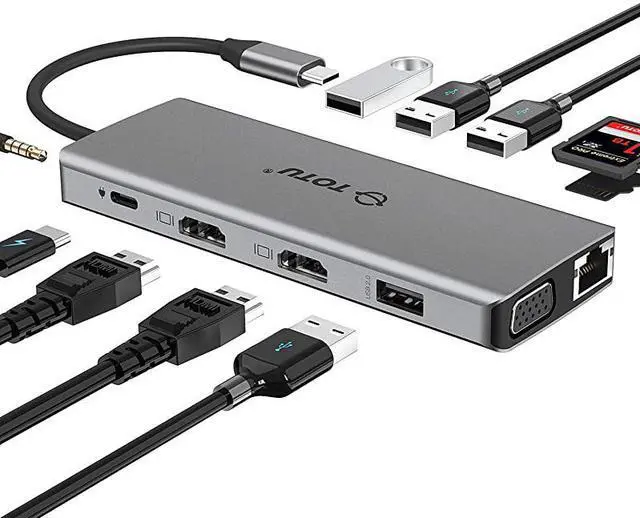
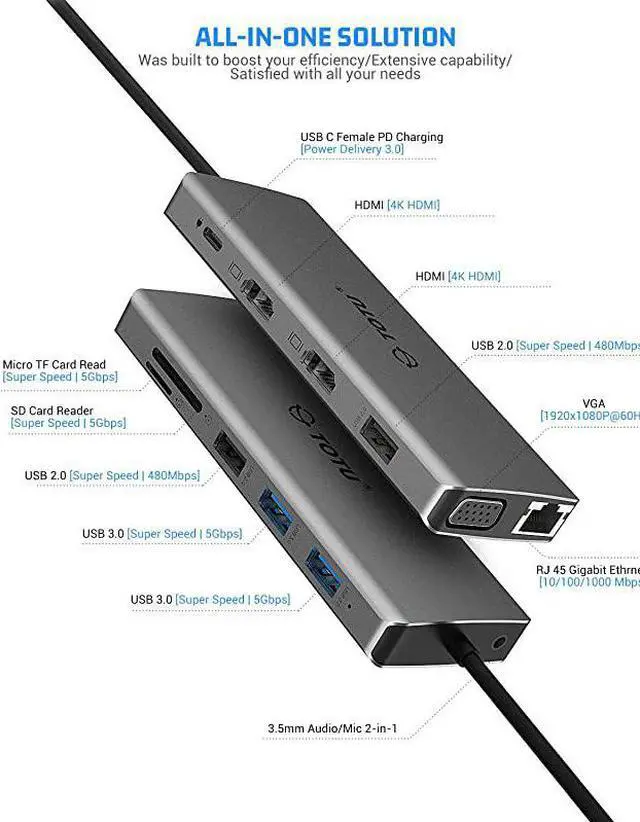
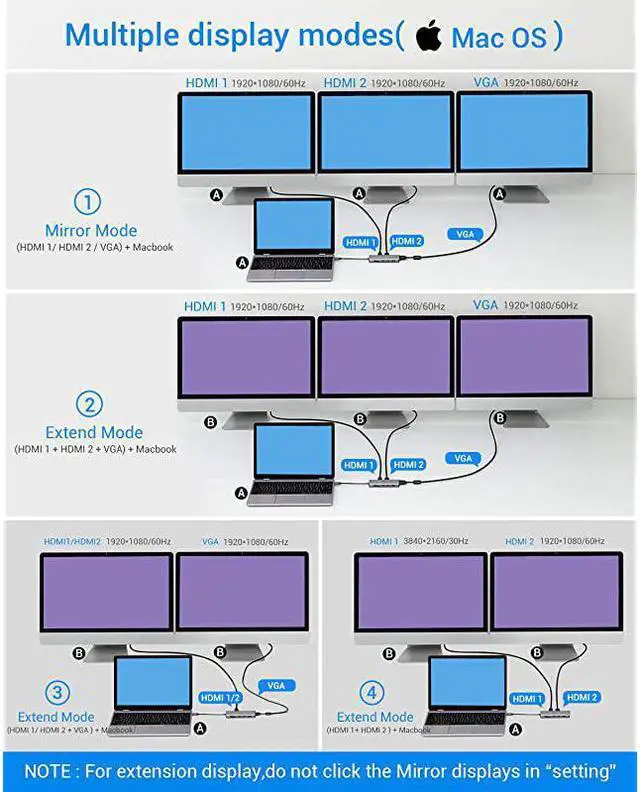
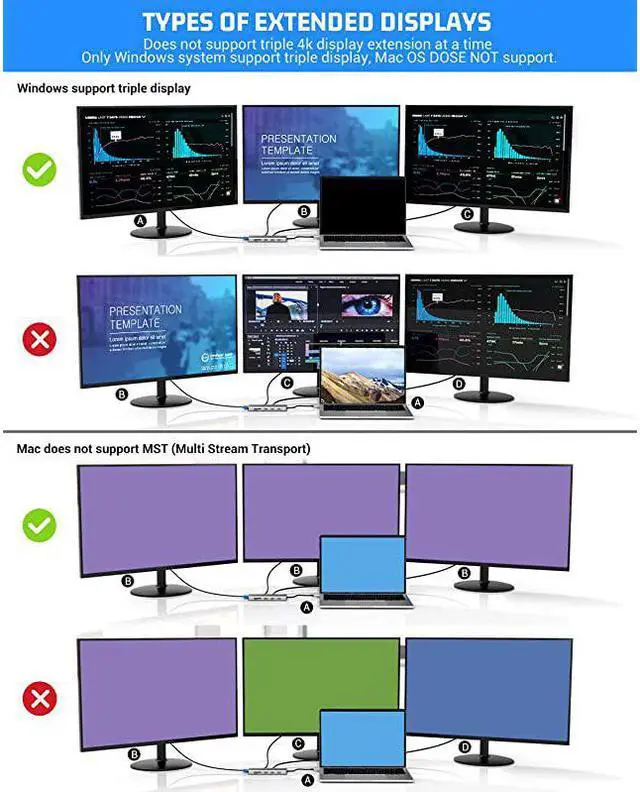
Mac Os doesn't support MST (Multi Stream Transport), There will be only one display on the three external monitors. The USB 3.1 Gen 2 TYPE-C WITH DISPLAYPORT port is required for the hub and laptop connection. USB C Female to USB Male Adapter & Express 4X to USB 3.1 Gen 2 (10 Gbps) 2-Port Type C Expansion Card Asmedia Chipset for Windows/Linux Kernel can not compatible with our hub.
Compatible Devices: (Not a full list) The laptop with USB 3.1 Gen 2 TYPE-C WITH DISPLAYPORT port there is a lightning symbol next to the port MacBook (2015 / 2016 / 2017/2018) MacBook Pro (2016 / 2017/2018) iMac / iMac Pro ( 21.5 in & 27 in)
Dell: XPS13; XPS15 (some of them which has lightning symbol) Lenovo P1 Extrem Gen 2 Lenovo T580 MI Air 12.5 / 13.3, Pro 15.6
Incompatible Devices: The laptop with USB 3.1 Gen 1 TYPE-C port iPad Pro MacBook Air 2018 Nintendo Switch Apple USB Super Drive Microsoft Surface Pro 7 Surface go ASUS K570ZD-ES55 ROG Zephyrus S GX701 HP Spectre HP EliteBook 840 HP Zbook HP Pavilion USB-A to USB-C Adapter Expansion Card Asmedia Chipset for
Windows/Linux Kernel Supported Systems: USB 3.1 Gen2 Type-C system, Windows 10, 8, 7, Vista, XP, Mac OS X 10.6 or later, Linux 2.6. 14 or Later Please use HDMI cable 2.0 a HDR 4k certified or above so that can get higher resolution Mac Os system just support extend the dual HDMI &VGA( all of the monitor has the same display, all of the monitor is mirror each other ) from the laptop!!!!
Note: 1.
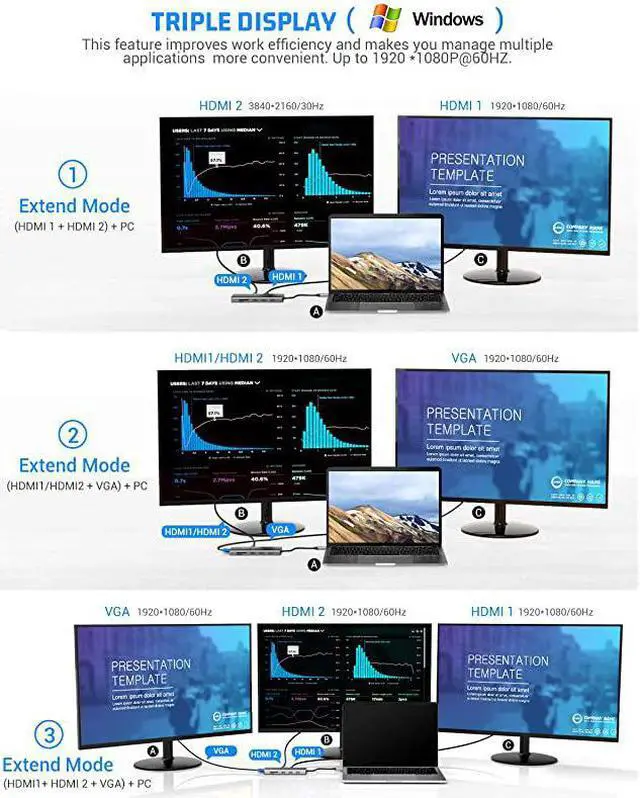
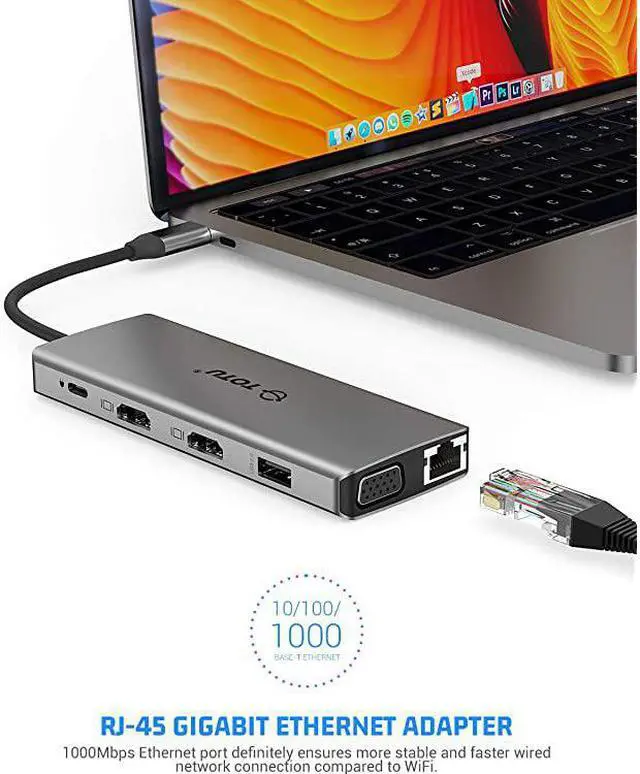
Triple Display: One display of HDMI 1 output, one display of HDMI2, one display of VGA, the laptop screen is black. Only Windows support MST, Mac OS DOSE NOT support.
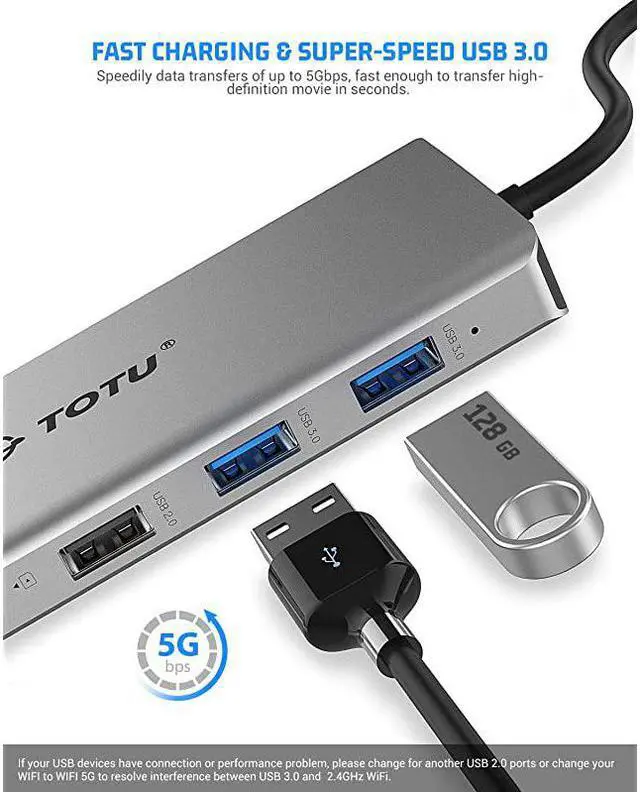
Screen switch shortcut key: Windows+P. 2. We do not recommend adding an extra extension cable for the hub as it can cause slow transmission, HDMI port not being recognized, or other connective issues. Not intended for use with gaming devices and high-power devices. (external hard drives, iPad, etc. ) 3. The USB ports are intended for data transfer. They only provide minimal 0.5A charging. 4. DO NOT support replication or extended displays when connecting the gaming device. 5. The max resolution of VGA and HDMI simultaneous output is 1080P. The max resolution of two HDMI simultaneous output is 4K UHD. 6. All of our products do not support USB C Female to USB Male Adapter and Express 4X to USB 3.1 Gen 2 (10 Gbps) 2-Port Type C Expansion Card Asmedia Chipset for Windows/Linux Kernel, since the converter will cause our hub lose all functions. 7. We would like to suggest you plug you wireless keyboard/mouse to USB 2.0 port.





 here!
here!