Your Browsing History
- Free 30-day Returns
$98.89
Ships from China.
Meet Your Seller
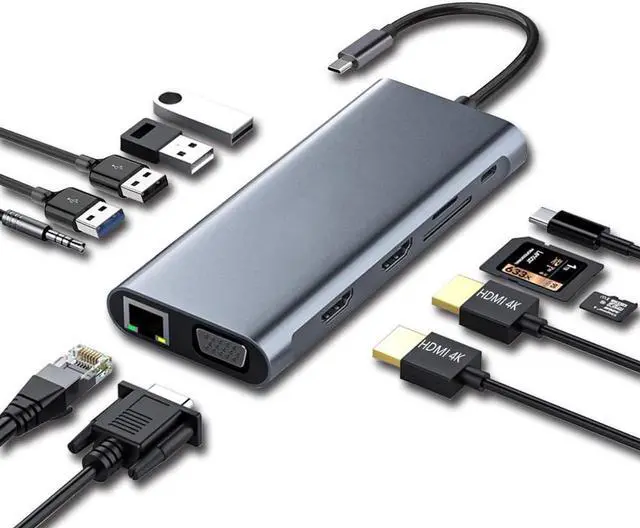
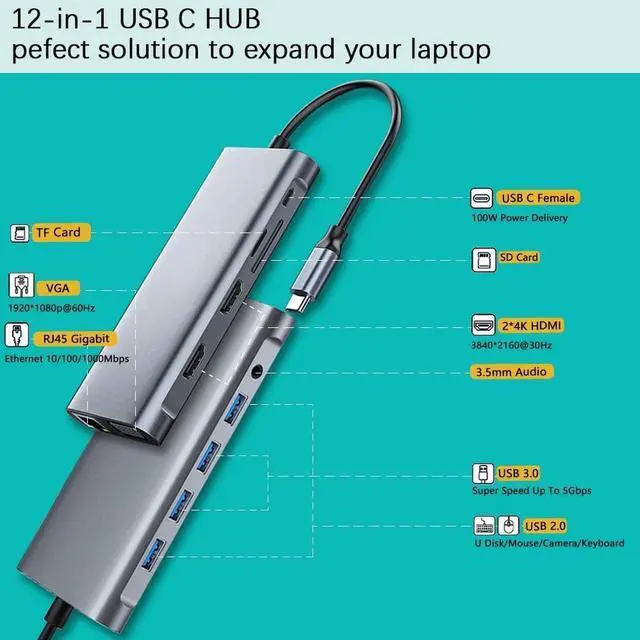
USB 3.1 Type C Docking Station, USB C Hub, 12-in-1 Triple Display Dual 4K HDMI, VGA, PD100W,Gigabit Ethernet RJ45, USB3.0,SD/TF, Type C Laptop Dock Station Adapter Compatible for MacBook and Windows
Limited time offer, ends 07/22 By YuXuan Technology
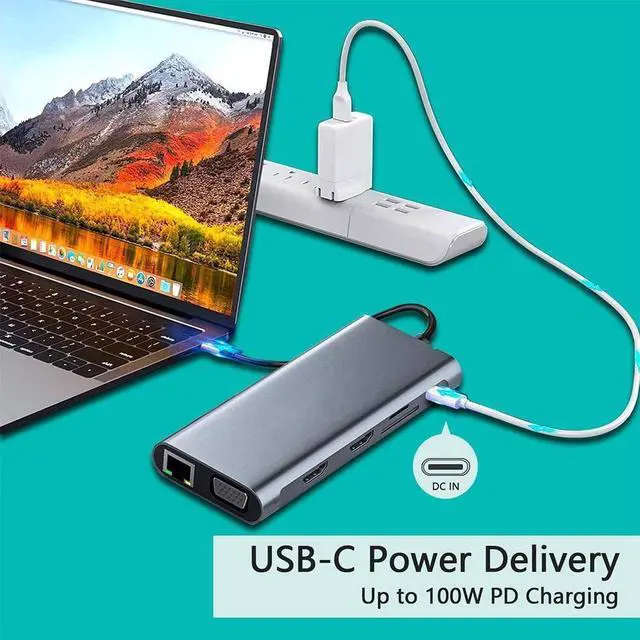
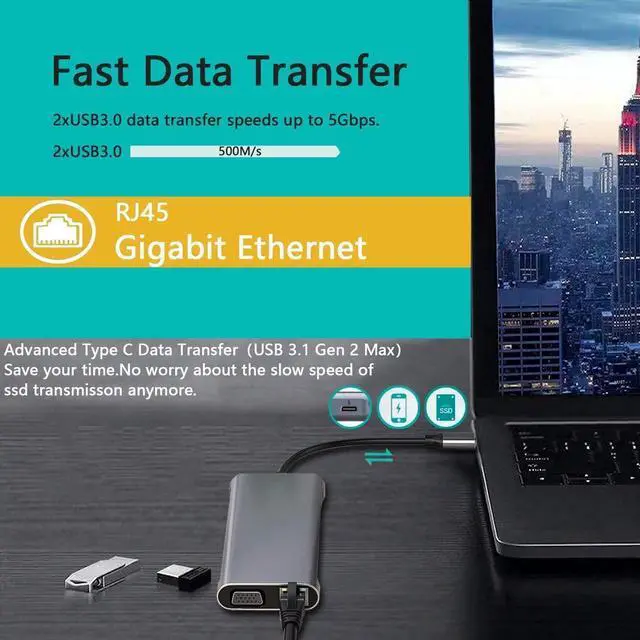
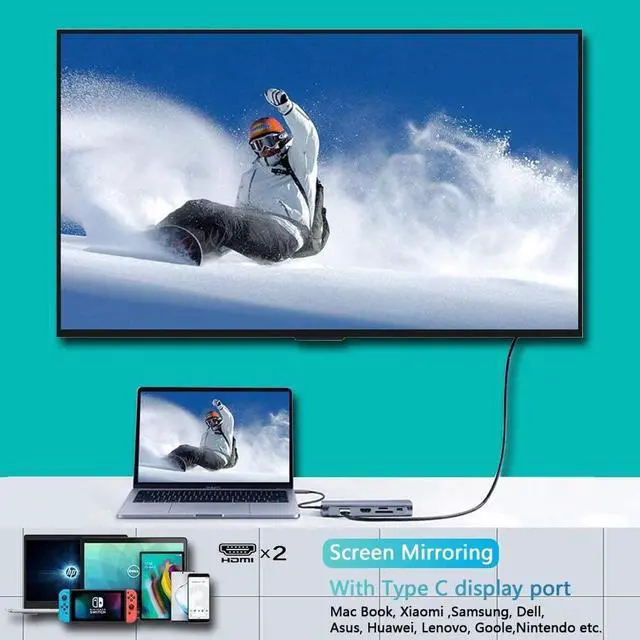
- Plug and play Docking Station :Charging your type-c laptop devices up via the PD 100W Output, All necessary functions required at work complete, Include Dual 4K HDMI, VGA, PD, 2*USB 3.0, 2*USB 2.0, Gigabit Ethernet, SD/TF card, 3.5mm Audio. This USB C HUB turns any MacBook or USB C capable PC laptop into a mobile workstation.
- Clear video synchronization: Dual 4K HDMI (3840 x 2160) @ 30HZ / VGA (1920 x 1080) @ 60 Hz, which can be connected to HDTV, monitor or projector via port. So you can enjoy the realistic 3D effect video. Enjoy movies and games with your family on the ultra-high-definition large screen.
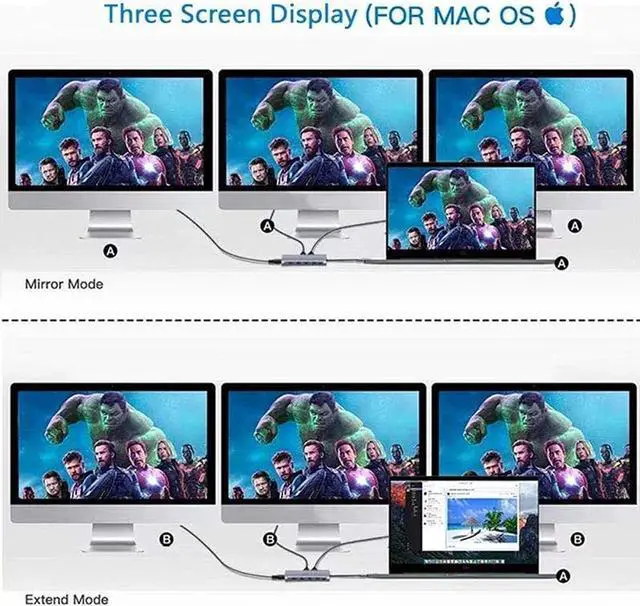
- Triple Display Docking Station: Support MST. For Win system in extended mode, you can enjoy up to 4 multi-monitor displays through 2 HDMI outputs, 1 VGA output and 1 laptop screen. (Mac only supports mirror mode) (Windows supports mirror mode and extended mode) Using the triple display at the same time will reduce the resolution.
- Stable transmission Type C USB 3.1 Gen 2 Max: To h
+
+
Overview
Specs
Reviews
Any questions? Our AI beta will help you find out quickly.
Try me now
REMINDER:
1. For Apple computer users (MAC OS), displays are Mirror mode only.
2. Please plug in the Laptop's power adapter to the USB-C Power Delivery port before connecting an external hard drive or multiple display purpose.
3. The Type C PD Charging port for power passing-thru only.
4. SD and the TF card cannot use at the same time.
5. Each monitor will be limited to a maximum resolution of 1920 x 1080@60Hz when connecting a dual or triple monitor.
6. Power will be a community between all dock-connected USB C devices. For a fast charge result, please choose Adapter that is over 72W to charge.
7. EDID (Extended Display Identification Data) may blackout for a few seconds(1 minute at max, depends on Laptop and monitor) when data transfer; Please be patient wait for the data completed.

1. For Apple computer users (MAC OS), displays are Mirror mode only.
2. Please plug in the Laptop's power adapter to the USB-C Power Delivery port before connecting an external hard drive or multiple display purpose.
3. The Type C PD Charging port for power passing-thru only.
4. SD and the TF card cannot use at the same time.
5. Each monitor will be limited to a maximum resolution of 1920 x 1080@60Hz when connecting a dual or triple monitor.
6. Power will be a community between all dock-connected USB C devices. For a fast charge result, please choose Adapter that is over 72W to charge.
7. EDID (Extended Display Identification Data) may blackout for a few seconds(1 minute at max, depends on Laptop and monitor) when data transfer; Please be patient wait for the data completed.
Warranty & Returns
Warranty, Returns, And Additional Information
Warranty
- Please contact the Seller directly for warranty information. Warranty information may also be found on the Manufacturer's website.
- CONTACT
Return Policies
- Return for refund within: 30 days
- Return for replacement within: 30 days
- This item is covered by YuXuan Technology Return Policy
Manufacturer Contact Info
- For a directory of all our manufacturers, please click below.
- Manufacturers Directory
LOADING...