shipping Holiday Shipping Details & Extended Holiday Returns
Wavlink DisplayLink Laptop Docking Station Triple Monitor 4K@60Hz For 3 Monitors, 100W Charging For Thunderbolt 3/4, USB-C/A, M1 M2 Mac/Windows/Chrome, 3 HDMI, 2 DP, 6 USB Ports, 160W Power, LAN,Audio
  •  
  • $158.99 
  • Save: 20%
  • $34.39
  • Free 30-day Returns
  • Ships from China.
    Price alert
    Shop it at NeweggBusiness.

    Meet Your Seller

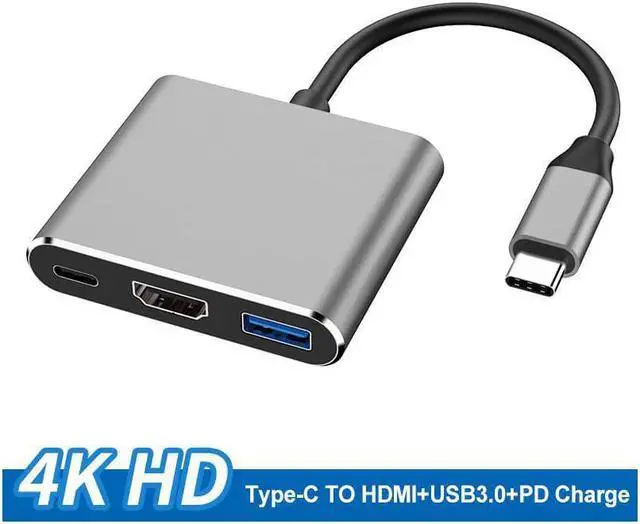
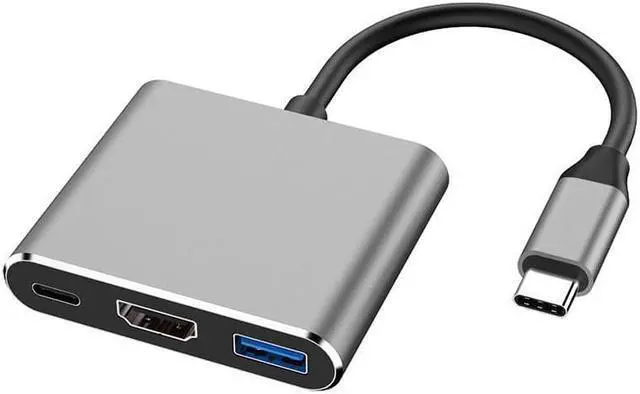
    type-c to hdmi three-in-one docking station+usb+pd laptop hub

    Limited time offer, ends 12/16 By Electronics store

    • USB 3.1 Type-C to HDMI / USB 3.0 / USB-C Multiport Adapter
    • Charge your laptop / phone
    • Macbook ,Chromebook with HDMI port
    • Share movie on a larger TV/monitor/projector
    • A great sidekick for your Laptop / Phone / Tablet with USB-C port
    • HDMI Port: Output
    • Support video resolution up to 4K UHD (3840x2160) 30Hz, and compatible with 1080P 60Hz, 720P.
    • USB 3.0 Port:
    • Transmission speed up to 5Gbps,and work with keyboard, mouse, flash drive or a USB cable for syncing and charging smartphones or other devices.
    • USB-C Port:
    • Charging laptop through Type-C female interface, 5W-60W automatically adaptive.
    • How to Connect:
    • Step 1: Connect USB Type-C connector of the Adapter to any USB Type-C HDMI mode supported devices.
    • Step 2: Connect HDMI output of the cable to HDTV or HDMI enabled display using standard HDMI media cable.

    +
    +
    Overview
    Specs
    Reviews
    avatar

    Any questions? Our AI beta will help you find out quickly.

    USB 3.1 Type-C to HDMI / USB 3.0 / USB-C Multiport Adapter Charge your laptop / phone Macbook, Chromebook with HDMI port Share movie on a larger TV/monitor/projector A great sidekick for your Laptop / Phone / Tablet with USB-C port
    HDMI Port: Output Support video resolution up to 4K UHD (3840x2160) 30Hz, and compatible with 1080P 60Hz, 720P.
    USB 3.0 Port: Transmission speed up to 5Gbps, and work with keyboard, mouse, flash drive or a USB cable for syncing and charging smartphones or other devices.
    USB-C Port: Charging laptop through Type-C female interface, 5W-60W automatically adaptive.
    How to Connect: Step
    1: Connect USB Type-C connector of the Adapter to any USB Type-C HDMI mode supported devices.
    Step 2: Connect HDMI output of the cable to HDTV or HDMI enabled display using standard HDMI media cable.

    Warranty & Returns

    Warranty, Returns, And Additional Information

    Warranty

    • Please contact the Seller directly for warranty information. Warranty information may also be found on the Manufacturer's website.
    • CONTACT

    Return Policies

    Manufacturer Contact Info

    LOADING...