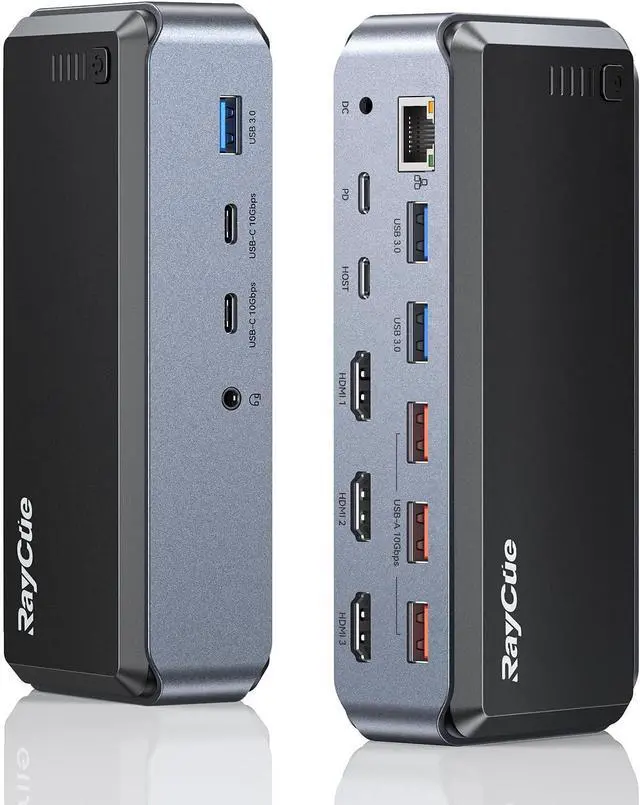
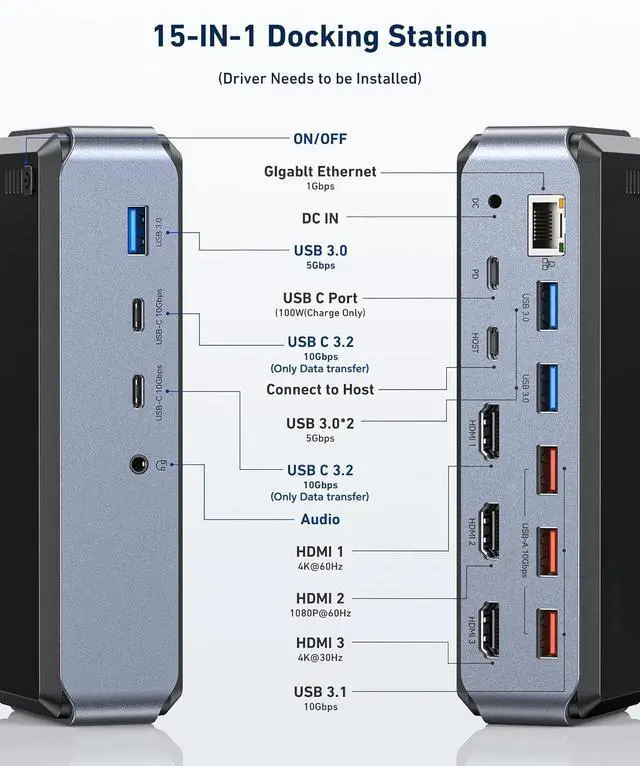
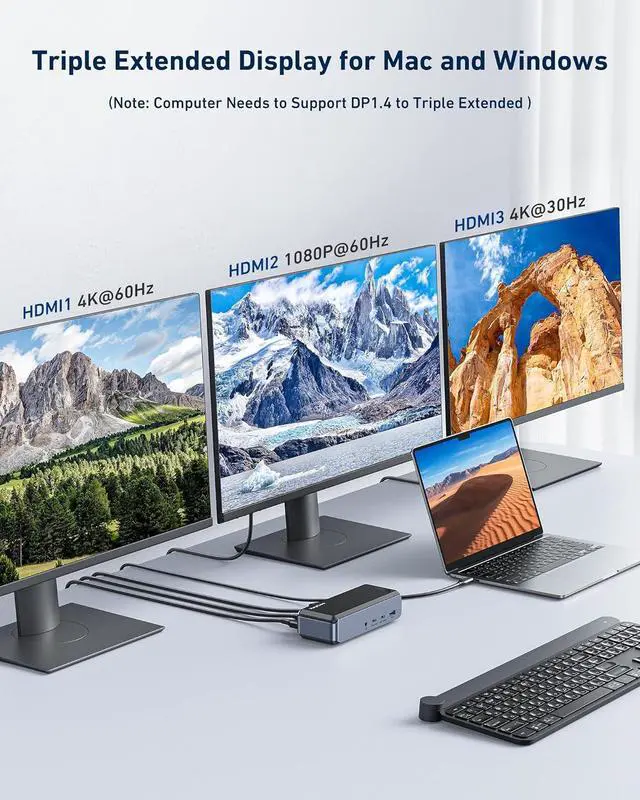
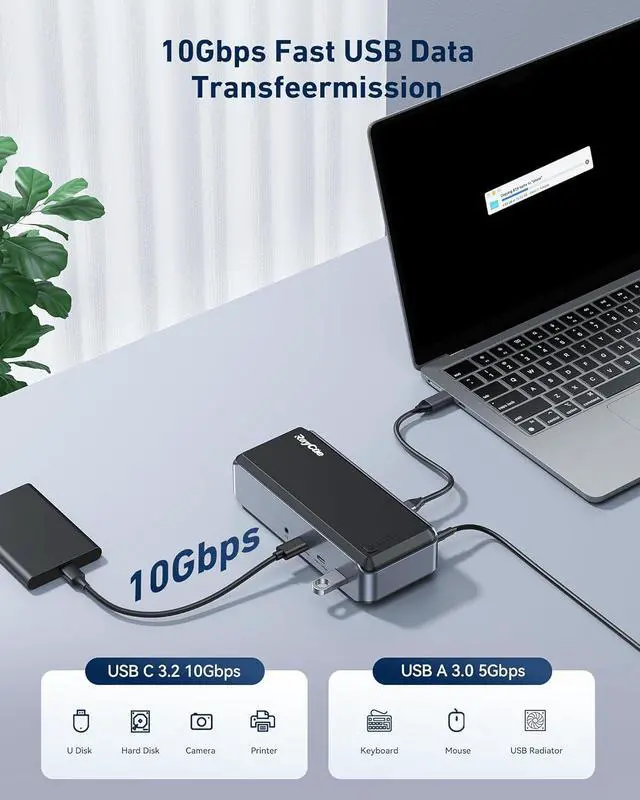
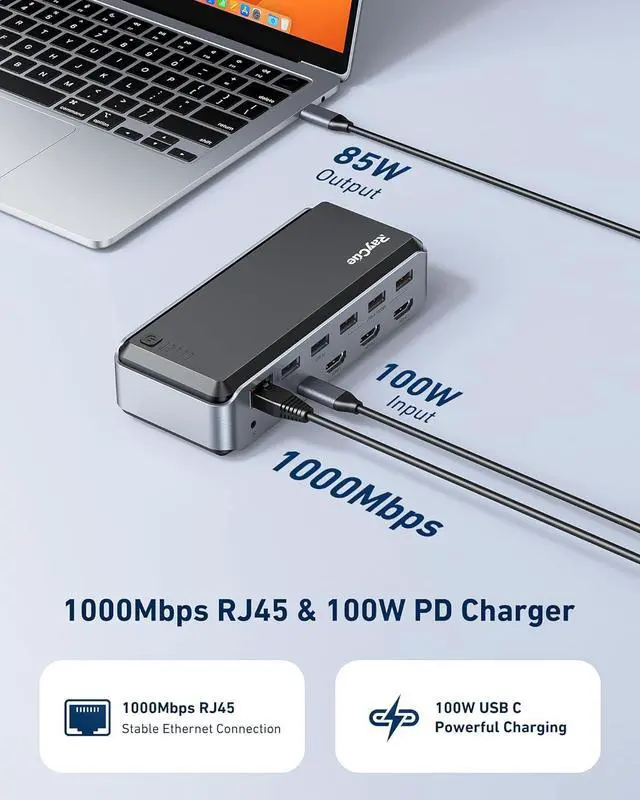
Designed for users of USB-C laptops. Allows you to add three monitors using HDMI, expand more storage space, and connect peripherals, all via a single cable back to your laptop. Get back and forth from your desk easily and quickly. Connect many devices to your laptop with just one cable, and you get 15 additional connection ports, making it easier to get more done in less time.
Power users who need three or more high-definition monitors: Thedocking station you need to maximize your productivity and workspace. Ideal for business use such as email, web applications, Microsoft Office, and more. With its lay-flat horizontal design, you can easily slide this base under the monitor, saving valuable desk space. Convenient access to the front USB and audio ports of the devices you plug and unplug every day.
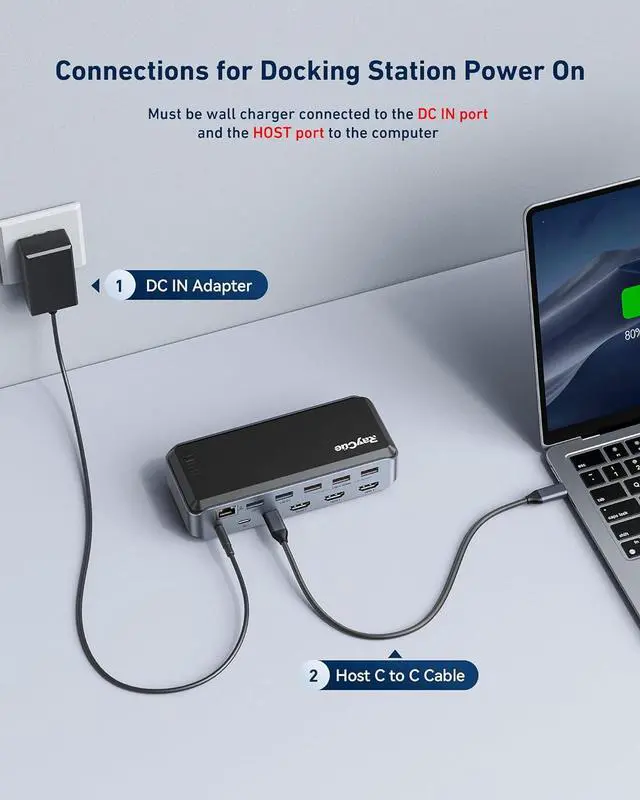
Reduce the battery consumption of your laptop: configure a 12V external power supply to power the product itself, and link the PD charger to the product PD port to power the laptop
Note: The standard 12V power supply of this product will not charge your laptop. You need to connect your PD charger to the product (it is recommended to connect a PD charger over 65W) to supply power to your system. The SiliconMotion software and hardware used in this dock have reduced hardware graphics acceleration (HDMI2, HDMI3) and we do not recommend their use for full screen video playback, 2D or 3D graphics applications, or video editing software.
Not all USB-C ports are created equal
USB-C is a new standard with multiple uses, and its compatibility information is complex. Some USB-C systems support DP Alt Mode video output, while others do not. Some can be powered and charged via USB-C Power Delivery, while others can't.
See your user manual or system manufacturer to verify that the USB-C port supports video data and charging.
The best laptops currently supporting Alt Mode and Power Delivery are:
Dell XPS 13" 7390 / 9380
Dell XPS 15" 9560
Lenovo Yoga 720 13"
Lenovo ThinkPad x1
HP Spectre x360 13"
Microsoft Surface Book 2
2018/2019/2020/2021/2022/2023 /2024MacBook Pro
2018/2019/2020/2021/2022/2023 /2024MacBook Air
Equipped with a physical power switch and an intelligent power management chip, after the product is connected to the power supply and the notebook, the product will automatically start (no need to press the physical button), disconnect the computer from the product, and the product will intelligently enter the power-off mode. The product can also be turned off or on through a physical switch (the product requires an external 12V power supply)
1. Host Requirements:
The host device must support Power Delivery and DisplayPort Alt Mode or USB-C 3.1 (generation 1 or 2).
2. Supported Operating Systems:
macOS 10.12 or later, Windows 8 / 10 / 11
Media Display Information
1. When using macOS, content displayed can also extended.
2. The ability to display on 4 screens simultaneously depends on the capabilities of the laptops graphics card.
3. Maximum resolution when using a DisplayPort 1.4 USB-C laptop:
Single monitor display: 3840x2160@60Hz via the HDMI1 port.
Dual monitor display: 3840x2160@60Hz & 3840x2160@30Hz via HDMI1+HDMI3 ports.
Triple monitor display: 3840x2160@60Hz & 3840x2160@30Hz & 1920x1080@60Hz via the 3 HDMI ports.
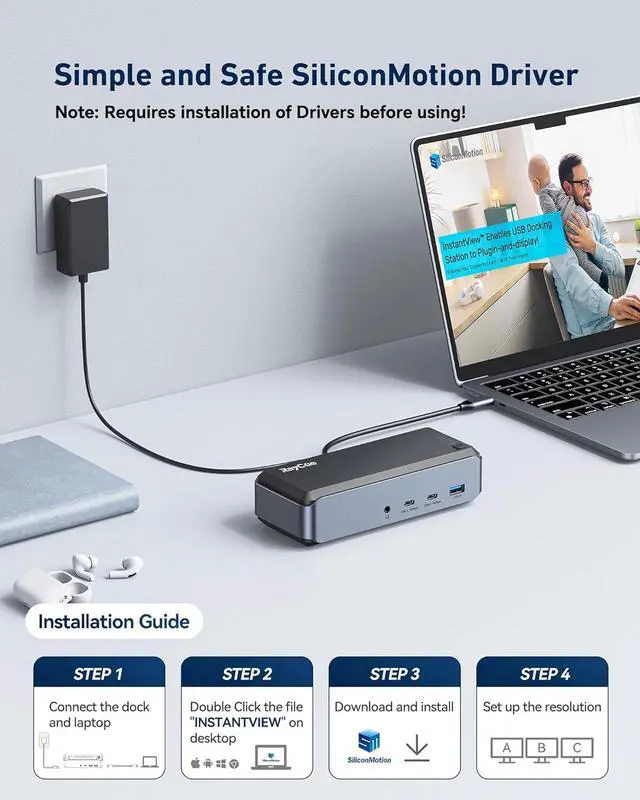
The driver is built into Dock, it will be automatically displayed on your desktop after the DOCK connect to the Mac.
STEP 1: Connect the dock and laptop
STEP 2: Double Click the file "INSTANTVIEW" on desktop
STEP 3: Download and install
STEP4: Set up the resolution
Mac: driver file "INSTANTVIEW" is displayed on the desktop when connected.
Windows: driver file "INSTANTVIEW" is on the "This PC".
The display light does not turn on until the dock is fully connected.
Step 1: Connect the Docking Station and Adapter
Step 2: Link the dock and the computer
3.9