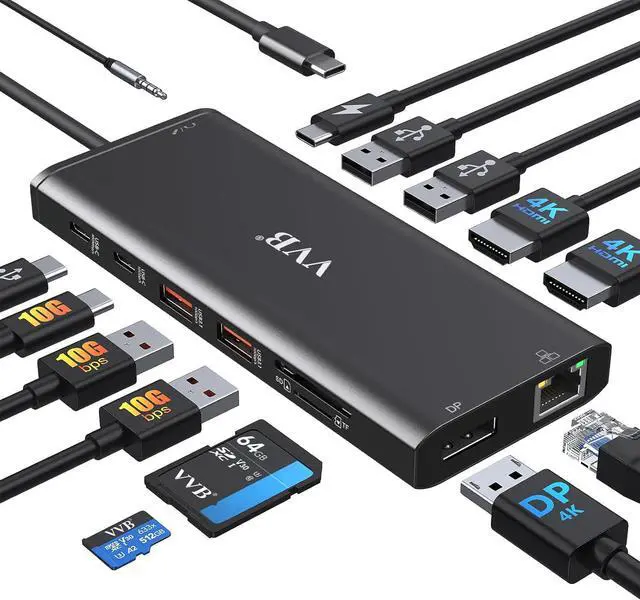
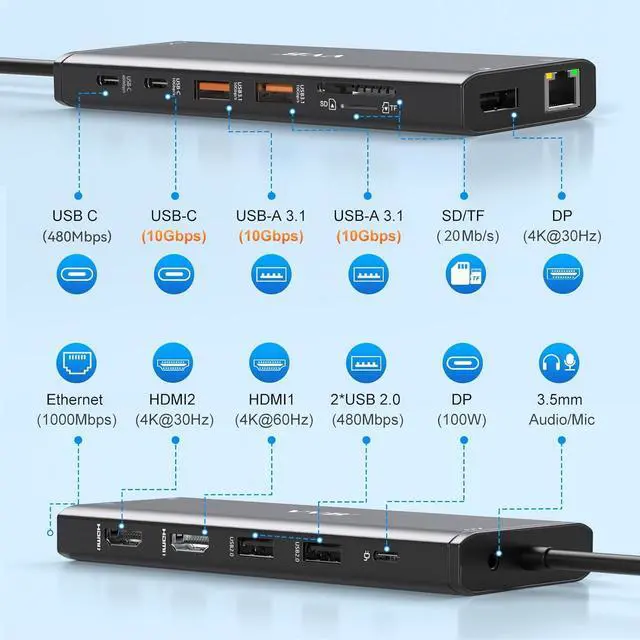
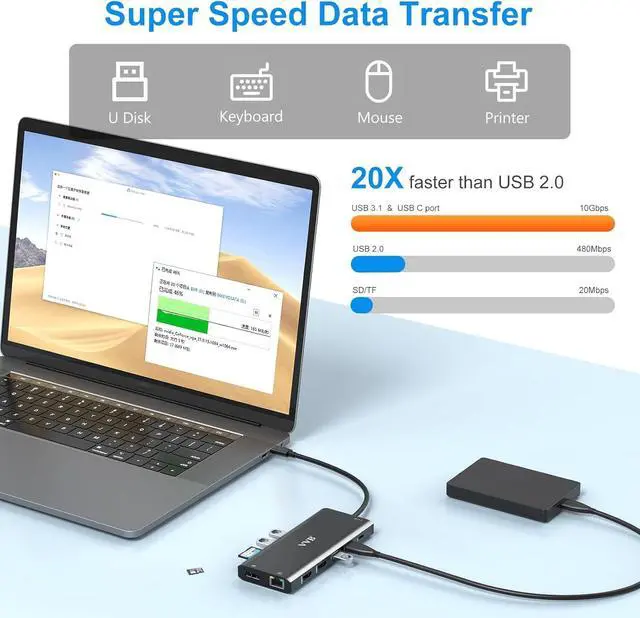
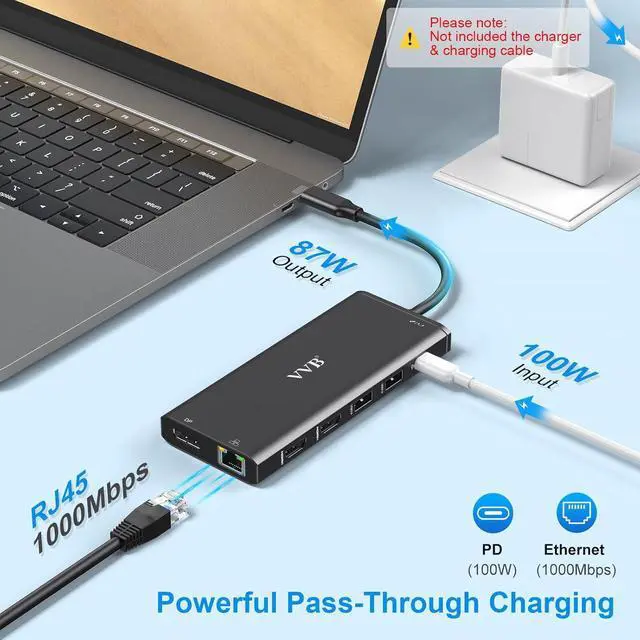
This 14 in 1 usb c laptop dock hub is a great compliment for your type c laptop. With this usb c dongle, you can stream/extend video to your monitor/projector/TV with 2 HDMI ports and Display Port from your laptop, you can use 8 fast speed data transfer ports(2*USB A 3.1 ports,1*usb c 3.0 port,1*usb c 2.0 port, 2*USB A 2.0 ports, SD/Micro SD card reader) to connect your smartphones, tablet, hard drives and access files from SD/TF card reader. 2 USB A 2.0 prots allows you to connect keyboard or mouse without any lags. 100W usb c power delivery charging port supports charging your laptop at power up to 87W(Safty) while connecting multiple peripherals. Also USB C to Gigabit Ethernet adapter supports 10/100/1000BASE-T Lan networks,provide you with a stable and reliable wired Ethernet.
Important Note Before Purchase
This computer docking station compatible with many laptops with a Full-featured USB Type-C port (support DisplayPort,charging,data transfer protocol), such as the thunderbolt 3, thunderbolt 4, USB-C 3.2 Gen 1&Gen 2 with Power Delivery& DisplayPort functions ports. But NOT all USB-C devices are compatible with this docking station,please check the compatibility list before purchase, the incompatible device cannot use the (HDMI&DP&VGA) of this Dock. You can check with VVB if you are not sure.
The final resolution of external displays depends on the laptop's specs and bandwidth,HDMI cable, external monitors and the "Displayport" protocol of the laptop usb c port.
The hub temperature will heat up when it works. 0 - 50 is the normal and reasonable range. It's a normal situation for all hubs, not a quality problem.
Please plug in the laptop's power adapter to the USB-C power delivery port while connecting to multiple peripherals.
This dell docking station dual monitor is not included the power charger & charging cable!
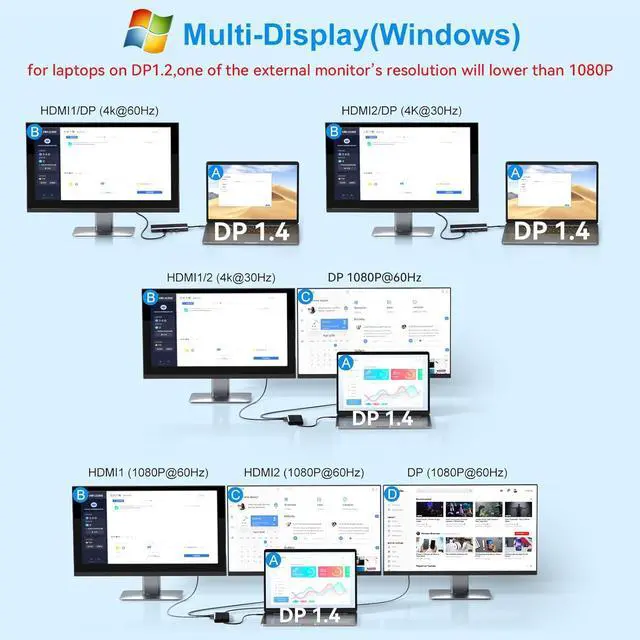
Dual Monitors Displays for Windows System Laptop
Resolution up to 4K@30Hz + 1080P@60Hz (While laptop graphic card source is DP1.4)
Resolution up to 1080P@60Hz and one of the external monitors resolution maybe lower than 1080P(While laptop graphic card source is DP1.2)
Triple Displays for Windows System Laptop
Resolution up to 3* 1080P@60Hz 1920 x 1080(While laptop graphic card source is DP1.4)
One monitors resolution will lower than 1080P@60Hz 1920 x 1080 (While laptop graphic card source is DP1.2)
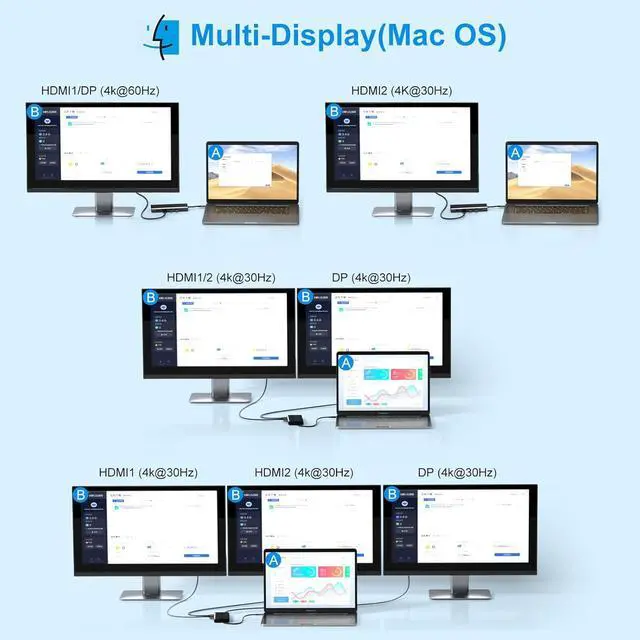
Mirror Dual Triple Resolution for Mac System Laptop(Same images)
HDMI+DP1/2: 4K@30Hz+4K@30Hz; HDMI+DP1+DP2: 4K@30Hz+4K@30Hz+4K@30Hz
How to set Extend Mode and Mirror Mode
For Windows laptops: Click the Graphic Settings or Win+P to select Extended or Mirror mode;For MacBook laptops: Apple logo-System Preferences-Displays-Mirror Display(Yes or Not)
Dual Displayports Hub Docking Station Dual Monitor HDMI USB C Hub Multi Adapter





 here!
here!