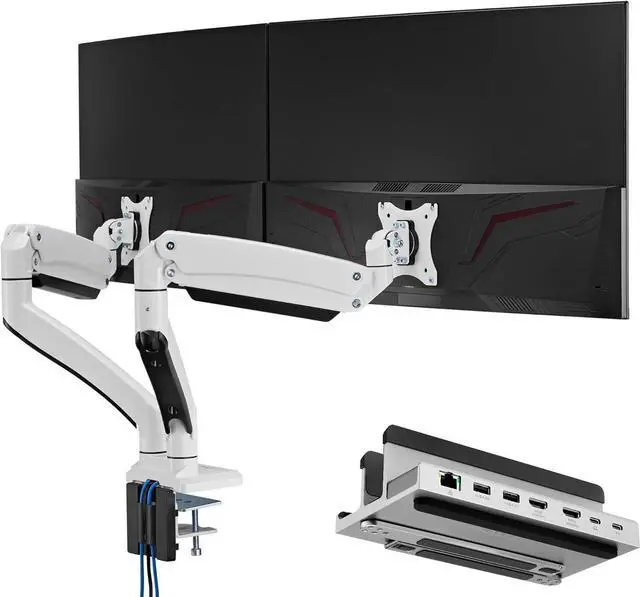
Connect Two Monitors: Use a USB-C enabled Windows laptop with USB-C 3.1 Gen 2 (or above) for extending up to two external monitors for extra productivity.
For Up To 14" Laptops: Can be used as a vertical stand to help save space or convert to an ergonomic stand for typing and raised viewing angles.
Supports Power Delivery Charging (max. 100W). Note: adapter not included.
USB Type A (x2)5V/900mA | 5Gbps[HDMI 1]8K@30Hz (with DP 1.4 host)[HDMI 2]4K@60Hz (with DP 1.4 host)Single Video output [HDMI 1]Up to 8K@30Hz (with DP 1.4 host), 4K@30Hz (with DP 1.2 host)Single Video output [HDMI 2]Up to 4K@60Hz (with DP 1.4 host), 4K@30Hz (with DP 1.2 host)Dual Video outputUp to 4K@30Hz + 1080p@60Hz (with DP 1.4 host) / 1080p@60Hz + 1080p@60Hz (with DP 1.2 host) Monitor DisplayWindows: supports Dual Extend mode + Mirror mode / Mac OS: supports Single Extend mode only + Mirror modeRJ-45 EthernetSupports 1000Mbps/100Mbps/10MbpsUSB Type C (1)Power Delivery (PD) max.100W Input (Note: adapter not included)USB Type C (2)10G data transfer | 93W PD charging to hostUSB-C to USB-C cable19.7 (50cm) | Supports 10Gbps &100WProduct Weight1.46 lbs (0.66kg)Package Dimensions8.86 x 4.17 x 2.76 (22.5cm x 10.6cm x 7.0cm)System Requirement 1Laptop or Tablet with an available full functioned USB-C port* (recommend DP 1.4 Alt-mode) or Thunderbolt 3/4. (*A full-functioned USB-C port supports power, audio, video and data transfer at the same time.) System Requirement 2Windows 10 (32-bit/64-bit) or later / macOS 10.15 or laterCompatible DevicesCompatible with Microsoft Surface Laptop 5 13-inch/ HP Spectre x360, HP Envy/ Dell XPS 13, XPS 13 Plus/ Google Pixelbook Go/ 2016-2022 MacBook Pro 13-inch 14-inch/ 2018-2022 MacBook Air 13-inch/ 2015-2017 MacBook 12-inch, etc. and operating systems including Window, Chrome, Android, and macOS. Why Use A Laptop Stand With Dual Display Output? (see Tech Specs below for supported monitor resolutions) Laptop Stand with Dual Display Docking Station AcePro-DK12-1 Tech Specs