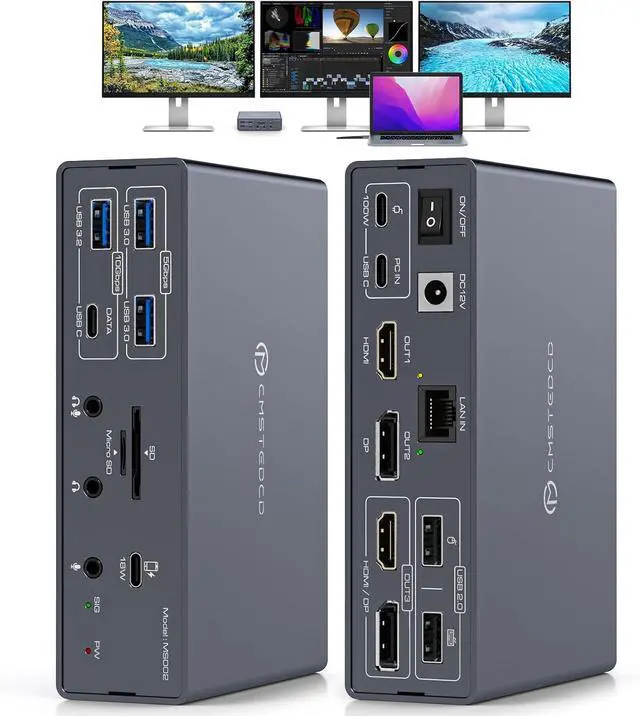
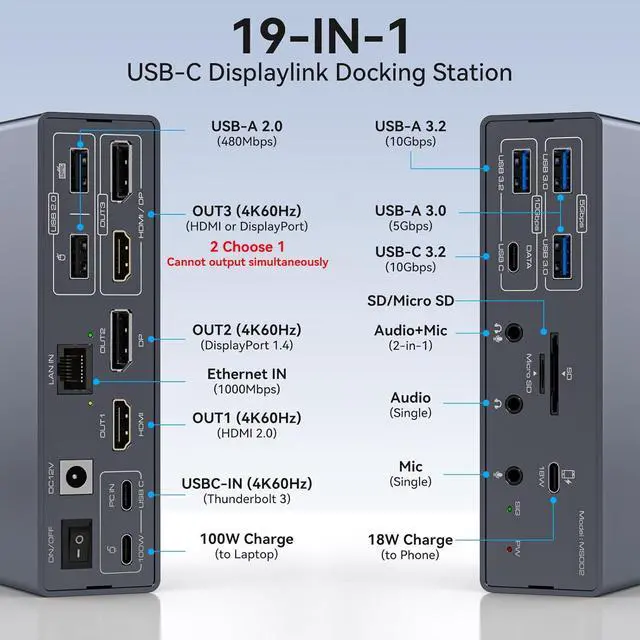
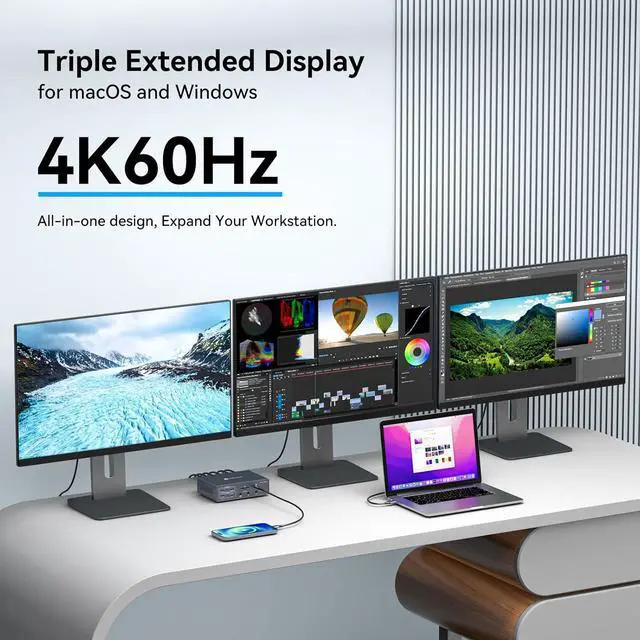
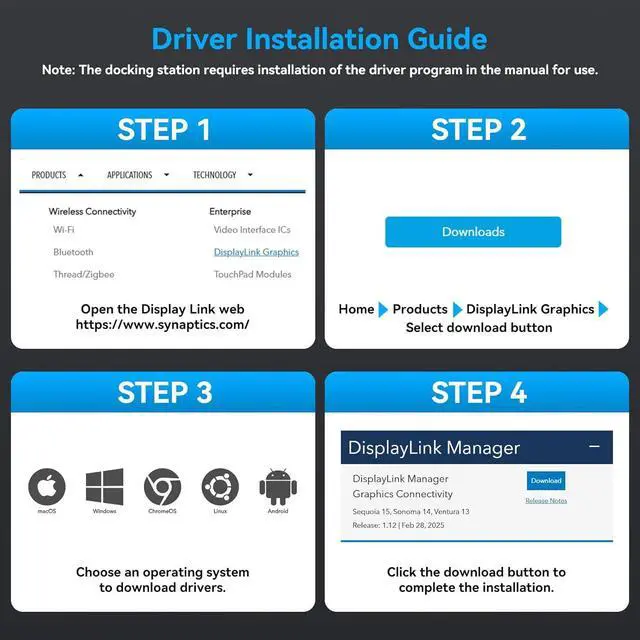
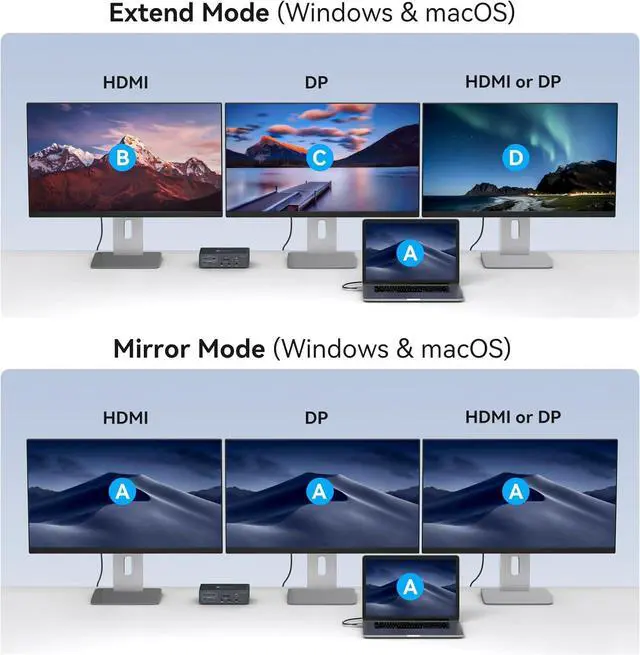
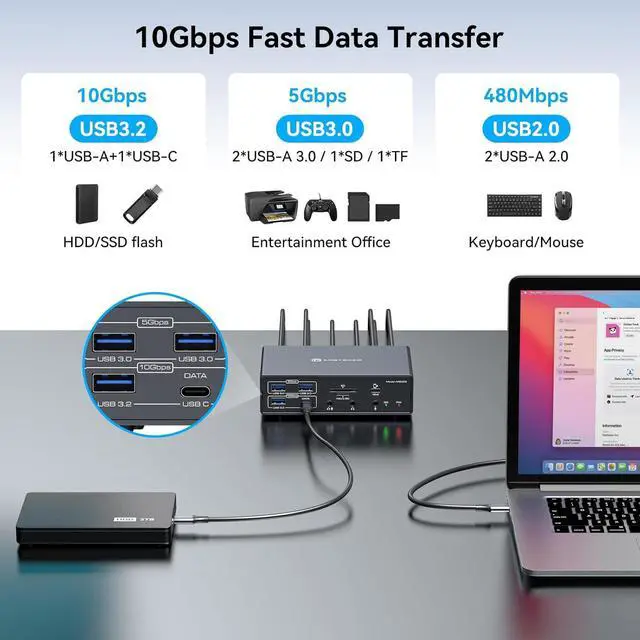
Displaylink Docking Station 3 MonitorsThe Displaylink Docking Station is used to expand your laptop to triple monitors, you only need to connect one USBC cable to the docking station to realize the expansion of 19 ports for your laptop. Say goodbye to the complexity of connecting multiple different peripherals to your laptop. One docking station can be used to expand your laptop with three displays, multiple USB ports, LAN ports, audio+mic ports, SD/Micro SD Card Slot etc. Note: The Displaylink driver must be installed when using the USBC docking station, otherwise OUT2 and OUT3 will not output images properly
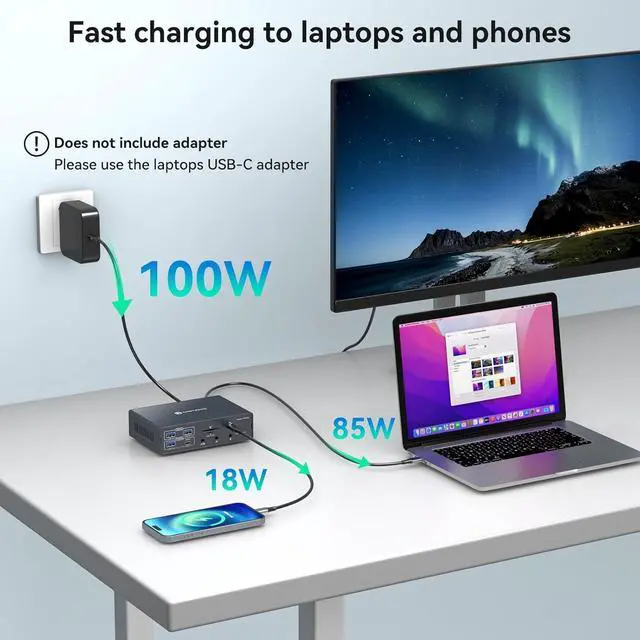
Important Note 1.Make sure your laptop comes with Thunderbolt 3 and above ports, other USB C ports will not work.2.The power adapter of the docking station does not charge the laptop, If you are charging a laptop, please use a laptop charger to connect the device.3.The included USBC cable must be used to connect the laptop and the docking station
Support Ultra HD 4K@60hz
+
+
Overview
Reviews
Any questions? Our AI beta will help you find out quickly.
Try me now
The video showcases the product in use. The video guides you through product setup. The video compares multiple products. The video shows the product being unpacked. Merchant Video How to install displaylink driver
There are no reviews yet.
Do you own this product?
Warranty & Returns
Warranty, Returns, And Additional Information
Warranty
Please contact the Seller directly for warranty information. Warranty information may also be found on the Manufacturer's website.