

Your Browsing History
- Free 30-day Returns
$72.99

Meet Your Seller

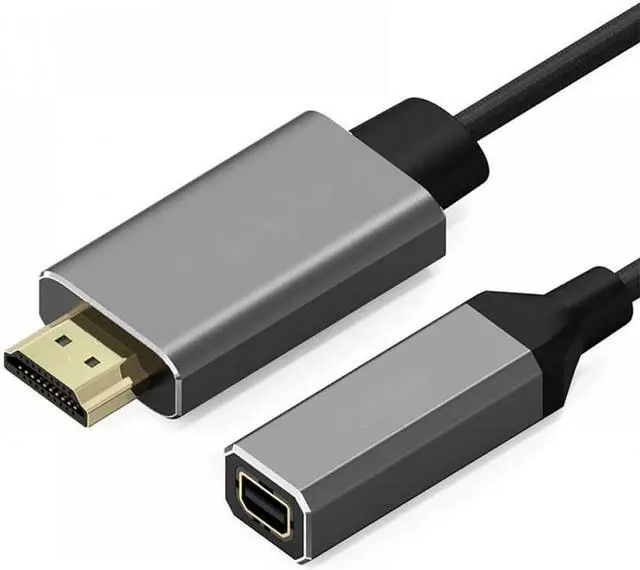


Elecbee HDMI to Mini for Display Port Converter Adapter Cable 4K X 2K HDMI Male to Female Video Cable
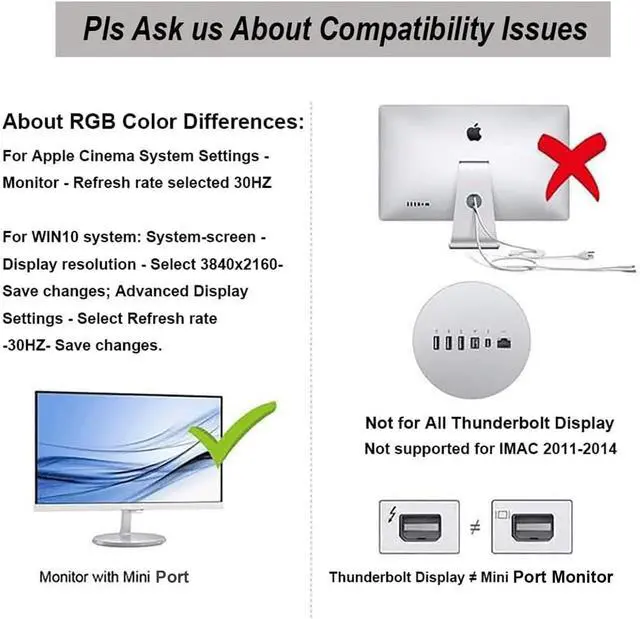
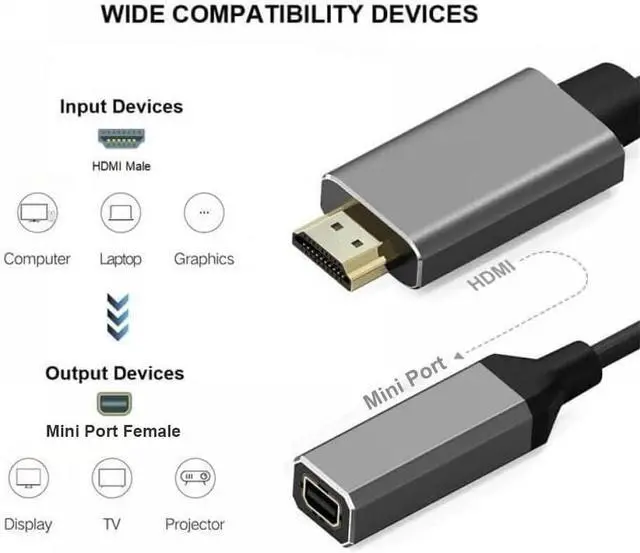
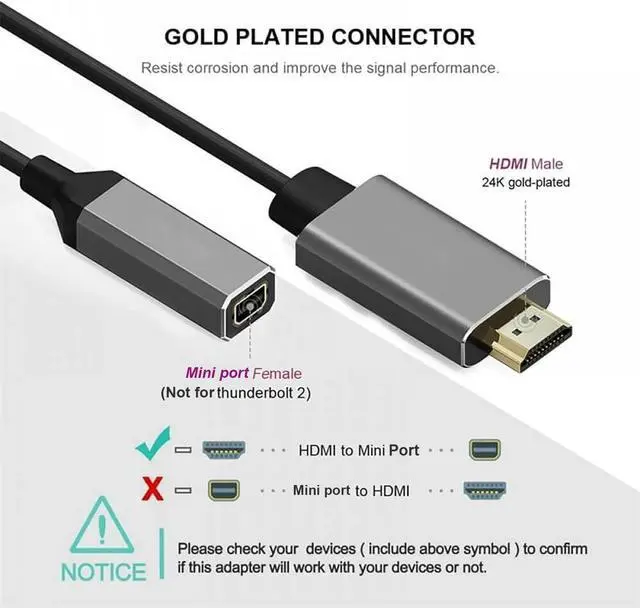
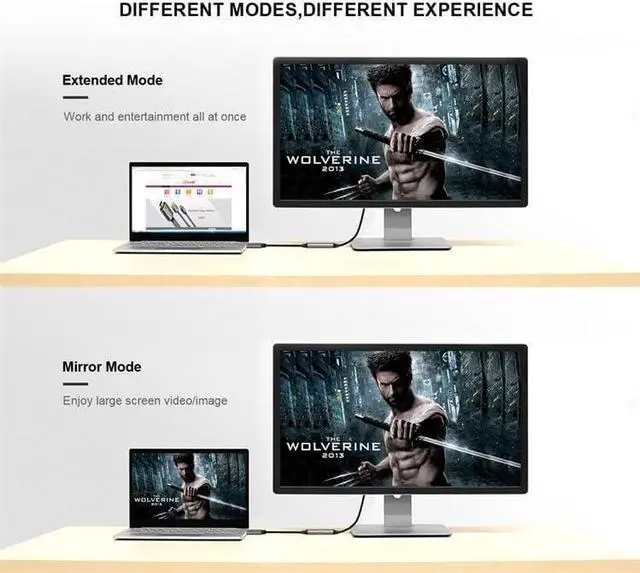
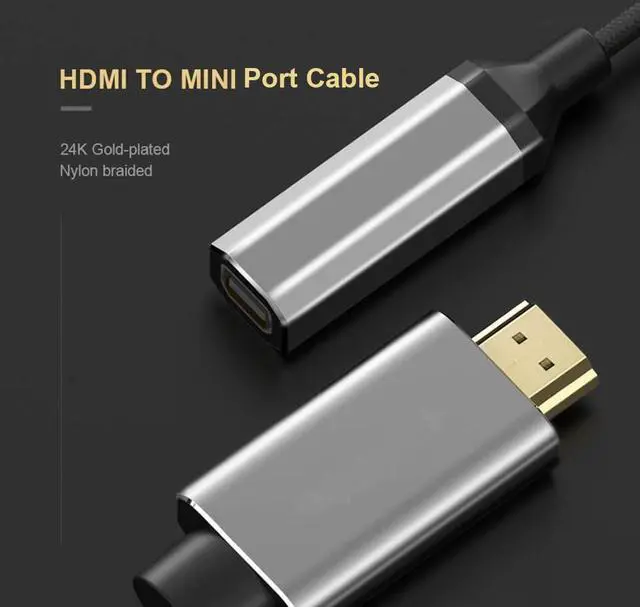
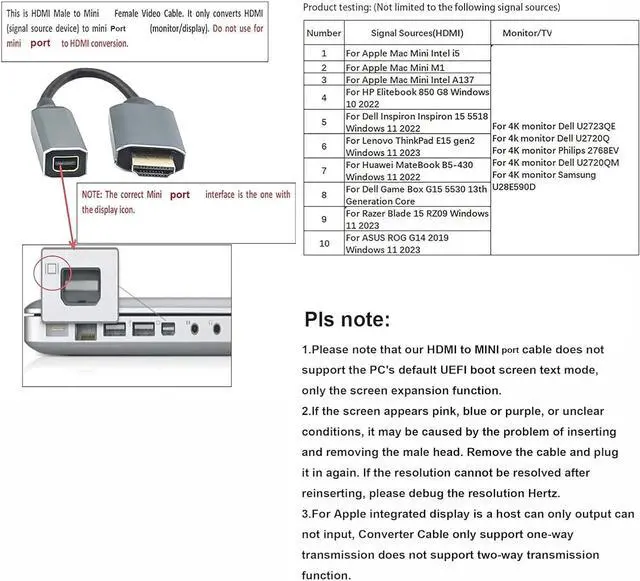
- Kind tips: 1. iMAC 2011-2014 display and Apple M1 Studio Max NOT SUPPORT.The cable only supports a single Cinema Display from 2011 to 2016. Cinema Display devices after 2019 are not supported. 2. This is not a bi-directional adapter. Do Not use MINI Port to HDMI conversion. Multi-function: High-performance HDMI TO Mini Port adapter - Connect HDMI-enabled Ultrabooks, Laptops, Desktops. Please note that our HDMI to MINI for cable does not support the PC's default UEFI boot screen text mode, only the screen expansion function.
- Support 4K and High-quality Video and Audio: UHD 4K (3840x2160) @ 30Hz, 1080P (1920x1080) @ 120 Hz, Audio: 7.1 channel surround audio with sampling rates up to 192 kHz. Questions about RGB color differences. You can set the screen resolution and Hertz on the computer to solve this discoloration problem.For Apple System Settings - Monitor - Refresh rate selected 30HZ;For WIN10 system: system-screen - display resolution - select 3840x2160- Save changes; Advanced
+
+
Overview
Reviews

Any questions? Our AI beta will help you find out quickly.
Try me now
Kind tips: 1. iMAC 2011-2014 display and Apple M1 Studio Max NOT SUPPORT.The cable only supports a single Cinema Display from 2011 to 2016. Cinema Display devices after 2019 are not supported. 2. This is not a bi-directional adapter. Do Not use MINI Port to HDMI conversion. Multi-function: High-performance HDMI TO Mini Port adapter - Connect HDMI-enabled Ultrabooks, Laptops, Desktops. Please note that our HDMI to MINI for cable does not support the PC's default UEFI boot screen text mode, only the screen expansion function.
Support 4K and High-quality Video and Audio: UHD 4K (3840x2160) @ 30Hz, 1080P (1920x1080) @ 120 Hz, Audio: 7.1 channel surround audio with sampling rates up to 192 kHz. Questions about RGB color differences. You can set the screen resolution and Hertz on the computer to solve this discoloration problem.For Apple System Settings - Monitor - Refresh rate selected 30HZ;For WIN10 system: system-screen - display resolution - select 3840x2160- Save changes; Advanced Display Settings - Select Refresh rate -30HZ- Save changes.
Plug and Play, Very Easy: Easy to set up and use, simply connect the adapter cable between your HDMI source and for port display. (Note: Plug the USB connector into a USB port for best performance and compatibility). No driver or software installation required!If the screen appears pink, blue or purple, or is not clear, it may be caused by the contact problem of the male head. Remove the cable and plug it in again. If the resolution cannot be resolved after reinserting, please debug the resolution Hertz.
Reliable Connection: Adopts four shielded cables and PVC cover to achieve maximum video performance and prevent signal loss, as well as HDCP (High-bandwidth Digital Content Protection) support. Compliant with CC, CE and RoHS standards.If you have a problem with images but no sound during transfer, there is a sound option on the system Settings page. You can choose either built-in or external. thank you
Note: If the HDMI output of the source is HDCP protected, please make sure your mini device input monitor is HDCP compliant. This adapter is not bi-directional. It only converts HDMI output signal (source device) to mini port (monitor/display). Do not use for display port to HDMI conversion. Our cable only supports Mini for port display, not for Thunderbolt Display. (IMAC 2011-2014 monitors are not supported) X-box one S only supports 1080P 60Hz!!Not for Thunderbolt Display.
Support 4K and High-quality Video and Audio: UHD 4K (3840x2160) @ 30Hz, 1080P (1920x1080) @ 120 Hz, Audio: 7.1 channel surround audio with sampling rates up to 192 kHz. Questions about RGB color differences. You can set the screen resolution and Hertz on the computer to solve this discoloration problem.For Apple System Settings - Monitor - Refresh rate selected 30HZ;For WIN10 system: system-screen - display resolution - select 3840x2160- Save changes; Advanced Display Settings - Select Refresh rate -30HZ- Save changes.
Plug and Play, Very Easy: Easy to set up and use, simply connect the adapter cable between your HDMI source and for port display. (Note: Plug the USB connector into a USB port for best performance and compatibility). No driver or software installation required!If the screen appears pink, blue or purple, or is not clear, it may be caused by the contact problem of the male head. Remove the cable and plug it in again. If the resolution cannot be resolved after reinserting, please debug the resolution Hertz.
Reliable Connection: Adopts four shielded cables and PVC cover to achieve maximum video performance and prevent signal loss, as well as HDCP (High-bandwidth Digital Content Protection) support. Compliant with CC, CE and RoHS standards.If you have a problem with images but no sound during transfer, there is a sound option on the system Settings page. You can choose either built-in or external. thank you
Note: If the HDMI output of the source is HDCP protected, please make sure your mini device input monitor is HDCP compliant. This adapter is not bi-directional. It only converts HDMI output signal (source device) to mini port (monitor/display). Do not use for display port to HDMI conversion. Our cable only supports Mini for port display, not for Thunderbolt Display. (IMAC 2011-2014 monitors are not supported) X-box one S only supports 1080P 60Hz!!Not for Thunderbolt Display.
Warranty & Returns
Warranty, Returns, And Additional Information
Warranty
- Please contact the Seller directly for warranty information. Warranty information may also be found on the Manufacturer's website.
- CONTACT
Return Policies
- Return for refund within: 30 days
- Return for replacement within: 30 days
- This item is covered by DHINGDOM TRADING CO., LIMITED Return Policy
Manufacturer Contact Info
- For a directory of all our manufacturers, please click below.
- Manufacturers Directory
LOADING...