

Your Browsing History
- Free 30-day Returns
$70.99

Meet Your Seller

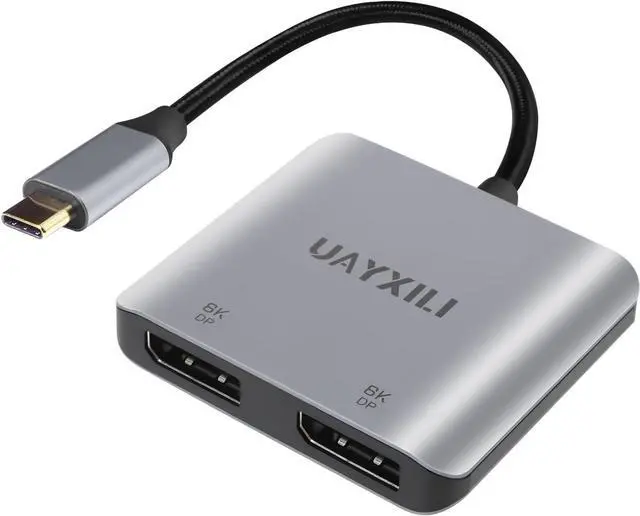
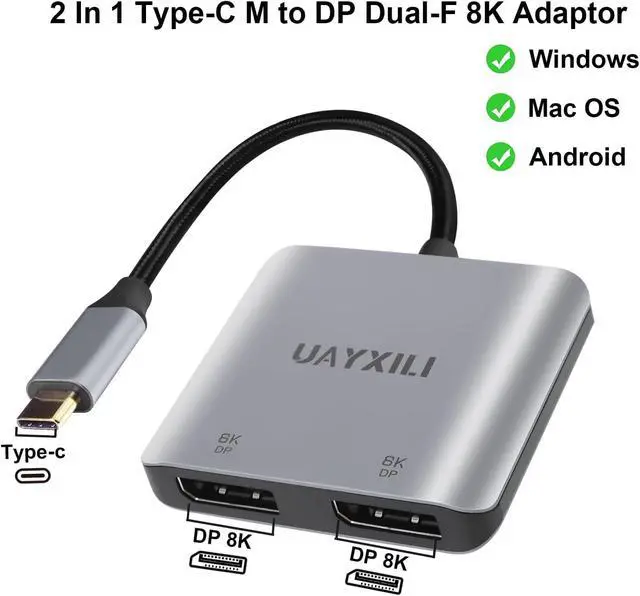


USB C to Dual DisplayPort Adapter 8K@60Hz,DP Splitter 1 in 2 Out Extended Display for Windows, Type-C to 2 DP MST Hub for Dual Monitors Compatible with XPS 13/15, Lenovo, Chromebook, HP etc
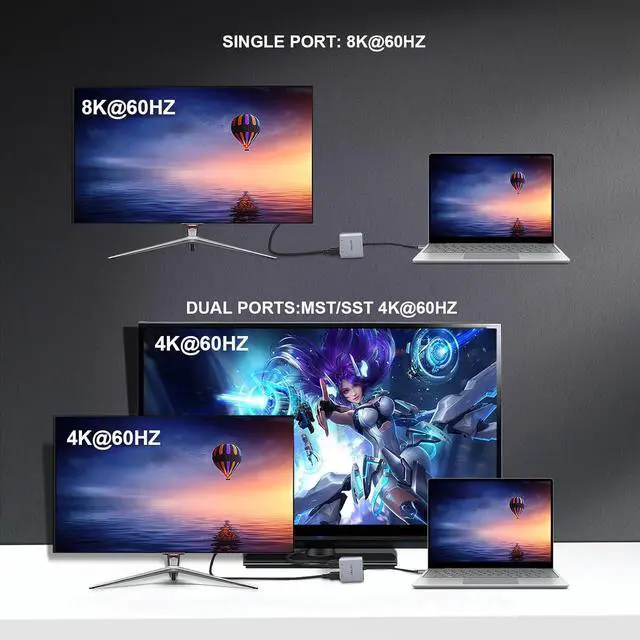
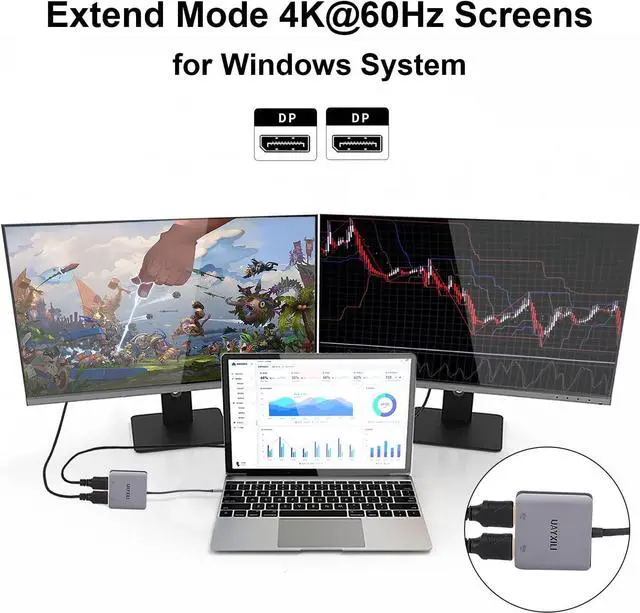
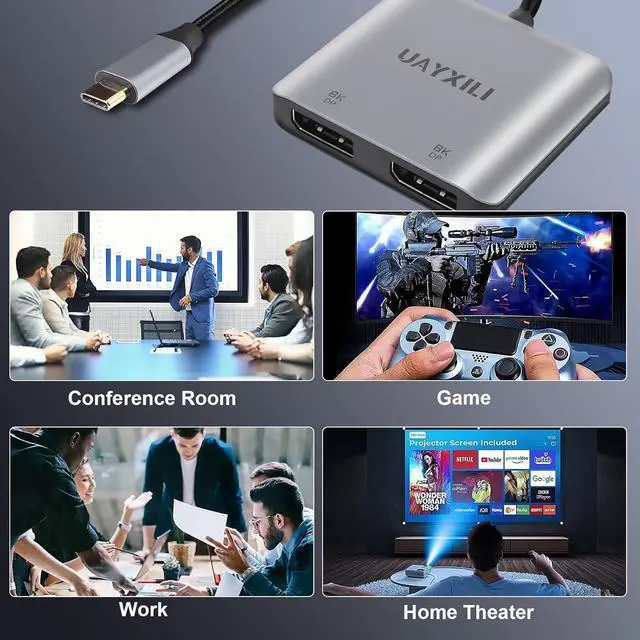
- 8K60Hz UHD Resolution/Audio & Video Sync Transmissiom:UAYXILI USB-C to Dual DP adapter for dual monitor extended Display, DP1.4 for single displayport screen resolution up to 8K@60Hz and dual display port screen resolution up to 4K@60Hz.(Note: To achieve single 8K resolution, make sure that the input device ports are at a minimum of the DP 1.4 version that support 8K at the same time).Ideal for multi-stream displays in schools, conference rooms, worship halls, retail stores, and more, it provides ultra-high-definition display content.
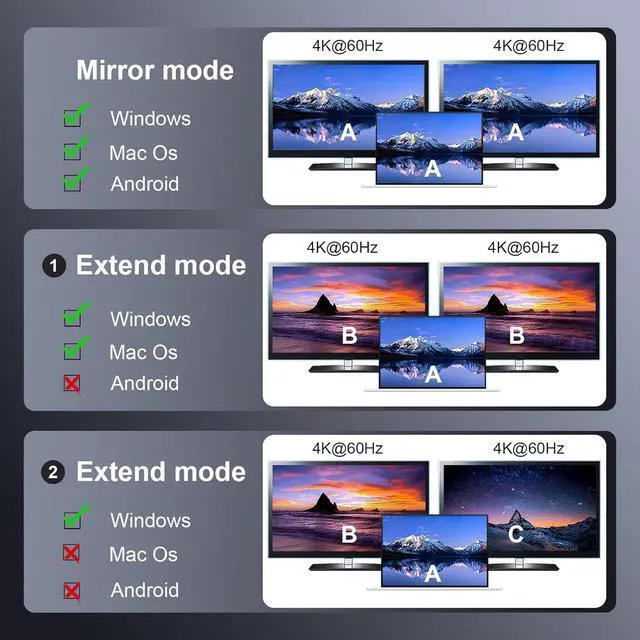
- Extended Mode and Mirror Mode: dual Display Port splitter 1 in 2 out supports both extended and mirror modes. It adds dual DisplayPort monitors to your DisplayPort desktop/laptop/graphics card as a DisplayPort splitter for dual DisplayPort monitors. Windows OS supports both MST(A+B+C) and SST(Mirror Mode A+A+A/A+B+B), while macOS only supports SST (Mirror Mode A+A+A/A+B+B). *Do not connect to other DP docks or hubs. *Most laptops and PCs with integr
+
+
Overview
Reviews

Any questions? Our AI beta will help you find out quickly.
Try me now
This UAYXILI USB C to dual displayPort adapter 8K support a USB C enabled device to connect to two displayport displays for video mirroring, video extension, or viewing a single video image across two displays.
Displayport splitter for dual monitors can be easily solved by this adapter. It is also an excellent solution for dual monitors, allowing you to expand your work space and improve work efficiency.
single display 8K 60Hz.
dual display 4K 60Hz.
Support Windows OS Extend and Mirror mode (MST/SST).
Support MacOS Mirror and Extend mode (not support A+B+C) .
Support Androi OS mirror mode:support A+A+A
MST/SST HUB support for 4:4:4 color format.
Important Notes:For this USB C to dual DisplayPort adapter, USB-C port must support DisplayPort Alt Mode (DP Alt Mode, not all USB-C ports/systems support Alt Mode functionality
Type C to dual displayPort adapter /displayport MST HUB with two DP ports, you can connect two monitors to your DisplayPort devices at the same time, and easily switch between different monitors or projectors in different scenarios.
Windows OS (MST) mode:Support A+A+A and A+B+B and A+B+C.
Mac OS (SST) mirror mode:support A+A+A and extend mode:supportA+B+B ,not support A+B+C .
Androi OS mirror mode:support A+A+A
Dual display 4K 60hz.
Important Notes:Desktop or laptop computer with an available USB-C (DisplayPort Alt Mode capability), not all USB-C ports support video transmission to DisplayPort 1.4 Dual-mode output please check with the computer manufacturer.
Displayport splitter for dual monitor display compatible with MacBook Pro 2021/2020/2019/2018/2017, Dell XPS 13/15/17, HP Spectre x360 14/15, LG Gram 17/16, Chromebook Pixel, Google Pixelbook, Nintendo Switch, Surface Book 3/4/5/Pro 3/4/5/6, LG G1/G2 and more Type-C devices.
Compatible with NVIDIA Surround technology or AMD Eyefinity graphics adapter and they are required to support Panoramic Video Wall mode
This adapter is compatible with DisplayPort monitors only. It will not work if you try to convert from DisplayPort to DVI, VGA or HDMI
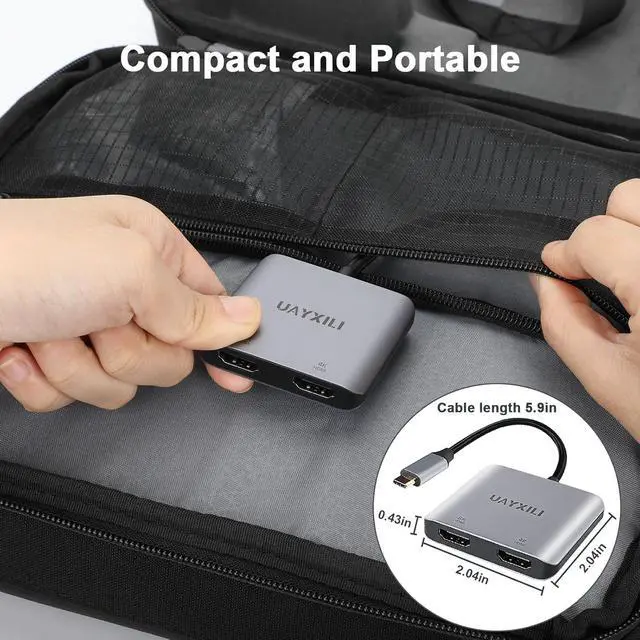
The size of Displayport splitter for dual Monitor is about L2.29inxW8.46inxH0.43in inches,it is very convenient to carry when traveling.
Premium aluminum casing easure the fast heat dissipation, and ensure the adapter's performance. Graphene cable applied, provide super soft and much flexibility.
USB C to dual Displayport Splitter (MST HUB) Displayport Splitter for Dual Monitor Extend Display 2 In 1 Widely Compatible Displayport adapter Compact and Portable
Displayport splitter for dual monitors can be easily solved by this adapter. It is also an excellent solution for dual monitors, allowing you to expand your work space and improve work efficiency.
single display 8K 60Hz.
dual display 4K 60Hz.
Support Windows OS Extend and Mirror mode (MST/SST).
Support MacOS Mirror and Extend mode (not support A+B+C) .
Support Androi OS mirror mode:support A+A+A
MST/SST HUB support for 4:4:4 color format.
Important Notes:For this USB C to dual DisplayPort adapter, USB-C port must support DisplayPort Alt Mode (DP Alt Mode, not all USB-C ports/systems support Alt Mode functionality
Type C to dual displayPort adapter /displayport MST HUB with two DP ports, you can connect two monitors to your DisplayPort devices at the same time, and easily switch between different monitors or projectors in different scenarios.
Windows OS (MST) mode:Support A+A+A and A+B+B and A+B+C.
Mac OS (SST) mirror mode:support A+A+A and extend mode:supportA+B+B ,not support A+B+C .
Androi OS mirror mode:support A+A+A
Dual display 4K 60hz.
Important Notes:Desktop or laptop computer with an available USB-C (DisplayPort Alt Mode capability), not all USB-C ports support video transmission to DisplayPort 1.4 Dual-mode output please check with the computer manufacturer.
Displayport splitter for dual monitor display compatible with MacBook Pro 2021/2020/2019/2018/2017, Dell XPS 13/15/17, HP Spectre x360 14/15, LG Gram 17/16, Chromebook Pixel, Google Pixelbook, Nintendo Switch, Surface Book 3/4/5/Pro 3/4/5/6, LG G1/G2 and more Type-C devices.
Compatible with NVIDIA Surround technology or AMD Eyefinity graphics adapter and they are required to support Panoramic Video Wall mode
This adapter is compatible with DisplayPort monitors only. It will not work if you try to convert from DisplayPort to DVI, VGA or HDMI
The size of Displayport splitter for dual Monitor is about L2.29inxW8.46inxH0.43in inches,it is very convenient to carry when traveling.
Premium aluminum casing easure the fast heat dissipation, and ensure the adapter's performance. Graphene cable applied, provide super soft and much flexibility.
USB C to dual Displayport Splitter (MST HUB) Displayport Splitter for Dual Monitor Extend Display 2 In 1 Widely Compatible Displayport adapter Compact and Portable
Warranty & Returns
Warranty, Returns, And Additional Information
Warranty
- Please contact the Seller directly for warranty information. Warranty information may also be found on the Manufacturer's website.
- CONTACT
Return Policies
- Return for refund within: 30 days
- Return for replacement within: 30 days
- This item is covered by DHINGDOM TRADING CO., LIMITED Return Policy
Manufacturer Contact Info
- For a directory of all our manufacturers, please click below.
- Manufacturers Directory
LOADING...