

Your Browsing History
- Free 30-day Returns
$90.99

Meet Your Seller

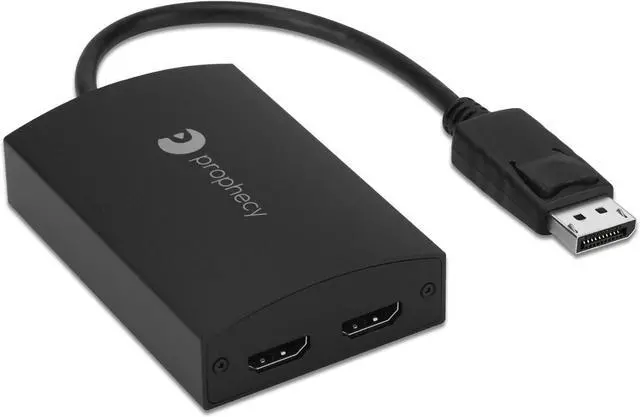


gofanco Prophecy 1x2 DisplayPort 1.2 to 2 Port HDMI Multi Monitor Adapter DP to Dual HDMI MST Hub w. Extended Display Mode, 4K @30Hz, for Windows PCs, Not Mac OS Compatible, TAA Compliant
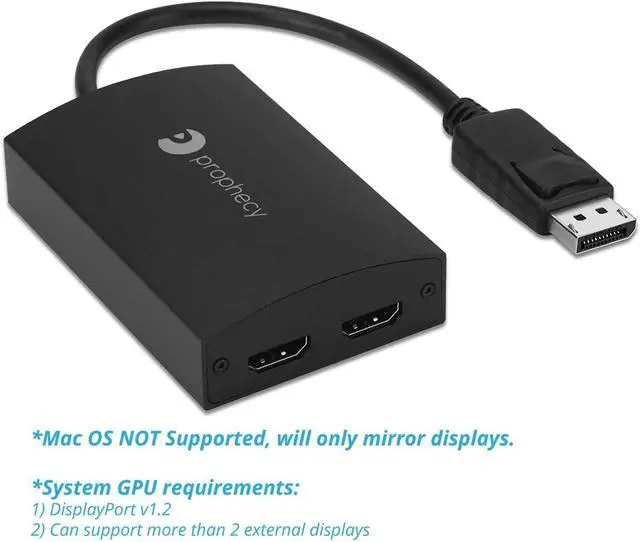
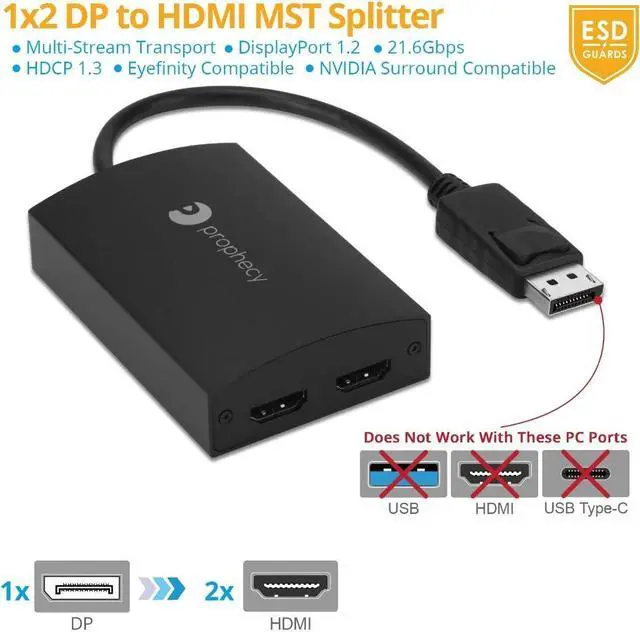
- IMPORTANT NOTES 1) DisplayPort 1.2 GPU/Graphics card required , same with a docking station || 2) Requires GPU/Graphics card supporting more than 2 external displays || 3) Intel HD Graphics are limited to 3 external monitors altogether || 4) You must have a DisplayPort 1.2 compatible port on your device || ** See Product Description for more important information. Contact us before purchasing if you are not sure about compatibility
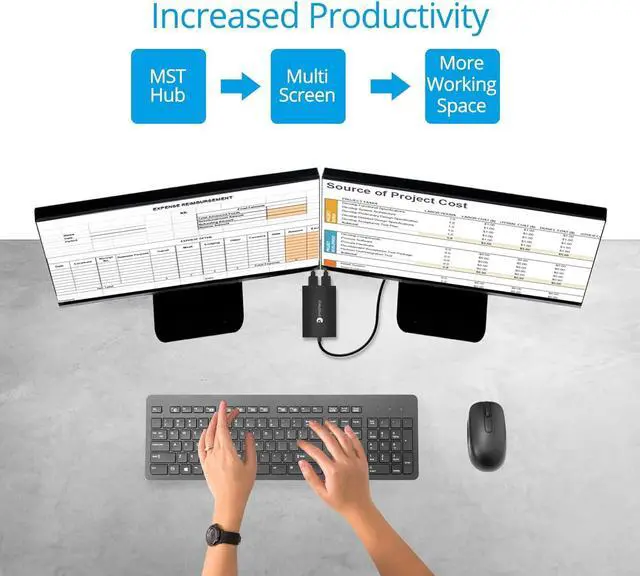
- 2 EXTERNAL MONITORS Connect two HDMI displays to your system through a single DisplayPort 1.2 output on your computer; work as a splitter, extended mode, or expand mode joining multiple screens together as one display; MacOS does NOT support extended display mode while using this adapter
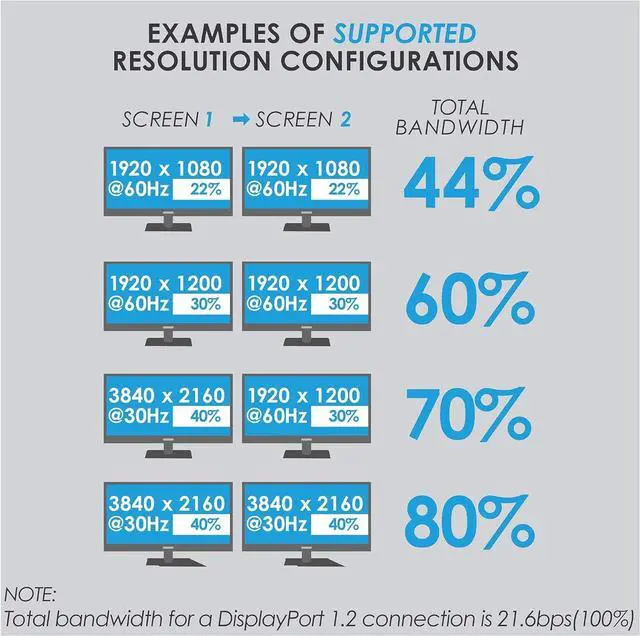
- HIGH RESOLUTION Supports up to 4K @30Hz. A DisplayPort v1.2 output or later is required for full functionality. With DisplayPort v1.1 or earlier, the MST function is disabled and the hub becomes a Splitter, mirroring your video source across all displays
- Eyefinity
+
+
Overview
Reviews

Any questions? Our AI beta will help you find out quickly.
Try me now
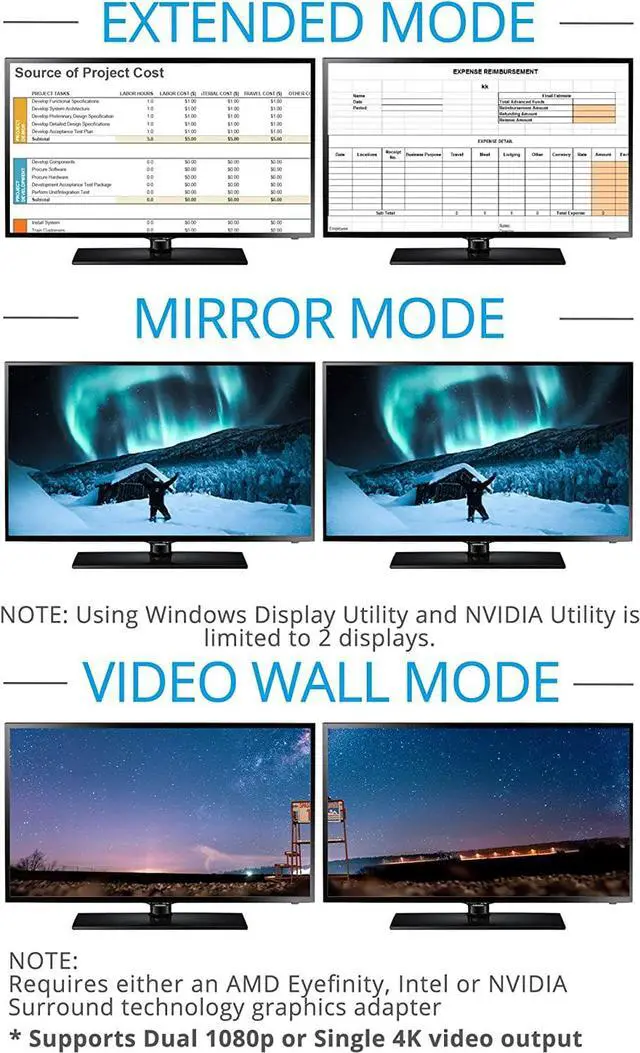
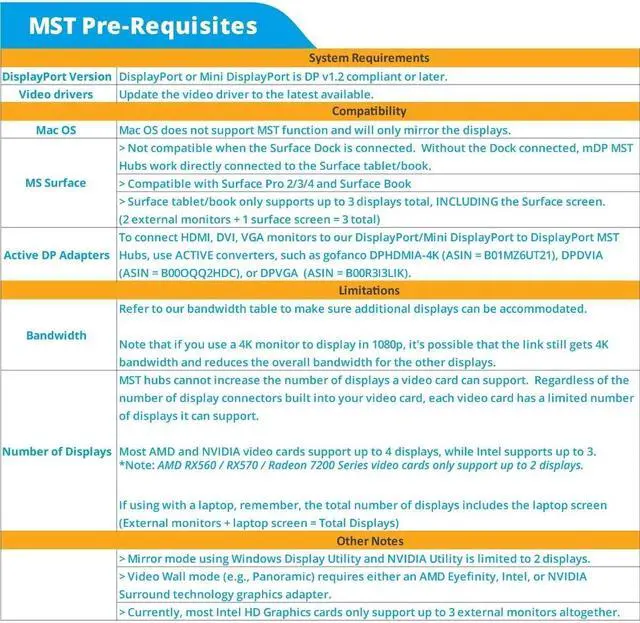
Allows you to connect two displays to your DisplayPort enabled laptop, Ultrabook, or PC. Configure these added monitors anyway you want; works as a splitter with the same content on each monitor, extended mode with independent monitors, or video wall mode joining multiple monitors together as one display.Mac OS does not support MST technology and will only mirror each display.
Adding additional displays to your system is simple with MST Hubs; however, they are mostly dependent on your Graphics Cards capability to operate properly. Please ASK if youre not sure, before purchasing.
Compatible Devices:
Systems with an available DisplayPort v1.2 (Check PC model on manufacturer website if not sure)
Windows 10 / 8.1 & 8 / 7
MacOS does not support MST technology and will only mirror each display
What's in the Package:
Prophecy DisplayPort MST Hub to 2x HDMI
Micro-USB power cable
Users guide
Important Information:
Adding additional displays to your system is simple with MST Hubs; however, they are mostly dependent on your Graphics Cards capability to operate properly. Please ASK if youre not sure, before purchasing.
Make sure your DisplayPort or Mini DisplayPort is DP v1.2 or later. This is the most important criteria. If youre unsure, check with the video card or system manufacturer.
Mac OS does not support MST function and will only mirror the displays.
Install the latest drivers for your video card. Go directly to the system/video card manufacturer or chipset owner, such as AMD, Nvidia or Intel, to find the latest driver. Driver update through Device Manager may not retrieve the latest driver available.
MST hubs cannot increase the number displays a video card supports. Regardless of the number of display connectors built into your video card, each video card has a limited number of displays it can support. From our experience at the current time, AMD and NVIDIA video cards support up to 4 displays, while Intel supports up to 3. If youre unsure, check with the video card or system manufacturer.
Refer to our bandwidth table to make sure additional displays can be accommodated. Its important to note that if you use a 4K monitor to display in 1080p, theres a possibility that the link still gets 4K bandwidth and reduces the overall bandwidth for the other displays.
The Microsoft Surface Dock is not compatible with Mini DisplayPort MST Hubs and should not be used when the Surface Dock is connected. They will work when directly connected to the Surface tablet/book.
Compatible Microsoft Surface Products: Surface Pro 2, Surface Pro 3, Surface Pro 4, Surface Book
Video Wall mode (e.g., Panoramic) requires either an AMD Eyefinity, Intel, or NVIDIA Surround technology graphics adapter.
If using with a docking station, check with the manufacturer to make sure the DP port supports MST.
Compatible Devices:
Systems with an available DisplayPort v1.2 (Check PC model on manufacturer website if not sure)
Windows 10 / 8.1 & 8 / 7
MacOS does not support MST technology and will only mirror each display
What's in the Package:
Prophecy DisplayPort MST Hub to 2x HDMI
Micro-USB power cable
Users guide
Adding value to the lives of residential and commercial users by providing reliable audio-visual and connectivity solutions, and a great user experience
gofanco DisplayPort MST Hub to 2x HDMI Important Information What We Do?
Adding additional displays to your system is simple with MST Hubs; however, they are mostly dependent on your Graphics Cards capability to operate properly. Please ASK if youre not sure, before purchasing.
Compatible Devices:
Systems with an available DisplayPort v1.2 (Check PC model on manufacturer website if not sure)
Windows 10 / 8.1 & 8 / 7
MacOS does not support MST technology and will only mirror each display
What's in the Package:
Prophecy DisplayPort MST Hub to 2x HDMI
Micro-USB power cable
Users guide
Important Information:
Adding additional displays to your system is simple with MST Hubs; however, they are mostly dependent on your Graphics Cards capability to operate properly. Please ASK if youre not sure, before purchasing.
Make sure your DisplayPort or Mini DisplayPort is DP v1.2 or later. This is the most important criteria. If youre unsure, check with the video card or system manufacturer.
Mac OS does not support MST function and will only mirror the displays.
Install the latest drivers for your video card. Go directly to the system/video card manufacturer or chipset owner, such as AMD, Nvidia or Intel, to find the latest driver. Driver update through Device Manager may not retrieve the latest driver available.
MST hubs cannot increase the number displays a video card supports. Regardless of the number of display connectors built into your video card, each video card has a limited number of displays it can support. From our experience at the current time, AMD and NVIDIA video cards support up to 4 displays, while Intel supports up to 3. If youre unsure, check with the video card or system manufacturer.
Refer to our bandwidth table to make sure additional displays can be accommodated. Its important to note that if you use a 4K monitor to display in 1080p, theres a possibility that the link still gets 4K bandwidth and reduces the overall bandwidth for the other displays.
The Microsoft Surface Dock is not compatible with Mini DisplayPort MST Hubs and should not be used when the Surface Dock is connected. They will work when directly connected to the Surface tablet/book.
Compatible Microsoft Surface Products: Surface Pro 2, Surface Pro 3, Surface Pro 4, Surface Book
Video Wall mode (e.g., Panoramic) requires either an AMD Eyefinity, Intel, or NVIDIA Surround technology graphics adapter.
If using with a docking station, check with the manufacturer to make sure the DP port supports MST.
Compatible Devices:
Systems with an available DisplayPort v1.2 (Check PC model on manufacturer website if not sure)
Windows 10 / 8.1 & 8 / 7
MacOS does not support MST technology and will only mirror each display
What's in the Package:
Prophecy DisplayPort MST Hub to 2x HDMI
Micro-USB power cable
Users guide
Adding value to the lives of residential and commercial users by providing reliable audio-visual and connectivity solutions, and a great user experience
gofanco DisplayPort MST Hub to 2x HDMI Important Information What We Do?
Warranty & Returns
Warranty, Returns, And Additional Information
Warranty
- Please contact the Seller directly for warranty information. Warranty information may also be found on the Manufacturer's website.
- CONTACT
Return Policies
- Return for refund within: 30 days
- Return for replacement within: 30 days
- This item is covered by DHINGDOM TRADING CO., LIMITED Return Policy
Manufacturer Contact Info
- For a directory of all our manufacturers, please click below.
- Manufacturers Directory
LOADING...