

Your Browsing History
- Free 30-day Returns
$162.99

Meet Your Seller

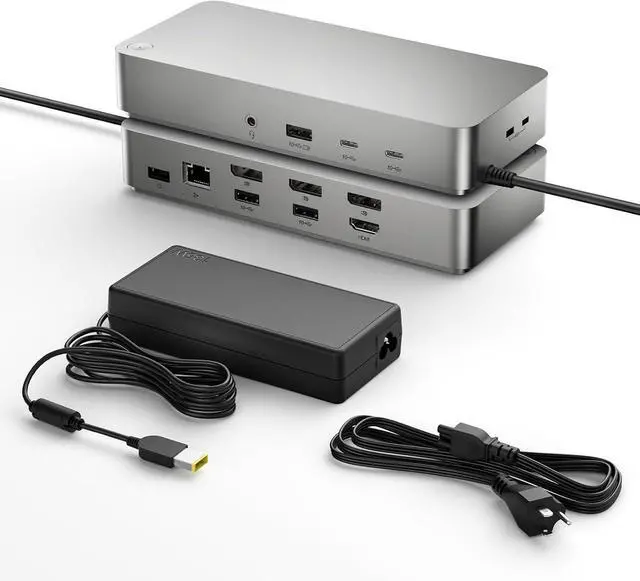
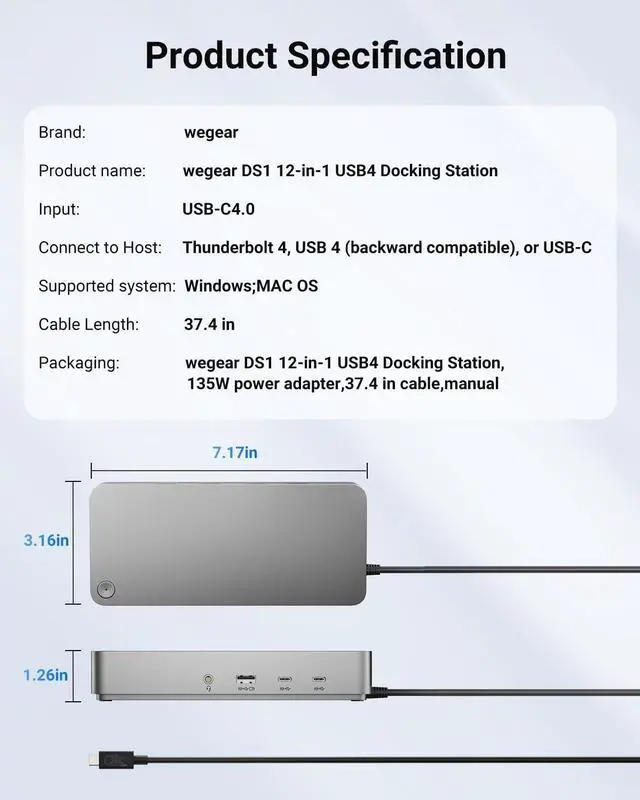


Laptop Docking Station(12-in-1), for Thunderbolt 4, USB 4, or USB-C Systems, 92W Charging for Laptop, 40 Gbps Data Transfer, Single 8K, Quad 4K Display, Ethernet, Compatible with Windows, MacOS
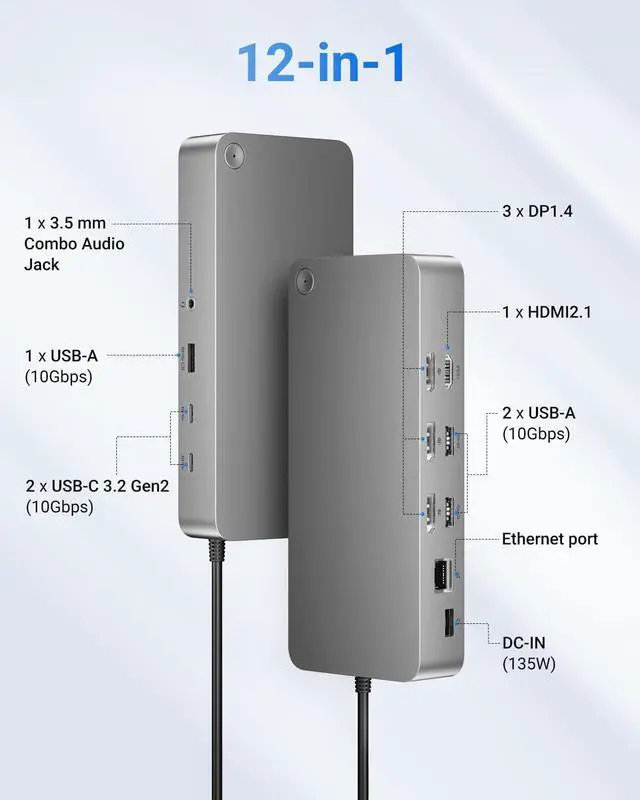
- 12 in 1 ExpansionPlug and play. Say Goodbye to Clutter.Equipped with 1*HDMI2.13*DP1.4USB Ports: USB-A:3*1Gbps1*10GbpsUSB-C:2*USB3.2 Gen2 10GbpsNetworking: an Ethernet portAudio: 1 x 3.5 mm Combo Audio Jack
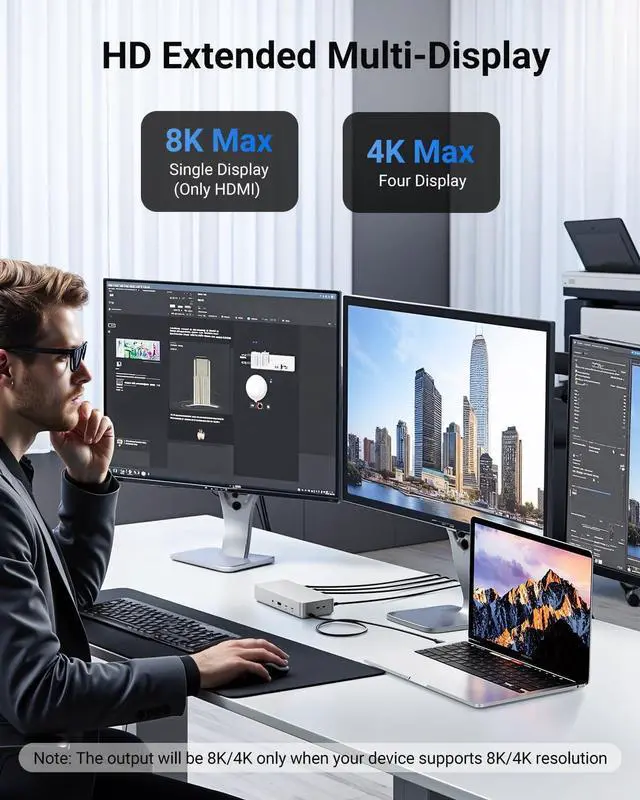
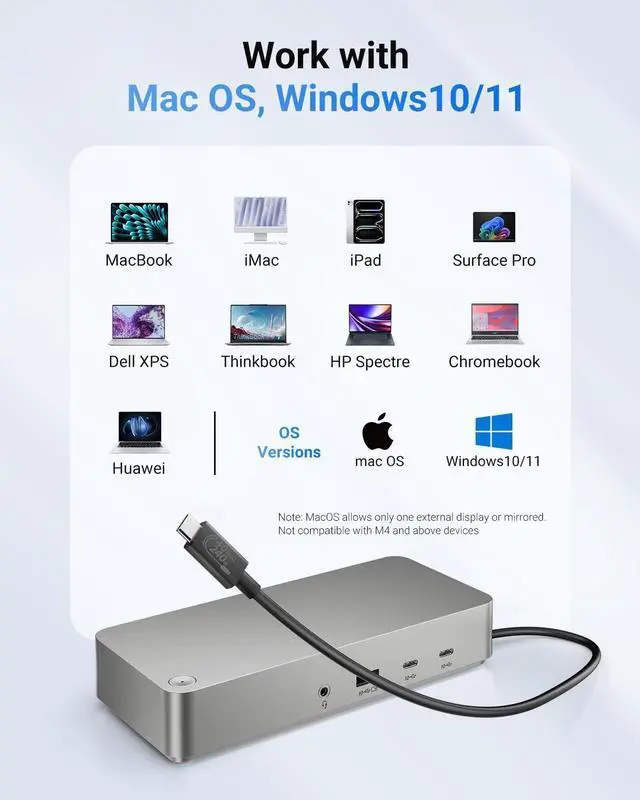
- HD Expand Your Display OptionsConnect to a single display in up to 8K@30Hz via HDMI, or four displays in 4K, while also enabling enhanced HDR10 picture quality; Note: Mac OS supports only one extended/mirrored display. 8K/4K output requires an 8K/4K compatible device. Supports three external displays (Four in total, including the host screen) and four displays when the host is off
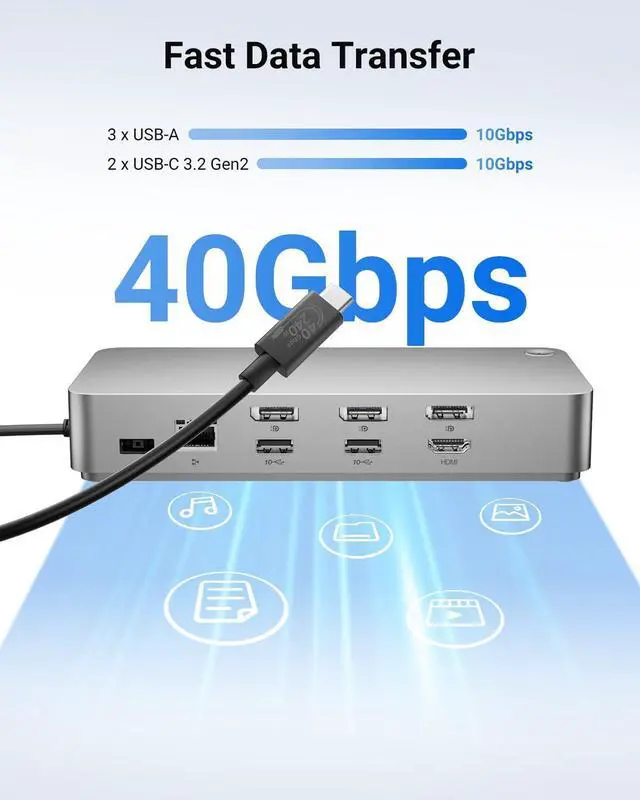
- Super Speed Data TransferThe upstream USB-C 4.0 port provides lightning-fast 40 Gbps transfer speeds, and USB-A and USB-C have a maximum transfer speed of 10 Gbps, which lets your work efficiency reach a new level
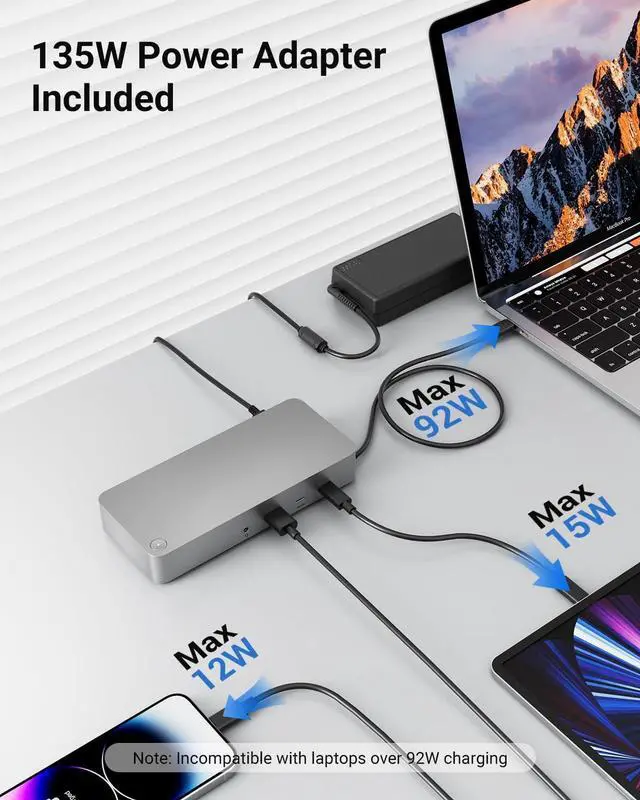
- PD135W AdapterDS1 docking station comes with a 135W adapter for laptop charging, no longer need a laptop power adapter. It will power your laptop with up to 92W charging power, a
+
+
Overview
Reviews

Any questions? Our AI beta will help you find out quickly.
Try me now
The expanded screen cannot reach 8k@30Hz or 4K@60Hz?
It is related to the display device, the computer graphics card/interface version, and the connecting cable; the device itself needs to support it to reach the highest setting.
The transmission rate cannot be reached?
UFP supports USB4 transmission protocol, with a transmission rate of up to 40Gbps; DFP USBA and USBC theoretical transmission values up to 10Gbps;
You need to try a data transmission line with corresponding parameters to reach the theoretical value
Unable to expand the display function on different screens?
Customers need to set up MST expansion mode on the computer. If all audio and video interfaces are connected and 5 displays are connected, one of the screens will display duplicate content.
Note: Mac does not support MST mode
Unable to display the extended screen after connection?
The expanded screen cannot reach 8k@30Hz or 4K@60Hz?
The transmission rate cannot be reached?
Unable to expand the display function on different screens?
It is related to the display device, the computer graphics card/interface version, and the connecting cable; the device itself needs to support it to reach the highest setting.
The transmission rate cannot be reached?
UFP supports USB4 transmission protocol, with a transmission rate of up to 40Gbps; DFP USBA and USBC theoretical transmission values up to 10Gbps;
You need to try a data transmission line with corresponding parameters to reach the theoretical value
Unable to expand the display function on different screens?
Customers need to set up MST expansion mode on the computer. If all audio and video interfaces are connected and 5 displays are connected, one of the screens will display duplicate content.
Note: Mac does not support MST mode
Unable to display the extended screen after connection?
The expanded screen cannot reach 8k@30Hz or 4K@60Hz?
The transmission rate cannot be reached?
Unable to expand the display function on different screens?
Warranty & Returns
Warranty, Returns, And Additional Information
Warranty
- Please contact the Seller directly for warranty information. Warranty information may also be found on the Manufacturer's website.
- CONTACT
Return Policies
- Return for refund within: 30 days
- Return for replacement within: 30 days
- This item is covered by DHINGDOM TRADING CO., LIMITED Return Policy
Manufacturer Contact Info
- For a directory of all our manufacturers, please click below.
- Manufacturers Directory
LOADING...