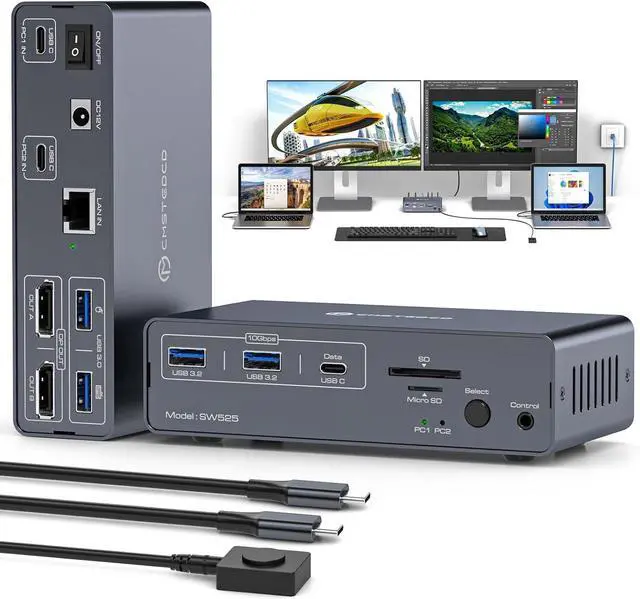
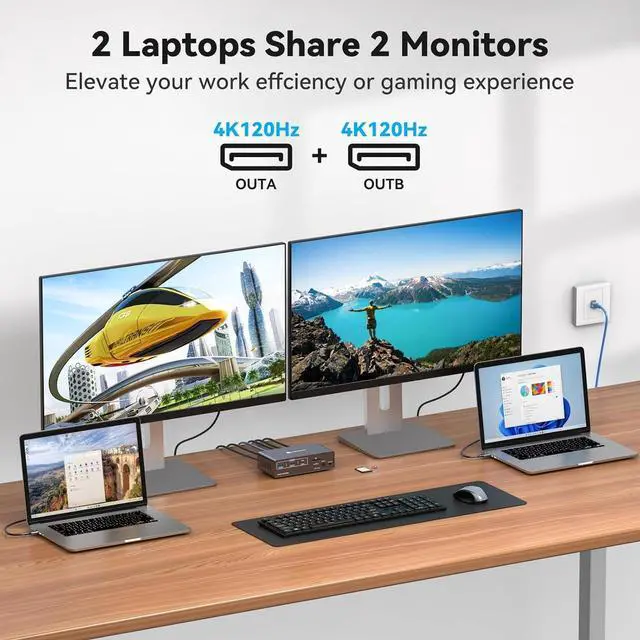
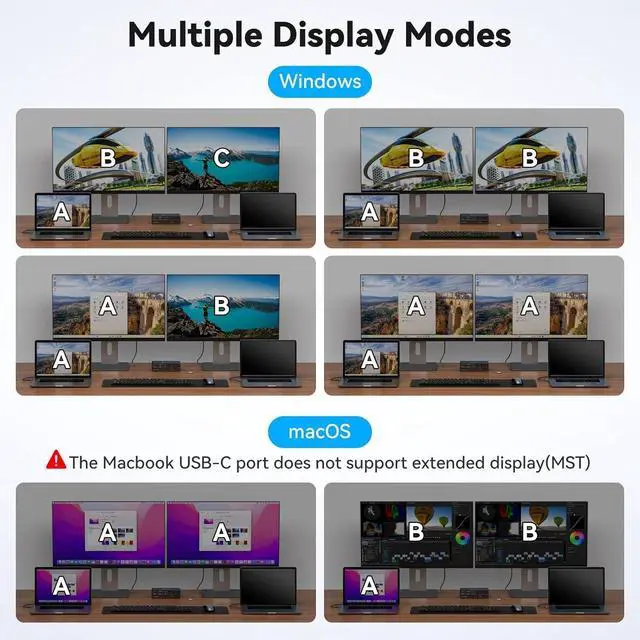
USB C Docking Station: USB C KVM switch 2 Computers 2 Monitors Displayport Allows your desktop and laptop to share 2 DP monitors (with extended display support) and a 12-in-1 docking station. Perfect for keeping your work and personal life separate yet connected. (Mac users: mirror mode only.)
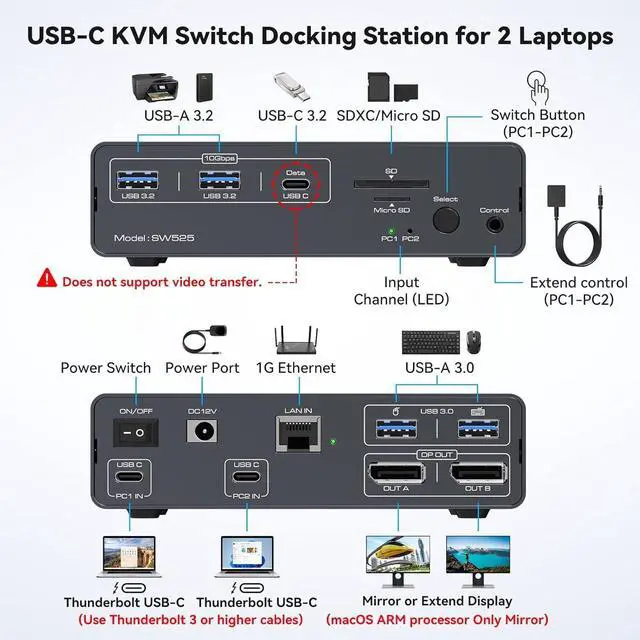
Before Purchase: 1.Your computer must have a Thunderbolt 3 (or higher) USB-C port. 2. When connecting a MacBook/Mac OS device to dual monitors via the switcher, only mirroring mode is supported, not extended display (a system limitation). 3.The switcher's USB-C port does not support charging (no PD function).4. Avoid DP cables over 9 feet, below DP1.4 spec, or any adapters. For stable performance, use a 3.3-foot DP1.4 cable
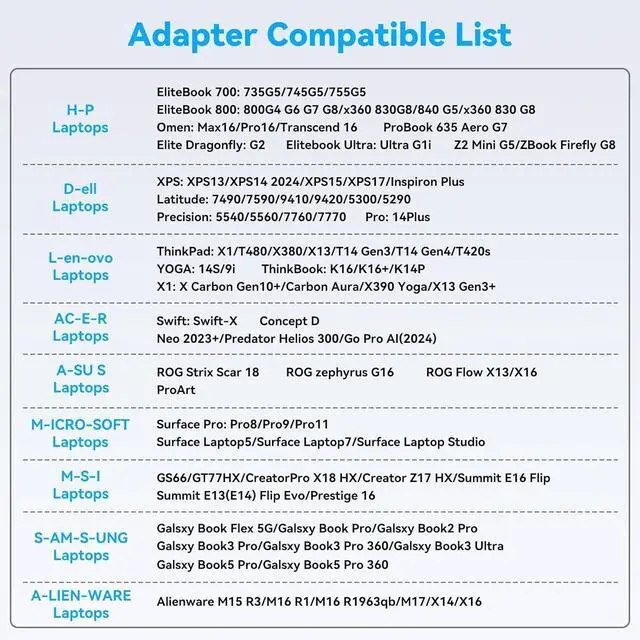
Please Check Compatibility: This KVM Docking Stations requires that your laptop's USB C port supports the DP Alt Mode feature, or a laptop with Thunderbolt 3/4/5 ports. For example, the following laptop series: H-P Laptops-EliteBook 700/800, Omen, Elite Dragonfly, Elitebook Ultra series; D-e-ll Laptops-XPS, Latitude, Precision, Pro series; Le-no-vo Laptops-ThinkPad, YOGA, ThinkBook, X1 series; A-c-er Laptops-Swift, Concept D, Neo 2023+ series; A-su-s Laptops-ROG, ProArt series. For laptop specific models or compatible models of other brands, please check the second main picture and the second picture of Product Description to confirm
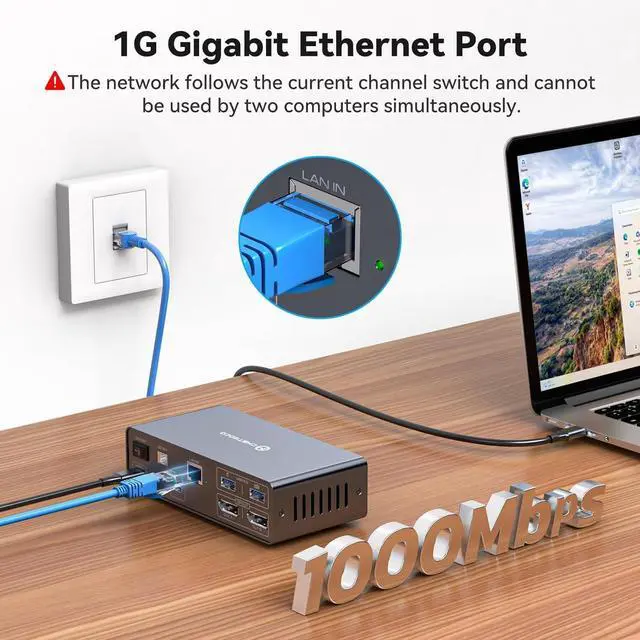
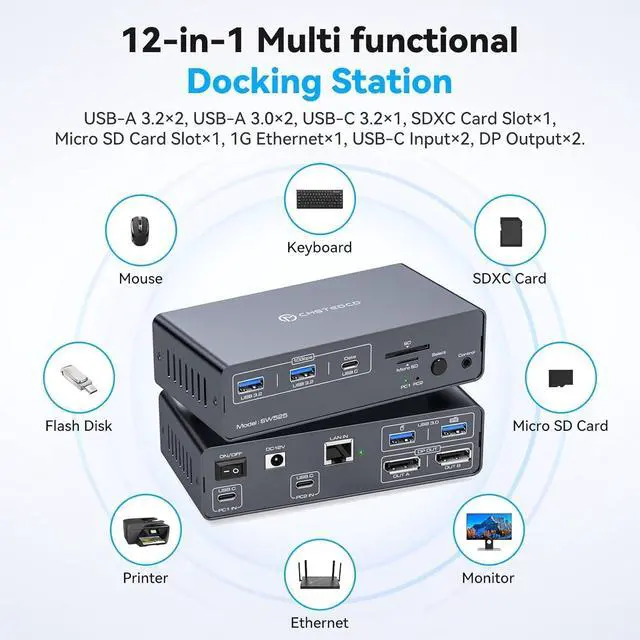
12-in-1 Docking Station: USBC display port KVM Switcher allows 2 PC share 2 4K@120Hz DP 1.4 ports (Windows supports extended display), 2 USB A 3.0 ports, 4 USB A/C 3.2 ports, 1G ethernet port, SD and microSD card slots, and moreexpanding connectivity while saving desk space. Note: Does not support laptop charging
4K@120Hz KVM Switch Displayport: 8K KVM Switch Docking Station supports up to 8K@60Hz and 4K@120Hz, and is backward compatible with 2560*1440P@144Hz, 1080P, etc. It allows you to enjoy high-definition and smooth images and meet your needs for high-quality equipment
Fast Data Transfers: USB 3.2 KVM switch with speeds up to 10Gbps transfer large files, 4K videos, and high-res photos in seconds
Keep Your Desk Clean: Our KVM switch includes a wired extension button, so you can: Hide the main unitTuck it under your desk or behind your monitor; Place the button within easy reachMount it anywhere for one-tap switching; Enjoy a clutter-free workspaceNo more messy cables or bulky switches in sight