

Your Browsing History
- Free 30-day Returns
$72.99

Meet Your Seller

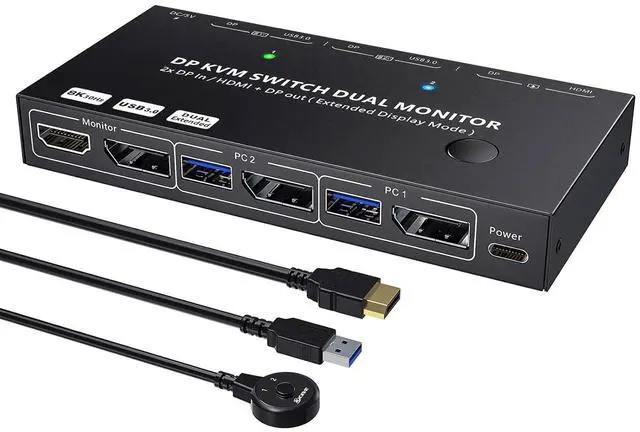


KCEVE 4K KVM Switch 2 Monitors 2 Computers HDMI DP, USB 3.0 KVM Switch Dual Monitor 4K@60Hz MST for 2 Computer Share Keyboard Mouse, with Wired Remote
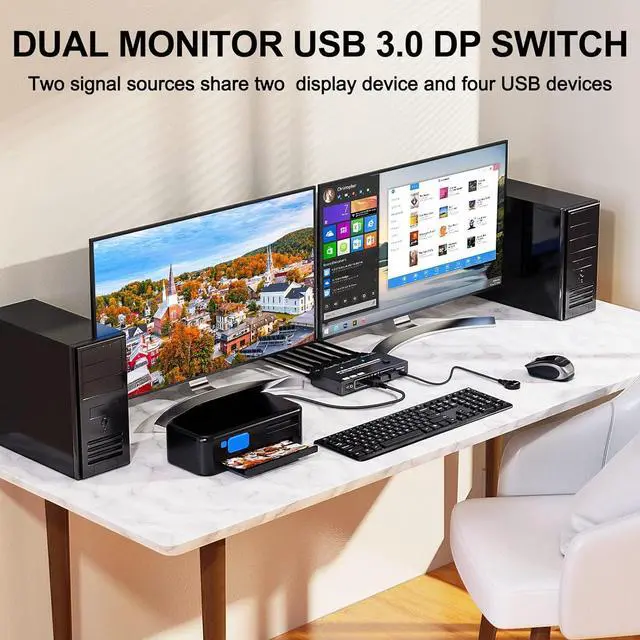
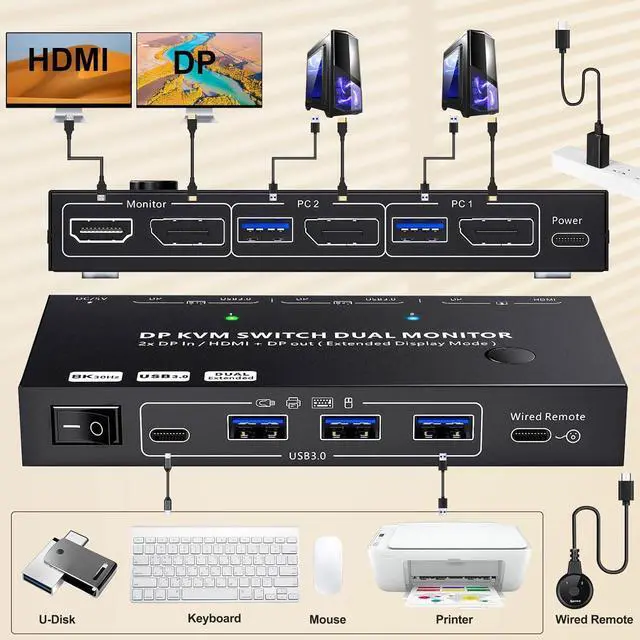
- KVM Switch 2 Monitors 2 Computers DP with MST+SST Splitter Screen FunctionKCEVE USB 3.0 KVM Switch dual monitor displayport is suitable for 2 desktops to share 2 monitors(HDMI and Displayport). Each PC only needs to plug in 1 DP and 1 USB cable, KVM Switch 2 computers Displayport with MST function, DP splitter to 1 HDMI and 1 displayport monitor. KVM Switch HDMI Displayport is ideal for offices, monitoring rooms, teaching rooms, and home theaters
- KVM Switch displayport 4K@60HzKVM switch 2 monitors 2 computers HDMI displayport supports 4K@60Hz, 2K@120Hz, and is backward compatible. KVM Switch 2 monitor provides you with clear and delicate high-resolution image quality. Please use 8K DP 1.4 and HDMI 2.1 cables
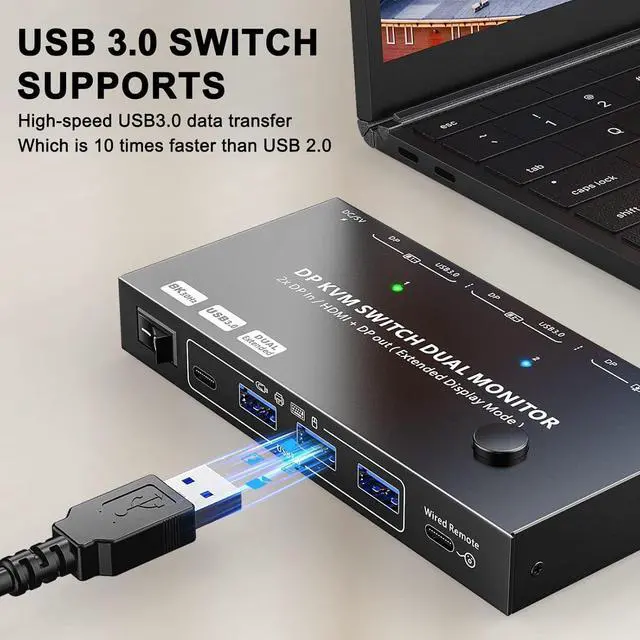
- 5Gbps Date TransferKVM Switch Displayport HDMI has 4 USB 3.0 ports with 5Gbps transfer speed. Dual monitor KVM switch HDMI DP compatible USB 2.0 /1.1 can automatically identify the mouse, keyboard, printer, U disk, hard disk, scanner, camera. Please use USB 3.0 cable
- 2 S
+
+
Overview
Reviews

Any questions? Our AI beta will help you find out quickly.
Try me now
This KVM Switch 2 monitors 2 computers has MST function. You only need to connect 1 DP cable and 1 USB cable from each computer to the KVM Switch to output 2 monitors (1 HDMI monitor and 1 DisplayPort monitor)
Plug and play. No additional driver software required
Equipped with four USB 3.0 ports for connecting a keyboard, mouse, and USB hard drive supports ultra-high-speed data transfers up to 5Gbps.
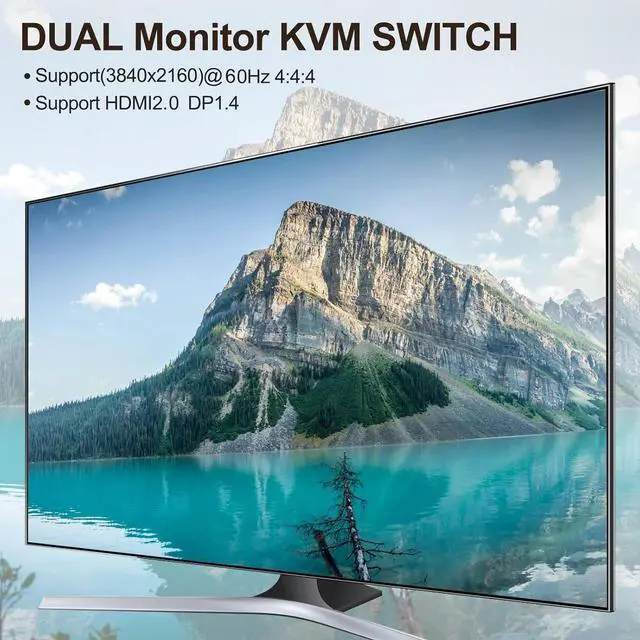
Supports 4K@60Hz when using two monitors.
Supports 4K@120Hz when using a single monitor.
KVM Switch Displayport Support DP 1.4, HDMI 2.0, HDCP 2.3
The HDMI port supports up to 4K@60Hz and is backward compatible with 1920*1080@120Hz.
The DisplayPort port supports up to 8K@30Hz and is backward compatible with 4K@60Hz and 1920*1080@120Hz.
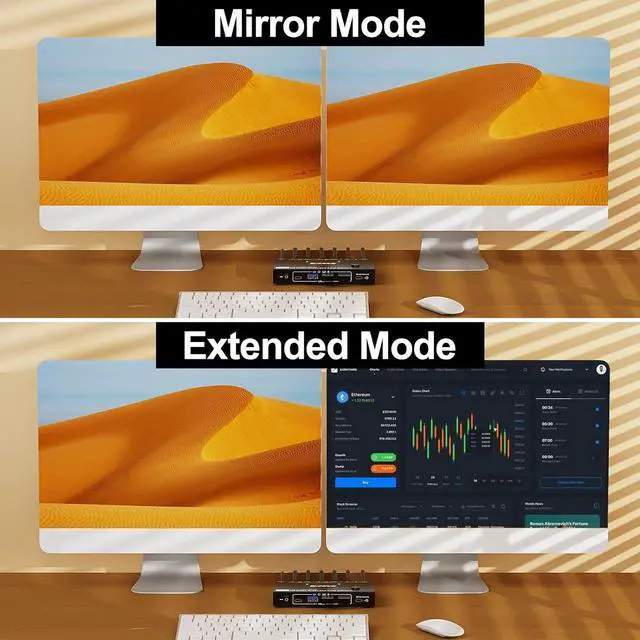
Press "Windows + P" to select Extended or Mirrored Mode.
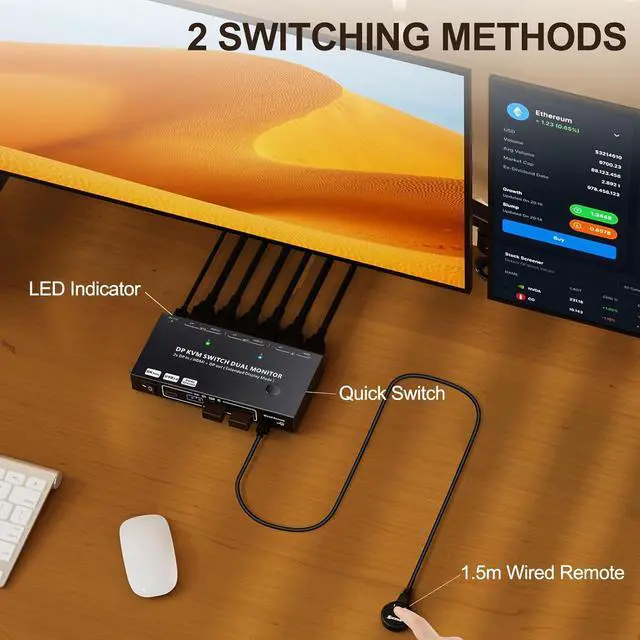
Switching between computers takes approximately 8 seconds.
LED lights indicate which computer is active
Friendly Reminder:
The 2 monitors can only output the video source of 1 computer (mirror mode or extended mode), and cant output the signal sources of PC1 and PC2 at the same time.
Windows system can extend 2 different screens, while M1 M2 MAC OS can only extend 2 same screens.
Some laptops do not have a DisplayPort output. The solution is to use a USB-C to DP converter. When using a converter, the resolution will drop. Does not support HDMI to DP conversion.
DisplayPort KVM Switch 2 PC 2 Monitor share 4 USB 3.0 ports with MST Splitter Screen Function
Plug and play. No additional driver software required
Equipped with four USB 3.0 ports for connecting a keyboard, mouse, and USB hard drive supports ultra-high-speed data transfers up to 5Gbps.
Supports 4K@60Hz when using two monitors.
Supports 4K@120Hz when using a single monitor.
KVM Switch Displayport Support DP 1.4, HDMI 2.0, HDCP 2.3
The HDMI port supports up to 4K@60Hz and is backward compatible with 1920*1080@120Hz.
The DisplayPort port supports up to 8K@30Hz and is backward compatible with 4K@60Hz and 1920*1080@120Hz.
Press "Windows + P" to select Extended or Mirrored Mode.
Switching between computers takes approximately 8 seconds.
LED lights indicate which computer is active
Friendly Reminder:
The 2 monitors can only output the video source of 1 computer (mirror mode or extended mode), and cant output the signal sources of PC1 and PC2 at the same time.
Windows system can extend 2 different screens, while M1 M2 MAC OS can only extend 2 same screens.
Some laptops do not have a DisplayPort output. The solution is to use a USB-C to DP converter. When using a converter, the resolution will drop. Does not support HDMI to DP conversion.
DisplayPort KVM Switch 2 PC 2 Monitor share 4 USB 3.0 ports with MST Splitter Screen Function
Warranty & Returns
Warranty, Returns, And Additional Information
Warranty
- Please contact the Seller directly for warranty information. Warranty information may also be found on the Manufacturer's website.
- CONTACT
Return Policies
- Return for refund within: 30 days
- Return for replacement within: 30 days
- This item is covered by DHINGDOM TRADING CO., LIMITED Return Policy
Manufacturer Contact Info
- For a directory of all our manufacturers, please click below.
- Manufacturers Directory
LOADING...